
YouTube Transcript AI
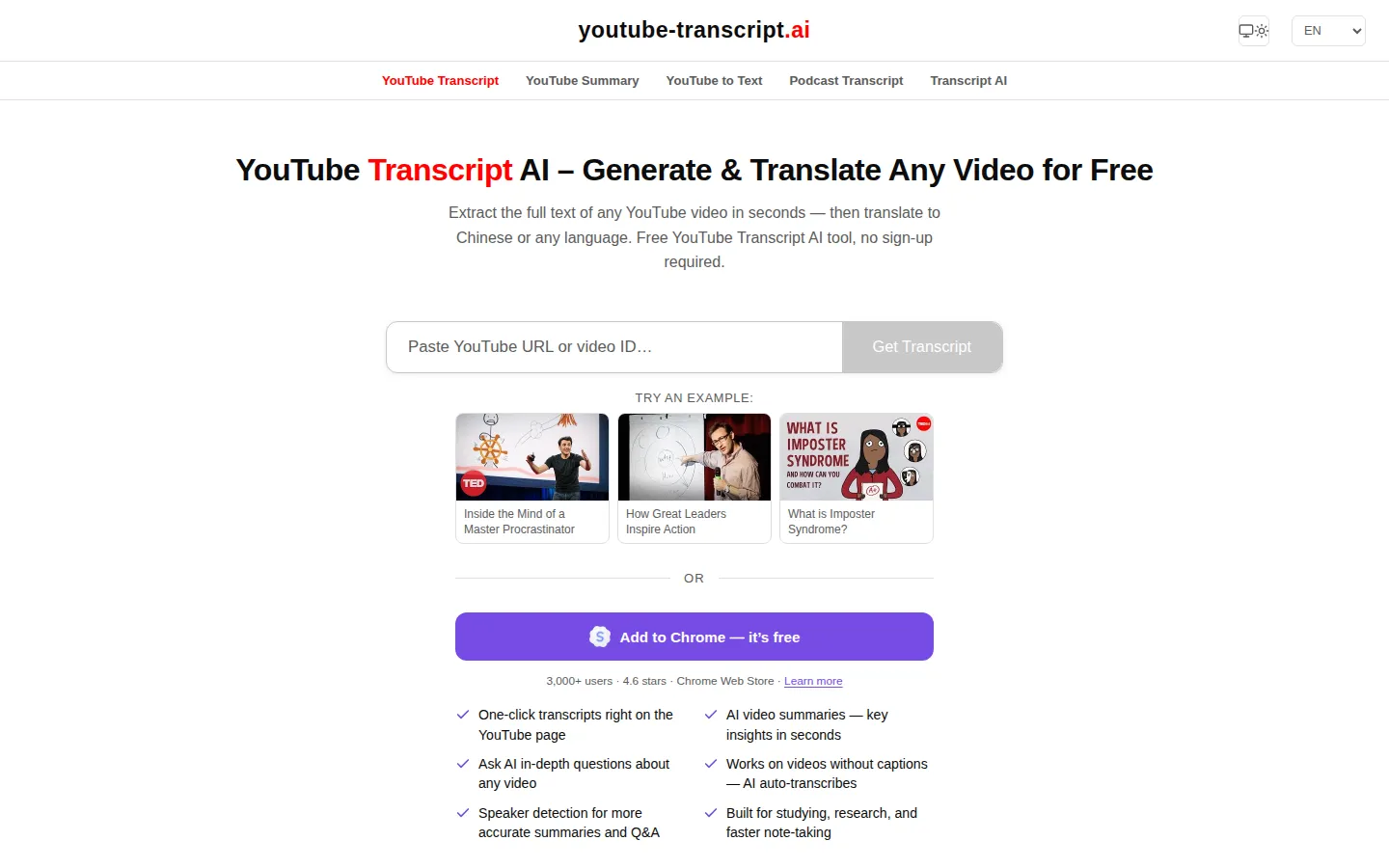
YouTube Transcript AI is a free, no-signup web tool that converts any public YouTube video into clean, timestamped text in seconds. Paste a link to read the transcript, copy it into ChatGPT or Claude for summaries and translation, download TXT, SRT or bilingual subtitle files, or call the keyless API and MCP server from your own AI agent.
What is YouTube Transcript AI?
YouTube Transcript AI is a free web tool that lifts the text out of any public YouTube video and returns it as clean, readable, timestamped prose. Paste a link, a Shorts URL or the bare eleven-character video ID, and the site retrieves the caption track YouTube already publishes, then rebuilds sentence structure, capitalisation and paragraph breaks rather than dumping the fragmented caption cues you would copy from YouTube's own transcript panel. No account, no credit card and no daily cap are required for that core job.
Retrieval, not interface, is the real engineering story here. The site says most of its development time goes into the fetch path, with several layers of fallback behind every request, because the same video can hand back a full transcript on one attempt and nothing at all on the next. It fetches over multiple independent network routes so that YouTube's rate limiting of data-centre IP ranges does not leave you staring at an empty page. Transcripts carry word-level timing, which powers click-any-word-to-jump playback and karaoke-style highlighting in the workspace at youtube-transcript.ai/transcript.
Output is flexible. Six download formats are offered: plain text and SRT, each in the original language, machine-translated, or bilingual with both languages stacked line by line, a shape language learners and subtitlers ask for and rarely find. The interface ships in eleven languages, and transcripts translate into more than one hundred. A copy button returns the text with or without timestamps, ready to drop into ChatGPT, Claude or Gemini for a summary, a translation or a set of notes. Long lectures, interviews and conference talks work the same way as three-minute clips, and the site advertises no length limit.
When a video genuinely has no caption track, the tool can run its own automatic speech recognition on the audio instead. Across the 245,703 videos the team measured, 13 percent had no usable caption track at all. The regenerated transcript is written as real sentences with punctuation and speaker labels, and the site's own study puts YouTube's auto-captions at a 9.9 percent median word error rate, with one in five carrying no sentence punctuation whatsoever. Summarisation and caption-less transcription are the parts it charges for, because they consume GPU time.
Two integrations round the product out. A documented, keyless API returns Markdown from /transcript/VIDEO_ID.txt, with an optional language parameter, open CORS and 24-hour edge caching, free under fair-use limits and licensed case by case for commercial volume. An official MCP server at /mcp lets Claude, ChatGPT or Cursor fetch transcripts mid-conversation, and the same team ships SubKun, a Chrome extension for one-click transcripts and bilingual subtitles on the YouTube page.
YouTube Transcript AI Core Features
Instant transcript extraction
Paste any YouTube URL, Shorts link or bare video ID and get readable, timestamped text in seconds.
Cleaned sentence structure
Caption cues are rebuilt into sentences, capitals and paragraphs instead of YouTube's fragmented display-sized chunks.
Six download formats
Plain text and SRT, each in the original language, translated, or bilingual with two languages stacked line by line.
100+ translation languages
Transcripts translate into over one hundred languages, across an interface that itself ships in eleven.
AI transcription for caption-less videos
Videos with no caption track are transcribed from the audio, with real punctuation and speaker labels.
Word-level timestamps
Word-level timing powers karaoke highlighting and click-any-word-to-jump playback for verifying quotes in one click.
Keyless API and MCP server
A .txt transcript endpoint plus an official MCP connector let Claude, ChatGPT and Cursor fetch transcripts directly.
Who is YouTube Transcript AI for?
Students and self-directed learners get the most obvious value. A two-hour lecture becomes searchable, quotable text they can revise from, and handing the transcript to an AI turns any educational video into notes, flashcards or a study guide. Reviewers on the site describe using it to prepare a lesson and to accelerate learning. Researchers and journalists use it to pull exact, timestamped quotes out of interviews, conference talks and panels without scrubbing a timeline. Word-level timestamps and click-to-jump playback make verifying a quote a one-click job, which matters when the quote has to be accurate in print. Content creators and marketers repurpose one video into a blog post, newsletter, thread or show notes. Reviewers mention taking the transcript straight into AI tools to build carousel copy for Instagram, and the site frames repurposing as a headline use case. Language learners are served directly: bilingual SRT with two languages stacked line by line, translation into over one hundred languages, and a read-along workflow that does not require watching the video. Non-native English speakers get the same pipeline in reverse, and the interface itself ships in eleven languages. Accessibility is an explicit audience. Anyone who is deaf or hard of hearing, or who simply reads faster than they listen, gets a clean text alternative to a video that has no downloadable captions. Developers and AI-agent builders are a distinct group: the keyless transcript endpoint and the official MCP server let Claude, ChatGPT, Cursor or a custom pipeline fetch transcripts programmatically, with no key exchange, no SDK install and no signup. Podcast and long-form listeners run the same workflow on episodes and interviews, where word-level timing, punctuation and speaker detection measurably improve summaries and question answering. Anyone who has ever closed a tab because the video was too long, or wanted to quote a talk without retyping it, is squarely in the target group. Who it is not for: people who want a hosted video editor, a subtitle burn-in tool, a full meeting-transcription suite, or bulk scraping at commercial scale. The site states plainly that it does not host video, does not run a video editor and does not do anything unrelated to transcripts, and that sustained high-volume traffic on the free API is rate limited. Teams needing enterprise volume are pointed to a commercial conversation instead.
YouTube Transcript AI Use Cases
Turn a two-hour lecture into searchable notes, flashcards and an exam-ready summary without rewatching the video.
Pull exact timestamped quotes out of interviews, panels and conference talks for an article or report.
Repurpose one YouTube video into a blog post, newsletter or social thread with AI doing the rewriting.
Translate a foreign-language talk into your own language and read along with bilingual subtitles.
Give Claude, ChatGPT or Cursor a YouTube link and ask questions about the video mid-conversation through MCP.
Recover the script of a talk or presentation you delivered years ago from the archived recording.
Extract every claim and figure mentioned in a long podcast episode and check each one against its timestamp.
YouTube Transcript AI Pros and Cons
Pros
- Genuinely free for the main job: unlimited transcripts for any video that has captions, with no signup, no account and no daily cap.
- A hardened retrieval path with multiple fallback layers and independent network routes, which means far fewer empty results than typical transcript scrapers.
- Unusually complete output options: six download formats including bilingual SRT, eleven interface languages and hundred-plus translation languages.
- Two programmatic doors competitors rarely offer: a keyless .txt API and an official MCP server for Claude, ChatGPT and Cursor.
Cons
- AI transcription for videos with no caption track is a paid feature, and the amount appears only in the in-app upgrade card rather than on a public pricing page.
- The free API is fair-use only and rate-limits sustained high-volume traffic, so bulk or commercial projects have to negotiate terms first.
- Private, members-only and age-restricted videos cannot be reached at all, and many Shorts and livestream replays simply have no caption track to fetch.
FAQ About YouTube Transcript AI
YouTube Transcript AI Pricing
YouTube Transcript AI is freemium: extracting transcripts from videos that already have captions is free, unlimited and account-free, and the site's own structured data quotes a $0 price, while AI transcription of caption-less videos and commercial API licensing are paid, priced in-app or by arrangement rather than on any public pricing page.
Check official pricingFree
Unlimited transcripts for any YouTube video that already has captions, with no signup, no account, no daily cap and no credit card. Includes eleven interface languages, copying with or without timestamps, and the keyless API and MCP server under fair-use limits.
AI Transcription for caption-less videos
When a video has no caption track at all the site runs its own speech recognition on the audio and bills for the GPU time. The upgrade card on the transcript workspace shows a price with a monthly or yearly toggle and cancel-anytime terms, managed through a billing portal; no amount is published on a public pricing page.
Commercial API / MCP licence
For products built on the transcript endpoint, published as 'Let's talk': terms and capacity are agreed case by case, and you email hello@youtube-transcript.ai with your use case and rough daily volume. The free tier is not a resale or bulk-ingest tier.
YouTube Transcript AI Alternatives

HiNoter
HiNoter converts audio, video, PDFs, and meeting recordings into transcripts, structured summaries, and action items. It records Zoom, Google Meet, and Microsoft Teams calls, accepts uploaded files or YouTube links, and transcribes over 100 languages. A one-time free credit covers a single note, Personal Pro costs $6.99 a week or $69.99 a year, and Team Pro starts at $119.98 a year for two seats.

ScribeToAny
ScribeToAny turns audio and video into editable text and subtitles. Upload a file or paste a link, and it detects the spoken language, transcribes with timestamps and speaker labels, and exports TXT, SRT, VTT, TSV, CSV, JSON, PDF or DOCX. Transcripts can then be translated into 134+ languages with subtitle timings preserved. The free plan covers 100 minutes a month.
Whisper Web
Whisper Web is a free, browser-based AI transcription tool that converts audio, video, voice notes, and YouTube links into accurate text in 100+ languages. It auto-detects speakers, generates AI summaries with action items, and exports to TXT, DOCX, PDF, SRT, VTT, or JSON. Ideal for meetings, interviews, podcasts, and research, with no install and no signup required.