Whisper Web
Whisper Web is a free, browser-based AI transcription tool that converts audio, video, voice notes, and YouTube links into accurate text in 100+ languages. It auto-detects speakers, generates AI summaries with action items, and exports to TXT, DOCX, PDF, SRT, VTT, or JSON. Ideal for meetings, interviews, podcasts, and research, with no install and no signup required.
What is Whisper Web?
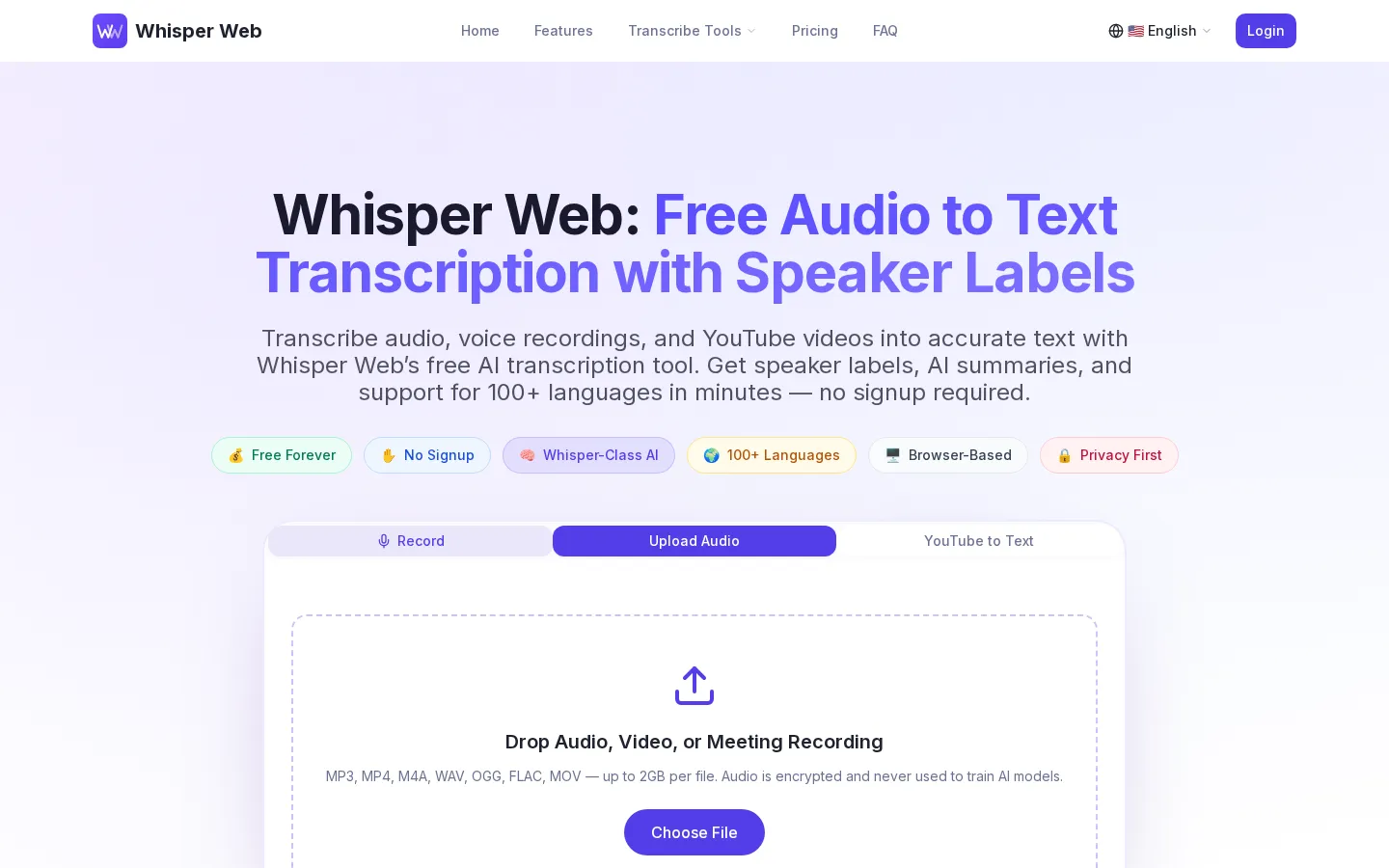
Whisper Web is a free, browser-based AI transcription tool that turns audio and video into accurate, speaker-labeled text in more than 100 languages. Positioned as a Whisper-class alternative to desktop software and bot-based services, it runs entirely in the browser: no installs, no extensions, no GPU, and no signup wall for basic use. Users upload a file, record from their microphone, or paste a public YouTube URL, and Whisper Web returns a clean transcript with timestamps and automatic speaker labels, typically in under three minutes.
Under the hood the product applies Whisper-class automatic speech recognition that it claims reaches 98%+ accuracy on clear audio, handling accents, crosstalk, and conference-room background noise. Languages including English, Chinese, Spanish, French, German, Japanese, Arabic, Portuguese, Russian, and Hindi are auto-detected, and mixed-language audio is supported. Files can be up to 2GB each, and supported formats span MP3, MP4, M4A, WAV, OGG, FLAC, MOV, and more.
Beyond raw transcription, Whisper Web adds an AI summary layer. Every transcript can ship with key points, decisions, action items, and notable quotes, drawn from four templates: Meeting, Interview, Sales Call, and General. Transcripts and summaries export to TXT, DOCX, PDF, SRT, VTT, or JSON, and one-click integrations push them to Notion pages or any of 6,000+ Zapier apps, so recordings flow into docs, CRMs, or task trackers without copy-paste.
Whisper Web emphasizes privacy: audio is encrypted in transit, processed in isolation, and deleted after transcription, and the company states it never trains AI models on user audio. It works with recordings from Zoom, Microsoft Teams, Google Meet, and Webex.
Pricing is freemium. A Free Forever plan covers browser transcription, all formats, and up to 2GB per file with a one-time one-minute Advanced preview, while paid Basic ($8.90/month) and Unlimited ($9.90/month) tiers add Advanced transcription, unlimited AI summaries, speaker labels, priority processing, and VIP support. Whisper Web is an independent product and is not affiliated with, endorsed by, or sponsored by OpenAI; Whisper is a trademark of OpenAI referenced descriptively.
Whisper Web Core Features
98%+ accurate Whisper-class speech recognition across 100+ auto-detected languages.
Automatic speaker labels and timestamps for meetings, interviews, and panel discussions.
AI summaries with key points, decisions, quotes, and action items in four templates.
YouTube-to-text
paste any public URL to get a full transcript plus summary.
Browser-based with no install; audio is encrypted in transit and deleted after transcription.
Exports to TXT, DOCX, PDF, SRT, VTT, JSON, and other formats in one click.
One-click sync to Notion pages and 6,000+ Zapier apps for streamlined workflows.
Supports MP3, MP4, M4A, WAV, OGG, FLAC, MOV, and more, up to 2GB per file.
Who is Whisper Web for?
Whisper Web is built for anyone who needs fast, accurate, and affordable speech-to-text without installing software, renting a GPU, or inviting a bot into a live call. Its free, browser-based approach suits individual professionals as well as small teams that want transcripts and summaries in minutes rather than hours. Meeting-heavy roles are a natural fit: project managers, team leads, and operations staff who record Zoom, Microsoft Teams, Google Meet, or Webex sessions and need speaker-labeled notes plus clear action items afterward. Sales teams and consultants use it to turn discovery calls, demos, and client conversations into searchable transcripts and AI summaries they can push into a CRM, Notion, or a task tracker through Zapier. Journalists, researchers, and UX researchers rely on it to transcribe interviews and focus groups, then quote accurately with the help of timestamps and speaker labels, including on mixed-language audio. Podcasters, YouTubers, and video creators use the one-click YouTube-to-text feature for show notes, SEO copy, and SRT/VTT subtitles, while students and academics convert lectures, seminars, and study-group recordings into editable text and summaries for revision. Content and marketing teams mine YouTube videos, earnings calls, and industry talks for quotes, competitor research, and repurposed material. Privacy-conscious users and lightly regulated teams value the stance that audio is encrypted in transit, processed in isolation, deleted after transcription, and never used to train AI models. Non-native English speakers also benefit from support for 100+ auto-detected languages. Teams that need an autonomous meeting bot to join calls live, or enterprises that require SSO, a custom DPA, and volume discounts, should note that Whisper Web handles enterprise needs through a contact-sales license rather than self-serve. Heavy users should also look beyond the Free plan, which targets short clips, voice notes, and meetings up to ten minutes and offers only a one-time one-minute Advanced preview.
Whisper Web Use Cases
Transcribing Zoom, Teams, and Google Meet recordings into clean, speaker-labeled meeting notes.
Converting sales calls into transcripts and AI summaries with follow-up action items.
Turning YouTube videos and earnings calls into research-ready text for content teams.
Transcribing podcast episodes and interviews with accurate speaker labels and timestamps.
Helping journalists and researchers quote accurate, searchable transcripts of long recordings.
Letting students convert lectures and study-group audio into editable text and summaries.
Generating subtitles as SRT or VTT files for video editors and online creators.
Whisper Web Pros and Cons
Pros
- A genuinely free Forever plan that needs no signup or credit card for shorter recordings.
- Fully browser-based with no install, plus 2GB uploads and broad audio and video format support.
- Speaker labels, timestamps, and AI summaries are bundled into paid tiers rather than sold as extras.
- Strong privacy stance: audio is encrypted in transit, deleted after transcription, and never used to train AI models.
Cons
- The Free plan covers only shorter recordings and a single one-minute Advanced preview.
- AI summaries, speaker labels, and Advanced accuracy all require a paid subscription.
- There is no verified public API, and despite the name it is not affiliated with or endorsed by OpenAI.
FAQ About Whisper Web
Whisper Web Pricing
Whisper Web is free to start on a Free Forever plan, with paid Basic ($8.90/month) and Unlimited ($9.90/month) tiers that add Advanced transcription, speaker labels, unlimited AI summaries, and priority support, all backed by a 14-day money-back guarantee.
Check official pricingFree
Free Forever browser transcription with all formats, up to 2GB per file, and a one-time 1-minute Advanced preview. Sign in for complete Free transcripts; AI summaries and speaker labels require a paid plan.
Basic
1,200 Advanced minutes per month, unlimited AI summaries, speaker labels and timestamps, 12 templates, Notion and Zapier integrations, and priority processing. $106.80 billed yearly.
Unlimited
Unlimited transcription and batch uploads plus everything in Basic, including AI summaries, speaker labels, integrations, priority processing, and VIP 24/7 email support. $118.80 billed yearly.
Whisper Web Alternatives

HiNoter
HiNoter converts audio, video, PDFs, and meeting recordings into transcripts, structured summaries, and action items. It records Zoom, Google Meet, and Microsoft Teams calls, accepts uploaded files or YouTube links, and transcribes over 100 languages. A one-time free credit covers a single note, Personal Pro costs $6.99 a week or $69.99 a year, and Team Pro starts at $119.98 a year for two seats.
ScribeToAny
ScribeToAny turns audio and video into editable text and subtitles. Upload a file or paste a link, and it detects the spoken language, transcribes with timestamps and speaker labels, and exports TXT, SRT, VTT, TSV, CSV, JSON, PDF or DOCX. Transcripts can then be translated into 134+ languages with subtitle timings preserved. The free plan covers 100 minutes a month.

NaturalReader
NaturalReader by NaturalSoft converts text, PDFs, images and webpages into lifelike speech in 90+ languages. Personal plans add AI podcast, recap, screenshot, chat, quizzes and voice cloning; the Commercial generator licenses voiceovers for videos, eLearning and ads, while EDU offers school group and site licenses. A free forever plan works without a credit card, and paid tiers start at $9.92 per month.