
ScribeToAny
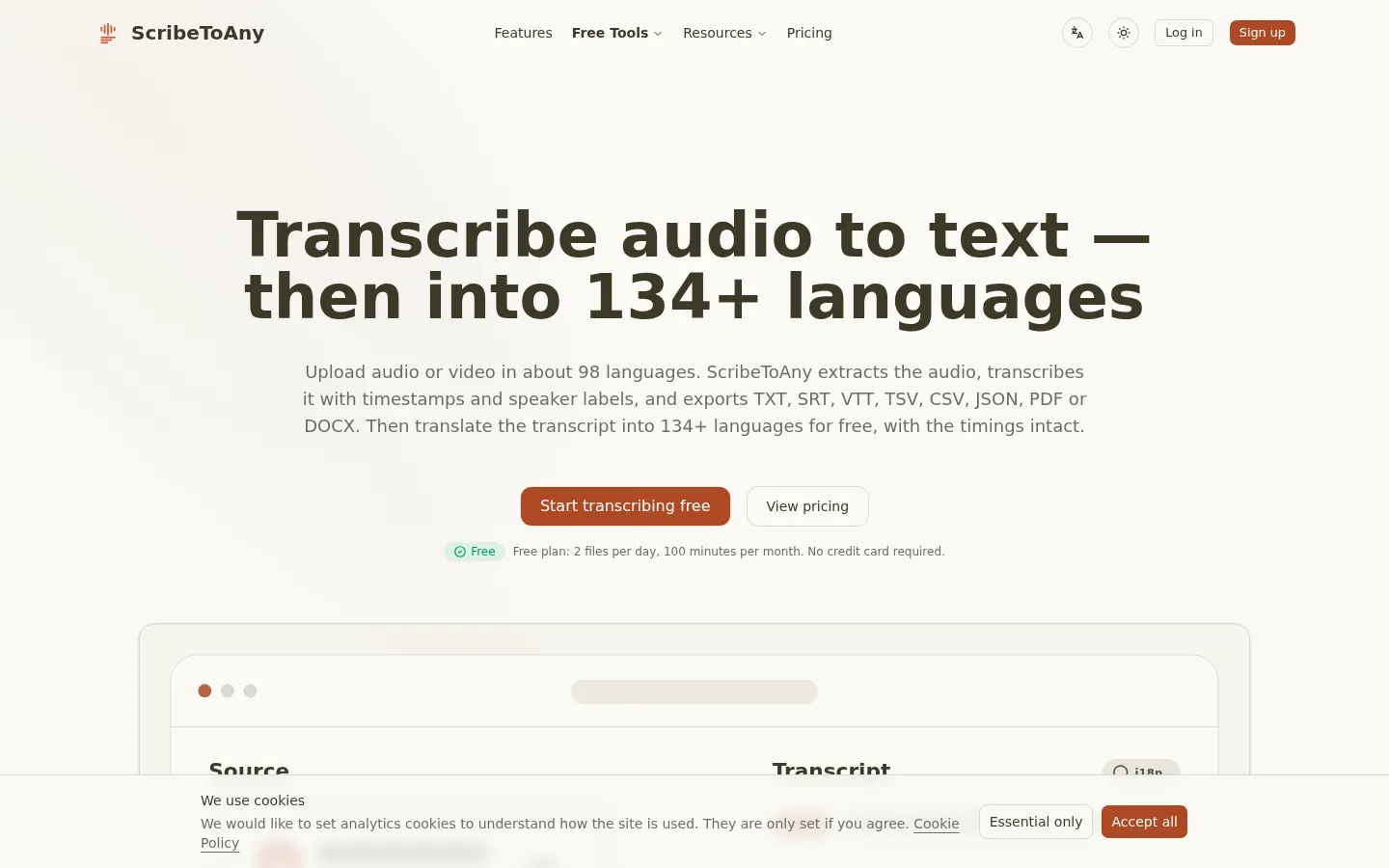
ScribeToAny turns audio and video into editable text and subtitles. Upload a file or paste a link, and it detects the spoken language, transcribes with timestamps and speaker labels, and exports TXT, SRT, VTT, TSV, CSV, JSON, PDF or DOCX. Transcripts can then be translated into 134+ languages with subtitle timings preserved. The free plan covers 100 minutes a month.
What is ScribeToAny?
ScribeToAny is a browser-based transcription service that turns audio and video files into editable text and subtitles. It is operated by Scribe Saas, LLC and built by a solo developer, Ray Mac, a former ByteDance engineer, with the first version live in July 2026. The product's emphasis is language breadth rather than meeting-room integration: about 98 languages in, 134+ out.
The core workflow is short. You upload a file or paste a link, ScribeToAny extracts the audio track, and Whisper-class models on dedicated GPUs transcribe it, detecting the spoken language automatically and labelling speakers. Non-English audio can be transcribed straight into English on any plan, and an AI audio restoration option is offered for noisy recordings. Editing happens in the browser, where every line can be corrected before export.
Output is where the product invests most. Each transcript downloads as TXT, SRT, VTT, TSV, CSV, JSON, PDF or DOCX, and several files can be exported together as a ZIP. Timings survive translation into 134+ languages, so a translated subtitle file stays in sync with the video. Subtitle cues are checked against reading speed and flagged when they pass too fast rather than silently rewritten.
Accuracy claims are unusually specific for a tool this size. On a published scripted test recording, 4 of 189 words differed from the script, a 2.1% word error rate, and all 14 speaker turns were labelled correctly. The site also states that background noise, crosstalk and strong accents lower accuracy. Published notes describe parser bugs found while running 16 broken SRT files through ffmpeg and decoding changes made after Thai, Lao and Burmese recordings came back with speech missing.
Around the editor sits a set of free single-purpose tools: video to text, MP3 to text, subtitle generation and translation, SRT to text, audio extraction, MOV to MP4, and transcript capture from YouTube, Instagram and TikTok links. A remote MCP server lets ChatGPT, Claude, Cursor or another MCP client list, read and start transcriptions under your signed-in account, with OAuth instead of an API key.
Privacy is handled in plain terms. Uploads travel over HTTPS to private storage, the original audio or video is deleted automatically after transcription, transcripts stay in the account until you delete them, and the company states it does not train AI models on customer files. Pricing starts free at 100 minutes a month, with subscription tiers and one-time minute packs above that.
ScribeToAny Core Features
Multi-language transcription
Transcribes about 98 languages with automatic language detection, and can render non-English audio as English text on any plan.
Speaker labels and timestamps
Separates speakers and keeps per-line timings through editing, translation and export, which is what subtitle work depends on.
Eight export formats
TXT, SRT, VTT, TSV, CSV, JSON, PDF and DOCX from one transcript, with batch export of several files as a ZIP.
Free translation to 134+ languages
Translates finished transcripts while preserving subtitle timings, included on the free tier rather than sold as an add-on.
Browser editor
Every line can be corrected in place before export, with the transcript stored in your account until you delete it.
AI summary, chat and audio restoration
Summarise a recording or ask questions about its content, with daily limits that scale from free to paid, plus an optional restoration pass for noisy phone and room recordings.
Remote MCP server
Connects to ChatGPT, Claude, Cursor or any MCP client over OAuth so an AI app can list, read and start transcripts without an API key.
Link import and converters
Import from a public link, or use the free companion tools for video to MP3, MOV to MP4, SRT to text and platform transcript capture.
Who is ScribeToAny for?
ScribeToAny suits people who handle recordings in more than one language and need text or subtitles out of them without paying for a meeting-assistant subscription. It is a good fit for solo creators and small teams that want a free monthly allowance rather than a one-off trial, and for anyone whose source material is not English and who has been poorly served by English-first tools. It also works for teams that need machine-readable output, since JSON, TSV and CSV are first-class exports rather than afterthoughts. It is less suited to live captioning, to broadcast-grade subtitle compliance workflows, or to organisations that require automatic capture from Zoom, Meet or Teams calls. Roles it typically serves: - Podcasters and YouTubers who need transcripts, show notes and SRT files for episodes, including non-English ones. - Video editors and subtitle translators who want timed SRT or VTT that stays in sync after translation. - Journalists and researchers transcribing interviews, often across languages, and exporting JSON or TSV for analysis. - Students and academics working with lecture recordings and foreign-language sources. - Social media managers pulling transcripts from YouTube, Instagram and TikTok links. - Small teams and agencies transcribing meeting or client recordings without buying seats for everyone. - Developers and AI power users who want transcripts reachable from an MCP client such as Claude or Cursor.
ScribeToAny Use Cases
Transcribe a podcast episode and export both a readable transcript and an SRT file for the video version.
Generate subtitles for a YouTube video, then translate them into several languages with the timings untouched.
Turn a recorded interview into text and export JSON or TSV for coding and analysis.
Caption a client video in a language you do not speak by transcribing the source and translating the SRT.
Pull the transcript of a YouTube, Instagram or TikTok video into text for repurposing into posts or articles.
Transcribe a meeting or call recording into shareable notes with speakers separated.
Convert lecture or webinar recordings into study notes, with English output from non-English audio.
Extract audio from a video or convert MOV to MP4 with the free tools before transcription.
ScribeToAny Pros and Cons
Pros
- Genuinely broad language coverage for the price: about 98 languages transcribed and 134+ for translation, with timings preserved.
- Free tier is a renewable monthly allowance of 100 minutes rather than a one-time trial, with no card required.
- Eight export formats including JSON, TSV and DOCX, so the output fits subtitle, editorial and data workflows.
- Unusually candid accuracy reporting, including a measured 2.1% word error rate on a published test recording and notes on where the tool falls short.
Cons
- Free plan is tight for regular use: 2 files a day, 30 minutes per file and one file at a time.
- No live or real-time transcription, and no integrations with conferencing platforms for automatic meeting capture.
- YouTube, TikTok and Instagram links are not accepted through the MCP server, so those sources need a download and upload.
FAQ About ScribeToAny
ScribeToAny Pricing
ScribeToAny is freemium. The free plan includes 100 transcription minutes a month, 2 files a day, up to 30 minutes per file, and one file at a time, with no card required. Plus is listed at $7.33 per month billed $88 yearly for 1,500 minutes, unlimited uploads, 6 parallel files, 5 GB and 6 hours per file. Pro is listed at $10 per month billed $120 yearly for 3,000 minutes. One-time packs cost $5 for 300 minutes, $10 for 800 and $20 for 2,000, valid for 12 months with no auto-renewal. A monthly billing toggle exists on the pricing page; the figures above are the yearly rates shown by default.
Check official pricingFree
100 transcription minutes a month, 2 files per day, up to 30 minutes per file and one file at a time. Includes speaker labels, translation into 134+ languages, all eight export formats and limited AI summary and chat.
Plus
1,500 transcription minutes a month, unlimited uploads, 6 files transcribed in parallel, files up to 5 GB and 6 hours, and higher daily limits for AI summary and chat.
Pro
3,000 transcription minutes a month with the same upload, parallel processing and file-size limits as Plus, aimed at creators who transcribe often.
300-minute pack
About 5 hours of audio at $1.00 per hour. No daily limit and files up to 6 hours; on the free plan it grants Plus limits until the minutes run out.
800-minute pack
About 13 hours of audio at $0.75 per hour, 25% cheaper per minute than the 300-minute pack, with no daily limit and files up to 6 hours.
2,000-minute pack
About 33 hours of audio at $0.60 per hour, the lowest per-minute rate offered, with no daily limit and files up to 6 hours. No auto-renewal.
ScribeToAny Alternatives

HiNoter
HiNoter converts audio, video, PDFs, and meeting recordings into transcripts, structured summaries, and action items. It records Zoom, Google Meet, and Microsoft Teams calls, accepts uploaded files or YouTube links, and transcribes over 100 languages. A one-time free credit covers a single note, Personal Pro costs $6.99 a week or $69.99 a year, and Team Pro starts at $119.98 a year for two seats.
Whisper Web
Whisper Web is a free, browser-based AI transcription tool that converts audio, video, voice notes, and YouTube links into accurate text in 100+ languages. It auto-detects speakers, generates AI summaries with action items, and exports to TXT, DOCX, PDF, SRT, VTT, or JSON. Ideal for meetings, interviews, podcasts, and research, with no install and no signup required.

NaturalReader
NaturalReader by NaturalSoft converts text, PDFs, images and webpages into lifelike speech in 90+ languages. Personal plans add AI podcast, recap, screenshot, chat, quizzes and voice cloning; the Commercial generator licenses voiceovers for videos, eLearning and ads, while EDU offers school group and site licenses. A free forever plan works without a credit card, and paid tiers start at $9.92 per month.