
HiNoter
HiNoter converts audio, video, PDFs, and meeting recordings into transcripts, structured summaries, and action items. It records Zoom, Google Meet, and Microsoft Teams calls, accepts uploaded files or YouTube links, and transcribes over 100 languages. A one-time free credit covers a single note, Personal Pro costs $6.99 a week or $69.99 a year, and Team Pro starts at $119.98 a year for two seats.
What is HiNoter?
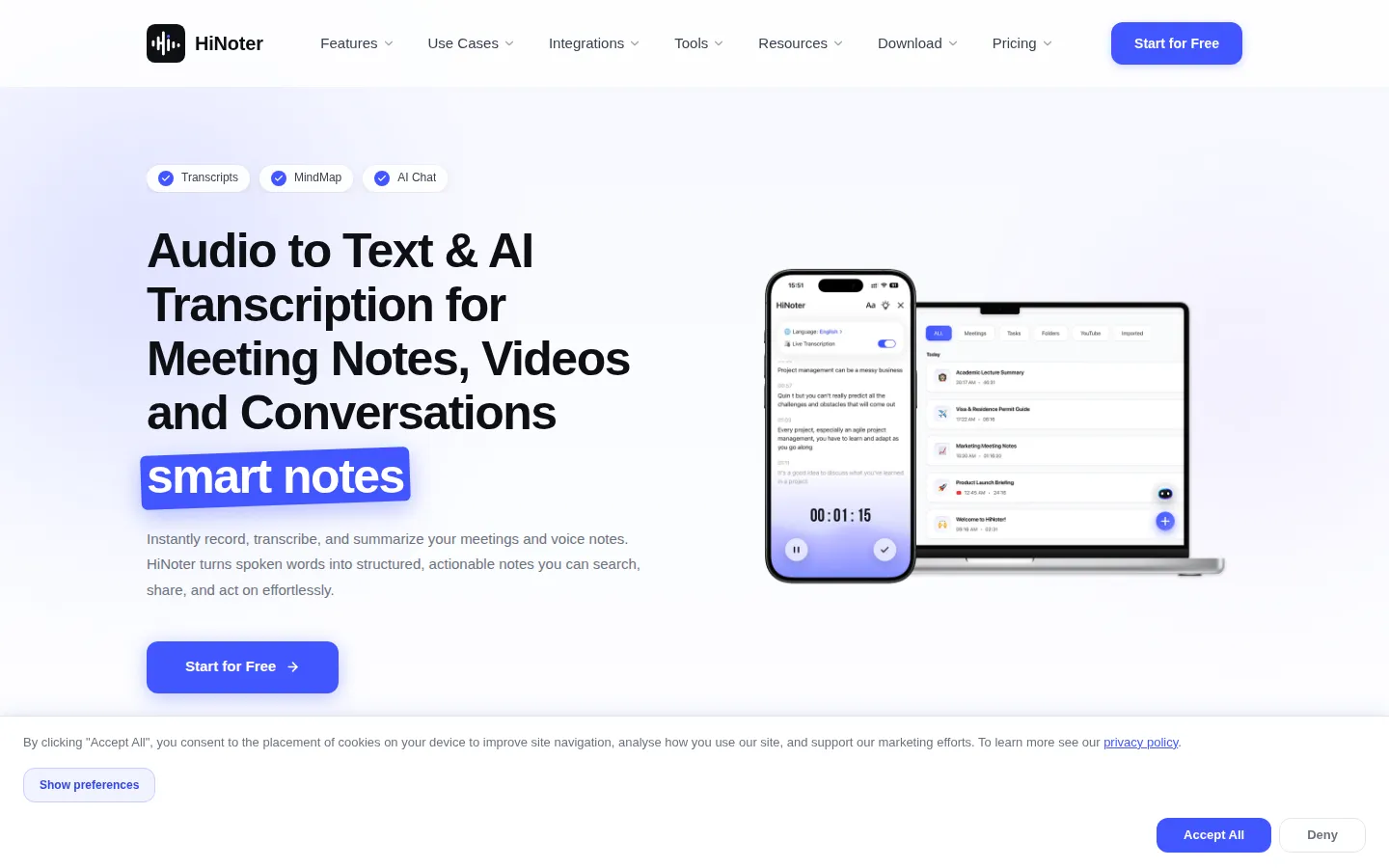
HiNoter is an AI transcription and note-taking app that turns spoken or written material into organized, searchable notes. Users record a meeting, upload an audio or video file, paste a YouTube link, or add a PDF, and the service returns a transcript, a structured summary, key decisions, action items, and a visual mind map. The product comes from APPTIMAL PTE. LTD. in Singapore and runs in the browser at hinoter.com, with companion iOS and Android apps.
Capture is the first half of the workflow. HiNoter records online meetings and connects to Google and Microsoft calendars so scheduled calls are picked up automatically, and it lists Zoom, Google Meet, and Microsoft Teams among the meeting workflows it supports. Recordings can also arrive as uploaded audio or video files or as a YouTube link, and the same panel accepts PDFs, which are read with OCR so scanned documents become editable, searchable text.
Processing runs on Whisper Large V3, which the site describes as OpenAI's speech model, and HiNoter claims 95%+ accuracy in real conditions across more than 100 languages. Transcripts keep speaker turns, can be translated, and feed an AI chat that answers questions about a note with references back to the source. Finished notes sync to Notion or Google Docs, and each one can be read as a summary, a full transcript, or a mind map.
Access is subscription-based. A free account includes one note with a single summary and one AI chat query, which is enough to test transcription quality but not to support a weekly meeting habit. Personal Pro costs $6.99 a week or $69.99 a year and removes the recording limit, while Team Pro starts at $119.98 a year for two paid seats and adds a shared workspace with owner, member, and viewer roles.
Worth knowing before signing up: HiNoter publishes no developer API, and its scale figures (10M+ professionals, 50M+ minutes processed) come from the vendor rather than independent measurement. The free tier's one-note cap is tighter than most competitors' trials. Set against that, pricing is stated plainly, both weekly and annual billing exist, and the product is available on web, iOS, and Android rather than web alone.
Privacy and retention are handled per account: recordings, transcripts, and notes can be deleted from the app, and the pricing page describes protected processing and storage without publishing a formal certification list. Buyers in regulated industries should confirm those details with support before rolling the tool out across a team.
HiNoter Core Features
Audio to text
Upload a recording or capture live audio and receive a transcript with speaker turns that can be reviewed, edited, and exported as text.
Video to text
Add a video file and HiNoter extracts a full transcript, so recorded webinars, interviews, and screen recordings become searchable notes.
YouTube transcript generator
Paste a video link and get a complete transcript with highlights and key takeaways instead of watching the whole video.
AI meeting notes
After each call, the app drafts a structured note with an agenda, key decisions, and action items rather than a flat block of text.
AI meeting assistant
Records online meetings across Zoom, Google Meet, and Microsoft Teams, with calendar sync for scheduled events and MS Calendar support for Outlook users.
AI chat and search
Ask questions across a single note or your whole note history and get answers with references back to the source passage.
Mind maps
Converts a conversation into a visual map of topics and sub-points, which is faster to scan than a long transcript during review.
Multilingual transcription and PDF to text
Supports 100+ languages with translation, and reads PDFs through OCR so scanned documents become editable, searchable text.
Who is HiNoter for?
HiNoter is aimed at knowledge workers who spend much of the week in calls and need a written record without typing it themselves. Sales and customer success teams record discovery calls and account reviews, then pull follow-ups and commitments from the action-item list instead of replaying audio. Product and engineering teams use it on sprint planning, standups, and design reviews, where the summary and mind map make earlier decisions easier to trace. Consultants bill by the hour and often work across languages, so multilingual transcription and translation let them keep one client record rather than rewriting notes by hand. Students and researchers record lectures, seminars, and interviews, then search a term's material instead of scrubbing through recordings. Recruiters and hiring managers record screening calls and generate candidate summaries that can be compared side by side. Content creators turn long recordings into transcripts, show notes, captions, and scripts, reusing the same source material for a newsletter or a video description. Managers of remote and hybrid teams use the shared workspace, team folders, and viewer access to keep meeting notes in one place for people who only need to read. It fits individuals less well if they meet only occasionally, because the free plan stops after a single note. It is also a poor fit for teams that need a documented API to build on, or for regulated buyers who require an independently audited compliance package before adoption.
HiNoter Use Cases
Record a sales discovery call and extract follow-up commitments and next steps from the action-item list.
Capture sprint planning or a design review and keep the decisions attached to the note for later reference.
Transcribe a client meeting in another language and translate it into one consistent record.
Turn a recorded lecture or research interview into a searchable transcript for a literature review.
Generate a candidate summary from a screening call that can be compared against other applicants.
Convert a long recording into show notes, captions, and a script draft for publishing.
Paste a YouTube link to summarize a conference talk or tutorial without watching it end to end.
Upload a scanned PDF and pull the text out for editing, quoting, or summarization.
HiNoter Pros and Cons
Pros
- One workflow covers meeting recording, file upload, YouTube links, and PDFs, so separate transcription and note-taking tools are not needed.
- Both weekly and yearly billing exist at $6.99 a week and $69.99 a year, which suits short projects as well as year-round use.
- Transcripts, summaries, action items, mind maps, and AI chat sit on the same note, so a detail skipped in the summary is still one question away.
- Sync to Notion and Google Docs plus calendar connections means notes land where the team already works.
Cons
- The free plan allows only one note with one summary and one chat query, so evaluating accuracy across several meeting types requires paying.
- There is no public developer API, which rules out building internal automations or piping transcripts into another system.
- Accuracy, user counts, and minutes-processed figures are vendor claims without a published third-party benchmark or certification list.
FAQ About HiNoter
HiNoter Pricing
HiNoter offers a free plan with a one-time single-note credit, Personal Pro at $6.99 per week or $69.99 per year, and Team Pro from $119.98 per year for two paid seats.
Check official pricingFree
One note with a single AI summary and one chat query, no payment required; enough to test transcription quality on one recording.
Personal Pro Weekly
Unlimited recordings and notes, AI summaries, action items, unlimited AI chat and search, multilingual transcription, and calendar and workspace integrations, billed weekly.
Personal Pro Yearly
The same Pro features billed yearly, advertised at a $1.35 weekly average, which the pricing page presents as the best long-term value.
Team Pro
Shared team workspace with team notes and folders, owner, member, and viewer roles, and centralized seat management; starts at two paid seats, about $1.15 per member per week.
HiNoter Alternatives
Skreno
Skreno records your screen, browser tabs and meetings straight from Chrome or the web studio, then adds transcripts, AI summaries, comments and dev logs to every video. One link is live the moment you stop recording. It suits engineering, product, support and education teams that would rather show a problem than write three paragraphs about it.
Owll
Owll is an AI notetaker that records audio, transcribes conversations in more than 99 languages, and generates summaries adapted to meetings, lectures, and sales calls. It supports meeting bots, audio uploads, translation, flashcards, and synchronized access across web and mobile devices. A three-day trial is available; paid subscription amounts require confirmation in the app or checkout.

Yurp
Yurp is a desktop AI sales co-pilot for live calls. It listens to audio from Zoom, Teams, Google Meet, phone systems and dialers without joining the meeting, detects prospect tone and sentiment, and suggests word-for-word responses in real time. It also runs pre-call role plays, scores and summarises every call afterwards, drafts follow-up emails, and learns from uploaded scripts and playbooks.