Owll
Owll is an AI notetaker that records audio, transcribes conversations in more than 99 languages, and generates summaries adapted to meetings, lectures, and sales calls. It supports meeting bots, audio uploads, translation, flashcards, and synchronized access across web and mobile devices. A three-day trial is available; paid subscription amounts require confirmation in the app or checkout.
What is Owll?
Owll is an AI notetaking service that turns recorded speech into transcripts, structured summaries, and follow-up materials. Its official website presents it as a recorder and meeting assistant for conversations ranging from work meetings and sales calls to lectures and personal voice notes. The product is operated by Vocalbeats.AI Pte. Ltd., whose name appears in the website footer.
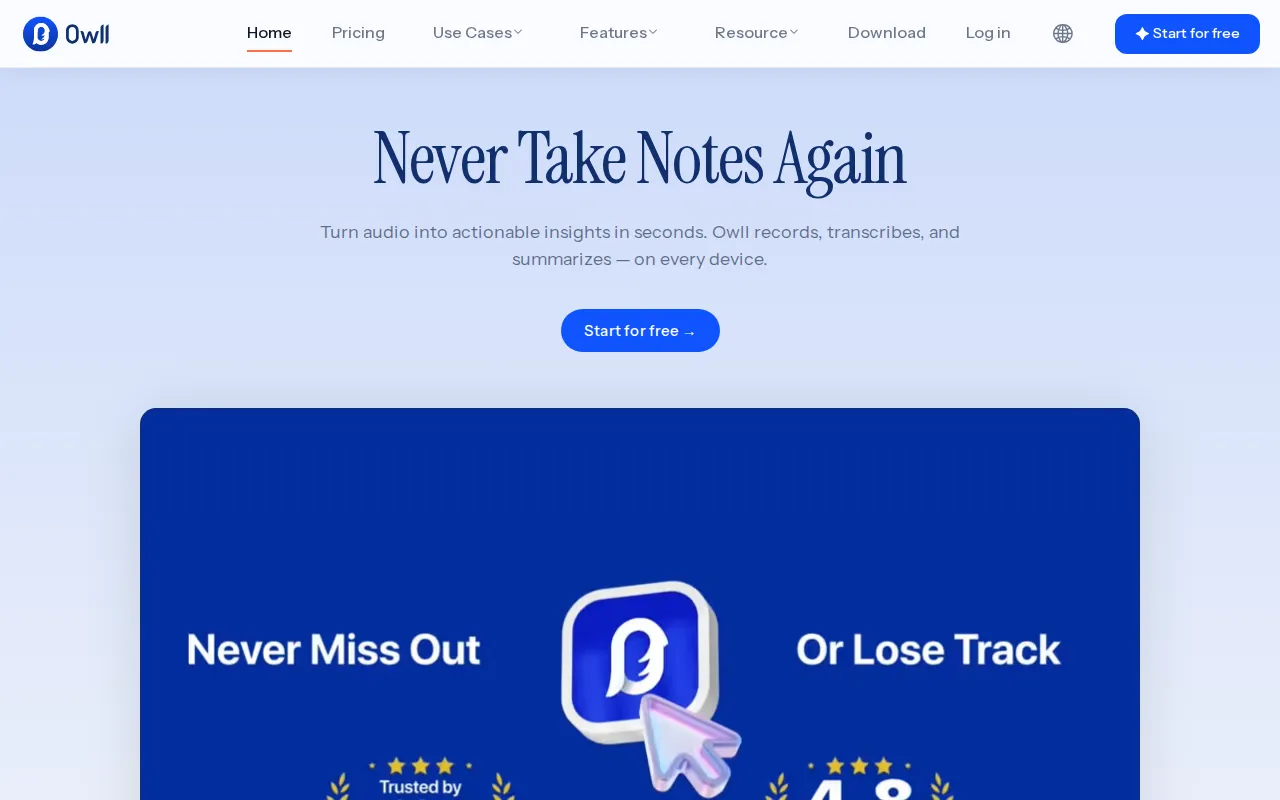
The central workflow combines audio capture with AI interpretation. Owll detects the context of a recording and changes the summary format accordingly. Sales conversations can receive BANT-style summaries, meetings can produce action items, and lectures can be condensed into key concepts. Rather than treating every recording as an identical block of text, the service organizes its output around the purpose of the conversation. The homepage also describes action items with priority tags and searchable notes for later reference.
Owll advertises transcription and summarization in more than 99 languages. Its multilingual capabilities include automatic language detection, code-switching when speakers change languages within a sentence, and translation of recaps. These features are relevant when the spoken language differs from the language in which someone wants to review the resulting notes. Transcription quality still depends on the recording environment, accents, and audio source, as the official FAQ acknowledges.
For online meetings, Owll can join Zoom, Google Meet, and Microsoft Teams through a meeting link, with host approval required. Users can also record directly, submit YouTube links, or upload supported audio files. The listed formats include MP3, AAC, CAF, M4A, WAV, FLAC, and AIFF. Students can turn captured material into flashcards and smart notes instead of relying exclusively on a transcript.
The service is available on the web, iPhone, iPad, Android, Mac, and Apple Watch, with recordings and generated materials synchronized under the same account. Apple Watch recording provides another capture option when a phone is not convenient. Direct call recording is limited to the United States, Canada, and United Kingdom, although meeting recording and uploads are described as available worldwide.
Owll offers a three-day full-feature trial and ongoing paid subscriptions, rather than a confirmed permanent free tier. Its medical positioning explicitly excludes protected health information: the homepage states that Owll is not a HIPAA platform and recommends only non-PHI workflows such as training or de-identified case preparation.
Owll Core Features
Context-aware summaries adapt automatically to sales calls, meetings, and lecture recordings.
Multilingual transcription covers more than 99 languages and mid-sentence language switching.
Meeting bots join Zoom, Google Meet, and Microsoft Teams with host approval.
AI-generated action items include priority tags for reviewing meeting follow-up work.
Translate recaps into another language when reviewing multilingual conversations and recordings.
Generate flashcards and smart notes from recorded lectures and course material.
Synchronize recordings, transcripts, and summaries across web, mobile, and Apple devices.
Import MP3, AAC, CAF, M4A, WAV, FLAC, AIFF, and YouTube links.
Who is Owll for?
Owll is intended for people who want to participate in conversations without continuously typing notes. Professionals attending recurring team meetings can use its transcripts and structured recaps to revisit decisions and identify follow-up work. The meeting assistant supports Zoom, Google Meet, and Microsoft Teams, making it relevant to people whose discussions already happen on those services. Host approval is still necessary when the recording bot joins. Salespeople are another explicit audience. Owll adapts summaries to sales calls using BANT formatting, rather than applying only a generic meeting outline. This can help someone review the substance of a prospect conversation and prepare a follow-up, while checking the original transcript for details that matter. Students and teachers can record lectures or courses and turn the recordings into smart notes and flashcards. That makes the service useful when the desired output is review material rather than a verbatim archive alone. People working across languages may also benefit from multilingual transcription, code-switching support, and translated recaps when they want to read notes in a different language. Individuals who move between devices can record on mobile, review on the web or Mac, and use Apple Watch capture when a phone is inconvenient. Existing audio recordings and YouTube links provide alternatives to joining a live meeting. Clinicians and therapists should consider Owll only for its stated non-PHI uses, including training, role-plays, and de-identified write-ups. It is not positioned as a HIPAA platform for patient records. Prospective subscribers should also verify current billing terms and ensure that recording participants and meeting hosts permit capture before using it in sensitive discussions.
Owll Use Cases
Capture team meetings and review decisions through structured summaries and action items.
Organize sales conversations into BANT-style recaps for subsequent prospect follow-up.
Turn lecture recordings into flashcards and smart notes for exam preparation.
Translate meeting recaps when participants speak a different language from readers.
Transcribe existing audio files instead of replaying entire recordings for reference.
Record personal voice notes using Apple Watch when a phone is inconvenient.
Prepare non-PHI training notes and de-identified case write-ups without patient identifiers.
Owll Pros and Cons
Pros
- Summary formats change with the recording context, including BANT for sales and key concepts for lectures.
- Combines multilingual transcription, code-switching, and recap translation in one workflow.
- Supports live meeting bots, uploaded audio, YouTube links, and Apple Watch recording.
- Includes flashcards alongside meeting notes, serving study and professional workflows.
Cons
- The public pricing page did not display purchasable plan cards; older official blog prices require checkout confirmation.
- Direct call recording is restricted to the US, Canada, and UK, and meeting bots require host approval.
- Not a HIPAA platform and explicitly unsuitable for storing protected health information.
FAQ About Owll
Owll Pricing
Paid subscriptions with a three-day full-feature trial and no permanent free tier; the official May 2025 blog lists $7.99/week and $69.99/year, but current pricing cards were absent from /pricing, so confirm checkout prices and limits.
Check official pricingThree-day trial
Full-feature introductory trial, not a permanent free plan.
Weekly subscription
Reference price from the official May 23, 2025 blog; verify current checkout terms.
Annual subscription
Reference price from the official May 23, 2025 blog, approximately $5.83 per month billed annually; verify current checkout terms.
Owll Alternatives

ScholarSail
ScholarSail is a study workspace. It brings the tools involved in learning something, writing about it and getting the work done into one account
Whisper Web
Whisper Web is a free, browser-based AI transcription tool that converts audio, video, voice notes, and YouTube links into accurate text in 100+ languages. It auto-detects speakers, generates AI summaries with action items, and exports to TXT, DOCX, PDF, SRT, VTT, or JSON. Ideal for meetings, interviews, podcasts, and research, with no install and no signup required.

YouMind
YouMind is an AI studio that brings learning and creating into one workspace. You save articles, videos, podcasts, PDFs and notes, ask AI questions about them, and shape what you learn into your own articles, slides, images, videos and webpages. A browser extension, mobile apps and an agent-connected API let you capture and create anywhere.