
ScholarSail
ScholarSail is a study workspace. It brings the tools involved in learning something, writing about it and getting the work done into one account
What is ScholarSail?
ScholarSail is a study workspace. It brings the tools involved in learning something, writing about it and getting the work done into one account, so notes, mind maps, flashcards and plans stay connected instead of living in separate apps. It does not prescribe a method. Each tool works on its own, and they link where linking helps: a document can become a deck or a map, a deck can be walked through a 3D memory palace, and a task board sits next to the timer you work it with.
ScholarSail Core Features
Integrated Workspace
Keeps your notes, mind maps, flashcards, and task lists in one place so they stay connected.
Document Editor
A smart writing tool that lets you turn text directly into flashcards or visual maps as you write.
Mind Mapping
Offers an infinite canvas that can automatically generate diagrams from your notes or topics.
Memory Tools
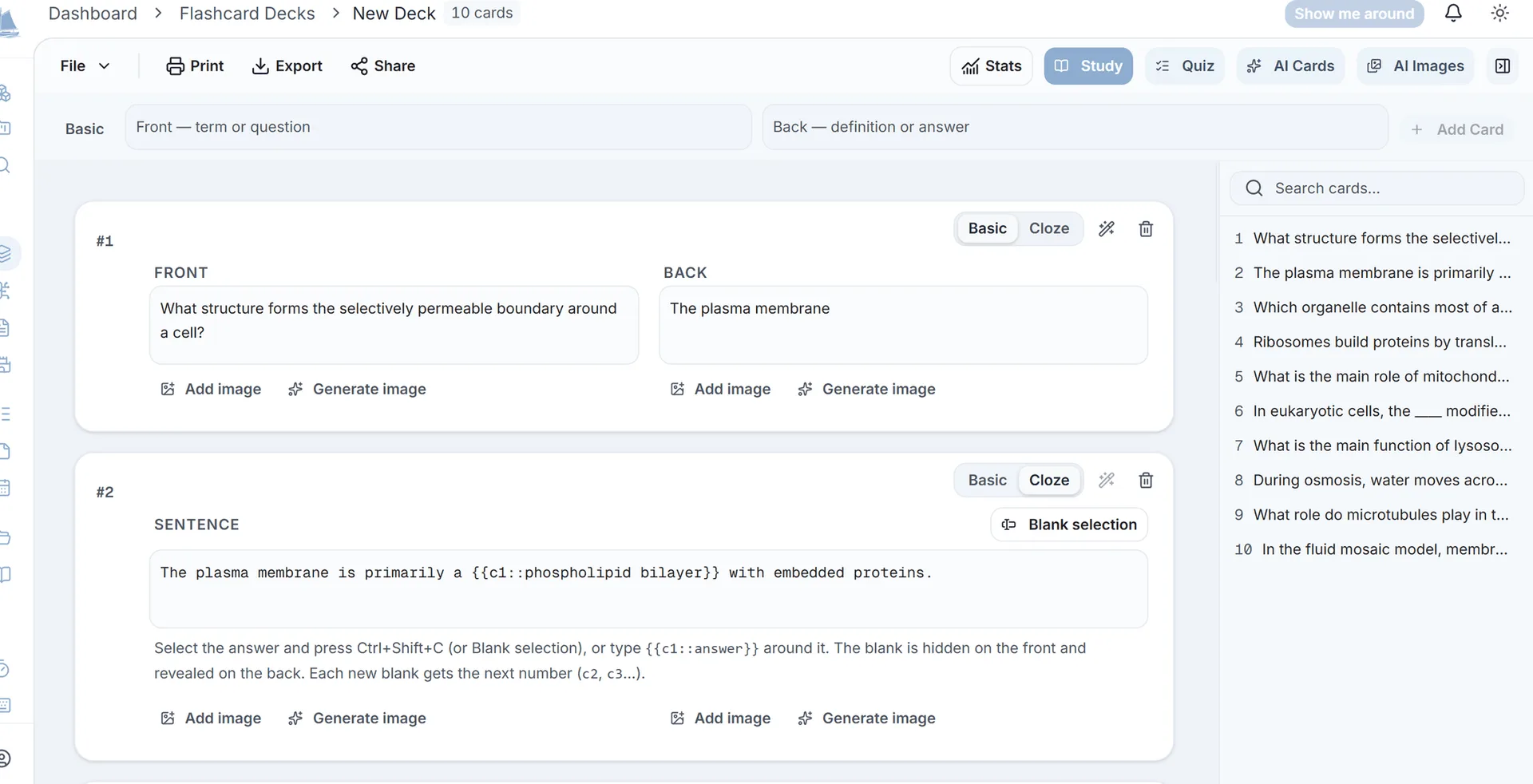
Uses spaced repetition for flashcards and a 3D memory palace to help you memorize information effectively.
Task Planning
Features Kanban boards with dependency tracking to manage your study projects alongside a focus timer.
File Processing
Parses PDFs and documents in your browser, extracting the text so you can use it instantly in your study workflow.
Who is ScholarSail for?
ScholarSail is a study workspace. It brings the tools involved in learning something, writing about it and getting the work done into one account, so notes, mind maps, flashcards and plans stay connected instead of living in separate apps.
ScholarSail Use Cases
Productivity
Writing
Learning
ScholarSail Pros and Cons
Pros
- Everything stays connected — Notes, flashcards, mind maps, tasks, and study sessions can be managed from one workspace.
- Powerful memorization tools — SM-2 spaced repetition, cloze cards, image occlusion, and the 3D memory palace provide multiple ways to study.
- Flexible workflows — You can use individual tools independently or connect them together when it makes sense for your study process.
Cons
- Feature-rich interface — With writing, planning, memorization, AI, and productivity tools in one platform, it may take some time to explore and understand all the available features.
FAQ About ScholarSail
ScholarSail Alternatives

Owll
Owll is an AI notetaker that records audio, transcribes conversations in more than 99 languages, and generates summaries adapted to meetings, lectures, and sales calls. It supports meeting bots, audio uploads, translation, flashcards, and synchronized access across web and mobile devices. A three-day trial is available; paid subscription amounts require confirmation in the app or checkout.

Whisper Web
Whisper Web is a free, browser-based AI transcription tool that converts audio, video, voice notes, and YouTube links into accurate text in 100+ languages. It auto-detects speakers, generates AI summaries with action items, and exports to TXT, DOCX, PDF, SRT, VTT, or JSON. Ideal for meetings, interviews, podcasts, and research, with no install and no signup required.

YouMind
YouMind is an AI studio that brings learning and creating into one workspace. You save articles, videos, podcasts, PDFs and notes, ask AI questions about them, and shape what you learn into your own articles, slides, images, videos and webpages. A browser extension, mobile apps and an agent-connected API let you capture and create anywhere.