
Skreno
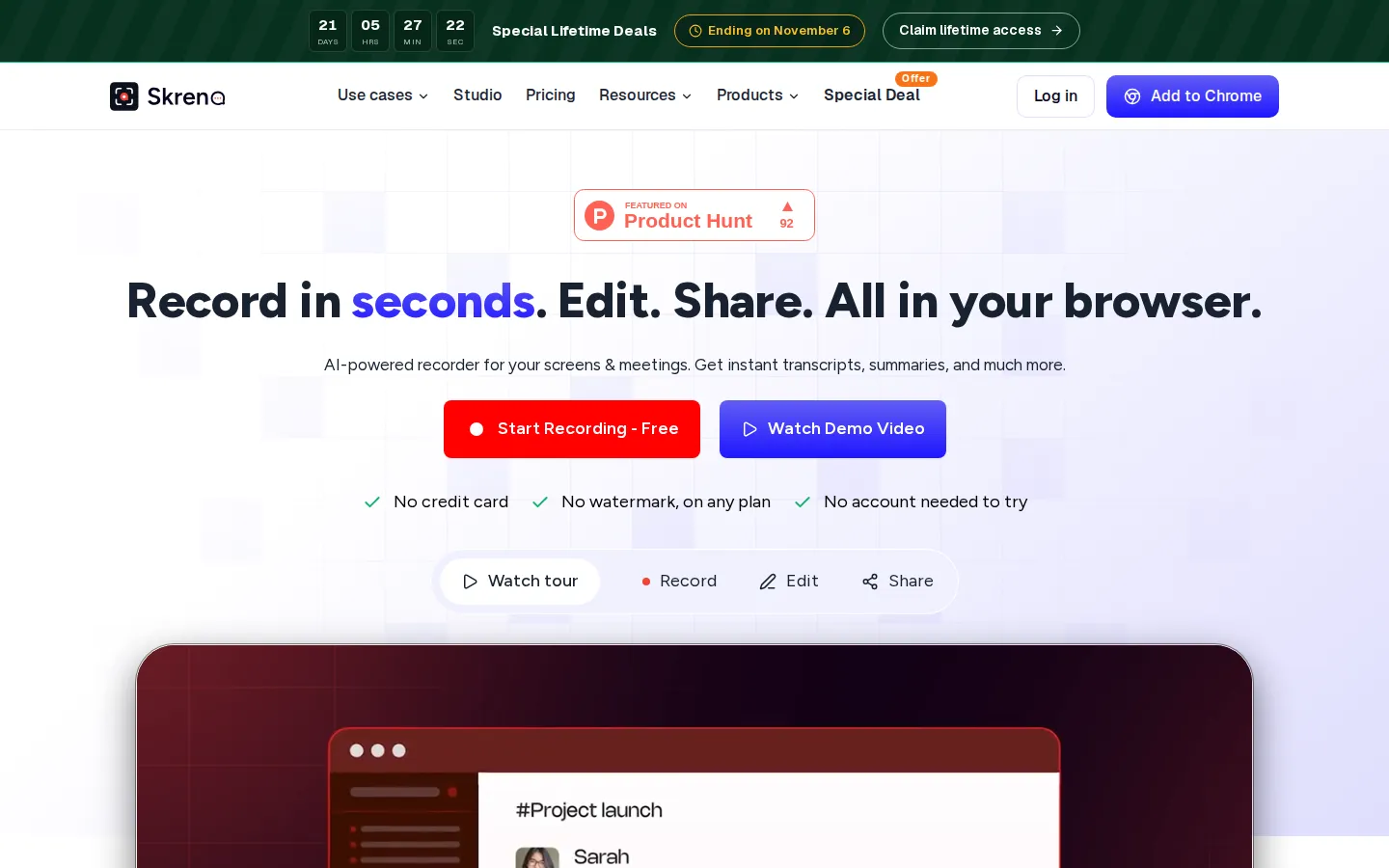
Skreno records your screen, browser tabs and meetings straight from Chrome or the web studio, then adds transcripts, AI summaries, comments and dev logs to every video. One link is live the moment you stop recording. It suits engineering, product, support and education teams that would rather show a problem than write three paragraphs about it.
What is Skreno?
Skreno is an AI-powered screen and meeting recorder built for the browser, made by the team behind EzyCourse and offered as a Chrome extension plus a cloud recording studio. It records screens, browser tabs, camera and microphone, then attaches transcripts, AI summaries, console and network logs, and timestamped comments to every video. Instead of uploading a raw file, you send one link that stays live and updates whenever you edit.
The core idea is that a recording should explain itself. When you stop, the link is already shareable, and Skreno's AI writes a transcript, captions and a recap in seconds. Viewers leave comments at exact timestamps, reply with their own quick videos, and mark threads resolved, so feedback lands on the video instead of scattering across five threads. Recordings live in a cloud library that keeps them indefinitely, and you can download the original file at any time.
Skreno Studio, the editor, runs in the browser and renders on your own machine. Free users get the full editor with unlimited downloads up to 4K, trimming, captions, blur zones, backgrounds and layouts, and no render queue. On paid plans Studio can also find the moments worth zooming into, and on Max you can draw directly onto the video with annotations timed to the exact moment.
For engineering teams the standout feature is console and network log capture. Skreno grabs the failing requests and error response bodies alongside the video, and can generate an AI bug report from them. A one-line Web SDK drops the same capture plus a Report a bug button onto your own site, and a push to Trello keeps recordings attached to tickets.
Meetings work through a notetaker: paste a meeting link and a Skreno participant joins the Zoom, Meet or Teams call, then returns a recording, transcript and summary. Support teams use request links so customers record their own bugs, and educators turn clicks into step-by-step guides with screenshots and automatic zoom. An MCP server lets AI assistants such as Claude, ChatGPT and Cursor search your recordings, read transcripts and logs, then comment, share or push to Trello. Free is a real plan rather than a trial: 30 recordings at up to 720p and 15 minutes each, with no credit card required and no watermark.
Skreno Core Features
Screen and tab recording
Records your whole screen, a window or a single browser tab from Chrome or the web studio, with webcam overlay and click effects.
AI transcripts and summaries
Generates transcripts, captions, a recap and a summary in seconds, so a recording is searchable and skimmable without rewatching it.
Console and network logs
Captures failing requests and error response bodies alongside the video, and can write an AI bug report directly from them.
Timestamped comments
Viewers comment at exact moments, reply with a quick video, and mark threads resolved, keeping feedback on the recording itself.
Skreno Studio editor
A browser editor that renders on your own machine, with trim, captions, blur zones, backgrounds, layouts and unlimited downloads up to 4K.
Step-by-step guides
Captures every click, writes the steps automatically, grabs screenshots and auto-zooms where you clicked.
Meeting notetaker
Takes a Zoom, Meet or Teams link so a Skreno participant joins the call and returns a recording, transcript and summary.
MCP server for AI assistants
Lets Claude, ChatGPT and Cursor search recordings, read transcripts and logs, then comment, share or push to Trello.
Who is Skreno for?
Skreno is aimed at people whose job involves explaining something on a screen. The clearest fit is engineering and QA teams who need to show a bug rather than describe it: they record the failing flow, and Skreno attaches the console and network logs so a teammate can reproduce the issue without a long thread of back-and-forth. The one-line Web SDK extends the same capture to their own product, collecting logs and a Report a bug button from real users. Product and design teams use it to walk through a prototype, annotate a screen, or reply to feedback with a quick video instead of booking another meeting. Support teams send request links so customers record the problem themselves, then keep the recording attached to the ticket, which shortens the three-reply loop that usually precedes a fix. Educators and trainers turn a single walkthrough into a step-by-step guide: Skreno captures every click, writes the steps, grabs screenshots and auto-zooms where you clicked. Meeting-heavy teams let the notetaker join Zoom, Meet and Teams calls and hand back a recording, transcript and AI summary, so nobody has to take notes manually. Content and marketing teams lean on Studio for captions, layouts and background removal, and can push finished videos straight to YouTube with AI-written titles, descriptions and tags. Sales and customer-success teams collect testimonial videos by sending a link and letting the customer record on their own. Solo makers, freelancers and small startups get a free plan that is genuinely usable: 30 recordings, unlimited screenshots, 4K downloads from Studio and no watermark, with no credit card required. Teams that record heavily, run many meetings or need unlimited AI output step up to Pro or Max, which add longer recordings, more storage, higher resolution and seat-based shared libraries. Anyone who only wants a simple file-based recorder, or who needs a full offline non-linear editor, will find Skreno deliberately lighter than a desktop suite.
Skreno Use Cases
Record a screen or browser tab and share one link that is live the moment you stop.
Show an engineering bug with console and network logs attached instead of describing it in text.
Turn a walkthrough into a step-by-step guide with screenshots and automatic zoom.
Send a request link so customers record their own bug report or testimonial video.
Let a notetaker join Zoom, Meet or Teams calls and return a transcript and AI summary.
Collect timestamped comments and video replies on a recording instead of chasing threads.
Edit, caption and export recordings up to 4K in the browser with no render queue.
Push finished videos to YouTube with AI-written titles, descriptions and tags.
Skreno Pros and Cons
Pros
- Records directly in the browser with no desktop app, and the shareable link is live the instant you stop.
- Console and network log capture plus a one-line Web SDK is a genuinely useful edge for engineering and support teams.
- Skreno Studio renders locally, so the full editor and unlimited 4K downloads are free on every plan.
- The free tier is a real plan: 30 recordings kept forever, no watermark, and no credit card to start.
- An MCP server lets AI assistants like Claude, ChatGPT and Cursor search and act on your recordings.
Cons
- Free is capped at 30 recordings, 15 minutes each and 720p, and its AI allowances reset monthly.
- Drawing on the video is Max-only, and Studio currently runs in Chrome and Edge only.
- Meeting recording caps calls per month on paid plans, and the special lifetime deal is time-limited.
FAQ About Skreno
Skreno Pricing
Skreno is freemium: a genuinely free forever plan at $0, Pro at $10 per month billed yearly, Max at $15 per month billed yearly, plus a time-limited lifetime deal at $499 or $799.
Check official pricingFree
30 recordings, up to 15 min each at 720p, unlimited screenshots, the full Studio editor with unlimited 4K downloads, 5 transcripts and 3 AI summaries a month, no watermark and no credit card.
Pro
$120 billed yearly, saving 33%. Unlimited recordings and length, 1080p capture, 200 GB storage, 150 transcripts, AI summaries and AI bug reports a month, 20 meeting recordings, password-protected links and team libraries billed per seat.
Max
$180 billed yearly, saving 21%. Everything in Pro plus 4K capture, unlimited storage, unlimited transcripts and AI, unlimited step-by-step guides, 35 meeting recordings and priority support.
Lifetime Pro
One payment under the special lifetime deal for the Pro plan. It never renews and never expires, while monthly AI allowances still reset each month.
Lifetime Max
One payment under the special lifetime deal for the Max plan. It never renews and never expires.