Typeless
Typeless is an AI voice dictation app that converts natural speech into clean, ready-to-send writing inside any application. Press a shortcut, talk normally, and Typeless removes filler words and repetition, corrects mid-sentence changes, formats lists automatically and matches your personal tone and vocabulary. It covers 100+ languages, translates as you speak, and runs on Mac, Windows, Linux, iOS and Android.
What is Typeless?
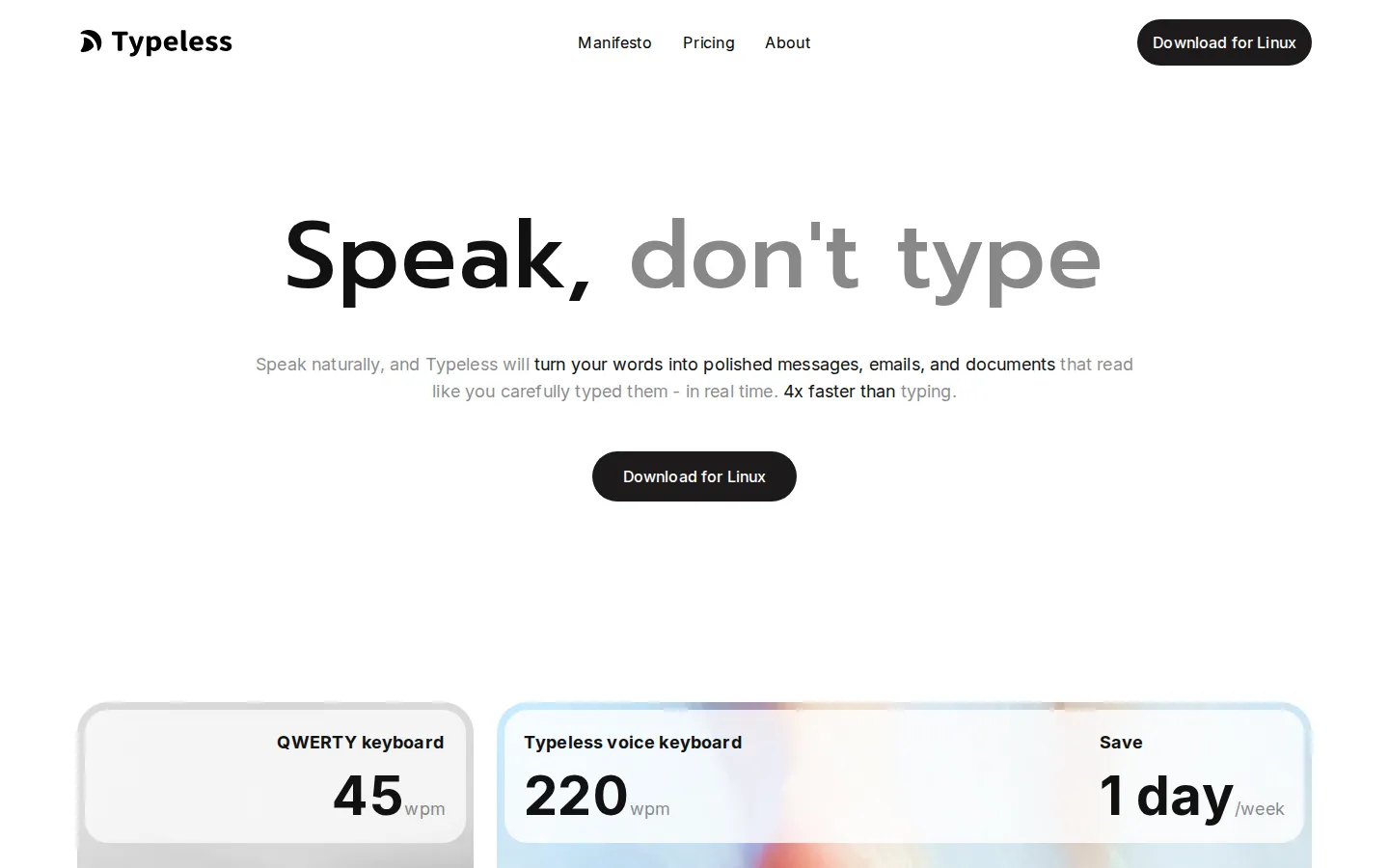
Typeless is an AI voice dictation app, made by the company of the same name, that turns naturally spoken words into polished writing inside whatever application you already use. It attacks a simple mismatch: average typing runs at about 45 words per minute while ordinary speech runs closer to 220, yet raw transcription is normally unusable, full of filler words, false starts and unstructured rambling that you then have to clean up by hand.
Typeless closes that gap with an AI layer on top of speech recognition: press a shortcut or open the voice keyboard on mobile, speak in your normal voice, and clean text appears at the cursor in the app you are already using. The Dictate engine removes filler words such as "um" and "you know", deletes repeated words, recognises when you correct yourself mid-sentence and keeps only the final intent, and converts spoken lists, steps and key points into structured text. It also learns your tone and phrasing, and a personal dictionary keeps the names, terms and expressions that matter to you accurate across every app.
Beyond plain dictation, Typeless translates as you speak, so a message dictated in one language can arrive in another with native-sounding phrasing. An Ask anything layer turns the app into an editor: select text and speak a command to make it shorter, longer or different in tone, or to generate a creative response, and read-only text on a website or document can be summarised, explained or translated in place. You can also ask for quick answers and actions, such as checking current information, brainstorming or opening the right page with details already filled in.
Coverage is deliberately broad. Typeless works across Mac, Windows, Linux, iOS and Android, and its marketing shows it running inside notes apps, browsers, spreadsheets, IDEs, chat apps and PDF editors, from Notion, Obsidian and Bear to Slack, WhatsApp, Zoom, Excel, Cursor and ChatGPT. Support for 100+ languages with automatic detection lets you speak in one language or mix several in a sentence. Whisper mode keeps dictation quiet in shared spaces, and per-app tone settings let the same voice produce a formal work email or a casual message.
Privacy is positioned as a feature rather than a footnote. Typeless states zero cloud data retention, no audio stored in the cloud, no training on your dictation data by Typeless or any third party, and an on-device dictation history that only you can access, with an optional encrypted cloud sync across devices. The company states ISO 27001 certification and GDPR and HIPAA compliance, and publishes a trust center, subprocessor list and data controls. Pricing is freemium: a free plan with limited weekly words and standard accuracy, Pro at $12 per member per month billed yearly or $30 billed monthly with unlimited words, enhanced accuracy, priority access and cloud sync, and an Enterprise tier with SSO, SCIM provisioning, audit logs and a BAA on custom pricing.
Typeless Core Features
Filler and repetition removal
Strips out "um", "uh", "you know" and repeated words automatically as you dictate.
Automatic formatting
Turns spoken lists, steps and key points into clean, structured text without manual editing.
Self-correction handling
Detects when you change your mind mid-sentence and keeps only your final intended wording.
Personalized style and tone
Adapts phrasing to your writing habits and shows a personalization progress indicator in the app.
Personal dictionary
Recognises the names, terms and expressions that matter to you, added automatically or by hand.
100+ languages with auto-detection
Speak in any language or mix several and Typeless detects and transcribes them seamlessly.
Per-app tone control
Adjusts tone and style per application, from formal work email to casual chat, so writing fits the context.
Ask anything and voice editing
Select text and speak to shorten, expand, retone, summarise, translate or generate a reply.
Who is Typeless for?
Typeless is for anyone who writes more than they want to type, and it fits a handful of clear profiles. Knowledge workers and email-heavy professionals. People who live in Gmail, Outlook, Slack, Teams and Notion use Typeless to dictate replies, meeting notes and status updates at roughly 220 words per minute, and auto-formatting means spoken lists and action items arrive structured rather than as one long wall of text. Developers and technical teams. Engineers writing commit messages, documentation, code comments or pull request descriptions inside Cursor, VS Code, Replit or a terminal lean on the personal dictionary, which keeps project names, APIs and jargon spelled correctly instead of being approximated by a generic transcriber. Students and researchers. Typeless runs a dedicated students page, and the workflow suits lecture notes, essays and reading summaries: select a paragraph in a PDF or on a web page and ask Typeless to summarise, explain or translate it without leaving the document you are reading. Founders, creators and marketers. People who post, publish or send outreach all day draft social posts, newsletters and cold emails by speaking, then ask Typeless to make the draft shorter, longer or different in tone before sending it. Multilingual and global teams. With 100+ languages, automatic language detection and translate-as-you-speak, non-native English speakers write confidently in a second language while casual chat keeps its own register. Support, sales and regulated roles. Because dictation history stays on your device and Typeless states ISO 27001, GDPR and HIPAA compliance with no training on your data, it is defensible for patient notes, case summaries and client records. Anyone who types slowly or painfully. People with RSI, dyslexia, or a phone keyboard they dislike can speak instead of typing and still send finished text from iOS or Android.
Typeless Use Cases
Dictate email replies in Gmail or Outlook and let Typeless clean up filler words before you send.
Write Slack and Teams updates by speaking, with lists and action items auto-formatted into structure.
Draft social posts, newsletters and outreach messages by voice, then ask Typeless to shorten or retone them.
Capture meeting notes and lecture summaries hands-free while the conversation keeps moving.
Write commit messages, code comments and pull request descriptions in Cursor or VS Code without breaking flow.
Select a paragraph on any website and ask Typeless to summarise, explain or translate it in place.
Switch to whisper mode and dictate quietly in an open office, a library or a late-night session.
Speak a message in one language and have Typeless deliver it translated into another as you talk.
Typeless Pros and Cons
Pros
- Free plan to start: $0 with limited weekly words, standard accuracy and access to the core dictation, formatting and Ask anything features.
- Pro costs $12 per member per month billed yearly, or $30 billed monthly, for unlimited words, enhanced accuracy, priority access and cloud sync.
- Unusually explicit privacy claims: zero cloud data retention, no audio stored in the cloud, no training on your dictation data, on-device history, plus stated ISO 27001, GDPR and HIPAA compliance.
- Works on Mac, Windows, Linux, iOS and Android and inside essentially any text field, so there is no per-app integration or plugin to install.
- Named number one Product of the Day on Product Hunt for both the desktop and mobile launches, and publicly praised by figures such as Robert Scoble.
Cons
- The Free plan caps usage with only limited words each week and standard accuracy, so anyone dictating daily needs the $12 Pro tier.
- Typeless publishes no developer API or API documentation, so it cannot be embedded in your own product or automated from a script.
- Enterprise capabilities such as SSO, SCIM provisioning, domain capture and enforced HIPAA controls are quote-only and require contacting sales.
FAQ About Typeless
Typeless Pricing
Freemium: Free at $0 with limited words each week and standard accuracy, Pro at $12 per member per month billed yearly ($30 billed monthly) with unlimited words, enhanced accuracy, priority access and cloud sync, and Enterprise on custom pricing with SSO, SCIM and HIPAA controls.
Check official pricingFree
For beginners: limited words each week, standard accuracy, standard access during high demand, and access to dictation cleanup, translate, Ask anything, personalized style, personal dictionary, 100+ languages, per-app tones and whisper mode.
Pro
For power users and small teams, billed yearly ($30 per member per month if billed monthly): unlimited words, enhanced accuracy, priority access during high demand, Cloud Sync across devices, team member management, centralized billing and team usage analytics.
Enterprise
For large businesses at scale: everything in Pro plus single sign-on, SCIM and JIT provisioning, domain verification and capture, audit logs with configurable retention, enforced HIPAA controls with a BAA, volume discounts, flexible invoicing and priority support.
Typeless Alternatives

HiNoter
HiNoter converts audio, video, PDFs, and meeting recordings into transcripts, structured summaries, and action items. It records Zoom, Google Meet, and Microsoft Teams calls, accepts uploaded files or YouTube links, and transcribes over 100 languages. A one-time free credit covers a single note, Personal Pro costs $6.99 a week or $69.99 a year, and Team Pro starts at $119.98 a year for two seats.
ScribeToAny
ScribeToAny turns audio and video into editable text and subtitles. Upload a file or paste a link, and it detects the spoken language, transcribes with timestamps and speaker labels, and exports TXT, SRT, VTT, TSV, CSV, JSON, PDF or DOCX. Transcripts can then be translated into 134+ languages with subtitle timings preserved. The free plan covers 100 minutes a month.
Whisper Web
Whisper Web is a free, browser-based AI transcription tool that converts audio, video, voice notes, and YouTube links into accurate text in 100+ languages. It auto-detects speakers, generates AI summaries with action items, and exports to TXT, DOCX, PDF, SRT, VTT, or JSON. Ideal for meetings, interviews, podcasts, and research, with no install and no signup required.