
BlogToPin
BlogToPin is a web-based Pinterest automation tool for bloggers, ecommerce sellers, creators, and marketers. It scans websites, creates pins with unique titles and descriptions, selects boards, schedules posts, and tracks performance. Users can customize templates, colors, and fonts, generate AI images, import Canva templates, manage multiple sites and accounts, or export pins as CSV for manual Pinterest uploading.
What is BlogToPin?
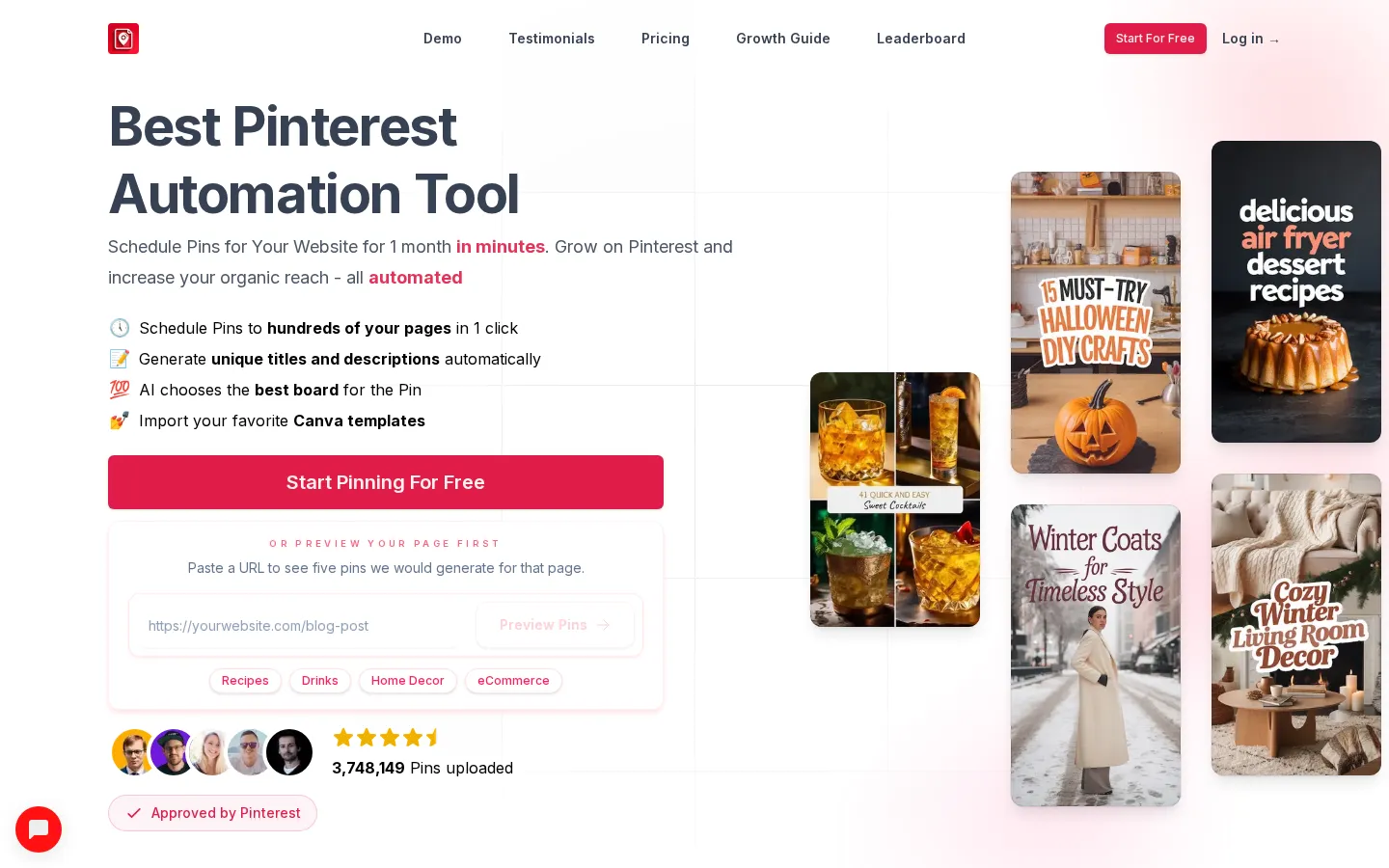
BlogToPin is a web application focused specifically on Pinterest marketing automation. Its central workflow starts with a website or selected page list: the service processes pages and images, identifies content suitable for pinning, and helps create a large batch of Pinterest posts. The homepage says users can schedule pins for hundreds of pages in one click and preview five generated pins before starting.
The product combines content generation, design, scheduling, and measurement. It automatically writes unique pin titles and descriptions, including SEO-oriented rewrites, chooses a best board, enriches pins with keywords, and smart-shuffles outbound links so different pages are distributed across the schedule. It can create AI images tailored to page content, use text-only designs, fetch or upload images, and build collages from images on a page. Users can choose among 27 templates, 36 color palettes, and dozens of fonts, adjust design settings, and import favorite Canva templates. The free Pin Maker states that default templates use 1000x1500 dimensions, while imported Canva templates can use other sizes.
Scheduling is a major part of the paid service. BlogToPin can plan pins in advance, spread posts across time, and provide floating scheduling options described in its blog. The plans include limits from 35 to 1,000 scheduled pins daily, unlimited Pinterest accounts and websites, and unlimited upload pins. Analytics capabilities include basic or advanced analytics, with the pricing comparison naming dashboards for top pins, top boards, URLs, templates, colors, and resolutions.
Operational tools include regeneration, deletion of underperforming pins, a Pinterest warmup workflow for newer accounts, Shopify support, and CSV export. CSV export lets users manually import generated pins into Pinterest when they want direct control over distribution. The site says its tool follows Pinterest API-use policies and was approved by Pinterest’s review team. The homepage also presents a preview flow that generates five pins from a supplied page before a user starts the full pinning workflow. Its free tools provide a separate way to test pin creation and download output.
BlogToPin Core Features
Scans websites and pages to identify content and images for pins
Generates unique AI titles, descriptions, keywords, and board selections
Schedules Pinterest pins across future dates with smart link shuffling
Creates AI images, text-only pins, collages, and image-based designs
Offers 27 templates, 36 color palettes, dozens of fonts, and Canva imports
Provides analytics for pins, boards, URLs, templates, colors, and resolutions
Deletes underperforming pins and supports regeneration workflows
Exports generated pins to CSV for manual Pinterest importing
Who is BlogToPin for?
BlogToPin is aimed at people who want Pinterest traffic without manually designing and posting every pin. Bloggers and publishers can connect a WordPress or other content website, let the service find pages and images, then schedule a month of Pinterest content from one workflow. Food, drinks, home-decor, tutorial, and other visual-content sites are explicitly represented in the product’s use-case links, but the company says visual niches generally can use Pinterest. Ecommerce operators can use the tool for Shopify stores, Etsy shops, Amazon pages, and Redbubble pages. BlogToPin says users can pass lists of product or content pages, while its integrations help fetch relevant images. Creators without suitable site imagery can use text-only templates, AI-generated images, uploaded custom images, or stock images. Pinterest marketers and agencies may benefit from support for unlimited websites and Pinterest accounts on every listed plan, with higher tiers increasing daily scheduled-pin and monthly AI-pin allowances. Agencies managing multiple sites can use the Agency plan’s larger limits, advanced analytics, and priority support. Larger businesses can consider Enterprise for 1,000 scheduled pins per day, 2,500 AI pins monthly, urgent support, a strategy call, automatic daily pin creation, and team invitations. The free Pin Maker also serves beginners and occasional users: it accepts a page or URL, offers template and design controls, and downloads generated pins without signup, although hourly and daily limits apply. Users who want full automation, scheduling, analytics, and higher volumes need a BlogToPin account.
BlogToPin Use Cases
Automating Pinterest promotion for WordPress and other blogs
Creating product pins for Shopify, Etsy, Amazon, and Redbubble shops
Promoting food, drinks, home decor, and tutorial websites
Managing Pinterest content across multiple websites and accounts
Generating branded pins without having suitable original site images
Previewing and downloading free Pinterest pins without creating an account
Scaling scheduled content for agencies and larger businesses
Monitoring performance and pruning underperforming Pinterest pins
BlogToPin Pros and Cons
Pros
- Focused specifically on Pinterest rather than broad social scheduling
- Supports website scanning, AI generation, scheduling, analytics, and CSV export
- Unlimited websites and Pinterest accounts are included across listed plans
- Free Pin Maker allows no-signup experimentation with templates and URL content
- Canva imports and extensive design controls support brand consistency
Cons
- Paid plan limits apply to daily scheduled pins and monthly AI pins
- The site says free Pin Maker usage is subject to hourly and daily limits
- The company states that subscriptions are non-refundable
FAQ About BlogToPin
BlogToPin Pricing
BlogToPin lists Starter at $25/month, Agency at $50/month, and Enterprise at $125/month, with annual billing shown as $299, $599, and $1,499 respectively.
Check official pricingStarter
Unlimited Pinterest accounts and websites; 35 scheduled pins daily (1,000 monthly), 500 AI pins monthly, unlimited uploads, AI text and board generation, smart scheduling, basic analytics, and one underperforming-pin deletion daily. Annual billing is shown as $299.
Agency
Includes Starter features; 350 scheduled pins daily (10,000 monthly), 1,000 AI pins monthly, advanced analytics, priority support, 12 underperforming-pin deletions daily, and email/password login. Annual billing is shown as $599.
Enterprise
Includes Agency features; 1,000 scheduled pins daily (30,000 monthly), 2,500 AI pins monthly, advanced analytics, urgent support, a 30-minute Pinterest strategy call, automatic daily pin creation, and team invitations. Annual billing is shown as $1,499.
BlogToPin Alternatives

ColdIQ
ColdIQ is an agent and API layer over 40+ B2B data providers. Ask in plain English for companies, contacts, verified emails or mobiles, and it scores each provider on fit, cost and accuracy, routes the call to the winner, then falls back through a waterfall. The same credits work in browser chat, Slack, a REST API and an MCP server for Claude Code and Cursor.

ZenABM
ZenABM is an account-based marketing platform built around LinkedIn ads. It creates and launches campaigns with AI, tracks which companies engage, turns first-party engagement into intent signals and account scores, then reports pipeline and revenue attribution. Sync to HubSpot, Salesforce, or Attio, ask the Zena agent in natural language, or run the same actions from Claude and ChatGPT through its MCP server.

TapVid
TapVid is an AI explainer video engine built for product teams. Paste a prompt or upload a PDF, doc, URL or PPT, review the generated outline and script, then edit individual scenes by typing. Assets and copy stay exactly as supplied, a Brand Kit applies your fonts and colours. Paid plans export watermark-free 1080p, and a REST API plus MCP server handle batch work.