TapVid
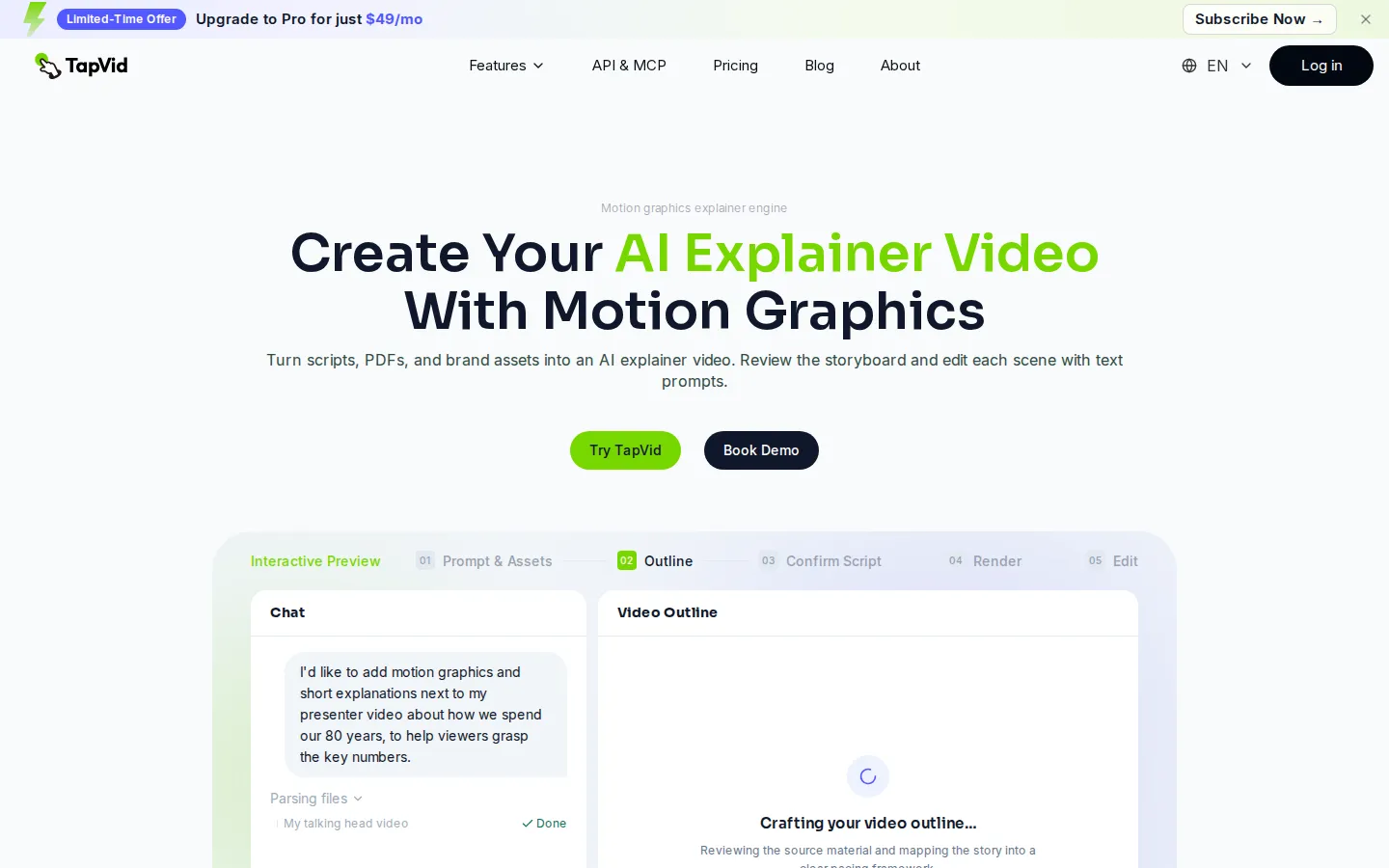
TapVid is an AI explainer video engine built for product teams. Paste a prompt or upload a PDF, doc, URL or PPT, review the generated outline and script, then edit individual scenes by typing. Assets and copy stay exactly as supplied, a Brand Kit applies your fonts and colours. Paid plans export watermark-free 1080p, and a REST API plus MCP server handle batch work.
What is TapVid?
TapVid is an AI explainer video engine that turns a prompt, a script, a PDF, a document, a URL or a set of brand assets into a finished motion-graphics video. Its positioning is narrow on purpose: not a general video editor and not a generative clip toy, but a production line for the explainer format that product marketing, content and enablement teams ship every week. The site describes the output as what you see is your product, meaning screenshots, logos, prices, specifications and approved copy appear on screen unchanged instead of being redrawn or paraphrased by a model.
The workflow is the differentiator. TapVid runs a fixed five-step path — prompt and assets, outline, confirm script, render, edit — and stops for your approval twice before spending credits on frames. A storyboard view shows each scene next to the sentence it illustrates, so structural problems surface while they are still cheap to fix. After the render, an editing layer lets you reorder, resize, reposition or rewrite any element on the frame by typing an instruction, and every change is saved as a version you can roll back to.
Inputs are deliberately broad. Prompt to video, article to video, script to video, PDF to video, Word and PowerPoint to video, URL to video, audio to video and assets to video all feed the same engine, which picks a workflow based on what you hand it. Remix goes the other way: point it at a reference video and it rebuilds that structure and pacing around your own content, which is how series and batch production run through the API and MCP server.
The components underneath are conventional but complete. Text to speech covers more than a hundred voices across multiple languages, captions and subtitles are generated automatically, and background music ducks under the voiceover. A Brand Kit applies your colours, logo, fonts and terminology, AI avatars and cinematic scenes are available on paid tiers, and talking-head editing can overlay charts, labels and captions on existing footage without covering the presenter's face. Exports are 1080p MP4, watermark-free on paid plans, with a shareable read-only link as an alternative.
Billing is credit based and metered by the second: roughly three credits per second of regular video, with avatars and cinematic scenes priced differently, and failed or timed-out renders refunded. Pro carries 2,000 credits a month, Max 6,000 and Ultra 14,000, while Team and Enterprise are quoted on seats and shared credit pools. There is no permanent free tier — a free account can prepare content, and a $4.99 three-day trial includes one generation before rolling into Pro.
TapVid Core Features
Storyboard-gated generation
the engine builds an outline and script you confirm before any frames render, so structure is settled while changes are still free.
Prompt-based scene editing
type an instruction to rewrite, reorder, resize or reposition any shot or element on the frame, with every change kept as a rollback version.
Asset fidelity and Brand Kit
screenshots, logos, prices and approved copy appear verbatim, while colours, fonts and terminology apply automatically across scenes.
Multilingual voiceover and captions
more than a hundred text-to-speech voices, automatic subtitles, and background music that ducks under narration, or bring your own audio.
Remix and clone
point TapVid at a reference video and it rebuilds that structure and pacing around your content, which is how video series get produced consistently.
REST API and MCP server
create keys with per-key credit and task ceilings, generate through api.tapvid.ai, or connect mcp.tapvid.ai to Claude Desktop and Cursor.
Delivery options
1080p MP4 export with the watermark switched off on paid plans, a shareable read-only link, and one-click sharing to social platforms.
AI avatars and cinematic scenes
three custom avatars on Pro rising to ten on Ultra, plus presenter-style scenes for talking-head and overlay work.
Who is TapVid for?
TapVid is aimed at teams that have to explain something complicated on a schedule: a product launch, a feature release, a compliance process, a course module. It assumes you already have the raw material — a spec, a script, a deck, a folder of product shots — and that the bottleneck is production rather than ideas. The people who get the most from it are usually not editors and have no intention of becoming editors. Roles it fits: - Product marketing managers who need a launch or feature explainer before the release ships, not six weeks after it. - Content and brand teams producing motion graphics at volume, where template consistency matters more than bespoke art direction. - Ecommerce and cross-border sellers who need one short video per SKU, batched through the API rather than assembled by hand. - Enablement, L&D and compliance teams turning SOPs, onboarding docs and policy text into training video while keeping the wording verbatim. - Educators and course creators converting lesson scripts, slides and readings into video lessons, then localising them. - Agencies and MCNs facing several revision rounds per deliverable, where changing one shot should not mean re-rendering everything. - Developers and technical marketers who want video generation as a REST or MCP call inside an existing pipeline. Cadence matters more than headcount. A team publishing one explainer a quarter can still use a freelancer or an agency; the economics change when the same team needs several videos a month, in multiple languages, with legal review on the copy. That is the shape TapVid is built for, and the Brand Kit, versioning and shared credit pool exist for it. It is a weaker fit for anyone who needs frame-level creative control, hand-drawn illustration, 4K delivery now, or a permanent free tier to experiment with. Teams whose video is performance-led live action, or who need a full NLE for multicam editing, are outside the target entirely.
TapVid Use Cases
Turn a product spec sheet or launch brief into a motion-graphics explainer before the release date rather than weeks after it.
Explain a SaaS feature update by dropping in UI screenshots and docs, then remix only the scenes the release actually changed.
Batch-generate one short product video per SKU for ecommerce detail pages and paid ads through the REST API.
Convert onboarding documents, SOPs and policy text into training video while keeping compliance wording word-for-word.
Localise an existing explainer into several languages by swapping the voiceover and captions without rebuilding the storyboard.
Overlay charts, labels and captions on talking-head footage without covering the presenter's face.
Produce course lessons from scripts, slides and readings, then update individual scenes when the curriculum changes.
Rebuild the pacing and structure of a reference launch film to fit your own brand and product for a campaign.
TapVid Pros and Cons
Pros
- The script and storyboard gates come before rendering, so the most expensive mistakes — wrong structure, wrong length, wrong emphasis — are caught while edits are still free.
- Asset fidelity plus a Brand Kit makes the output usable in a real product context, where a paraphrased price or a redrawn logo would be disqualifying.
- A genuine developer surface: REST endpoints, an MCP server for Claude and Cursor, per-key credit ceilings and batch remix put it ahead of most explainer rivals on automation.
- Credit metering is transparent at roughly three credits per second, and failed or timed-out renders are refunded automatically.
Cons
- There is no permanent free tier — a free account can only prepare content, and the $4.99 trial is three days with one video before it auto-renews as Pro at $49 a month unless you cancel.
- Subscription credits expire at the end of every cycle and do not roll over even on annual billing, and add-on top-up packs are sold to subscribers only.
- Every plan caps at 1080p, clips stop at three minutes until the $199 Ultra tier, and per-second metering means long videos consume credits quickly.
FAQ About TapVid
TapVid Pricing
TapVid is paid-only, credit metered, with no permanent free tier. The entry offer on both the homepage and pricing page is a limited-time promo: Upgrade to Pro for just $49/mo, matched by a $4.99 three-day trial that includes one video generation and auto-renews as Pro at $49/month unless cancelled. The pricing page labels that $49 as 39% off list, so treat it as a promotional rate rather than a permanent one. Regular monthly pricing is Pro $49 (2,000 credits, about 15 videos, 3-minute clips), Max $99 (6,000 credits, about 44 videos, priority rendering), Ultra $199 (14,000 credits, about 104 videos, 5-minute films) and custom Team or Enterprise pricing with shared credit pools, SSO/SAML and batch API access. Annual billing takes 20% off, shown as $39.20, $79.20 and $159.20 per month. Credits run about three per second of regular video, avatar and cinematic scenes cost more, failed renders are refunded, and subscription credits expire monthly without rollover.
Check official pricingPro
2,000 credits a month, about 15 regular 45-second videos. 1080p watermark-free exports, clips up to 3 minutes, Brand Kit, storyboard editing, 100+ voices, AI avatars with 3 custom avatars, cinematic scenes, REST API and MCP access, and add-on top-ups. Marked most popular and shown as 39% off list; $39.20/month equivalent on annual billing.
Max
6,000 credits a month, about 44 videos. Adds 5 custom avatars, priority rendering and priority support on top of everything in Pro. $79.20/month equivalent if billed annually.
Ultra
14,000 credits a month, about 104 videos, and the tier that unlocks five-minute films instead of the three-minute cap. Includes 10 custom avatars, fastest rendering and expedited expert support. $159.20/month equivalent annually.
Team
Quoted per organisation by demo call. Shared credit pool, flexible seats and roles, Brand Kit collaboration and a shared team workspace, aimed at groups producing video together rather than one seat at a time.
Enterprise
Everything in Team plus SSO/SAML, security review, batch API and MCP support and a dedicated point of contact, priced on seats, volume and procurement requirements.
TapVid Alternatives

VideoDance
AI creative suite for creators and marketers. Generate videos and images from text or reference images with Seedance, Kling, Veo.

state property meme
Make a State Property meme with your dog or cat. Pick a scene, check the credit quote, and follow your video.

VORAvideo
Turn text and images into professional AI videos with multiple generation models, commercial-ready output, and resolutions up to 4K.