Zella
Zella is a free screen recorder and AI video editor for Mac and iPhone that runs entirely on your own hardware. One tap of Auto-Polish cuts silences and filler words, cleans the voice, adds zooms and ducked music; captions and background removal follow. There is no account, no cloud upload and no subscription, only a one-time $89 Pro upgrade.
What is Zella?
Zella is a screen recorder and AI video editor for Mac and iPhone, built and sold by a single independent developer. The pitch is unusually literal: record your screen, your camera or both, tap one button called Auto-Polish, and the boring part of the edit is already done. Recording, captions, background removal, voice cleanup and export all run on the device itself, so there is no upload step, no render queue on someone else's server and no account to create. Zella works in airplane mode, and the site invites you to verify that before trusting it.
Auto-Polish is the core. On a raw take it removes silences and filler words, adds extra cuts where you pause, softens joins with fades, strips background hiss and evens out the voice, adds an opening title with a quick zoom, pushes in on key moments, lays music underneath that ducks whenever you speak, and varies the pace during slow stretches. It deliberately leaves colour alone. Make it Viral goes further in one tap, adding word-pop captions, transitions, sound effects and pacing from templates such as Reel Pack, Hook Captions and Beat Drop.
Under that sits a real editor: a timeline where deleting a clip closes the gap, drag-to-reorder, 25 transitions, at least 50 levels of undo, keyframe curves, colour looks (93 on the Mac, 92 on iPhone) with your own LUT files, 85 text animations, 101 sound effects, 16 voice changers and 20 callout types. Background removal works live in the viewfinder against 40 built-in backdrops with no green screen. One-click reframe to 9:16, 1:1 or 16:9 uses face tracking, and exports carry presets for TikTok, Reels, Shorts, YouTube and Instagram.
AI arrives in two forms. The AI Assistant edits by typing something like "cut the dead air and make it vertical", or "blur the access token" to find and mask secrets on screen, offering 104 actions on the Mac and 74 on iPhone, free but bring-your-own API key. Auto B-Roll places cutaway cards generated on-device at no cost, with optional Pexels or Pixabay stock footage.
Pricing is Free forever, not a trial: the complete editor and every AI feature, unlimited recording, no watermark, capped only at 2 minutes and 1080p per export. Pro is $89 once, lifting both caps and adding 4K (8K on the Mac), transparent-background ProRes 4444 or HEVC alpha export, 60 fps, a custom bitrate, a multi-aspect export queue, saved templates and a depth toolset. Founder is $299 once and adds every future major version, three cinematic grades and Family Sharing. Both are Apple Universal Purchases covering Mac and iPhone, and each new install starts with seven days of full Pro.
It needs macOS 14 Sonoma or later on Apple Silicon or Intel, or an iPhone on iOS 18 or newer. There is no web app, no API and no team licence; iPhone projects hand off to the Mac as .zella files.
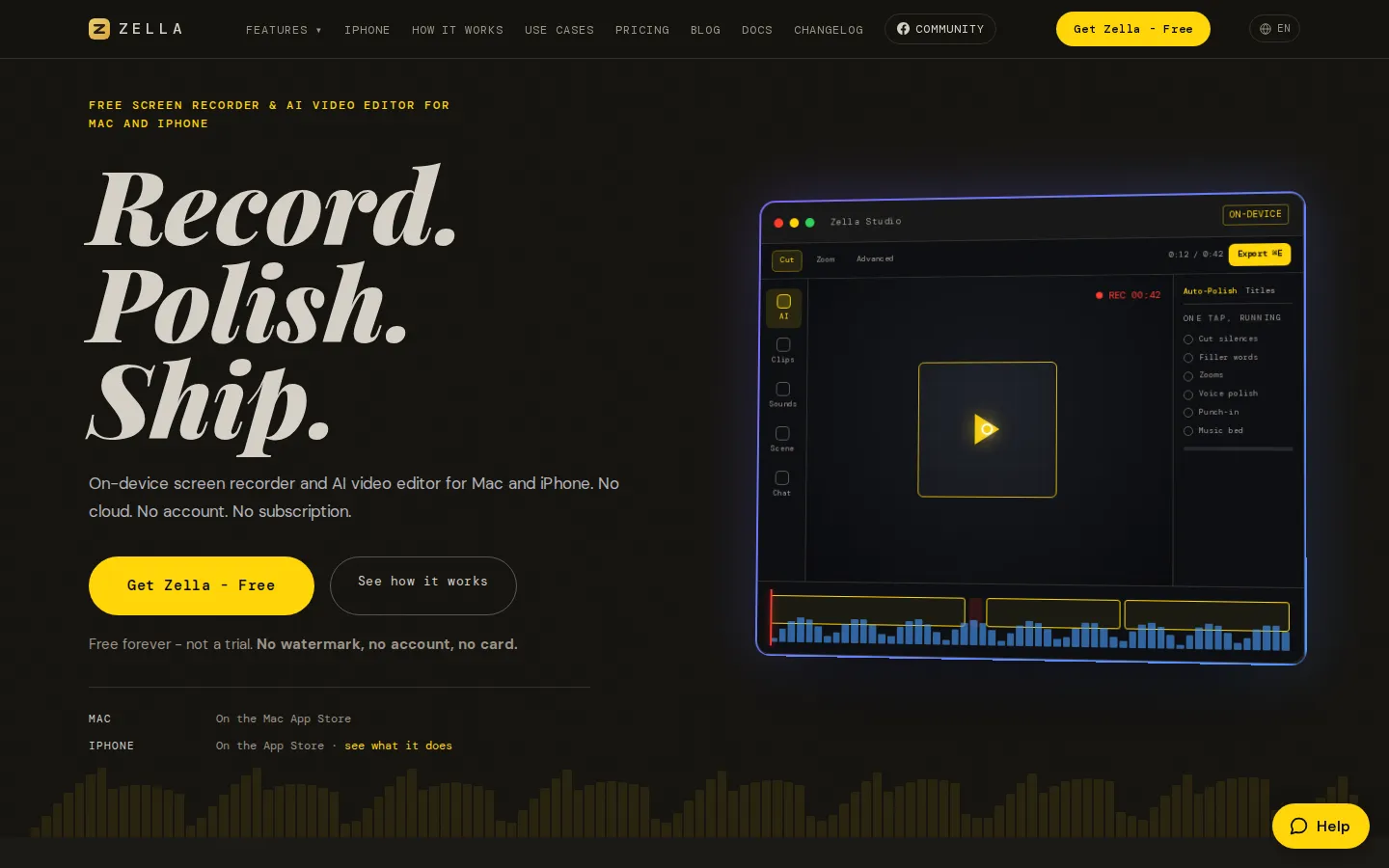
Zella Core Features
Auto-Polish
one tap removes silences and filler words, adds fades at wide gaps, cleans the voice, inserts a title and zooms, and beds ducked music under speech.
Make it Viral
a second one-tap pass that applies pacing, transitions, sound effects, music and word-pop captions from templates like Reel Pack, Hook Captions and Beat Drop.
On-device AI captions
transcription in 27 spoken languages with no upload, 9 caption presets, 85 text animations, 20 callout types and SRT, VTT or CSV export.
AI Assistant
type an edit such as "cut the dead air and make it vertical" or "blur the access token", with 104 actions on Mac and 74 on iPhone, free using your own API key.
AI background removal
cut yourself out live in the viewfinder against 40 built-in scenes and export with an alpha channel on Pro, with no green screen.
Full editor underneath
timeline with ripple delete and drag-to-reorder, 25 transitions, 50 levels of undo, keyframes, luma scopes and Colour Match.
Colour and sound
93 looks on Mac and 92 on iPhone (three more with Founder), custom LUT import, 101 sound effects, 16 voice changers and auto-ducking music.
Ship everywhere
face-tracked 9:16, 1:1 and 16:9 reframe with TikTok, Reels, Shorts, YouTube and Instagram presets, plus a .zella handoff from iPhone to Mac.
Who is Zella for?
Zella is aimed at people who have something to record and no appetite for editing software. The pattern it serves is consistent: a take that is fine in the raw, and an evening lost to trimming silences, retyping captions, re-cropping for a second platform and fixing quiet audio. Anyone who has abandoned a tutorial, a demo or a talking-head clip at that stage is the intended user. Creators are the largest group. YouTube and TikTok creators, podcasters, UGC creators and streamers use it to turn a raw recording into a postable vertical clip without opening a timeline. Coaches, course creators, teachers and language tutors use it for lessons and explainers, where the 2-minute free export cap is usually the moment they either stay on Free or pay $89 once. Founders, SaaS teams, support and developer-relations staff use the screen recorder for product demos, walkthroughs and bug reports. The AI Assistant's ability to blur an access token or a password on screen is a practical draw there, since demo footage often shows things that should not be published. Freelance editors and social managers use it as a fast first pass on client footage, and Etsy or e-commerce sellers use the live background removal for product clips shot at a kitchen table. Beginners are explicitly welcome: 104 typed actions, but also one button. The timeline, keyframes, scopes and masks stay hidden behind an Advanced Tools switch until asked for, and 50 levels of undo plus per-step Auto-Polish removal mean experimentation is cheap. Photographers, real estate agents, restaurant owners and nonprofits appear among the 32 published use cases for the same reason. It is a poor fit for teams that need shared cloud libraries, multi-seat administration, approval workflows or a rendering farm. There is no team or education licence, no web app and no API, so Windows and Android users are excluded outright, as is anyone who requires collaboration inside the editor rather than a file handed over.
Zella Use Cases
Record a product demo on your Mac and publish it with silences cut and secrets blurred
Turn a single talking-head take into a captioned vertical clip for TikTok or Reels
Capture a support walkthrough or bug report with the screen, the microphone and a webcam bubble
Film a lesson or course module on iPhone and finish the edit on the Mac
Cut a podcast episode into short clips with key-moment zooms and ducked music
Record gameplay or a stream and reframe it for Shorts without losing the action
Shoot product videos on a kitchen table and swap the background live, with no green screen
Export client footage as 4K, 60 fps masters in three aspect ratios from one edit
Zella Pros and Cons
Pros
- The free tier is the product: the complete editor and every AI feature, unlimited recording and no watermark, capped only at 2 minutes and 1080p per export.
- Everything runs on-device, so footage is never uploaded and the app works in airplane mode; there is no account to create.
- One $89 payment covers Mac and iPhone through an Apple Universal Purchase, with no subscription, no renewal and no seat count.
- Auto-Polish genuinely finishes a take in one tap, and a real timeline with keyframes and scopes is there when you outgrow it.
Cons
- No Windows, Android or web version, so anyone outside the Apple ecosystem cannot use it at all.
- Free exports stop at 2 minutes and 1080p, which rules out long lessons, podcasts and client masters without the one-time $89 Pro purchase.
- There is no API, no team or education licence and no shared cloud library, so collaboration means handing over project files one at a time.
FAQ About Zella
Zella Pricing
Zella is freemium: the full editor and every AI feature are free forever with unlimited recording and no watermark, capped only at 2-minute, 1080p exports, while a one-time $89 Pro purchase lifts both caps and adds 4K, alpha export, 60 fps, batch ratios and the depth toolset, with a $299 Founder tier above it.
Check official pricingFree
The complete editor and all AI features on Mac and iPhone, with unlimited recording, no account and no watermark; exports are capped at 2 minutes and 1080p.
Pro
Universal Purchase for Mac and iPhone: unlimited export length, 4K (8K on Mac), transparent-background export, 60 fps and custom bitrate, multi-aspect queue, saved templates and the depth toolset.
Founder
Everything in Pro plus every future major version, three exclusive cinematic grades, priority support, early access and Family Sharing for up to five more people.
Zella Alternatives
DeepSwap
DeepSwap is an online AI face swap studio for video, GIF and photo. Upload a clip, pick a source face, and its private model renders a realistic swap in seconds, handling up to six faces, tricky angles and 1080p output, plus enhancement, background removal, cartoon filters and text-to-video generation, with a credit-based API for bulk work.

Motion
Motion is a video agent from Mosaic that turns a written brief, raw footage or a reference clip into an edited video. It plans the story, generates or cuts shots, adds music and sound, then lets you refine the result in chat, on the preview or in a timeline before exporting to Premiere Pro, After Effects or DaVinci Resolve.

Vidmoat
Vidmoat is a browser-based video editor with an AI agent built into the timeline. You drop in raw footage, describe the edit you want, and the agent cuts dead air, writes word-synced captions, grades color and adds music, showing each step on an editable timeline. Every change stays reversible, and the same projects open on desktop, phone and Telegram.