
Motion
Motion is a video agent from Mosaic that turns a written brief, raw footage or a reference clip into an edited video. It plans the story, generates or cuts shots, adds music and sound, then lets you refine the result in chat, on the preview or in a timeline before exporting to Premiere Pro, After Effects or DaVinci Resolve.
What is Motion?
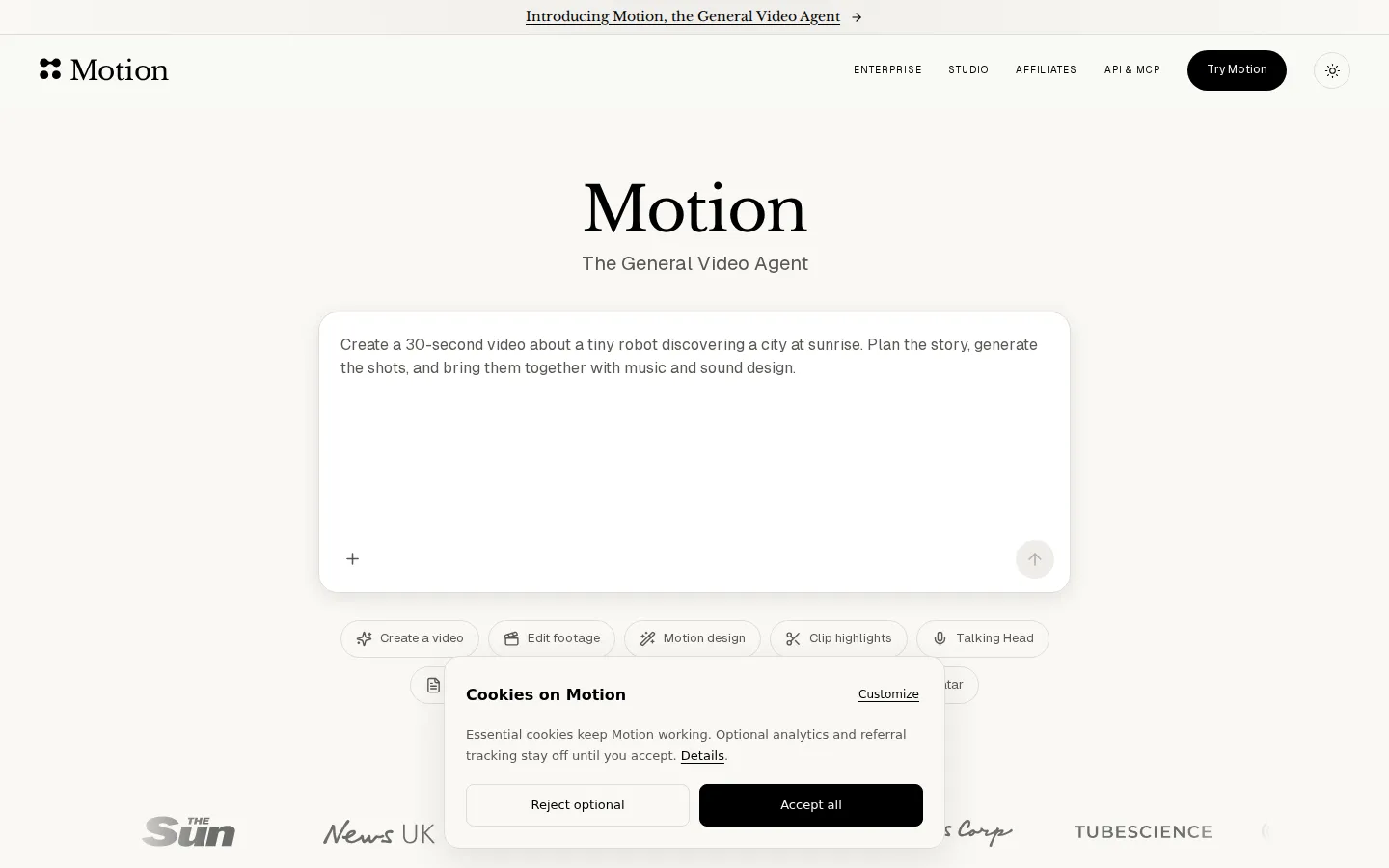
Motion is a general-purpose video agent from Mosaic, the AI video company behind the Mosaic editor. Rather than building a timeline clip by clip, you describe the film you want — a 30-second launch video, a talking-head cut of two founders, podcast highlights, a logo animation — and Motion plans the story, builds each shot, adds music and sound design, and reviews the cut before handing it over. It works from three kinds of input: a written brief, your own footage, images and audio, or a reference video whose pacing, typography and style it copies. Attach raw footage and it cuts the material, keeps dialogue intact and assembles a finished sequence instead of returning scattered clips.
Everything it produces stays editable. Reply in chat, draw on a frame to mark what should change at that timestamp, or open the timeline to trim clips, move layers, retime titles and adjust audio. Finished cuts export to Adobe Premiere Pro, After Effects, DaVinci Resolve, Remotion and Hyperframes, so teams can keep polishing in the tools they already own.
Motion connects to where work lives — Google Drive, Dropbox, Slack, Frame.io, Getty, Notion, GitHub and Figma — and applies brand kits that hold logos, fonts, colours, caption styles and motion templates. Automations run repeatable jobs on a schedule, when a new YouTube video lands or when a stream ends, each run arriving as its own reviewable chat. Social connections publish to Instagram, YouTube, TikTok, LinkedIn, X, Facebook, Threads, Reddit, Mastodon, Bluesky and Snapchat, with performance tracking in the same place.
One agent covers what used to be separate tools. The homepage tabs list launch films, demos, animation, editing, generation, clipping and talking-head presenters, and all of them share the same chat, asset library and credit balance. That matters for teams producing a launch film and the shorts that follow it: the same brand kit, footage and reference style carry across formats instead of being rebuilt in a second product.
For developers, Motion offers a REST API and an MCP server, so products and agents such as Claude, ChatGPT and Cursor can create and edit videos programmatically, with job polling, follow-up edits, aspect-ratio and duration controls. Billing is credit-based: Flex packs cost $6 for 200 credits with no subscription and credits that never expire, while Pro subscriptions start at $29 a month for 1,000 credits. News UK, talkSPORT, the New York Post, News Corp and TubeScience are named customers, and Mosaic reports more than 100,000 users. Motion is a product of Mosaic AI Labs, Inc.
Motion Core Features
Chat-driven filmmaking
describe a video or attach a brief, and the agent plans the story, generates shots and assembles an edit without a timeline
Footage-aware editing that cuts your own clips, preserves dialogue and can match a reference video's pacing, typography and grade
Generative shots, AI avatars, talking heads, clip highlights, multicam footage and motion design handled by one agent
Three ways to revise
chat replies, drawing on a frame at a timestamp, or direct timeline edits to clips, titles and audio layers
Direct exports to Adobe Premiere Pro, After Effects, DaVinci Resolve, Remotion and Hyperframes for finishing in existing tools
Connectors for Google Drive, Dropbox, Slack, Frame.io, Getty, Notion, GitHub and Figma, plus brand kits with logos, fonts, colours and caption styles
Scheduled automations plus social publishing to Instagram, YouTube, TikTok, LinkedIn, X, Facebook, Threads, Reddit, Mastodon, Bluesky and Snapchat
REST API and MCP server for Claude, ChatGPT, Cursor and other compatible agents, documented at docs.motion.so
Who is Motion for?
Motion suits teams that publish video regularly but do not have an editor for every cut. Social media managers are the clearest fit: they can turn one interview or product clip into vertical shorts for TikTok, Reels and YouTube Shorts, then schedule them from the same workspace. Content marketers and in-house brand teams use it to produce launch films, product demos, founder updates and event recaps without booking an agency, while brand kits keep fonts, colours and captions consistent across every export. Newsrooms and video journalists are another core group. Motion can adapt an article into a scripted video with voiceover, footage selection and branded captions, which is the workflow News UK and talkSPORT use to multiply vertical output. Podcast producers get highlight reels and talking-head clips with dialogue preserved, and can mark a specific moment for a close-up or caption change. Motion designers and small studios use it for first cuts, motion-graphic sequences and style exploration, then export to After Effects, Premiere Pro or DaVinci Resolve for finishing. Independent creators and solo founders who cannot justify a subscription editor benefit from the pay-as-you-go Flex pack: $6 buys 200 credits with no monthly commitment. Developers and product teams can embed video creation through the REST API or MCP server, adding a make-a-launch-video step to their own app or agent. Agencies and larger organizations running 50,000+ credits a month are pointed to Enterprise, and companies that want the film made for them can use Mosaic's Studio service instead of self-serve.
Motion Use Cases
Turn a written brief into a 30-second launch or product demo video
Cut raw founder or interview footage into a polished talking-head video
Repurpose long podcasts into vertical highlight clips with captions
Convert articles and blog posts into narrated videos with footage and branded captions
Generate motion-graphic sequences and logo animations from a prompt
Match a reference video's pacing, typography and style for a campaign
Schedule weekly update videos that run automatically from a recurring brief
Publish and track finished shorts across TikTok, Reels, Shorts and LinkedIn
Motion Pros and Cons
Pros
- Genuinely end-to-end: one brief or footage drop returns a planned, edited and self-reviewed cut rather than a pile of generated clips
- Output stays editable through chat, frame annotations and a real timeline, and exports cleanly to Premiere Pro, After Effects and DaVinci Resolve
- Credit pricing is flexible: $6 for 200 credits with no subscription and no expiry, so occasional users are not locked into a monthly plan
- Serious media pedigree, with News UK, talkSPORT, the New York Post and TubeScience as named customers, plus a documented API and MCP server
- Connectors, brand kits, automations and social publishing cover the workflow before and after the edit
Cons
- Credit consumption varies with engine, effort, video length and follow-up edits, so the real cost of a finished video is hard to predict up front
- There is no working public pricing page — motion.so/pricing returns a 404 and plan details sit in the homepage FAQ or behind signup
- No free tier is advertised, so testing the agent costs at least $6 and heavier volume pushes teams toward Enterprise sales
FAQ About Motion
Motion Pricing
Motion is credit-based rather than seat-based. Flex packs cost $6 for 200 credits (3 cents per credit) with no subscription and credits that never expire. Pro starts at $29/month for 1,000 credits, with bundles from 1,000 to 50,000 credits and monthly or annual billing. Enterprise is custom-priced for teams needing 50,000+ credits per month. Actual video cost varies with engine, effort, length, generated media and follow-up edits.
Check official pricingEnterprise
Custom pricing and credits for teams needing 50,000+ credits per month, with larger volumes and negotiated rates.
Motion Alternatives

Alexya
Alexya is a web-based AI influencer studio that keeps one character's face consistent across generated photos and short vertical videos. It bundles three text-to-image modes, the Cinematic, Seedance 2.0/2.5, Omni and Nova video models, a Replace tool for swapping people in existing clips, plus a REST API and MCP connector. Plans start at $9 per month.

Clout AI
Clout AI is a browser studio that builds a reusable AI character and produces the photos, motion clips, faceless stories and scene-by-scene films around it. Character creation, 100+ image and video models, product ad templates, a motion library and Autopilot publishing share one workspace, so content stays recognisably the same persona across TikTok, Reels and Shorts.

Bananai
Bananai is a free-to-start AI image editor and video generator that puts the Nano Banana model family at the centre of one browser workspace. Type a prompt or upload a photo to remove backgrounds, restyle, upscale and generate 4K images, then animate stills or create clips with Seedance, Wan, Veo and other models. Paid credits start at $5.39 a month billed yearly.