
Alexya
Alexya is a web-based AI influencer studio that keeps one character's face consistent across generated photos and short vertical videos. It bundles three text-to-image modes, the Cinematic, Seedance 2.0/2.5, Omni and Nova video models, a Replace tool for swapping people in existing clips, plus a REST API and MCP connector. Plans start at $9 per month.
What is Alexya?
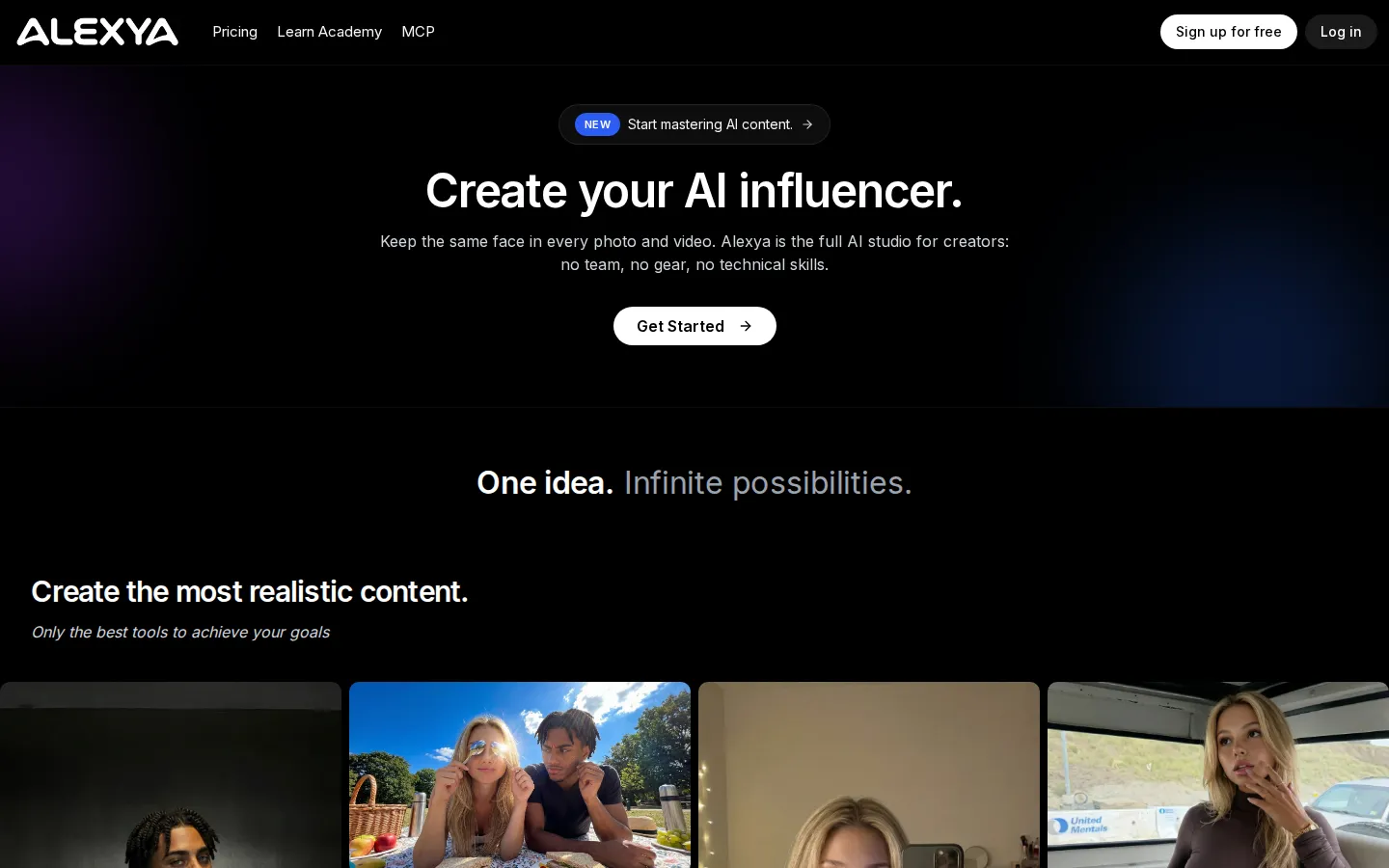
Alexya is a browser-based AI studio built around one promise: create an AI influencer once and keep the same face in every photo and video you publish. Instead of stitching together separate tools for stills, clips and editing, creators work inside a single dashboard where a character built from reference photos can be placed into new scenes, formats and styles without a camera, crew or editing skills.
The workspace is split into Studio, Avatar, Academy and Support. Avatar stores saved characters so the same identity can be reused between sessions, while Studio is where prompts, references and model choices come together. A single credit balance covers every tool, which makes cost easy to reason about: a still starts at 15 to 25 credits, while video scales with model, resolution and duration.
The image side offers three modes. Limitless and High Quality both cost 25 credits per image, while GPT-2 scales from 15 credits for a 1K draft to 100 credits for a 2K high-quality render, with 4K output available at medium quality. Prompts can be combined with reference photos, styles and presets, which is how Alexya holds a recognizable face across a batch of posts.
Video is where the platform goes furthest. Cinematic handles image-to-video clips of 3 to 15 seconds with optional sound and multi-scene sequencing. Seedance 2.0 and 2.5 accept reference images, clips and audio, with the newer model reaching 30 seconds, 30 reference images and 10 reference videos. Omni Video renders up to 4K, and Nova, which Alexya calls its best model, targets character consistency and real motion such as walking, dancing or turning to camera for up to 30 seconds. A separate Replace job swaps the person in an existing clip for your character using one to four photos while keeping the source footage's movement.
Output is tuned for vertical platforms: TikTok, Reels and Shorts. Credits are shared across every tool, so one subscription covers images and video from a single balance, and generations that fail are refunded automatically rather than silently consuming credits.
Beyond the studio, Alexya ships a public REST API with asynchronous jobs, scoped keys and per-request credit reporting, plus an MCP connector that lets Claude, ChatGPT, Claude Code and Cursor generate media directly from a prompt. A Learn Academy teaches prompting and content monetization, and a Discord community supports users.
The company reports 112,000 creators and close to one million pieces of content generated. It does not publish a free trial; new accounts receive welcome credits instead, billing runs through Whop, and the operator is listed only as AlexyaAI under UAE law.
Alexya Core Features
Character consistency
reusable AI influencers built from reference photos keep the same face, hair and build across images and video
Three image modes
Limitless and High Quality at 25 credits, plus GPT-2 from 15 to 100 credits with 1K to 4K output
Cinematic video
image-to-video clips of 3 to 15 seconds with optional sound and multi-scene sequencing
Seedance 2.0 and 2.5
reference images, clips and audio, up to 30 seconds with 30 reference images and 10 reference videos
Nova and Omni Video
Alexya's best model for motion and character consistency up to 30 seconds, plus Omni renders up to 4K
Replace
swap the person in an existing clip for your character using one to four photos while keeping the original movement
Public REST API with scoped keys, async polling, credit reporting and automatic refunds for failed generations
MCP connector for Claude, ChatGPT, Claude Code and Cursor, plus Learn Academy guides and a Discord community
Who is Alexya for?
Alexya targets people who want to publish character-driven content at volume without a camera, crew or editing suite. Its pricing, vertical output and API point to a fairly specific set of users. Solo creators building an AI influencer. This is the core audience: one person who wants a recognizable face, a consistent look and a steady posting cadence on Instagram, TikTok or YouTube Shorts. The $9 Starter tier exists so a beginner can test face consistency before committing. Faceless channel operators. People running niche pages that never show a real person can use Alexya to generate a recurring presenter or model, then produce batches of stills and 9:16 clips around a theme. UGC and performance marketers. Teams producing hook-driven ad creative need many variations quickly. Alexya's image modes and short video models let them test angles, styles and scenes without booking talent or a studio, and Replace lets them put a consistent character inside an existing clip. E-commerce and dropshipping sellers. Store owners can place a generated model into product-adjacent scenes and vertical promos, avoiding photoshoot logistics for every SKU or campaign. AI monetization operators. Creators selling subscriptions on platforms built around virtual personas need a stable identity across feed posts, reels and longer clips. Alexya's reference-image workflow and 30-second model outputs fit that pipeline. Agencies and small studios. Client work involving multiple personas benefits from shared credit balances, parallel generations on higher tiers and a single dashboard instead of several subscriptions. Developers and automation builders. The public REST API, scoped keys, async polling and MCP endpoint make Alexya usable inside products, internal tools or agent workflows, not just the web studio. It is a weaker fit for teams that need lip-sync, pose control or outfit swapping as first-class features, and for anyone who requires a named legal entity before purchasing.
Alexya Use Cases
Build a consistent AI influencer persona for Instagram, TikTok or YouTube Shorts
Generate batches of vertical video ads for hook and angle testing
Place a generated model into product and lifestyle scenes for e-commerce listings
Swap your character into trending clips with the Replace tool
Produce 30-second character-driven clips with Seedance 2.5 or Nova
Automate image and video generation inside your own app through the REST API
Generate media from Claude, ChatGPT or Cursor with the Alexya MCP connector
Learn prompting and content monetization through the free Learn Academy
Alexya Pros and Cons
Pros
- Low entry price at $9 per month, with annual billing cutting roughly 17% off every tier
- Unusually broad model coverage for the price, including Seedance 2.0/2.5, Omni up to 4K and Nova
- Credits are shared across images and video, top-ups never expire and failed generations are refunded automatically
- Public API and MCP connector are included, so the same credits power developer and agent workflows
- Clear documentation, complete legal pages and an active Discord community
Cons
- No free trial, and the size of the welcome credit grant is not published, so testing consistency costs at least $9
- Operator transparency is thin: AlexyaAI lists no legal entity, registration number or address, and payments run through Whop
- No lip-sync, pose control or outfit-swap tools, and high-end video is credit-hungry, with 30 seconds of 1080p Seedance 2.5 costing about 8,100 credits
FAQ About Alexya
Alexya Pricing
Alexya uses credit-based subscriptions billed monthly or yearly through Whop. Starter is $9/month for 1,900 credits (about 76 images or 11 videos), Pro is $29/month for 7,400 credits plus one day of unlimited images and two parallel generations, and Power User is $99/month for 29,200 credits plus five days of unlimited images and six parallel generations. Yearly billing takes roughly 17% off, bringing the effective monthly price to $8, $24 and $83 and adding bonus credits. Credits are shared across all tools, subscribers can buy non-expiring top-ups, and there is no free trial, only unpublished welcome credits.
Check official pricingAlexya Alternatives

VisualGPT
VisualGPT is a browser-based creative suite for e-commerce sellers and creators. It combines 20+ image and video models, including GPT Image, Nano Banana, Seedance, and Kling, in one workspace for product photography, virtual try-ons, AI portraits, hairstyle changes, and brand videos. A free tier with daily credits lets you test the tools before you subscribe.

Kira
Kira is a browser-based creative studio for AI image and video generation and editing. Upload a photo or start from a prompt, then apply featured effects like You as Spiderman, Muscle Maxing or Fix Messy Backgrounds, edit with inpainting and background tools, or generate short videos. Kira Creator is its co-creation community, sharing challenges and templates, and every account begins with free credits.

HeyGen
HeyGen is a leading AI video generation platform for creating realistic avatar videos from text, images, or audio. It combines AI avatars, voice cloning, narration, captions, visuals, animations, and translation in one workspace, with a prompt-based Video Agent, a script-driven AI Studio editor, an avatar cloning pipeline, and a developer API for building video into your own products.