
WPVibe
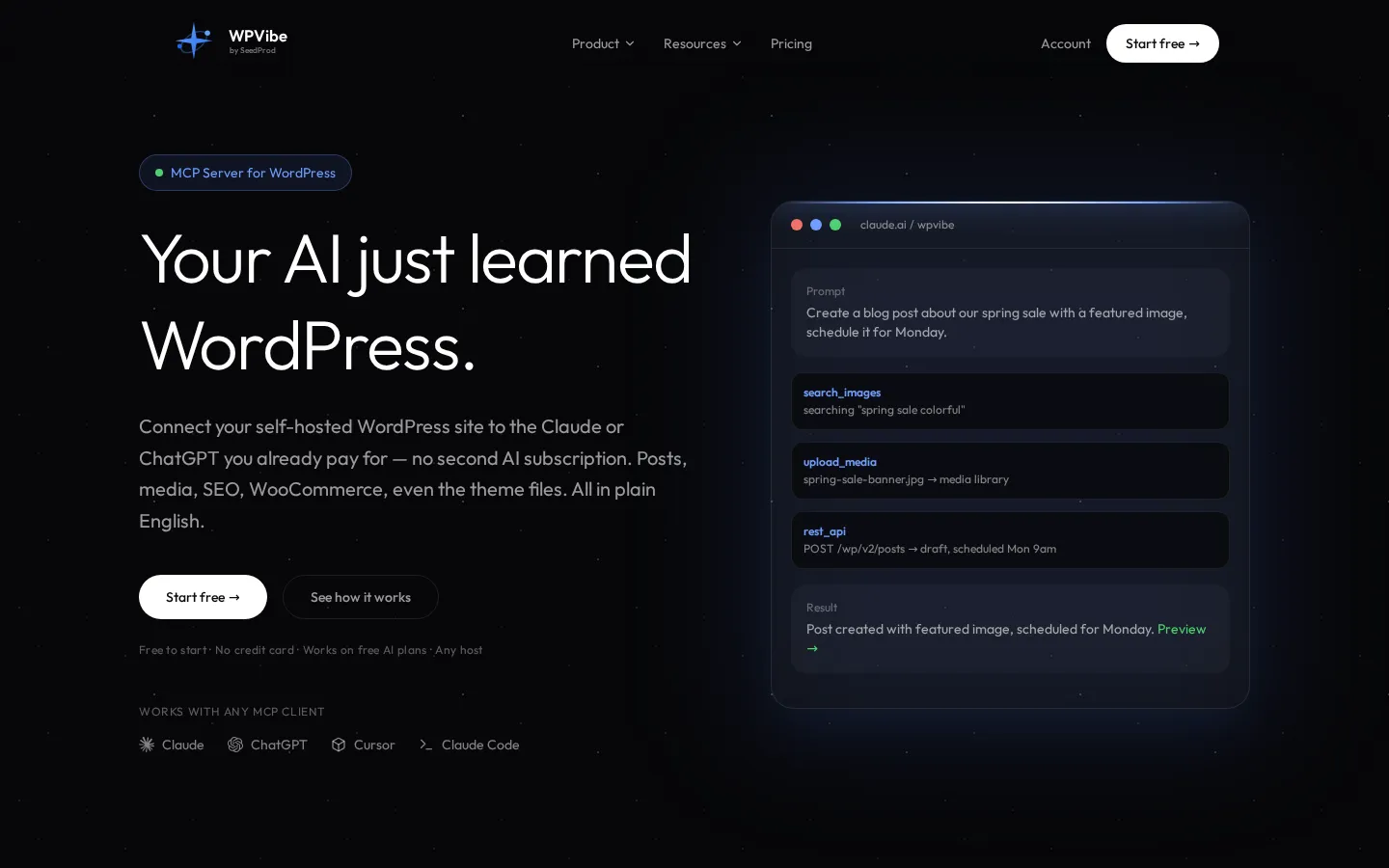
WPVibe is an AI connector for WordPress built by SeedProd. Install the free plugin, add one MCP URL in Claude, ChatGPT, or Cursor, then ask your assistant to write posts, edit Elementor and Gutenberg pages, run 125+ WP-CLI commands, manage WooCommerce, and update plugins across every connected site. Guardrails are on by default, with approval gates, draft-first publishing, and an audit log. Free plan, unlimited sites.
What is WPVibe?
WPVibe is a hosted WordPress MCP server built by SeedProd, the WordPress product team behind SeedProd, WPForms and other plugins used across millions of sites. It connects the AI assistant you already pay for, including Claude, ChatGPT, Cursor and Claude Code, to any self-hosted WordPress site, so the assistant works on the site instead of talking about it. Setup is one free plugin from the WordPress.org directory plus one MCP URL in your AI client, and sign-in uses a six-digit emailed code rather than a password. Every request runs as the WordPress user you authorized through WordPress Application Passwords, so the AI can never do more than that user could do in wp-admin.
The toolkit is deliberately general purpose rather than a page-builder add-on. A full REST API surface covers posts, pages, media, comments, users and taxonomies. On top of it sits an emulated WP-CLI with more than 125 commands across 20+ groups: plugins, themes, options, transients, users, roles, comments, menus, widgets, terms, cron, rewrite rules, cache flushes and serialization-safe search-replace. Commands run in PHP inside the plugin, so they work on shared hosting with no SSH and no WP-CLI binary, and about 99 percent of the commands AI sends are supported. Read-only SQL runs freely; anything that writes stops for approval.
WooCommerce is covered through its own batch API, with recipes for bulk price edits, variations, order exports, coupon creation, fraud-order cleanup and store diagnostics. Fleet features let one WPVibe account drive many sites: a background job can update plugins and themes across up to 50 sites per job, rechecking every site before and after. The theme builder writes classic PHP themes with Tailwind in an isolated draft clone, previews them on a private tokenized URL, and keeps a backup of the previous theme on publish. Site intelligence adds rendered HTML inspection, Lighthouse audits, performance diagnostics and the WordPress Abilities API, so plugins such as WPForms and AIOSEO expose their capabilities. Media work includes Unsplash stock photo search, chat uploads and attribution.
The agent also reads a library of tested skills for Elementor, Gutenberg, Divi, SeedProd, Beaver Builder, Breakdance, Bricks, Kadence, GeneratePress and classic themes before it works, and you can save your own so it follows your conventions. Safety defaults are part of the product: draft-first publishing, approval gates with dry-run previews, a default-deny WP-CLI allowlist, deletes that go to trash, credentials encrypted with AES-256-GCM, and an append-only audit log. WPVibe reports 30,000+ connected sites, over five million tool calls a day and 37 MCP tools.
WPVibe Core Features
WordPress MCP server for Claude, ChatGPT, Cursor, and Claude Code, with hosted remote access and no local install.
Full REST API coverage for posts, pages, media, comments, users, and taxonomies, checked against your WordPress capabilities.
125+ emulated WP-CLI commands for plugins, options, cache, and search-replace, running in PHP with no SSH needed.
Draft-safe theme builder that writes classic PHP themes with Tailwind inside an isolated preview clone.
Fleet updates across connected sites as one background job, rechecking each site before and after.
WooCommerce control for products, variations, pricing, orders, and coupons through WooCommerce's own batch API.
Guardrails by default
approval gates, dry-run previews, trash instead of deletion, and an append-only audit log.
Saved skills and memory so the agent follows your site's conventions in every future conversation.
Who is WPVibe for?
WPVibe is aimed at people who already run self-hosted WordPress and already use an AI assistant, and who are tired of copying content between a chat window and wp-admin. The clearest fit is the freelance developer or small agency maintaining a dozen to a few hundred client sites. They connect every site to one WPVibe account, ask what needs updating, and let a background job push plugin and theme updates while they work on something else. Because WP-CLI is emulated through PHP, it works on the shared and managed hosting where a shell is simply not available, which is where most client sites live. The second group is site owners who publish. Bloggers, WooCommerce store owners, and marketing teams use WPVibe to draft posts with featured images, schedule campaigns, rewrite product descriptions in bulk, fill SEO titles and meta, and build landing pages in whichever builder the site already uses, then review everything as a draft before it goes live. Third are the technical users: developers and consultants who want an assistant to inspect rendered HTML, read plugin and PHP versions, run Lighthouse audits, dig through options and database rows, or clean up a hacked site. WPVibe is less useful for someone who does not want to install a WordPress plugin, for people who need server-level work such as PHP version or DNS changes, and for anyone expecting the AI subscription itself to be included. It is a connecting layer, not another AI.
WPVibe Use Cases
Publish scheduled blog posts with featured images and SEO meta without opening wp-admin.
Bulk edit WooCommerce prices, stock, and product descriptions across a whole catalog by asking.
Update plugins and themes across fifty client sites in one background job with version checks.
Rebuild an aging classic theme with Tailwind in a draft preview before publishing live.
Audit a page with Lighthouse, then have the same assistant fix the performance and SEO issues.
Clean up a hacked or neglected site by inspecting files, options, and database rows safely.
Refresh an entire content archive: titles, meta descriptions, internal links, and alt text.
Give a client their own seat with a daily allowance while your billing and branding stay private.
WPVibe Pros and Cons
Pros
- Works on any WordPress host with a reachable REST API, including shared hosting with no SSH and no WP-CLI binary.
- Guardrails are product features rather than marketing: approval gates, dry-run previews, draft-first publishing, and audit logs.
- Every tool and every skill is included on the free plan, which also allows unlimited connected sites.
- Uses the AI subscription you already have, including the free tiers of Claude, ChatGPT, and other MCP clients.
- The WP-CLI emulator and fleet update jobs cover maintenance work that normally requires a shell.
Cons
- Hosting-level work such as PHP version changes, DNS, and server billing still has to go through your hosting provider.
- Daily allowances count against your WPVibe account rather than per site, so busy multi-site days reach the cap sooner.
- Exotic page builders may need a narrower path, and irreversible operations always wait for a manual browser approval.
FAQ About WPVibe
WPVibe Pricing
WPVibe is free to start and sold in daily fair-use tiers of WordPress tool calls. Free is $0 forever with 100 calls a day plus a bonus allowance for the first week, Pro is $19 per month or $99 per year for 500 calls a day, Power is $49 per month or $299 per year for 2,000, Agency is $99 per month or $599 per year for 5,000 with optional client invites and reporting, and Scale is $149 per month or $899 per year for 10,000. Annual billing saves up to 57 percent, every plan includes every tool, skill, and unlimited connected sites, and the price you subscribe at is locked in for as long as you stay subscribed. A 14-day no-questions refund applies to first-time paid purchases.
Check official pricingFree
100 WordPress tool calls a day for light use and evaluation, with a bonus allowance for the first seven days. Every tool, every skill, and unlimited connected sites are included, with community support and one free account per person.
Pro
$99 per year billed annually, which works out to $8.25 per month. Raises usage to 500 tool calls a day, five times the Free allowance, and adds priority support for production work plus early access to new features.
Power
$299 per year billed annually, or $24.92 per month. Raises usage to 2,000 tool calls a day, twenty times Free, for theme edits and heavy build sessions with more room for edit, preview, and publish workflows.
Agency
$599 per year billed annually, or $49.92 per month. Raises usage to 5,000 tool calls a day, fifty times Free, and adds optional client invites with per-client daily allowances, per-client usage reporting with CSV export, and white-label mode so clients never see WPVibe pricing.
Scale
$899 per year billed annually, or $74.92 per month. Raises usage to 10,000 tool calls a day, one hundred times Free, for the heaviest solo, agency, and automation workloads.
WPVibe Alternatives

Velozity
Velozity is a multiplayer AI office for remote teams that puts people and AI agents in the same shared workspace. Persistent presence, video and audio calls, transcripts, tasks, notes, calendars and guest passes live in a single window, while built-in and bring-your-own agents take on real work across more than 100 integrations and a cloud computer.

Cindy
Cindy is an open-source desktop AI agent from XD Inc. that unifies Claude Code, Codex and Pi harnesses with 20+ tools, persistent memory and reusable skills. Use it free with your own API key or existing Coding Plan, or pay for the optional managed model service that works the moment you sign in. No setup project required.

Migoo
Migoo turns a single chat window into a small AI department: a general assistant plus named specialists for video ads, design, slides, brochures, research, data analysis, photo editing, writing, websites and job applications. It reads the Google Workspace context you connect, then drafts reports, files expenses, builds decks and produces publishable assets, charging through a monthly points allowance rather than per-seat licences.