
Videotto
Videotto is an AI video clipping tool for podcasters, creators and content teams. Upload one long video and it finds the strongest moments, removes silences and filler words, adds editable captions, applies your branding and schedules the finished short clips to YouTube, TikTok, Instagram or LinkedIn on autopilot, with plans starting at $20 per month.
What is Videotto?
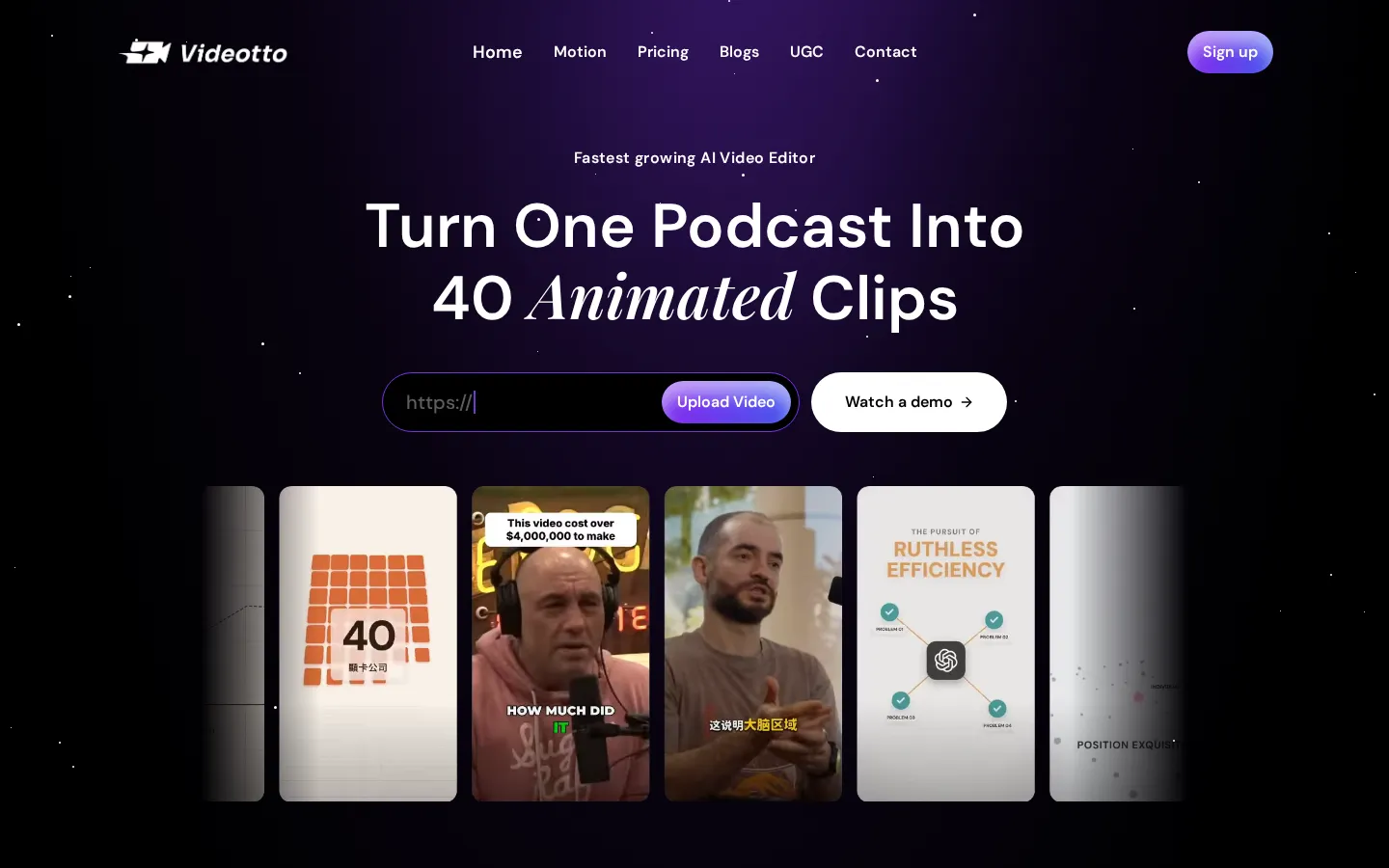
Videotto is an AI video clipping platform for podcasters and creators, positioned as a fast AI video editor that turns one long recording into dozens of publishable short clips. The workflow starts with an upload: you drop in a podcast, livestream or raw footage, and the platform transcribes the audio and analyses the transcript and audio patterns to identify the most engaging, shareable moments, with no manual scrubbing of the timeline.
Clip generation is the core capability. The AI detects strong moments automatically, produces roughly forty clips from a single episode, and formats each one for the destination platform. Auto jump cuts trim dead space, silences, filler words and bad takes straight from the transcript, and the site claims this leaves clips around forty percent tighter. Auto captions are generated instantly with customisable style and timing and remain fully editable, so creators can correct wording before export.
Presentation controls keep the output on brand. You set your logo, colours and fonts once and Videotto applies them to every clip automatically, with vertical 9:16, widescreen 16:9 and square 1:1 exports available. A clip editor is included for manual touch-ups, and multilingual support means a single recording can be repurposed for more than one language audience.
Publishing and measurement close the loop. Videotto publishes straight to YouTube Shorts, TikTok, Instagram Reels and LinkedIn, delivering each platform the optimised format and aspect ratio, and the social calendar schedules posts at the best time so distribution happens on autopilot rather than through manual uploads. Performance insights show which clips perform best so creators can double down on what works. Processing is described as fast: upload once and export dozens of clips in minutes.
On pricing and access, Videotto sells credit-based subscriptions. The Pro plan lists $20 per month, or $12 per month when billed annually at $144 per year, and includes 2,400 credits per year, AI clipping, AI motion, multiple languages, Dropbox and Google Drive, auto posting and clip editing. Plus lists $95 per month, or $57 per month billed annually at $684 per year, with 12,000 credits per year, priority support and advanced analytics. Enterprise adds custom pricing and credit packs, enterprise security, custom API integrations and a dedicated account manager. Credits form one shared balance that can be spent on whichever tool you need, with overage billing so access continues when the quota runs out. The FAQ notes that supported upload formats include MP4, MOV, MKV and AVI, that uploaded files are encrypted and never used to train AI models, and that clips can be exported directly to YouTube Shorts, TikTok, Instagram Reels and LinkedIn.
Videotto Core Features
AI Clip Detection
Finds the best moments in your video automatically, so you never have to scrub a timeline manually.
Auto Jump Cuts
Removes silences, filler words and bad takes straight from the transcript, leaving clips around 40 percent tighter.
Auto Captions
Generates accurate captions instantly with fully customisable style and timing that stay editable before export.
Branding and Layout Control
Set your logo, colours and fonts once and they are applied to every exported clip automatically.
Auto Posting and Social Calendar
Publish or schedule clips to YouTube Shorts, TikTok, Instagram Reels and LinkedIn at the best time.
Performance Insights
See which clips perform best across platforms so you can double down on the formats that work.
Multiple Languages
Generate and caption clips in more than one language from a single long-form recording.
Cloud Integrations
Import source files from Dropbox and Google Drive and export dozens of clips in minutes after one upload.
Who is Videotto for?
Videotto targets people who publish long-form video and need a steady stream of short clips without hiring an editor. Podcasters are the clearest fit: an episode is already two hours of source material, and Videotto is built to return around forty animated clips from a single recording, which is why the homepage leads with turning one podcast into dozens of clips. Solo creators and influencers are the second group. YouTubers repurposing older uploads, Twitch streamers cutting highlight reels and educators slicing a webinar into teachable moments all use the same workflow: upload once, let the AI pick highlights, then publish the exports as Shorts, Reels or TikToks. For them the value is speed rather than artistic control, since a manual edit of the same episode typically takes two to four hours. Social media managers and in-house marketing teams use Videotto when output volume matters more than bespoke editing. The social calendar, shared workspaces, brand templates and performance insights are aimed at teams that run several accounts and need consistent caption styles, logos and aspect ratios applied to every clip automatically. Agencies use the same features to service multiple clients from one workspace. Founders and small businesses that run a podcast or webinar as part of demand generation are a further audience. They usually do not have editing skills, so automatic clip detection, auto jump cuts, auto captions and direct publishing remove the two tasks that used to stop them from repurposing content at all. Enterprise buyers are addressed with dedicated account management, security review and custom API integrations. Finally, non-English creators are served through multilingual captions and clips in multiple languages, which lets a single recording feed audiences on more than one channel. Anyone who already produces long video and treats distribution as a bottleneck rather than a creative problem will get the most value from the tool.
Videotto Use Cases
Turn a two-hour podcast episode into roughly forty captioned clips for Shorts, Reels and TikTok.
Repurpose an old YouTube upload into a month of scheduled short-form posts without re-editing.
Cut a livestream into highlight clips and auto-post them while the stream is still fresh.
Slice a client webinar into teachable short clips with your agency logo and brand fonts applied.
Generate multilingual versions of one interview clip for audiences in more than one market.
Remove silences and filler words from talking-head footage before exporting to a social channel.
Measure which clips drive the most engagement and schedule follow-ups around those formats.
Fill a social calendar for several client accounts from a single shared workspace and credit balance.
Videotto Pros and Cons
Pros
- One upload produces dozens of clips, which removes the two to four hours of manual editing normally needed per podcast episode.
- Auto posting and the social calendar publish to YouTube, TikTok, Instagram and LinkedIn in platform-optimised formats without manual reformatting.
- Branding controls apply logos, colours and fonts automatically, so output stays consistent across many clips and accounts.
- Credit-based pricing includes overage billing, so processing does not stop when the monthly quota is used up.
Cons
- There is no free tier listed; the cheapest plan starts at $20 per month, or $12 per month when billed annually, so testing requires a paid subscription.
- Output is optimised for speed and volume rather than fine creative control, and heavier manual edits still need a full editor for complex sequences.
- Cloud usage is metered in credits, so costs rise with volume and very large archives may need the Plus plan or enterprise pricing.
FAQ About Videotto
Videotto Pricing
Videotto is a paid subscription product: Pro is $20 per month or $12 per month when billed annually at $144 per year with 2,400 credits, Plus is $95 per month or $57 per month billed annually at $684 per year with 12,000 credits, and Enterprise pricing is custom with credit packs.
Check official pricingPro
2,400 credits per year, AI clipping and AI motion, multiple languages, Dropbox and Google Drive, auto posting to social platforms and clip editing. $12 per month when billed annually at $144 per year, and around 200 credits per month with roughly 170 clips generated.
Plus
12,000 credits per year, everything in Pro plus priority support and advanced analytics, with shared team workspaces and storage. $57 per month when billed annually at $684 per year, allowing up to 5,000 minutes of source video and around 4,240 clips.
Enterprise
Custom pricing and credit packs with everything in Plus, enterprise security, custom API integrations and a dedicated account manager for large archives and multi-account teams.
Videotto Alternatives

DeepSwap
DeepSwap is an online AI face swap studio for video, GIF and photo. Upload a clip, pick a source face, and its private model renders a realistic swap in seconds, handling up to six faces, tricky angles and 1080p output, plus enhancement, background removal, cartoon filters and text-to-video generation, with a credit-based API for bulk work.

Motion
Motion is a video agent from Mosaic that turns a written brief, raw footage or a reference clip into an edited video. It plans the story, generates or cuts shots, adds music and sound, then lets you refine the result in chat, on the preview or in a timeline before exporting to Premiere Pro, After Effects or DaVinci Resolve.

Vidmoat
Vidmoat is a browser-based video editor with an AI agent built into the timeline. You drop in raw footage, describe the edit you want, and the agent cuts dead air, writes word-synced captions, grades color and adds music, showing each step on an editable timeline. Every change stays reversible, and the same projects open on desktop, phone and Telegram.