UniScribe
UniScribe is a web transcription tool that turns audio and video files, YouTube links, and meeting recordings into text in 63 languages. Beyond the transcript it generates summaries, mind maps, and key questions, and exports to txt, pdf, docx, srt, vtt, or csv. A free plan covers 120 minutes monthly.
What is UniScribe?
UniScribe is a browser-based transcription service that turns audio and video into text, then layers AI analysis on top of the transcript. The core workflow is deliberately short: upload a file or paste an online video link, click transcribe, and receive text you can export or share. UniScribe supports more than twenty file formats including mp3, wav, m4a, mp4, mov, and mkv, accepts files up to five gigabytes and five hours on paid plans, and covers sixty-three languages for transcription and subtitles, with translation available as well.
What separates UniScribe from a bare transcription utility is the insight layer. Every transcript can generate a short summary, a visual mind map, and key questions and answers, which turns an hour-long recording into something scannable. Speaker identification labels who said what, which matters for interviews, panels, and meetings where attributing a quote is the whole point. Timestamps let you jump back to the exact moment in the recording, and a share link lets a colleague view the transcript without an account. Exports cover txt, pdf, docx, srt, vtt, and csv, so the same transcript can serve as an article draft, a subtitle file, or a data source.
The intended jobs are broad. Podcasters generate show notes and quotable snippets; video creators turn YouTube links into transcripts without downloading anything; meeting participants turn recorded calls into searchable notes with action items; students convert lectures and course videos into study material; journalists and analysts transcribe interviews and cite sources accurately. The site reports millions of users and leans on user testimonials for credibility, including long-term customers who describe it as a daily workflow tool.
Pricing is transparent and tiered by monthly transcription minutes. The free plan includes 120 minutes per month with a thirty-minute per-file cap, one file at a time, three files per day, the standard accuracy model, AI translation, limited AI insights, all export formats, and a thirty-day retention window. Paid plans raise limits substantially: Basic at six dollars per month for 1,200 minutes, Standard at twelve dollars for 3,000 minutes, and Pro at eighteen dollars for 6,000 minutes, each with the premium highest-accuracy model, YouTube transcription, speaker identification, custom vocabulary, bulk uploads, integration with Claude and ChatGPT, API access, no retention period, and priority email support. Annual billing reduces the monthly equivalent. The API access on paid plans is what makes it usable inside a workflow rather than only by hand, though UniScribe remains a productivity tool first rather than an infrastructure product.
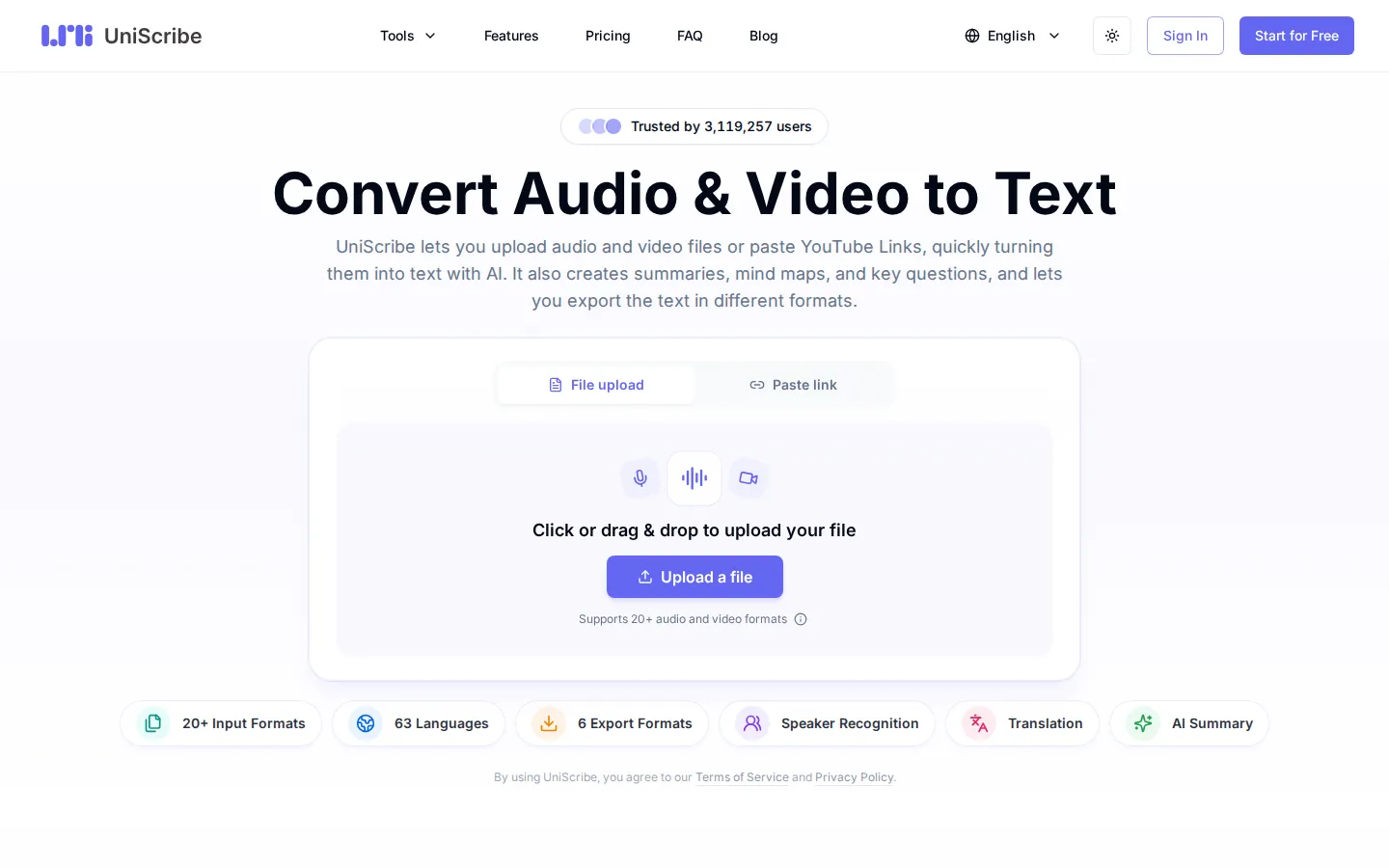
UniScribe Core Features
Fast transcription in 63 languages
Upload files or paste an online video link and receive text with timestamps in minutes rather than hours.
AI summaries, mind maps, and key questions
Each transcript can produce a scannable summary, a visual mind map, and question-and-answer highlights.
Speaker identification
Labels who said what, which keeps interview quotes and meeting action items attributable.
Six export formats plus share links
txt, pdf, docx, srt, vtt, and csv cover article drafts, subtitles, and data reuse.
YouTube link transcription
Paste a video URL and get the transcript without downloading anything first.
Bulk transcription and API access
Paid plans add batch processing and an API so recordings can be handled at volume or inside a workflow.
Custom vocabulary and premium accuracy model
Add domain terms and switch to the highest-accuracy model for difficult audio.
Who is UniScribe for?
UniScribe suits anyone who works with spoken content and needs text out of it quickly. Podcast and video producers are the strongest fit: they paste a YouTube link or upload an episode and get show notes, quotable snippets, and subtitles in one pass, with speaker identification keeping hosts straight. Content creators repurposing long-form video use the transcript plus summaries to spin off blog posts, social copy, and newsletter sections instead of rewatching footage. Students and researchers upload lectures, course videos, and interviews, then use AI summaries and mind maps to review hours of material in minutes and to quote sources with timestamps. Journalists and analysts transcribe interviews in 63 languages and jump back to the exact moment instead of scrubbing audio. Meeting-heavy teams use it for recorded calls, where speaker labels make action items traceable and searchable afterwards. Small businesses and agencies use the bulk transcription and API access on paid plans to process client recordings at volume. Non-native English speakers use translation and language coverage to work across source material that is not in their first language. The free plan fits occasional users with short files, since it caps monthly minutes, file length, daily uploads, and retention. Power users and developers pick paid tiers for the premium accuracy model, YouTube transcription, custom vocabulary, bulk processing, and API access. The product is not built for live captioning or real-time streaming, so event producers and broadcasters needing instant subtitles should look at a streaming voice API instead. It is also not a video editor: you get text, summaries, and subtitle files, not timeline editing or burned-in captions. Best-fit users are solo creators, students, and small teams who want a fast browser workflow rather than an API-first pipeline.
UniScribe Use Cases
Turn a podcast episode into show notes, quotable snippets, and subtitles.
Convert lecture recordings into study notes and revision summaries.
Transcribe interviews in other languages and cite quotes with timestamps.
Capture recorded meetings as searchable notes with labelled speakers.
Repurpose a long YouTube video into a blog draft and social copy.
Batch process client recordings through the API on a paid plan.
Produce srt or vtt subtitle files for a video upload.
UniScribe Pros and Cons
Pros
- Free plan with 120 monthly minutes and no credit card is enough to test real files.
- Insight layer of summaries, mind maps, and key questions saves a second manual pass over the transcript.
- Sixty-three language coverage plus AI translation suits international and multilingual material.
- Paid plans add API access, bulk transcription, and custom vocabulary, so heavier workflows stay in the same tool.
Cons
- Free plan limits files to thirty minutes and three uploads per day with a thirty-day retention window.
- No live or real-time captioning, so streaming and broadcast use cases are out of scope.
- It produces transcripts and subtitle files, not video editing or burned-in caption rendering.
FAQ About UniScribe
UniScribe Pricing
Freemium: free plan with 120 transcription minutes per month, Basic $6 for 1,200 minutes, Standard $12 for 3,000 minutes, and Pro $18 for 6,000 minutes, with annual billing discounts.
Check official pricingFree
120 minutes per month, thirty-minute file cap, three files per day, standard model, limited AI insights, thirty-day retention.
Basic
1,200 minutes per month, premium accuracy model, YouTube transcription, speaker identification, API access, no retention limit.
Standard
3,000 minutes per month, $15 per 1,000 extra minutes, premium model, bulk transcription, integrations, API access.
Pro
6,000 minutes per month, $20 per 3,000 extra minutes, all paid features for high-volume users and teams.
UniScribe Alternatives
Plaud
Plaud is an AI note-taking platform that combines pocket-sized AI voice recorders with subscription software. The app transcribes recordings in 112 languages, labels speakers, generates summaries from 10,000+ templates, and answers questions across your history with Ask Plaud. Free Starter, Pro and Unlimited plans add transcription minutes, while Team adds shared workspaces and admin controls.

Deepgram
Deepgram is a voice AI platform for developers and enterprises. Its API covers speech-to-text (Flux STT), text-to-speech (Flux TTS), and a voice agent API built for real conversations, with turn-taking, interruption handling, and conversational context. Pricing is usage-based, starting with a $200 free credit and no credit card.
TurboScribe
TurboScribe is a web-based AI transcription service powered by Whisper that converts audio and video into text in more than 98 languages. It supports large uploads, speaker recognition, audio restoration, translation into 134+ languages, bulk exports, and downloadable transcripts, with a free daily tier and an unlimited subscription for heavier workloads.