
Typist
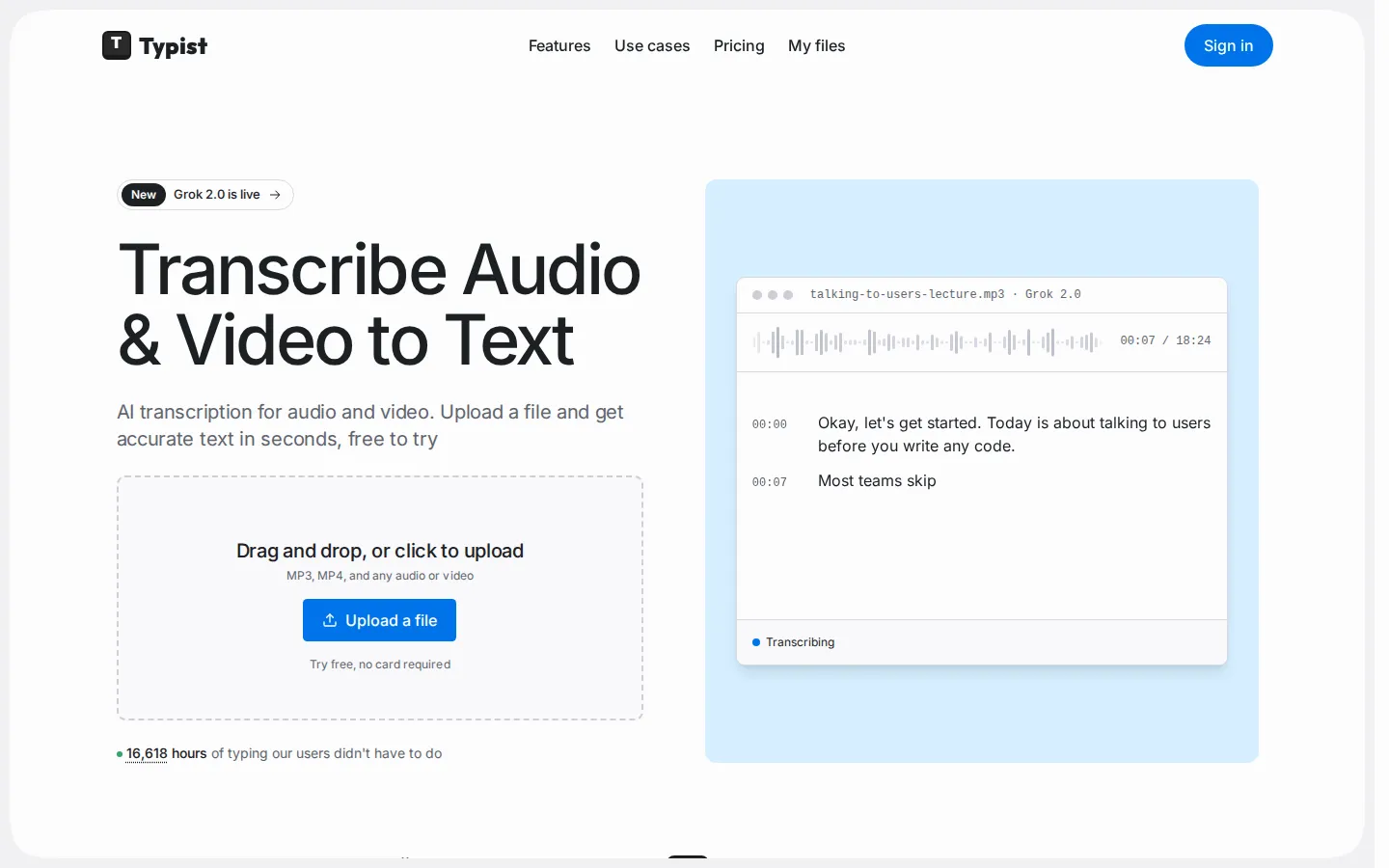
Typist is a browser-based AI transcription tool that converts audio and video files into text in seconds. Upload an MP3, MP4, M4A, WAV, or WebM file and choose between OpenAI Whisper, xAI Grok 2.0, and ElevenLabs Scribe v2 depending on whether you need speed, cost, or maximum accuracy. Transcripts carry clickable timestamps and export to TXT, DOCX, PDF, SRT, or VTT.
What is Typist?
Typist is a browser-based AI transcription service that turns audio and video recordings into accurate, timestamped text without a desktop install or a paid seat for every collaborator. The premise is narrow on purpose: you drop a file onto the page, pick a speech-to-text model, and read the finished transcript in seconds rather than hours. Behind that single upload box sit three commercial engines from different vendors, each suited to a different kind of recording. OpenAI Whisper v3 Turbo is the cheapest at one credit per minute and is aimed at long lectures, podcasts, voice memos, and backlogs. xAI Grok 2.0 costs two credits per minute and adds speaker labels, which makes it the practical pick for interviews, meetings, and panel calls. ElevenLabs Scribe v2 costs four credits per minute and targets legal, medical, research, and subtitle work where every word matters, adding speaker labels and role detection across a broad language set. Because the balance is shared, you can route a cheap twenty-minute voice memo through Whisper and send a two-speaker client interview through Scribe without opening a second subscription.
Every transcript arrives with word-level timestamps, so clicking a line replays that moment in the audio, and it exports to TXT, DOCX, PDF, SRT, or VTT depending on whether the destination is a document, a video editor, or YouTube. Paid plans add longer file retention and more concurrent jobs, and Premium unlocks AI Insights that generate summaries, chapters, quotes, and action items. Typist also exposes your transcript library to ChatGPT and Claude through an MCP connector with explicit per-connection approval and read-only access. Around the core product sits a set of free browser tools, including a recorder, YouTube transcript and summary utilities, a media converter, audio and video compressors, and a video splitter, which work without an account and act as the front door to the paid service. Pricing is metered by minutes rather than by seats, which matters for small teams where only one or two people actually upload files, and the free allowance is large enough to test each engine against your own recordings before committing to a plan.
Typist Core Features
Three transcription engines
Route each file through OpenAI Whisper v3 Turbo for cheap long recordings, xAI Grok 2.0 for speaker-labelled conversations, or ElevenLabs Scribe v2 for maximum accuracy.
Word-level timestamps
Every word links to its position in the audio, so clicking a line jumps the player to that second for fast quote verification.
Five export formats
Download TXT, DOCX, PDF, SRT, or VTT from the same transcript, covering documents, video editors, and YouTube uploads.
Speaker diarization and filler removal
Grok 2.0 and Scribe v2 label who said what and strip filler words, making interviews and panels readable.
Broad format and language coverage
Accepts MP3, M4A, WAV, FLAC, OGG, MP4, and WebM up to 5 GB per file on paid plans, with Whisper handling 99+ languages.
AI Insights on Premium
Generate TL;DR summaries, chapters, pull quotes, and action items from any transcript without leaving the dashboard.
MCP connector for AI clients
Connect ChatGPT or Claude with per-connection approval; agents can search, read, and download transcripts but cannot edit or delete them.
Eight free browser tools
Record & Transcribe, YouTube Transcript, YouTube Summary, Media Converter, audio and video compressors, Extract Audio, Video Splitter, and a mic test, all without an account.
Who is Typist for?
Typist is aimed at people who generate more recorded speech than they can afford to type out themselves, and who would rather pay a small monthly fee than assemble a pipeline of separate tools. The strongest fits are: Students and teachers, who record lectures and want clean, searchable notes they can quote with timestamps when revising or writing papers. Researchers and journalists, who run interviews, need speaker labels to keep participants straight, and must verify a quote against the exact second it was spoken. Podcasters and YouTube creators, who need SRT or VTT captions for publishing plus plain text for show notes, and who care about cost per hour because the back catalogue is long. Consultants, coaches, and therapists, who record client calls and want a readable record without losing an afternoon to typing, while accepting that Typist is not yet a HIPAA-compliant vendor. Legal, medical, and academic teams working with difficult audio, where the higher per-minute cost of Scribe v2 is justified by accuracy on accents, jargon, and multi-speaker recordings. Video editors and subtitlers, who need timed captions and word-level timings to align text to picture. It is a weaker fit for teams that want live, in-meeting transcription with a bot joining calls, or for organisations that require a signed BAA or a SOC 2 report today.
Typist Use Cases
Transcribe a two-hour lecture into searchable, timestamped notes you can quote in a paper.
Label speakers in client interviews and pull exact quotes with timestamps for an article.
Generate SRT captions for a podcast episode or YouTube video without a separate subtitle tool.
Convert iPhone voice memos into DOCX drafts instead of typing them up on a Friday afternoon.
Turn a backlog of recorded calls into plain-text transcripts at one credit per minute on Whisper.
Verify a legal or medical recording word by word using Scribe v2, where the higher per-minute cost buys accuracy.
Ask ChatGPT or Claude what a specific interviewee said across your whole transcript library.
Compress or convert an unsupported media file in the browser, then transcribe it in the same session.
Typist Pros and Cons
Pros
- Model choice per file on one shared credit balance means you can trade cost against accuracy recording by recording, rather than being locked to a single engine.
- Fast turnaround: Whisper v3 Turbo runs at roughly 217 times real time, so a 90-minute podcast is usually drafted in under a minute.
- Generous free tier for evaluation, with 15 minutes and no account, rising to 60 free minutes on signup with no card required.
- Clean export path: TXT, DOCX, PDF, SRT, and VTT are included on every plan, including Free.
- Publishing quality transcripts without seats: pricing scales with minutes transcribed, not with the number of people on the team.
Cons
- No in-line transcript editing yet, so fixing a name or term means exporting to TXT or DOCX and editing there.
- Private share links are not live, which leaves file exports as the only way to hand a transcript to a colleague or client.
- Not a HIPAA-compliant vendor: BAAs and SOC 2 are listed as in progress, which rules it out for regulated clinical or legal work today.
FAQ About Typist
Typist Pricing
Free with 60 minutes after signup, then Lite at $6.99 per month for 500 credits, Premium at $19.99 for 4,500 credits, and Max at $49.99 for 15,000 credits, where one credit is one minute on Whisper v3 Turbo.
Check official pricingFree
60 free minutes after signup, 15 without an account, every model, all export formats, 500 MB per file, seven-day retention
Lite
500 credits a month, 5 GB per file, 30-day retention, three concurrent transcriptions
Premium
4,500 credits a month, unlimited AI Insights, unlimited retention, ten concurrent transcriptions
Max
15,000 credits a month, everything in Premium, plus priority support
Typist Alternatives

Convo
Convo is a desktop AI sales assistant that coaches reps live during calls, surfacing objection responses, buying signals and answers pulled from company documents. It drafts follow-ups and syncs notes, contacts and tasks to the CRM afterwards, giving managers call feedback and deal risk insight. It works bot-free with Zoom, Meet, Teams and Webex, from $22.49 per user monthly.
Voiskey
Voiskey turns natural speech into finished text instead of a raw transcript. It strips fillers and false starts, reshapes tone for whoever is reading, keeps your names and jargon intact, and types the result wherever your cursor sits on Mac, Windows, iOS or Android. A weekly free allowance covers light use; Pro unlocks unlimited dictation and better models.

Audio2Guitar
Audio2Guitar is a web app that converts any audio file into playable guitar tablature. Upload an MP3, WAV, Suno or Udio track, YouTube audio, or a voice memo, and the AI separates the guitar, detects notes and chords, maps fret positions, and transcribes lyrics. Results arrive in minutes with synced playback, stem downloads, MIDI export, and PDF printing.