
Superblocks
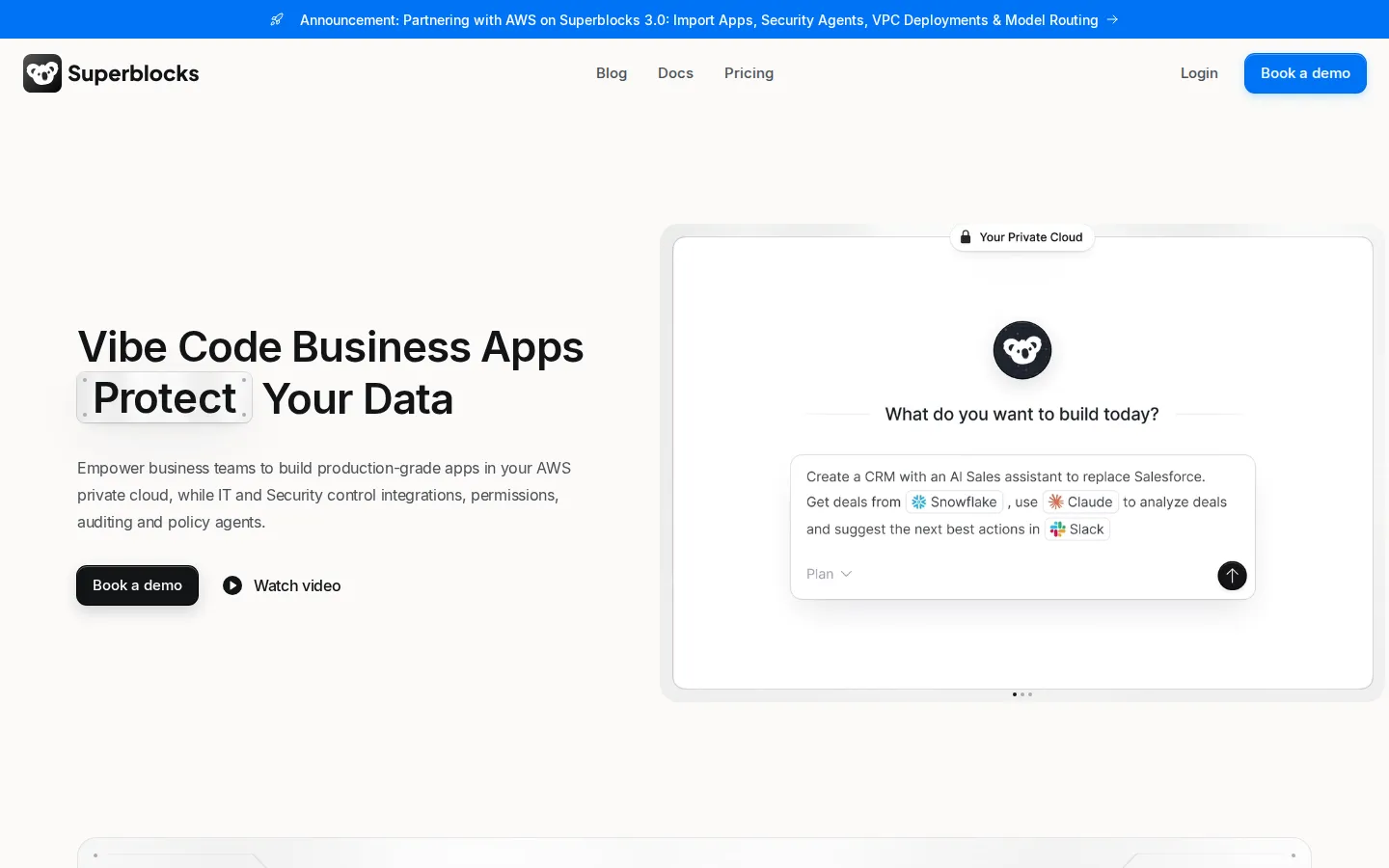
Superblocks is an enterprise platform for AI-generated business apps. Business teams describe internal tools in natural language and the Clark agent builds them on private company data, while IT controls integrations, permissions, secrets, audit logs and deployment. Apps run in the Superblocks cloud or inside a customer VPC on AWS, GCP or Azure.
What is Superblocks?
Superblocks is an enterprise platform for building, deploying and governing AI-generated business applications. Business teams use its Clark AI coding agent to describe an internal tool in natural language, and the platform turns that prompt into a production app connected to company data, while IT and security teams keep control over integrations, permissions, audit trails and where the app actually runs.
The product positions itself as a software factory for business teams that is governed by security and IT. Clark works on top of an organization's knowledge graph, which includes data schemas, API documentation, agent memory, existing app patterns and integration configurations. Because it operates inside each builder's existing permissions, it can only read and generate code against data that the person prompting it is already authorized to see across systems such as Postgres, Snowflake, Salesforce and Databricks.
Superblocks acts as an integration control layer between apps and business systems. Apps never call databases or APIs directly; the platform enforces API and MCP authentication, inherits access controls, abstracts secrets and audits every interaction. It ships with more than 50 native integrations covering databases, data warehouses, AI models, cloud storage, streaming platforms and SaaS APIs, plus Git-based source control through GitHub, GitLab, Bitbucket and Azure DevOps.
Governance is the differentiator the company sells hardest. Administrators configure role-based access control, SSO with SAML or OIDC, SCIM group syncing, secrets management through AWS Secrets Manager, Azure Key Vault, Google Cloud Secret Manager or HashiCorp Vault, audit logs and observability pipelines. Enterprise plans add security agents and scans, a private package registry and a security center for CVE management. The company reports SOC 2 Type II certification and HIPAA compliance.
Deployment is flexible. Customers can run fully in the Superblocks cloud, in a hybrid model where production data stays in their own VPC while Clark works on non-production data, or in cloud-prem mode where the whole platform including AI inference runs inside their AWS, GCP or Azure environment and Superblocks manages it. On AWS, inference can run on Bedrock with the customer's own IAM roles, network policies and databases.
Applications cover internal tools, customer portals, embedded apps, scheduled workflows, background agents and REST endpoints, and teams can also import prototypes built in Claude, Lovable or Replit and harden them for production. Builders keep ownership of the generated code and can connect it to their repository. Admins also get an Admin MCP that lets security tooling query app inventory, owners and deployment status. Pricing starts with a self-serve Teams plan at $100 per month billed annually for up to 15 builders, while Enterprise covers VPC deployment and advanced security at custom pricing.
Superblocks Core Features
Clark AI agent
Builds internal apps from natural language prompts on top of your schemas, API docs and existing app patterns.
Integration control layer
Enforces API and MCP authentication, inherits access controls, abstracts secrets and audits every interaction.
50+ native integrations
Connects databases, warehouses, AI models, cloud storage, streaming services and SaaS APIs without custom glue code.
Governance controls
Role-based access control, SSO with SAML or OIDC, SCIM sync, audit logs and observability pipelines on every app.
Flexible deployment
Run in the Superblocks cloud, hybrid with production data in your VPC, or cloud-prem inside AWS, GCP or Azure.
Git-based source control
Push apps to GitHub, GitLab, Bitbucket or Azure DevOps and review changes like normal code.
Workflows and endpoints
Schedule background jobs, automations and cron tasks, and expose apps or logic as REST endpoints.
Embedded and white-label apps
Deliver internal tools or customer portals inside your own product with custom branding.
Who is Superblocks for?
Superblocks targets mid-market and enterprise organizations where business teams want to build their own internal software but IT and security remain accountable for data access and production risk. The buyer is usually a technology leader; the daily user is usually someone outside engineering. The roles it fits best: - CIOs and CISOs who need every AI-generated app to be inventoried, permissioned and auditable instead of spreading through shadow IT. - IT and security engineers who own SSO, secrets management, audit logs, vulnerability scanning and VPC deployment, and who need those controls applied to business-built apps. - Business operations managers in finance, HR, support and supply chain who currently run critical processes in spreadsheets and want a governed app instead. - Data analysts who already know the warehouse schema and want to turn queries into shareable tools without waiting on an engineering sprint. - Internal tools and platform engineers who maintain a backlog of small apps and want to hand repeatable patterns to business teams while keeping code in Git. - Sales, marketing and revenue operations teams that need customer portals, dashboards or workflow automations tailored to their process. - Healthcare and financial services operations teams working under HIPAA or SOC 2 scrutiny that cannot use ungoverned AI builders. It is less suited to pure engineering teams shipping a customer-facing SaaS product, and to individuals or small startups that just want a free low-code tool, since the self-serve plan starts at $100 per month and most governance features sit behind Enterprise. Companies evaluating Retool, Appsmith, Lovable, Replit or Claude-generated prototypes often land here when security review becomes the blocker.
Superblocks Use Cases
Productionize AI prototypes built in Claude, Lovable or Replit by importing them and adding security, permissions and audit trails.
Replace spreadsheet-driven operations with governed apps that enforce row-level permissions and log every change.
Retire expensive or rigid SaaS tools by building internal replacements that match your exact workflow.
Ship customer-facing portals and dashboards that embed into your existing product with your own branding.
Automate recurring business processes with scheduled workflows and background agents connected to LLMs.
Turn warehouse data in Snowflake, Databricks or BigQuery into governed apps that business teams can safely query.
Give operations, finance and support teams self-serve app building without bypassing IT review or security policy.
Superblocks Pros and Cons
Pros
- Governance is built into the platform rather than bolted on, covering permissions, secrets, audit logs and vulnerability scanning in one place.
- Deployment options include full cloud-prem and VPC installs on AWS, GCP and Azure, with inference on Bedrock where required.
- Business users can build without engineering sprints, while generated code stays owned by the customer and syncs to Git.
- Broad integration library and an MCP layer mean apps connect to real systems instead of exporting stale spreadsheet data.
- Self-serve Teams plan at $100 per month billed annually makes it possible to pilot before committing to an enterprise contract.
Cons
- No free tier: the self-serve plan starts at $100 per month and only includes one hosted app, with extras at $10 per app monthly.
- Most security controls that justify the platform, including SSO, audit logs and VPC deployment, require custom-priced Enterprise.
- The Teams plan caps teams at 15 builders and 100 Governed Agent Units per month, so heavier AI usage needs paid add-on packs.
FAQ About Superblocks
Superblocks Pricing
Superblocks sells one self-serve plan and one enterprise plan. Teams costs $125 per month billed monthly, or $100 per month billed annually, and includes 100 Governed Agent Units per month, one hosted app, staging and production environments, 50+ integrations and up to 15 builders, with extra apps at $10 each per month and a 14-day free trial. Enterprise pricing is custom and adds VPC deployment, SSO, audit logs, security agents, source control and a dedicated account team.
Check official pricingTeams
Billed monthly; $100 per month billed annually. Includes 100 Governed Agent Units, Clark AI agent, one hosted app, staging and production environments, 50+ integrations and up to 15 builders. 14-day free trial.
Enterprise
Custom pricing with VPC or cloud-prem deployment, SSO/SAML/OIDC, audit logs, secrets management, source control, embedded apps, Admin MCP, security agents and scans, CVE security center and a dedicated account team.
Superblocks Alternatives
Modaal
Modaal turns an app idea into shipping native software: it plans each feature as an approved spec, then lets the coding agent you already pay for write SwiftUI and Jetpack Compose from one shared core. Projects stay as real Xcode and Android Studio repositories on your Mac, with simulators, TestFlight, and App Store release built in.

Vento
Vento is an AI platform from Protofy for building connected systems, not just screens. Describe what a system should sense, decide and do, and Vento Agent creates the interfaces, data connections, automations, AI agents and device integrations inside one project, then refines them through conversation. It connects ESP32, Arduino and Raspberry Pi hardware without code, so a working prototype and its dashboard arrive together.

GoDaddy Airo AI Builder
GoDaddy Airo AI Builder is a prompt-driven site builder from GoDaddy. Describe a business or idea and it drafts pages, sections and copy, then lets you refine layout, tone and visuals with guided controls before publishing to GoDaddy hosting with SSL, forms and analytics included. Plans start free with credits, and paid tiers add custom domains, payments, bookings and more sites.