Songscription
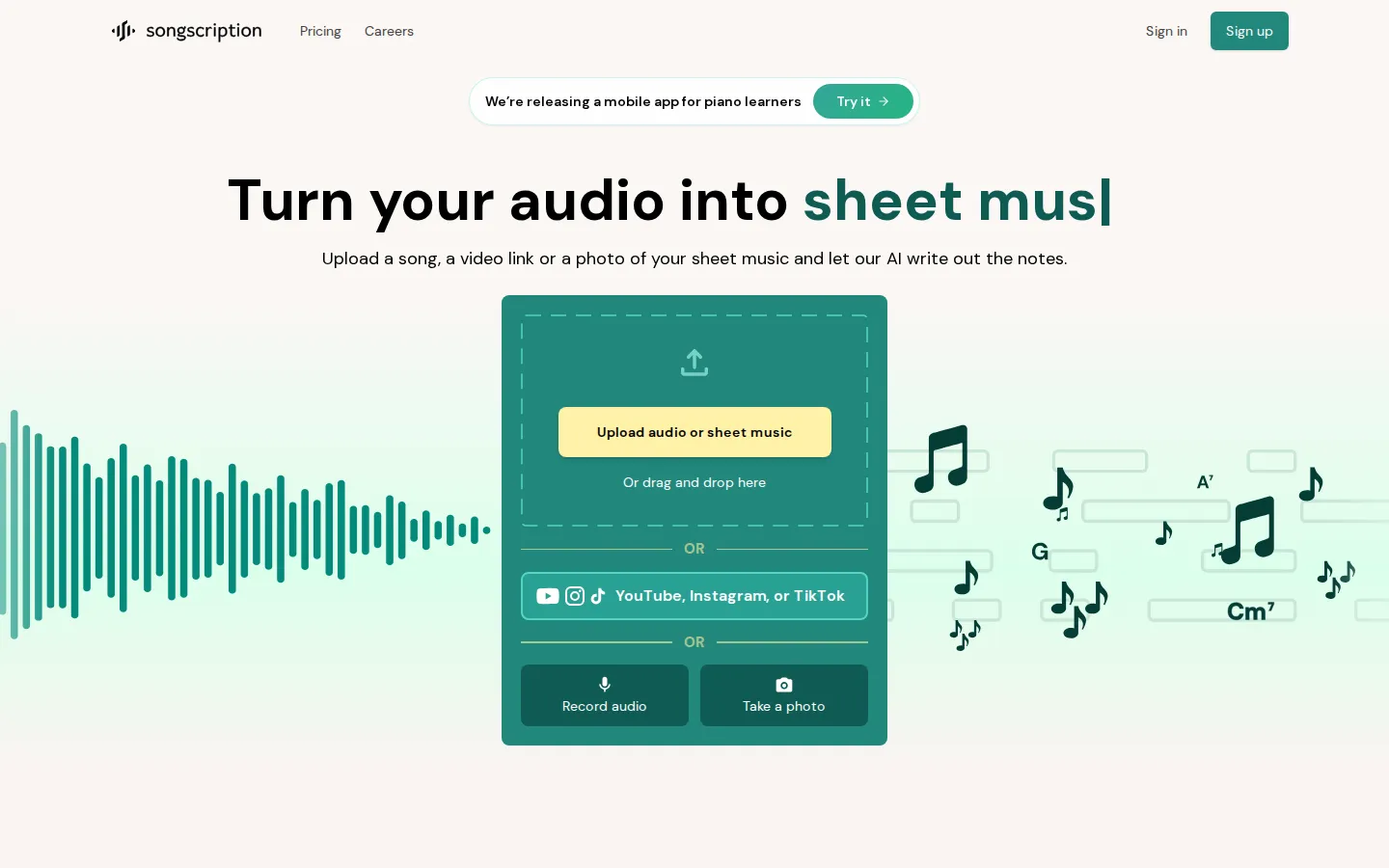
Songscription converts recordings into playable notation. Upload an MP3, WAV, or M4A file, paste a YouTube or TikTok link, or photograph printed sheet music, and its AI writes out notes, chords, and guitar tabs. Musicians, teachers, and producers use it to learn songs by ear faster, archive original compositions, and move audio into notation software or a DAW.
What is Songscription?
Songscription is an AI music transcription platform built to close the gap between the music people love and the notation they can actually read. Instead of hunting for a published score that may not exist, you hand the tool an audio file, a video link, or a photograph of printed music, and its own in-house models work out the notes and write them down as sheet music, piano roll, guitar tabs, MIDI, MusicXML, or a Guitar Pro file. The company describes the result as an AI-powered Shazam for sheet music, and the pitch is less about generating new music than about capturing music that already exists.
The workflow starts from a single upload box on the homepage. You can drag in an MP3, WAV, or M4A recording, record straight from your microphone, paste a YouTube, Instagram, or TikTok URL, or, on paid plans, upload photos and PDFs of printed scores up to ten pages at a time. From there you choose what you are transcribing: piano, acoustic or bass guitar, violin, flute, trumpet, saxophone, drums, or vocals. Picking one instrument tells the model to isolate that part and ignore as much of the rest of the arrangement as it can, which is usually the difference between a clean result and a cluttered one on a busy mix.
Multi-Instrument mode is the other half of the pitch. Rather than one part at a time, it reads a full band or ensemble recording and returns a separate track for each family it detects, across keys, guitars, bass, strings, brass, woodwinds, saxophones, synths, voice, and drums. Songscription can also generate a piano arrangement of an existing song at a chosen difficulty level, a piano-plus-vocal arrangement, or a lead sheet with chord symbols, which helps when the goal is playing the song rather than reproducing the record note for note.
Output is where the platform is broader than most transcription tools. Every score opens in a built-in editor with an interactive piano roll, playback at an adjustable speed, automatic piano fingering, and an AI assistant called Annie that applies edits you describe in plain language. Paid tiers export PDF, MIDI, MusicXML, and Guitar Pro, so a finished transcription can go straight into MuseScore, Sibelius, or a DAW.
Accuracy is strongest on solo piano and other single-instrument recordings. Dense mixes may need a pass in the editor, and guitar tabs assume standard tuning. Songscription launched in 2024, is backed by Reach Capital, and has been covered by TechCrunch, Billboard, and MusicRadar. A free tier covers 30-second transcriptions, a 14-day trial unlocks two-minute files without a card, and paid plans raise both the length limit and the monthly credit allowance.
Songscription Core Features
Multi-Instrument transcription
Reads a full band or ensemble recording in one pass and returns a separate part for keys, guitars, bass, strings, brass, woodwinds, saxophones, synths, voice, and drums.
Nine supported instruments
Direct transcription for piano, acoustic and bass guitar, violin, flute, trumpet, saxophone, drums, and vocals, with part isolation when you select one.
Photo and PDF import
Plus and Pro subscribers can upload printed sheet music up to ten pages at a time and get an editable score back instead of retyping it.
Four export formats
Download finished work as PDF sheet music, MusicXML for MuseScore or Sibelius, MIDI for any DAW, or Guitar Pro tabs.
Interactive piano roll
A falling-note view with left and right hand split, adjustable speed, transposition, and colour controls for players who do not read fluently.
Annie editing assistant
Describe a fix in plain language and the AI applies it to the score, alongside manual note editing and automatic piano fingering.
Arrangement generator
Recast any song as a piano cover at a chosen difficulty, a piano-plus-vocal arrangement, or a lead sheet with chord symbols.
Who is Songscription for?
Songscription fits people who can play or hear music but cannot easily write it down, and people who need notation quickly without hiring a human transcriber by the hour. It is a consumer-facing tool first, so the strongest matches are hobbyists and working musicians rather than enterprise audio teams. Piano and guitar learners are the core audience. They usually want to play a specific song they heard, not a simplified method-book arrangement, and a piano roll or tab view makes the result approachable even when sight-reading is slow. The free tier and the trial let them test a chorus before committing. Music teachers and tutors use it to turn a student's request into a playable score or a simplified piano cover at an easier difficulty, which saves the hours normally spent transcribing by ear after a lesson. Composers and songwriters record ideas on a phone and need them captured before the details fade. Songscription's testimonials lean heavily on this use case: turning a voice memo or a piano improvisation into a lasting, shareable score. Producers and beatmakers treat it as an audio-to-MIDI step, pulling a melody or chord part out of a recording and dropping the MIDI into a DAW to rearrange rather than replay. Working transcribers and arrangers use it as a first pass on material they would otherwise notate by hand, then clean up in the editor, while performers, cover bands, ensembles, and choirs use it to get parts split by instrument or voice for rehearsal. Classically trained students and conservatory players are a secondary fit: they read notation fluently and mainly want a fast, editable starting point for a recording that has no published edition. Anyone transcribing dense orchestral or heavily distorted material should expect editing work, so the tool rewards users who are comfortable reviewing a score rather than accepting it blind.
Songscription Use Cases
Turn a live recording of your own band into separate parts for each player.
Learn a song from a TikTok or YouTube link by reading the generated piano roll.
Digitize a stack of printed sheet music by photographing the pages into editable scores.
Give a student a simplified piano arrangement of a piece they actually want to play.
Export a melody to MIDI and build a beat around it in your DAW.
Create a lead sheet with chord symbols for a cover gig or jam session.
Archive original compositions as MusicXML before the performance details are forgotten.
Prepare choir or ensemble parts with one staff per voice or instrument.
Songscription Pros and Cons
Pros
- One upload produces sheet music, piano roll, tabs, MIDI, MusicXML, and Guitar Pro, which is broader output than most transcription tools offer.
- Multi-Instrument mode returns a full arrangement in a single pass instead of forcing one part at a time.
- Free 30-second transcriptions and a no-card 14-day trial make it cheap to test on your own material.
- Photo and PDF import handles printed scores, so the tool is not limited to audio input.
- Paid plans include an opt-out from AI model training, and Pro adds priority support.
Cons
- The free tier caps uploads at 30 seconds and blocks downloads, so it works more as a demo than a usable plan.
- Dense mixes and instruments other than piano need cleanup, and guitar tabs assume standard tuning.
- There is no self-serve API; API access, bulk processing, and custom limits sit behind an Enterprise quote.
FAQ About Songscription
Songscription Pricing
A free tier with 30-second transcriptions, a Plus plan at $8.33/month billed yearly ($99.90) with 600 credits and 15-minute files, a Pro plan at $24.99/month billed yearly ($299.90) with 3,000 credits and priority support, plus custom Enterprise pricing with API access.
Check official pricingFree
Free 30-second transcriptions with no downloads, plus a 14-day trial for two-minute files without a card.
Plus
600 credits (about 60 minutes) per month, transcriptions up to 15 minutes, all four export formats, and opt-out of model training; $99.90 billed yearly.
Pro
3,000 credits (about 300 minutes) per month, 15-minute transcriptions, exports, priority support, and training opt-out; $299.90 billed yearly.
Enterprise
Custom transcription limits, bulk processing, API access, dedicated support, and training opt-out for studios and teams; quoted on request.
Songscription Alternatives

Kits AI
Kits AI is a studio for AI vocals built by Arpeggi Labs. It clones a singing voice from a short recording, converts any take into one of 100+ licensed artist voices, and adds vocal removal, stem splitting, harmonies, AI mastering and instrument models. A free plan includes 15 conversion minutes; paid tiers start at $10 per month.
Sonilo
Sonilo turns video into licensed music and sound effects. Upload a clip and it writes an original soundtrack that follows the cuts, adds Foley and ambience, or generates songs from lyrics and prompts. Free credits refresh every two weeks with no credit card required, Pro adds commercial licensing with a downloadable certificate, and paid plans start at $11.99 per month.

Greysound
Greysound is a browser DAW that pairs a full multi-track studio with an AI co-producer named CoProducer. Record, arrange, mix and master using built-in synths, samplers and effects, generate samples and MIDI parts, split stems, and keep sessions in the cloud. Core editing is free; you pay only for AI credits.