
SnapMerge
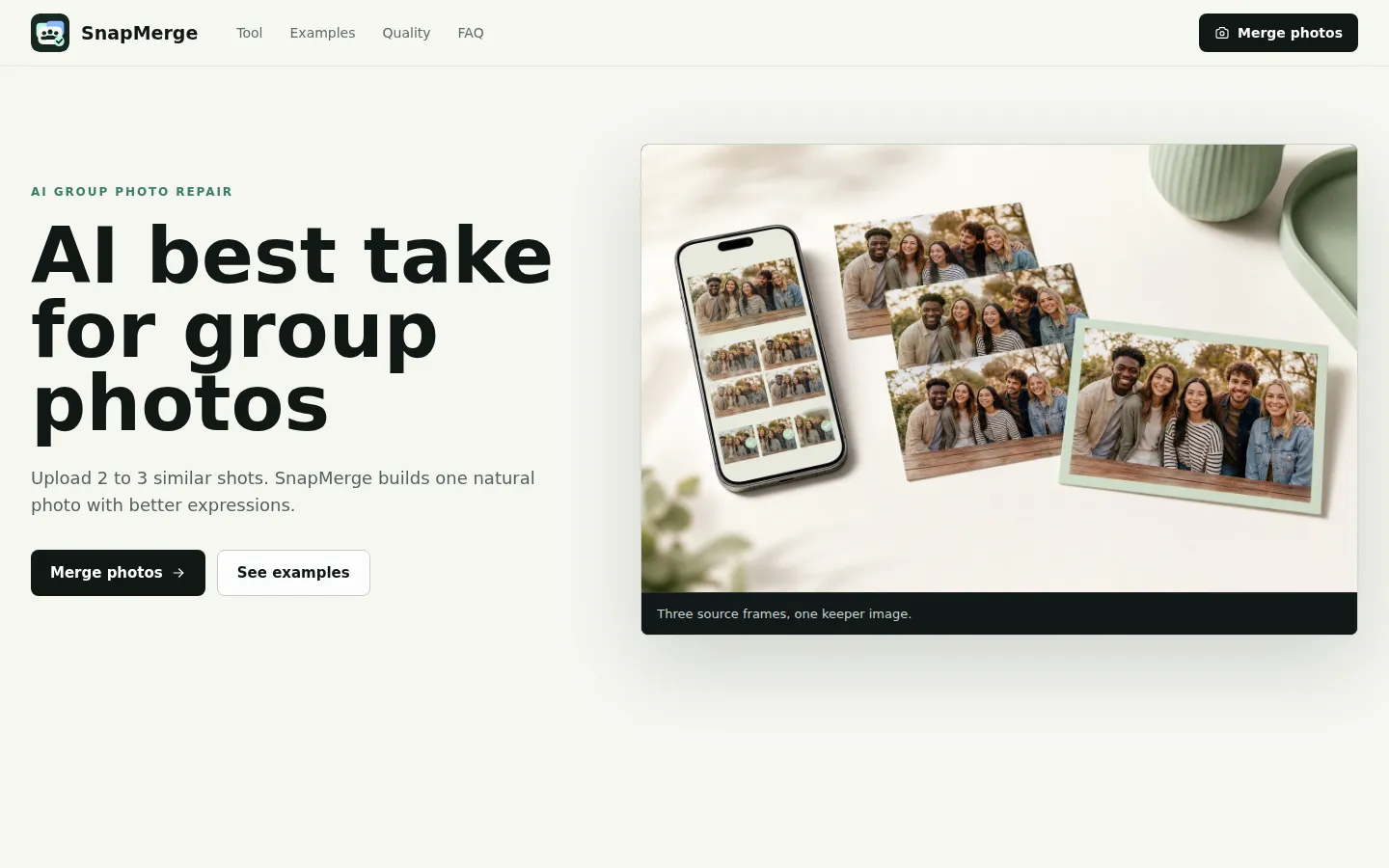
SnapMerge is a free AI photo merger that turns 2 to 3 similar group photos into one natural best take. Instead of generating new faces, it transfers real expressions — open eyes, smiles, and better head positions — from your own source frames, so everyone looks their best while identities, clothing, and scene stay intact. Built for burst shots, family portraits, travel groups, and event albums.
What is SnapMerge?
SnapMerge is a free, browser-based AI photo tool that merges 2 to 3 similar group photos into one natural best take image. It solves a very common problem: in a burst of group shots, someone always blinks, looks away, or makes a strange face in the one photo where everyone else looks perfect. Instead of retouching manually or generating a new face, SnapMerge compares each person's expressions across your uploaded frames and combines the strongest real facial expressions into a single believable keeper. The core mechanism is pixel transfer, not generation. When another source frame contains the same person with open eyes or a better expression, SnapMerge aligns that complete real face and blends it into the selected layout frame. Clothing, bodies, hands, background, and people who already look good stay exactly as they are on the layout frame. The tool never invents smiles or teeth — every expression, including eyes, cheeks, mouth, and visible teeth, comes from one of your real uploaded frames. This keeps identities consistent: age, face shape, hair, clothing, and body shape remain unchanged. SnapMerge is deliberately narrow. It is designed for near-matching frames: burst shots or photos taken seconds apart from the same camera position, with similar angle, lighting, and group positions. Small changes like blinks, smiles, and slight head turns are ideal; large pose changes are harder to merge cleanly, and the tool skips face transfers when the detected scale or angle difference is too large for reliable alignment. Each photo can be up to 6 MB, and the current version accepts 2 to 3 source photos. The workflow is simple: choose near-matching shots, upload them, merge, review the keeper at high detail, and download. Processing is privacy-conscious — source photos are uploaded to private temporary storage, read into server memory for processing, and deleted after the attempt, with scheduled cleanup for abandoned uploads. The merged result is stored temporarily behind a signed URL.
SnapMerge Core Features
Merge 2 to 3 similar group photos into one natural best-take image
Fix closed eyes by borrowing open-eye frames from another shot of the same person
Replace distracted or turned faces without redrawing the rest of the group
Real source-pixel transfer — no AI-generated faces, smiles, or teeth are ever invented
Preserves identities, clothing, hands, background, and lighting from the layout frame
Supports photos up to 6 MB each, fully browser-based with no install
Privacy-first processing — uploads deleted after the merge attempt, results shared via temporary signed URL
High-detail review mode to inspect eyes, glasses, teeth, hair edges, and overlapping shoulders before download
Who is SnapMerge for?
SnapMerge is for anyone who has ever picked the least bad shot out of a burst of group photos. Families and parents shooting portraits or birthday gatherings can fix one closed-eye frame without losing the relaxed expressions everyone else already had. Travelers shooting landmark and sightseeing photos can recover the keeper when one person looked away at the exact moment of the shutter. Event organizers and party hosts cleaning up reception, celebration, and team photos before they go into a shared album will find the merge flow much faster than manual retouching. School staff, coaches, and team photographers working with group shots of students or players can build one stronger frame from a short set of near-identical takes. Content creators and social media managers who need a clean group image for posts, thumbnails, or newsletters can merge a quick burst in seconds. Finally, casual users with no editing experience benefit the most: there is no learning curve, no layers, no masks — just upload, merge, and download. Anyone who values natural results over AI-generated portraits — the tool deliberately keeps real source pixels rather than inventing faces — will appreciate the restrained approach. If you do not have 2 to 3 similar photos of the same scene, SnapMerge is not the right fit; it is designed specifically for near-matching frames.
SnapMerge Use Cases
Family portraits — fix one blink without losing the relaxed expression everyone else already had
Travel groups — recover the keeper from landmark photos where one person looked away
Event albums — clean up reception, party, and team photos before sharing
School and team photos — build one stronger frame from a short set of group shots
Burst shots — turn a rapid-fire series of near-identical frames into one polished photo
Group selfies — salvage the frame where someone's eyes were closed at the wrong moment
Wedding photos — combine near-identical ceremony shots into one natural take
Content creators — get a clean group image for posts and thumbnails in seconds
SnapMerge Pros and Cons
Pros
- Completely free with no account or sign-up required
- Results stay natural — real facial pixels instead of AI-generated portraits
- Fast workflow: upload, merge, review, and download in seconds
- Privacy-friendly — source photos are deleted after processing
- No editing skills needed — works in any modern browser
Cons
- Requires 2 to 3 near-identical photos — large pose or angle changes won't merge cleanly
- Current version is limited to 3 source photos at 6 MB each
- Web only — no native apps, batch processing, or API access yet
FAQ About SnapMerge
SnapMerge Pricing
Free — SnapMerge is completely free to use. No account, sign-up, or payment required.
Check official pricingFree
Merge 2 to 3 similar group photos into one natural AI best take using real source pixels. No account or payment required.
SnapMerge Alternatives

Dzine
Dzine is an AI image generation and design platform that gives users control over composition with layers, positioning, and sketching. It includes predefined styles, a Dzine Assistant for prompt writing, one-click Enhance, and a wide range of AI video and photo tools. Free accounts receive 100 credits at registration plus 30 daily credits, with paid plans from $8.99 per month.

Bing Image Creator
Bing Image Creator is Microsoft's free AI image generator built into Bing. Users type a text description and receive original AI-generated pictures, with multiple models such as MAI-Image-2.5-Flash, adjustable aspect ratios, and quantity options. It includes free AI templates, an AI photo editor, and a gallery of ideas to explore, all accessible in the browser with a Microsoft account.

AI Image Editor
Transform your photos effortlessly with AI Image Editor.