
Qwen
Qwen is Alibaba's free AI assistant and the home of the Qwen series models. It handles chat, search, thinking and deep research, generates and edits images and video, and builds web pages from a prompt. For anyone who wants capable AI for everyday creativity, study and work, it is free to use and open to all, with paid API access through the Qwen API Platform.
What is Qwen?
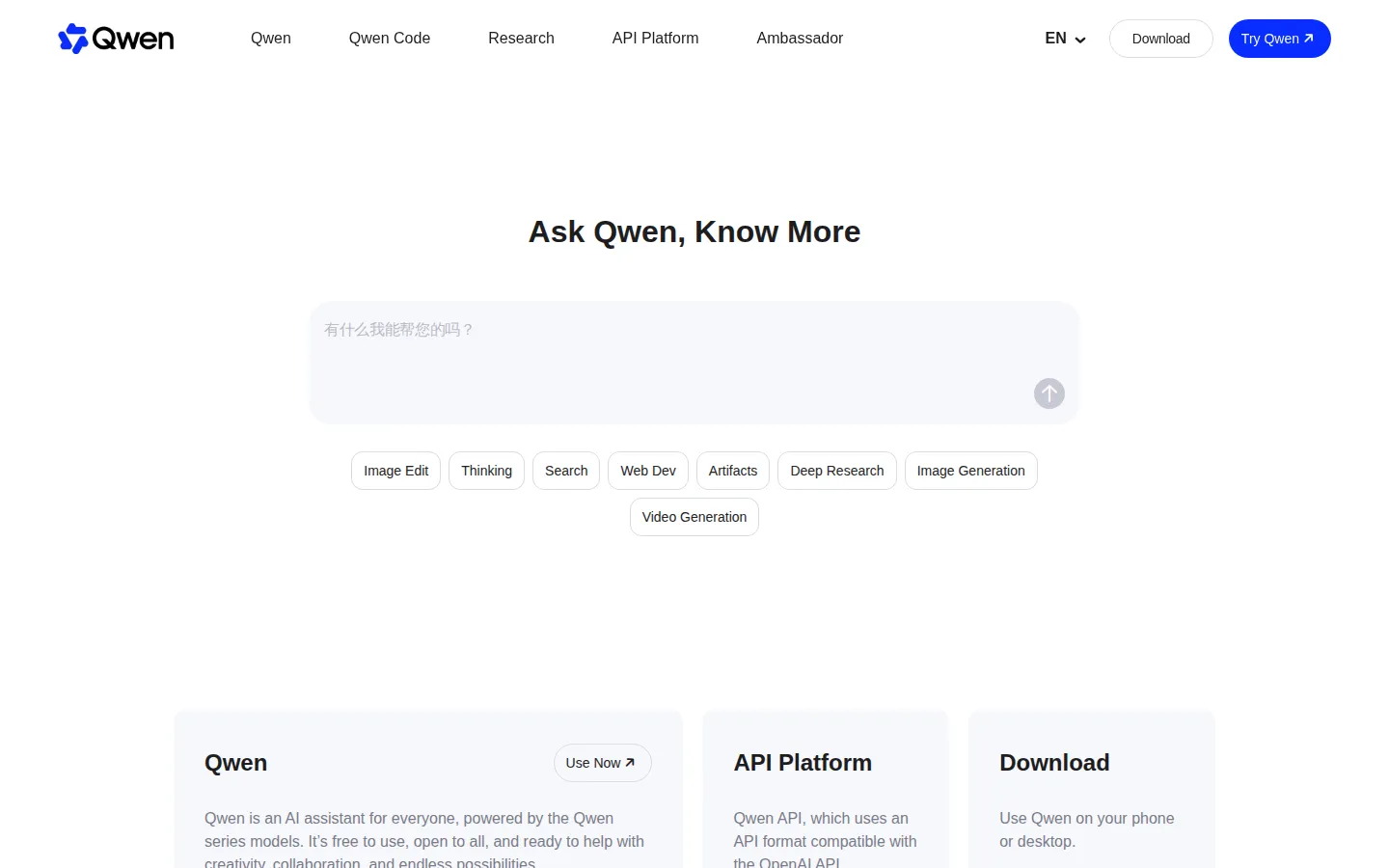
Qwen is the official website and free AI assistant built by Alibaba around the Qwen series of large models. It presents itself as one assistant that spans chat, search, reasoning, image and video creation, web development and long-form research, rather than a single narrow tool. The homepage headline is 'Ask Qwen, Know More', and the capability strip lists Chat, Image Edit, Thinking, Search, Web Dev, Artifacts, Deep Research, Image Generation and Video Generation.
The company describes it plainly: 'Qwen is an AI assistant for everyone, powered by the Qwen series models. It's free to use, open to all, and ready to help with creativity, collaboration, and endless possibilities.' You can use it straight from a browser with a free account, or install it on iOS, Android, macOS and Windows from the Download page.
The headlining abilities each do something concrete. Thinking mode is built for advanced reasoning and problem solving, and can draw on real-time internet data to give a logical, actionable answer. Search is intelligent web search with filtering and contextual understanding, aimed at finding answers, sources and inspiration quickly. Deep Research is an agent system that runs multi-step searches and analytical summaries for complex questions and returns a readable report, turning work that used to take hours into minutes. Web Dev turns a natural-language description into a complete, ready-to-use webpage with clean code and modern design, with no coding or design skill required, and Artifacts keeps generated code and documents in a working panel beside the chat.
On the creative side, Image Generation is powered by Qwen VLo, which understands and creates in one unified model: you can modify an image, transfer a style, generate from scratch, or combine several elements, and Image Edit applies those changes conversationally. Video Generation extends the same idea to moving pictures. Multimodal Understanding lets Qwen read text, images, audio and video together, so it can interpret a chart, pull key points out of an audio clip, or answer using text and images at once.
Beyond the consumer assistant, the site links Qwen Code for programming work, a Research section with the latest model releases and open-source work, and an Ambassador programme. The API Platform is the paid, developer-facing side: it exposes Qwen models through an API format compatible with the OpenAI API, billed per token via Alibaba Cloud. Models include the Qwen3.x chat family plus specialist releases such as Qwen-Image for image creation and editing, LiveTranslate for simultaneous interpretation and Omni-Flash for omnimodal agent work.
Qwen is run by Alibaba Group, and the site footer notes it is powered by Alibaba Cloud. It also links a Research section covering the latest model releases and open-source work, an Ambassador programme for community contributors, and policy pages including Terms of Service, Privacy Policy, Usage Policy, Cookies Notice and a Training Data Summary.
Qwen Core Features
Free AI Assistant
Chat with the Qwen series models at no cost, with a free account and no mandatory subscription
Thinking Mode
Advanced reasoning and problem solving that can draw on real-time internet data for grounded answers
Intelligent Search
Web search with filtering and contextual understanding that surfaces relevant answers, resources and inspiration
Deep Research
A multi-step agent that searches and analyses complex topics, then returns a readable report in minutes
Web Dev
Describe a site in plain language and receive a complete, ready-to-use webpage with clean code and modern design
Image Generation and Edit
Qwen VLo creates images from scratch, restyles references, edits photos and combines multiple elements
Multimodal Understanding
Reads text, images, audio and video together to interpret charts, summarise clips and answer with evidence
Qwen API Platform
An OpenAI-compatible API, so existing SDKs and code often need only a key and endpoint change
Who is Qwen for?
Qwen suits people who want a strong general-purpose assistant without paying for a subscription. Students and researchers get a free place to ask questions, work through problems step by step with Thinking mode, and hand long literature or market questions to Deep Research, which returns a structured report instead of a raw link list. Writers and content creators use it for drafting, rewriting and brainstorming, then jump into Image Generation or Image Edit to make the visuals that go with the words. Marketers and small business owners are a natural fit: one free account covers copy, campaign visuals, short video concepts and a landing page built by Web Dev from a plain-language prompt, which is useful when there is no design or engineering team on hand. Developers use Qwen Code and the API Platform, whose interface is compatible with the OpenAI API, so existing code and SDKs often need only a base URL and key change; the chat side also helps with debugging and reading unfamiliar code. Designers and visual creators lean on the image and video tools to mock up scenes, restyle references and iterate on ideas before committing to production work. Analysts and knowledge workers upload charts, documents or images and let multimodal understanding pull out the numbers and the meaning, which is faster than reading everything by hand. Anyone who works from a phone or laptop appreciates the downloadable apps, and people who want results inside their own product rather than in a browser tab are served by the paid, token-billed API path. It is a weaker fit for teams that need a single vendor contract with published enterprise terms, or for users who must keep every prompt strictly on-premises. It is also not aimed at people who only want one narrow job, such as transcription, done by a specialist tool.
Qwen Use Cases
Ask a question in plain language and get a free, sourced answer
Run Deep Research on a market or literature question and read the report
Generate and edit product visuals for a campaign without a design team
Turn a written brief into a working webpage with Web Dev and Artifacts
Upload charts and documents and extract the key numbers and meaning
Draft, rewrite and brainstorm copy in a single free chat session
Prototype a product feature against the OpenAI-compatible Qwen API endpoint
Create short videos and image variations to test creative directions
Qwen Pros and Cons
Pros
- The assistant is genuinely free to use and open to all, with no paid tier required for chat, search or image generation
- One assistant covers chat, reasoning, search, deep research, image, video and web development instead of several subscriptions
- The API Platform is compatible with the OpenAI API, which lowers the cost of switching for existing code and SDKs
- Multimodal understanding handles text, images, audio and video together, useful for charts, documents and clips
- Browser access plus iOS, Android, macOS and Windows apps keep the same account available across devices
Cons
- Heavy or high-volume use, including most API and production workloads, is billed per token rather than free
- Model names and releases move quickly, so documentation, features and version labels can lag behind the newest announcement
- Enterprise terms such as data residency, on-premises deployment and guaranteed service levels are not published on the main site and must be arranged through Alibaba Cloud
FAQ About Qwen
Qwen Pricing
The Qwen assistant itself is free to use and open to all, while the Qwen API Platform is paid and billed per token, so there is nothing to pay unless you move to programmatic API access.
Check official pricingFree
The Qwen assistant at no cost: chat, Thinking, Search, Deep Research, Web Dev, Artifacts, Image Edit, Image Generation and Video Generation, with browser access and free iOS, Android, macOS and Windows apps. The homepage states it is free to use and open to all.
API Platform
Paid, token-based access to Qwen models through the API Platform, whose API format is compatible with the OpenAI API. Billing runs through Alibaba Cloud Model Studio, so cost depends on the model and the number of tokens used.
Qwen Alternatives

Giga
Giga is an enterprise AI agent platform for customer support. Its agents resolve complex issues across chat, voice and email, act inside your own tools, and improve against the KPI you set. Deployment takes weeks rather than quarters, and buyers start with a contact-sales pilot. DoorDash runs it at scale with a 90%+ Did We Resolve rate.
BuildMyDiscord
BuildMyDiscord is a free AI Discord server builder. Describe your community in plain language and Claude designs the categories, channels, roles and permission rules, then deploys them to your own server in under two minutes. Every build ships with a management bot covering moderation, welcome banners, leveling, tickets and polls, while a Pro AI Editor keeps editing the live server on command.

Z.ai
Z.ai brings Zhipu AI's GLM models into a single workspace, combining a multimodal chatbot, an agent that handles research and data work, document and slides generation, and a full-stack web builder. Developers can plug the same models into editors through the GLM Coding Plan or call them through the model API, with per-token pricing for GLM-5.3 and GLM-5.3-Flash.