
Plane
Plane is an AI-native project management and knowledge workspace where teams and agents plan work in cycles, write specs in a shared wiki and hand real tasks to AI agents. It runs on cloud, self-hosted or air-gapped deployments, with a free tier and paid plans starting at $6 per seat per month for Pro, plus quote-only enterprise options.
What is Plane?
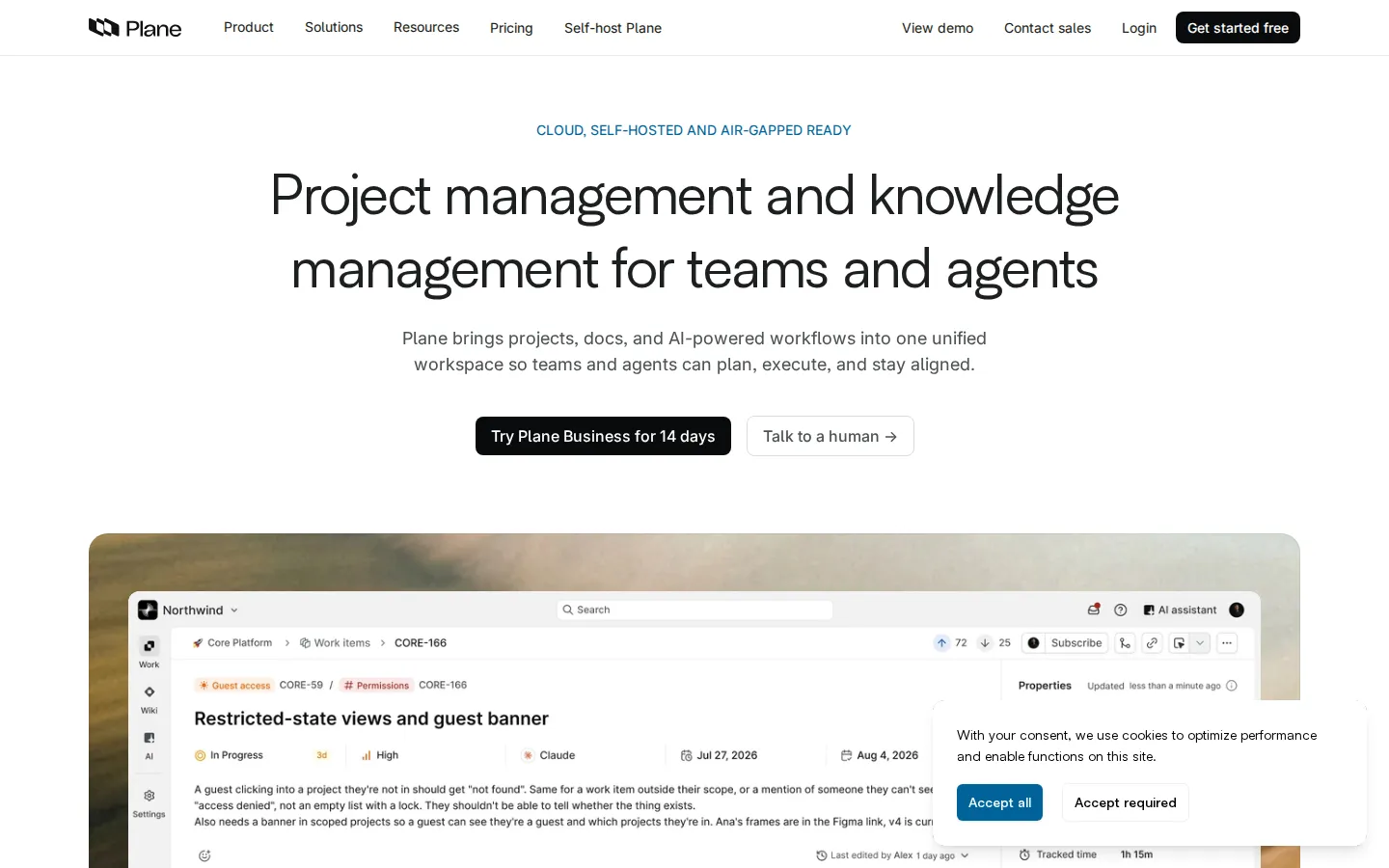
Plane is an AI-native project management and knowledge management platform that keeps projects, docs and AI-powered workflows in one workspace. It ships as cloud, self-hosted and air-gapped deployments, and the same model holds everywhere: projects hold work items, cycles timebox the work, modules group repeatable chunks, and pages carry the specs, PRDs and decisions around it.
The product is built around AI rather than retrofitted for it. Plane AI reads across every project, cycle, doc and thread in a workspace, so a team can ask for the status of a cycle, the blockers on a project or what changed in a doc last week and get an answer drawn from that context. Built-in agents run on mentions, assignments, work item events and schedules: they triage incoming requests, assign owners, track blockers and ship updates. Agent runs draw from a separate workspace pool sized by plan and paid seats, while monthly AI credits are issued per seat and spent only by that person.
Day-to-day work happens in five layouts, list, board, calendar, gantt and spreadsheet, and views save filters and sorting for each team. Cycles and sprints carry velocity tracking and burndown charts, initiatives roll several projects up to org goals, and dashboards populate automatically with cycle velocity, workload, blockers and scope changes instead of manual status decks. Time tracking and work logs, work item types with custom properties, templates, teamspaces and customer profiles sit on the paid tiers.
Knowledge lives beside the work: project pages, a workspace wiki, nested pages, real-time collaboration, page comments and published pages that outside readers can comment on without signing in. Intake forms, a dedicated intake email and in-app intake turn external requests into triageable work items, with a named owner for incoming requests.
For organisations that cannot use SaaS, Plane self-hosts with Docker or Kubernetes, a Prime CLI for install, upgrade, backup and monitoring, and a God Mode admin panel for SMTP, authentication, SSO and telemetry. Plane states SOC 2, ISO 27001, GDPR and CCPA compliance across cloud and self-hosted deployments, with SAML, OIDC, LDAP and group sync on higher plans.
Developers get a REST API with OAuth 2.0, HMAC-signed webhooks, typed Node.js and Python SDKs and a native MCP server, plus Plane Compose for defining projects as YAML versioned in Git. Importers cover Jira, Linear, Asana, ClickUp, Confluence, Notion, CSV and workspace members, and the vendor says more than 50,000 teams use the product.
Plane AI also reaches outside the app: it can be brought into Slack, with Teams listed as coming soon. Mobile apps for iOS and Android, desktop downloads and a marketplace of apps, agents and templates cover the rest, and the vendor publishes comparisons against Jira, Asana, Monday, Linear, ClickUp and Notion.
Plane Core Features
Plane AI answers questions across every project, cycle, doc and thread, and built-in agents run on mentions, assignments, work item events and schedules to triage requests, assign owners and ship updates.
Five layouts (list, board, calendar, gantt, spreadsheet) with saved public and private views, bulk operations, dependencies on the timeline and published views for external readers.
Cycles and sprints with velocity tracking, burndown and build-up charts, auto-scheduled cycles and rollover of unfinished work, plus modules, milestones and initiatives for rollups.
Project management core
work items with custom types and properties, estimates, templates, recurring work items, workflows with approvals and customer profiles linked to requests.
Built-in knowledge base with project pages, workspace wiki, nested pages, real-time collaboration, page comments, versions, AI-powered search and publishing for external readers.
Intake from three directions
in-app intake for guests, public intake forms that need no Plane account, and a dedicated intake email that converts messages into triageable work items.
Self-hosted deployment with Docker or Kubernetes, Prime CLI for install and upgrades, God Mode admin panel, air-gapped edition, SAML, OIDC, LDAP, group sync and audit logs.
Developer surface
REST API with OAuth 2.0, HMAC-signed webhooks, typed Node.js and Python SDKs, a native MCP server and Plane Compose for projects defined as YAML in Git.
Who is Plane for?
Plane suits teams that have outgrown a spreadsheet or a single board but do not want to run their project management on a hundred plugins. Engineering and product organisations are the core audience: squads that plan in cycles, need work item types with custom properties, and want specs and PRDs to live beside the tasks they describe. Because self-hosting is a first-class option rather than an afterthought, it also fits companies whose security, compliance or infrastructure rules rule out most SaaS tools. The tiers map to team shape. Startups and passion projects can stay on Free while they are small, though that tier caps the workspace at 12 users. Teams past that point move to Pro when they need a wiki, time tracking, dashboards, initiatives, teamspaces and integrations. Larger groups with group PMs and heavier workflow needs go to Business for project templates, recurring work items, email and form intake, workflow control, customer profiles and advanced dashboards. Enterprises that need LDAP, granular access control, multiple workflows with approvals, audit logs or an air-gapped deployment go to Enterprise Grid. It is a weaker fit for a solo freelancer who only needs a task list, for teams that want a whiteboard-first planning tool, or for anyone who expects the full planning workflow on a phone. Teams already deep in Jira customisation should also weigh migration effort, even though Plane ships Jira, Linear, Asana, ClickUp, Confluence and Notion importers and offers migration services for moves of 50 to 10,000 people. The AI side widens that audience. Teams that want agents reading their backlog rather than a chatbot with no context are the target for Plane AI: product ops groups letting agents triage incoming requests, engineering managers asking for blockers before standup, and program leads who want status updates written from the actual work instead of self-reported. Regulated industries are served explicitly, with pages for aerospace, healthcare, government, defense, finance, manufacturing and retail, alongside scale pages for startups, growing teams and enterprise teams. Teams of ten to a few hundred people are the sweet spot; below that the free tier rarely forces a purchase decision, and at several thousand seats procurement will push toward Enterprise Grid.
Plane Use Cases
Plan and ship product work in cycles, tracking velocity and scope changes without building manual status decks.
Replace Jira, Linear, Asana, ClickUp or Monday while importing existing work items, users and associated data.
Run an air-gapped or on-prem project management instance for defense, government, healthcare or finance teams that cannot use SaaS.
Turn support emails, form submissions and Slack conversations into triageable work items with a named owner.
Keep specs, PRDs and decisions in a wiki that sits beside the tasks, and publish pages for external readers to comment on.
Give agents real assignments so triage, ownership and blocker updates happen without a human chasing each item.
Scale proven workflows across teams with project templates, single or multiple workflows and approval gates.
Track time per work item, export reports and roll projects up to initiatives for portfolio-level visibility.
Plane Pros and Cons
Pros
- One workspace covers projects, wiki, intake and AI, so teams can retire a separate docs tool and a separate feedback inbox.
- Self-hosting is a genuine option alongside cloud, including an air-gapped edition, a Prime CLI and a God Mode admin panel, which few modern rivals offer.
- Pricing is transparent and cheap per seat, with a real free tier, $6 Pro and $13 Business tiers, and a published comparison showing steep savings against Jira plus Confluence.
- AI is context-aware by design: Plane AI reads the whole workspace and agents take assignments rather than only summarising text.
Cons
- Free caps the workspace at 12 users, and identity features such as SAML, OIDC and LDAP only appear on paid tiers, so growing teams hit a paywall quickly.
- AI usage is metered: 500 credits per seat on Pro and 1,000 on Business, reset monthly with no rollover, and agent runs draw from a separate workspace pool, so heavy agent use needs planning.
- LDAP, audit logs, granular access control and multiple workflows with approvals sit behind quote-only Enterprise Grid, so those buyers need a sales conversation before they see a number.
FAQ About Plane
Plane Pricing
Freemium. Free is $0 per seat per month with core project management capped at 12 users. Pro is $6 per seat per month (annual billing, save 25%) with 500 AI credits per seat, wiki, time tracking, dashboards, initiatives and teamspaces. Business is $13 per seat per month (annual billing, save 13%) with 1,000 credits per seat, project templates, intake email and forms, workflows and customer profiles. Enterprise Grid is quote on request, adding LDAP, granular access control, audit logs, managed deployments and migration services. Self-hosted editions are priced separately.
Check official pricingFree
No-frills project management for startups and passion projects: projects and work items, cycles and modules, five layouts with unlimited views, work item intake, basic estimates and project pages, capped at 12 users.
Pro
For mature teams: everything in Free plus 500 AI credits per seat each month, work item types and custom properties, workspace wiki, time tracking and work logs, templates, dashboards, initiatives, teamspaces, marketplace integrations and 5 guests per paid member.
Business
For larger teams and greater workflow control: everything in Pro plus 1,000 AI credits per seat, project templates, recurring work items, intake email and forms, nested pages and embeds, a single workflow, customer profiles and advanced dashboard widgets.
Enterprise Grid
Everything in Business plus flexible AI credits, private and managed deployments, granular access control, multiple workflows with approvals, LDAP, API-enabled audit logs, SLAs and migration and implementation services.
Plane Alternatives

Synthesise AI
Synthesise AI turns your expertise into a sellable digital product. It calculates a Unique Value Zone from audience demand and your own skills, then generates a fully populated product charter and framework you can package into a course, playbook or paid digital program. One plan costs $2,999 one-time, with unlimited credits and a personalised dashboard.

warmwind
warmwind gives you AI workers that each control a separate cloud desktop, logging into portals, clicking through apps and moving data the way a person would. You teach a task once, set a schedule, and the worker repeats it unattended, even while you are offline. German hosting, credit-based pricing and a free plan to start.

siift
siift is an AI decision platform for founders and business teams that need a clearer direction. It maps your business on an intelligent canvas, turns assumptions into evidence-scored research, and prioritizes what to do next. A shared context system keeps strategy, actions and results aligned across teammates and outside AI assistants, so progress compounds instead of scattering.