Osmo
Osmo is an AI-native video editor that turns briefs, Figma files and footage into editable, on-brand motion graphics for product launches. Its cloud agent and CLI write real animation code you can refine keyframe by keyframe, then export to MP4, WebM or 4K ProRes with transparent backgrounds. A free tier includes monthly credits; paid plans start at $19 per month.
What is Osmo?
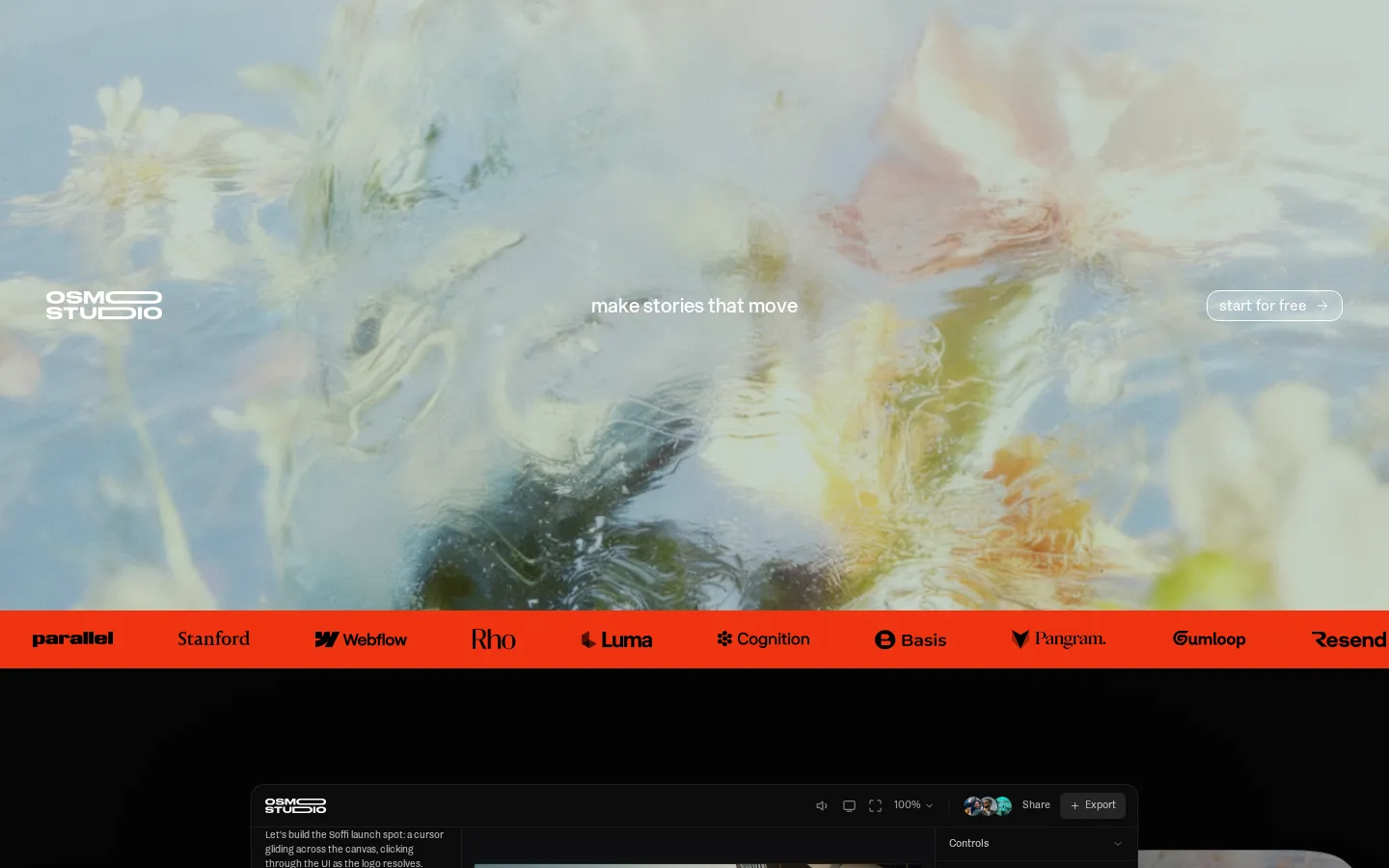
Osmo, also branded Osmo Studio, is an AI-native video editor for product launch videos and motion graphics. The team behind it, alumni of A24, Atomic and Saturday Night Live, describes the company as a storytelling studio building the production infrastructure for how tech companies launch, and its customer wall includes Webflow, Luma, Cognition, Resend, Parallel, Stanford and Gumloop.
The core idea is that animations should be code, not pixels. Where most AI video tools return a single flat clip you can only re-roll, Osmo converts your brief, Figma files, reference images and footage into real animation layers whose position, scale, colour, easing and timing stay editable in a properties panel. You can accept what the agent proposes, then nudge a cubic-bezier curve or adjust a click pop frame by frame, the same control a motion designer expects from After Effects, reached through conversation instead of menus.
Three surfaces share one render pipeline. Studio is the browser workspace: timeline, keyframes, camera, safe vertical, square and widescreen canvases, plus shader, 3D and effect libraries and transparent-background export to MP4, WebM or 4K ProRes 4444. The cloud agent, Astra, runs on Opus 5.5 and takes plain-language direction such as starting with the cursor pass or timing clicks to the beat, then writes the motion into your project so you can keep, undo or refine it. The CLI plugs the same pipeline into Claude Code, Codex or Cursor, so an engineering team can generate, preview and re-render launch assets from a terminal or a CI job.
That positioning is explicit in the company's press. Fast Company framed Osmo as the answer to corporate video that looks like slop, and the team's own line is that taste stays with humans while the model handles execution. Backing from Bain Capital Ventures, Basis Set Ventures and angels including Scott Belsky points at the same thesis: the bottleneck in launch marketing is production throughput rather than ideas. In practice the product sits between a motion design tool and a generative video service. It will not storyboard a narrative for you, but it will build, time and render the animation once you decide what the story is.
Generation credits cover more than motion: Seedance 2.5 and Grok for clips, Nano Banana and Seedream for stills, plus music, sound effects and voiceover, all inside the same project. Collaboration runs through share links with timestamped and range comments, guest review access and live co-editing, which is why marketing teams review a launch spot without exporting anything. Paid plans start at nineteen dollars a month and scale by a usage multiplier, with an annual option that cuts twenty-five percent.
Osmo Core Features
Agent-driven motion design
describe the shot and Astra writes editable animation layers instead of a flat rendered clip
Full property control
expose and change position, scale, rotation, colour, keyframes and cubic-bezier easing on any generated element
Figma, SVG, GLB and footage import, so brand assets arrive as layers rather than flattened screenshots
Cloud agent plus CLI that integrates with Claude Code, Codex and Cursor, including live terminal preview of renders
Real-time collaboration with share links, timestamped and range comments, guest reviews and simultaneous live editing
Built-in generation credits across Seedance 2.5 and Grok video, Nano Banana and Seedream images, music, SFX and voiceover
Shader, 3D, text animation, font and icon libraries for grain, blobs, film effects and typographic motion
Export to MP4, WebM or 4K ProRes 4444 MOV with alpha transparency, plus local GPU rendering for heavy projects
Who is Osmo for?
Osmo is aimed at the people who own a launch video but not a motion design department. Product marketing teams are the primary audience: they need a ninety-second announcement film, five vertical cutdowns and a set of animated UI moments before a ship date, usually without a studio retainer or a two-week animation queue. Osmo lets a marketer brief the agent in the language of the campaign, then export finished files that still match the brand book. Motion designers and creative directors are the second group, and the testimonials suggest they are the loudest fans. Osmo is not positioned as a replacement for craft, it is positioned as a way to skip the tedious first seventy percent. A designer can drop in a Figma file or reference frames, let the agent build a pass, then take over the keyframes and easing. Brand designers at Cal.com and creative directors at Webflow, Roboflow and Slash describe using it for product demos, launch films, education videos and even TV ads. Startups and small founding teams get the most leverage per dollar, because the alternative is a freelance animator or a template tool that looks like every other SaaS explainer. Founders shipping a seed or Series A announcement, developer-tool companies that need terminal and interface motion, and agencies producing client work all fit the same profile: they know what the video should feel like, they have the assets, and they lack the hours. Agencies and in-house creative studios are a quieter but obvious fit. Osmo keeps a shared workspace with project history, so a campaign's hero film and its cutdowns can be versioned and restored rather than rebuilt, and guest review links let clients comment on exact timestamps without buying an account. Anyone producing fewer than one video a quarter will likely find the free credits sufficient, while weekly production justifies Pro or Max. It is a weaker fit for teams that want a fully autonomous generator with no editing step, for long-form narrative editing, or for anyone who needs a native mobile app. Osmo runs in the browser and through a command line, and the free tier is deliberately credit-limited.
Osmo Use Cases
Produce a product launch film without booking an external motion studio
Turn a Figma design into an animated UI walkthrough for a landing page
Cut a single launch spot into vertical, square and widescreen variants for every channel
Generate a seed or Series A announcement video from a script and brand palette
Build animated terminal and interface sequences for developer-tool demos
Deliver transparent-background overlays for a website hero or app store preview
Review and iterate on client cuts with timestamped comments instead of file exports
Automate recurring video renders from Claude Code or Cursor through the Osmo CLI
Osmo Pros and Cons
Pros
- Genuine editability: generated motion is code-backed, so every property and easing curve stays adjustable after the fact
- Unusually strong craft ceiling for an AI tool, with pixel-level brand control that designers at Cal.com and Webflow call out
- Broad output coverage including 4K ProRes 4444 and alpha-channel exports that most AI video tools do not offer
- Free tier with monthly credits and no card, plus a CLI that fits existing engineering and agent workflows
Cons
- Credit-based generation means heavy footage or image-model use burns through a plan quickly, and finished-video estimates assume one output type only
- No native mobile app and no traditional NLE timeline depth for long-form or multicam editing
- Social proof is concentrated in testimonials and press rather than a large public review base, so independent benchmarks are thin
FAQ About Osmo
Osmo Pricing
Osmo is freemium: a $0 plan with no credit card gives $10 of credits renewed monthly, the Astra cloud agent on your first video and CLI access. Paid tiers bill monthly at $19 (Basic, 1x usage), $60 (Pro, 5x) and $130 (Max, 12x), and switching to annual billing saves 25 percent.
Check official pricingFree
Try your first idea: $0 per month, no credit card, $10 in credits renewed monthly, Astra cloud agent on your first video, Osmo CLI, and generation with Seedance 2.5, Grok and Nano Banana.
Basic
For personal projects with 1x usage at $19 per month billed monthly (about $14.25 per month on annual billing). Credits cover roughly 6 finished 30-second videos, 15 Seedance clips, 283 Nano Banana images or 31 minutes of music.
Pro
For regular client work with 5x usage at $60 per month billed monthly (about $45 per month annually). Credits cover roughly 20 finished 30-second videos, 50 Seedance clips, 895 Nano Banana images or 100 minutes of music.
Max
For high-volume production with 12x usage at $130 per month billed monthly (about $97.50 per month annually). Credits cover roughly 43 finished 30-second videos, 108 Seedance clips, 1,940 Nano Banana images or 216 minutes of music.
Osmo Alternatives

DeepSwap
DeepSwap is an online AI face swap studio for video, GIF and photo. Upload a clip, pick a source face, and its private model renders a realistic swap in seconds, handling up to six faces, tricky angles and 1080p output, plus enhancement, background removal, cartoon filters and text-to-video generation, with a credit-based API for bulk work.

Motion
Motion is a video agent from Mosaic that turns a written brief, raw footage or a reference clip into an edited video. It plans the story, generates or cuts shots, adds music and sound, then lets you refine the result in chat, on the preview or in a timeline before exporting to Premiere Pro, After Effects or DaVinci Resolve.

Vidmoat
Vidmoat is a browser-based video editor with an AI agent built into the timeline. You drop in raw footage, describe the edit you want, and the agent cuts dead air, writes word-synced captions, grades color and adds music, showing each step on an editable timeline. Every change stays reversible, and the same projects open on desktop, phone and Telegram.