
Moises
Moises is an AI music app for musicians. Upload any song and it separates vocals, drums, bass, guitar, keys and more into clean stems, detects chords, key and BPM, transcribes lyrics, and generates a smart metronome. Slow songs down, change the key, mute your part, then export stems or take the idea into Moises Studio to record, generate parts and collaborate.
What is Moises?
Moises is an AI music app that the company describes as “the creative suite for musicians.” It is made by Moises Systems, Inc., part of Music AI, and is used by a community that the site counts at more than 80 million artists. Moises began as a vocal remover and stem separator and has grown into a practice, performance and music-creation toolkit for guitarists, drummers, bassists, singers, songwriters, producers and educators.
The foundation is AI audio separation: upload a song and Moises separates it into clean, isolated stems, with support for 27 stem types including vocals, lead and background vocals, drums, bass, guitar, piano, keys, winds, strings and individual drum parts. Free accounts get vocals, drums, bass and other; Premium adds background vocals, guitar, piano and strings; and Pro unlocks the Hi-Fi models, drum-part separation and multimedia models for dialogue, soundtrack and effects. From there you can mute or solo any part and set per-stem volume.
Around that core sits a deep set of practice tools driven by the same analysis. Moises detects chords in real time at easy, medium and advanced levels and shows guitar chord shapes and the notes in each chord, including Capo Mode. It detects the song key and BPM, and lets you transpose to any of 12 keys and fine-tune the reference pitch. A Smart Metronome generates a click track in sync with the original beat, a speed changer slows or speeds up the track, lyrics transcription turns the vocal into editable text, and an AI section detector marks song parts so you can loop them. Audio can be transcribed to MIDI and played through built-in instruments, and a Pro VST plug-in brings Hi-Fi separation into a DAW.
Moises Studio is the newer, browser-native half of the product: a collaborative music workstation where bandmates, producers and co-writers arrange, record and edit the same session in real time over a share link, with live cursors, built-in chat, permission roles and version history. Studio adds multi-track audio and MIDI recording with take lanes and comping, arrangement markers, editing and automation, sample generation, AI stem generation with more than 55 genre presets across five instrument types, vocal transformation and custom voice model training, an amp modeler, 18 built-in effects, auto-mix across 20 genre styles and one-click mastering. Finished work exports as individual tracks or a stereo mix and hands off to Logic, Pro Tools or Ableton via DAWproject and Ableton Live Set files.
Moises runs in the browser and as apps for iPhone, iPad, Android, Mac and Windows, with a cloud library that syncs across devices, and it exports in MP3, M4A and WAV. The company states that it never trains its models on your audio and trains only on licensed material. Moises was named a 2024 Apple iPad App of the Year, a 2025 Apple Design Awards finalist and a 2025 Microsoft Store Awards Best Music App, with Charlie Puth as Chief Music Officer.
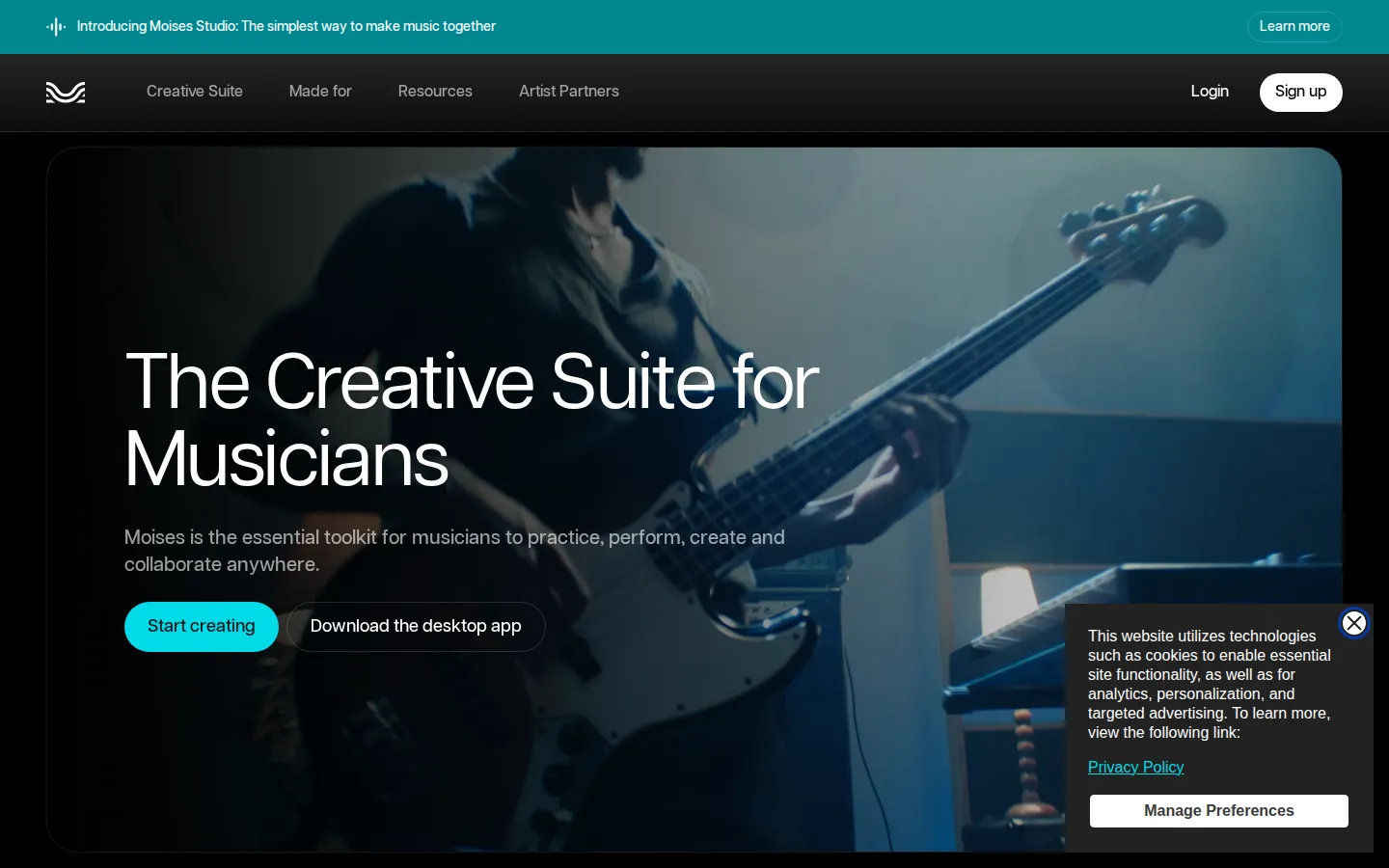
Moises Core Features
Stem separation into up to 27 stem types, including vocals, drums, bass, guitar, keys, winds and strings
Vocal remover that isolates or removes lead and background vocals to create instrumentals and karaoke tracks
Chord Finder with easy, medium and advanced levels, guitar chord shapes and Capo Mode transposition
Key detection, a song key finder, pitch shifting and transpose across all 12 keys
Smart Metronome that generates a click track locked to any song's detected beat and BPM
Audio-to-MIDI transcription with built-in instruments, plus VST3 plug-in support in the Studio desktop app
Real-time collaboration in Moises Studio with share links, live cursors, chat, roles and version history
AI stem generation with 55+ genre presets across five instrument types, plus one-click mixing and mastering
Who is Moises for?
Moises is built for anyone who plays, teaches, studies, records or produces music. The site labels its audience as “made for” drummers, vocalists, bassists, guitarists, producers and educators, and the app is used by bedroom players, working session musicians, music students and classroom teachers alike. Guitarists and bassists use Moises to isolate the part they are learning, slow it down, loop the hard bars and read the chord shapes on screen. Drummers strip the drums out of a track to build drumless backing tracks and play along. Singers and karaoke fans remove the lead vocal, shift the key into their range and export an instrumental. Music teachers at schools and institutions use it to break a recording into parts so students can hear exactly what each instrument is doing, a workflow that has earned Moises a place in classrooms including the Berklee College of Music. Producers, beatmakers and content creators come for the clean stems. They pull vocals, drums and individual drum parts out of a reference track to sample or remix, generate new bass, guitar, keys and drum parts that lock to their own audio, transform a rough vocal take into a polished one with Voice Studio, and then auto-mix and master the result. Podcasters and video editors use the Pro multimedia models to separate dialogue, soundtrack and effects. Moises Studio is aimed at bands, songwriters, co-writers and their collaborators. Sessions live in the browser, so a bandmate, producer or co-writer anywhere in the world can join a share link, record and edit on the same timeline in real time without installing anything, swapping files or resolving versions. It also suits hobbyists who want to sketch a full arrangement from a phone memo without buying a DAW first, and creators on a deadline who need music beds, tone changes and quick masters for video, podcasts and social content. It is not really aimed at professional mix engineers who want an open-ended DAW, and it is not a live-streaming or distribution platform. Its sweet spot is the everyday musician: someone who wants a song to behave the way they need it to behave, and a band that wants to make music together without the file-shuffling.
Moises Use Cases
Learn a song part by muting your instrument's stem and playing along at a slower tempo
Create karaoke and instrumental backing tracks by removing the vocals from any song
Practice with an AI-generated click track that stays locked to the original beat
Work out chords, notes and guitar shapes from a recording with AI chord detection
Change a song's key so it fits a singer's vocal range for covers and karaoke
Sample and remix with clean isolated stems exported as MP3, M4A or WAV files
Co-write and arrange songs remotely while a band edits the same session live
Build a demo arrangement by generating drum, bass, guitar and keys parts from your own audio
Moises Pros and Cons
Pros
- Separation quality is the standout: Hi-Fi models, 27 stem types and a workflow trusted by Grammy-winning artists, Berklee College of Music and a community of more than 80 million artists.
- Genuinely cross-platform: browser, iPhone, iPad, Android, Mac and Windows, with one cloud library that syncs your songs and stems between devices.
- The practice toolkit is unusually complete for one app, combining stems, chords, key, BPM, metronome, pitch and speed control, lyrics, looping and song parts.
- Moises Studio adds real-time collaboration, multi-track recording, AI stem generation, vocal transformation, mixing and mastering without leaving the browser.
- Clear privacy position: the site states that Moises never trains on your audio and only trains its models on licensed material.
Cons
- The free tier is deliberately limited: only a handful of uploads per month and basic four-way separation into vocals, drums, bass and other.
- Full pricing and the feature comparison table are only visible after you log in, so you cannot check the exact cost of Premium or Pro before signing up.
- The headline features, including Hi-Fi separation, Voice Studio, VST plug-ins, drum parts and multimedia stems, sit behind the Pro plan, and Pro features are web and desktop only rather than mobile.
FAQ About Moises
Moises Pricing
Moises is freemium. The Free tier gives a limited number of uploads per month with vocals, drums, bass and other stem separation, chord detection, pitch shifting, BPM detection and setlists. Premium unlocks unlimited uploads, extended stems such as background vocals, guitar, piano and strings, unlimited chord detection and metronome, lyrics transcription and files up to 20 minutes. Pro adds Hi-Fi separation models, drum-part and multimedia stems, Voice Studio with custom voice training, VST plug-ins, priority processing and uploads up to 180 minutes. Moises shows the full pricing and feature table only after you log in at studio.moises.ai, and prices differ by region and platform; the US App Store listing for Moises lists Premium at $5.99 per month or $39.99 per year and Pro at $29.99 per month.
Check official pricingFree
Limited uploads per month with vocals, drums, bass and other stem separation, chord detection, pitch shifting, BPM detection and setlists.
Premium (Monthly)
Unlimited uploads, advanced separation including background vocals, guitar, piano and strings, unlimited chord detection and metronome, lyrics transcription and files up to 20 minutes.
Premium (Yearly)
Annual billing for the same Premium feature set, listed on the US App Store as Moises Premium - Yearly.
Pro (Monthly)
Everything in Premium plus Hi-Fi separation models, drum-part and multimedia stems, Voice Studio with custom voice training, VST plug-ins, priority processing and uploads up to 180 minutes.
Moises Alternatives

Kits AI
Kits AI is a studio for AI vocals built by Arpeggi Labs. It clones a singing voice from a short recording, converts any take into one of 100+ licensed artist voices, and adds vocal removal, stem splitting, harmonies, AI mastering and instrument models. A free plan includes 15 conversion minutes; paid tiers start at $10 per month.
Sonilo
Sonilo turns video into licensed music and sound effects. Upload a clip and it writes an original soundtrack that follows the cuts, adds Foley and ambience, or generates songs from lyrics and prompts. Free credits refresh every two weeks with no credit card required, Pro adds commercial licensing with a downloadable certificate, and paid plans start at $11.99 per month.

Greysound
Greysound is a browser DAW that pairs a full multi-track studio with an AI co-producer named CoProducer. Record, arrange, mix and master using built-in synths, samplers and effects, generate samples and MIDI parts, split stems, and keep sessions in the cloud. Core editing is free; you pay only for AI credits.