
LightVela
LightVela is a Chinese-first cloud AI agent built on Hermes Agent and offered by the Tencent Lighthouse Cloud team. Instead of installing anything locally, you create an assistant in the browser, connect it to WeChat, QQ, WeCom, Feishu, DingTalk, Slack, Discord, Telegram or WhatsApp, and let it handle scheduled reminders, research, documents and small websites while your computer stays off.
What is LightVela?
LightVela is a cloud-hosted AI agent service built on the Hermes Agent runtime and operated by the Tencent Lighthouse Cloud team. Instead of asking you to install a runtime, wire up a model endpoint and leave a machine switched on, it provisions a dedicated cloud environment plus a named assistant that keeps running around the clock. You reach that assistant from chat apps you already use, including WeChat, WeCom, QQ, Feishu, DingTalk, Slack, Discord, Telegram and WhatsApp, so there is no new interface to learn before the first task.
The product is organised around one assistant that accumulates context rather than a series of throwaway chats. A long-term memory file records your writing formats, approval boundaries, naming conventions and lessons learned, and you can correct it in plain language mid-conversation. Installable skills extend what the agent can do, covering web search, document reading, data analysis, image generation, SEO checks, spreadsheets, calendars and API connections, while persona settings let you shape its tone. A workspace lets you generate, publish and later edit shareable pages such as dashboards, résumés and event sign-up forms straight from a conversation.
Automations are the second pillar. Notification and script tasks are billed without consuming model credits, and a template library covers recurring errands like medication reminders, rent deadlines or a daily market briefing. Conditional checks poll order queues, budgets or web pages and surface evidence rather than acting silently. LightVela deliberately pauses before anything outward-facing: sending messages, editing files or deleting memory all require an explicit confirmation, and it asks again when a request is ambiguous.
Underneath sits a fairly conventional agent toolkit: web search, file reading, sandboxed execution, scheduling and a document pipeline that ingests PDFs, spreadsheets, screenshots and meeting recordings. Skills are how that toolkit is packaged. You install the ones you need and the agent picks a matching skill when a task calls for it, rather than you choosing a tool by hand each time. One assistant can therefore summarise a long customer interview, pull figures into a spreadsheet and then draft a reply in your voice without switching products.
LightVela grew out of the team's earlier on-site AI installation events across dozens of Chinese cities, where the recurring complaint was that a one-off install never stayed working. The cloud model is the answer to that: environment, model access and updates are handled for you. Documentation covers per-channel setup, plan and refund rules, and comparisons against local deployment, Manus and general-purpose chatbots. The interface and documentation are Chinese-first, and the company states that each conversation belongs only to its own account holder.
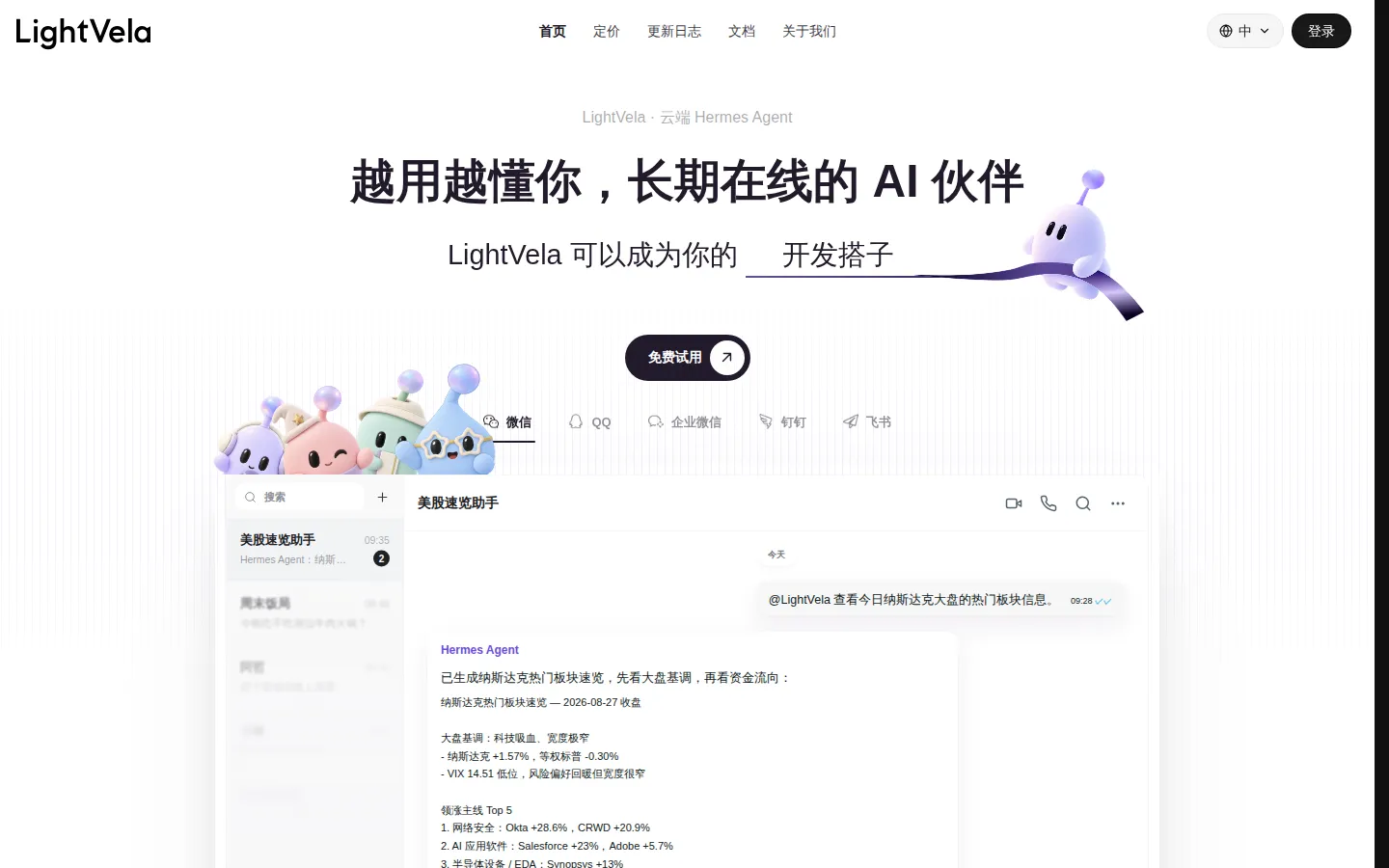
LightVela Core Features
Always-on cloud runtime
Each assistant runs in its own cloud environment with dedicated CPU, memory and storage, so tasks continue after you close the browser or shut down your laptop.
Multi-channel chat access
Connect the same assistant to WeChat, WeCom, QQ, Feishu, DingTalk, Slack, Discord, Telegram and WhatsApp, including group chats where several people can address it.
Long-term memory and persona
Memory files store preferences, project facts and past corrections, while persona settings shape tone, so repeated context does not need to be re-explained each session.
Installable skills
A skill catalogue adds web search, document reading, data analysis, image generation, spreadsheet work, calendar access and API connections on top of the base agent.
Scheduled and conditional automations
Template-based reminders, market briefings and polling checks run on a schedule, with notification and script tasks reported as consuming no model credits.
In-chat website workspace
Describe a page and the agent builds, publishes and later updates a shareable site such as a dashboard, résumé or event registration form.
Approval gate for risky actions
Sending messages, editing files or deleting memory requires your explicit confirmation, and the agent restates ambiguous requests before proceeding.
DeepSeek Harness lab
A one-click deployment starts a persistent DeepSeek Harness instance in the cloud, with a dedicated WebUI you enter only when hands-on operation is needed.
Who is LightVela for?
LightVela suits people who want an always-on assistant but do not want to run servers, manage API keys or keep a laptop awake. Because the interface, onboarding flow and templates are Chinese-first, it fits best with individuals and small teams working inside Chinese chat ecosystems rather than English-only SaaS stacks. The four hundred-plus offline installation events the team ran before launching this product explain the design bias: setup should be a conversation, not a systems administration project, and the thing you install should still be working a month later. Typical roles include: - Solo founders and freelancers who need quotes, contracts, invoices and follow-ups tracked in one place without buying a CRM. - Operations and content marketers in China who monitor competitors, industry news and pricing changes, then want a summary pushed into a WeCom or Feishu group each morning. - Small e-commerce and offline retail owners who watch order delays, inventory and customer complaints, and want an alert with evidence before customers notice. - Project managers who turn meeting notes into owners, deadlines and weekly reports in a fixed house format. - Independent developers and indie hackers who want a long-running agent for research, specs and landing pages, including the bundled DeepSeek Harness environment. - Students and researchers building a searchable personal knowledge base from papers, lecture notes and PDFs with citations back to the source. - Households coordinating family calendars, meal plans and shopping lists through a shared chat. Plan fit tracks that split fairly closely. One person running a couple of recurring workflows usually stays inside the entry tier, which allows five bots and a modest monthly credit allowance. Someone automating a shop, a support queue or several client projects at once will want more assistants and more model calls, and should budget for the larger environment plus top-up credits. Agencies that want an assistant per client should expect to buy several plans, because bot and credit limits are set per subscription rather than pooled across an organisation. It is a weaker fit for teams that need on-premise deployment, formal enterprise compliance certification or an English-only product experience, and for anyone unwilling to work inside a chat window.
LightVela Use Cases
Turn a recorded project meeting into minutes, owners, deadlines and a weekly report in your existing format.
Watch competitor launches, model pricing changes and repository releases, then push a short morning briefing to a product group.
Poll an order queue every twenty minutes and alert the on-duty staff when paid orders sit unshipped for an hour.
Build a searchable knowledge base from customer interview PDFs and answer questions with page-level citations.
Photograph a receipt, split it into categories and compare the running total against a monthly budget.
Track a deal from quote to contract, invoice and payment, and draft a polite legal follow-up without nagging.
Generate and publish a personal homepage, portfolio or event sign-up page from a single conversation.
Coordinate a family calendar, spot a scheduling conflict and propose who should handle the school pickup.
LightVela Pros and Cons
Pros
- No installation or server upkeep: a working agent is provisioned in the browser and keeps running with your computer off.
- Genuinely broad channel coverage for the Chinese market, with WeChat, WeCom, QQ, Feishu and DingTalk alongside Slack, Discord, Telegram and WhatsApp.
- Memory and persona accumulate over time, so the assistant needs less re-explaining and follows house formats without reminders.
- Automations are approachable: templates cover common errands, and notification or script jobs are documented as not burning model credits.
Cons
- The product experience and documentation are Chinese-first, which makes it awkward for English-only teams to evaluate or hand to international colleagues.
- Pricing is quoted in Chinese yuan with monthly credit allowances, so heavy users need to model credit burn and buy top-up packs separately.
- There is no public API or developer documentation for programmatic access, and self-hosting is not offered, so everything runs through the hosted service and chat channels.
FAQ About LightVela
LightVela Pricing
LightVela uses a freemium model with a one-month free trial bundling 4,500 model credits. After that, the Launch plan is listed at 68 yuan per month (five bots, 2-core/8 GB environment, 50 GB storage, 4,500 credits) and Cruise at 158 yuan per month (ten bots, 4-core/16 GB, 80 GB storage, 10,000 credits), with a first-month discount shown. Extra credit packs run from 12 yuan per 1,000 credits and expire one month after purchase. Confirm current figures on the subscribe page.
Check official pricingFree trial (Launch)
One month at no charge with 4,500 model credits, five bots and a 2-core, 8 GB cloud environment with 50 GB storage.
Launch
Entry paid tier: five bots, 4,500 credits per month, 2-core CPU with 8 GB memory, 50 GB storage, scheduled tasks, memory and channel connections.
Cruise
Main tier: ten bots, 10,000 credits per month, 4-core CPU with 16 GB memory, 80 GB storage, with a discounted first month shown at ¥94.80.
Model credit pack
Top-up packs from 1,000 to 12,000 credits for accounts with an active plan; credits expire one month after purchase.
LightVela Alternatives

Motion
Motion is a video agent from Mosaic that turns a written brief, raw footage or a reference clip into an edited video. It plans the story, generates or cuts shots, adds music and sound, then lets you refine the result in chat, on the preview or in a timeline before exporting to Premiere Pro, After Effects or DaVinci Resolve.

Cotlet
Cotlet is a hosted MCP server and REST API for apps with no API. Cotlet builds and maintains each integration and fixes it when the app changes. Cotlet is operated by Take Group sp. z o.o., Katowice, Poland.

Buddy
Buddy is a DevOps and platform-engineering automation suite for building, testing and shipping software. It pairs visual and YAML CI/CD pipelines with deployments to thousands of targets, ephemeral cloud sandboxes, tunnels, domains and visual regression tests. Its AI angle is agentic: a hosted MCP server, the bdy CLI and agent skills let Claude Code, Codex and Cursor run pipelines and deploy.