
Krater
Krater combines chat with 500+ AI models, image and video generation, audio tools, research, coding, and app-connected agents in one workspace. Users can switch models, work with files, create editable artifacts, and schedule recurring tasks. Paid plans share credits across tools, with higher tiers adding API access, automatic model routing, larger context windows, and team collaboration.
What is Krater?
Krater is an all-in-one AI workspace that brings model access, creative tools, research, and task automation into a single subscription. Its official website advertises more than 500 AI models, including options from OpenAI, Anthropic, Google, and other providers. Users can select models themselves and switch models within a conversation rather than maintaining separate interfaces for every provider. Higher subscription tiers also include Auto Routers, which choose models while balancing capability and credit cost.
The workspace extends beyond text chat. Image tools support creation, editing, and upscaling, while video generation includes models such as Kling, Seedance, Sora, and HeyGen. Audio capabilities include speech generation, transcription, sound effects, and voice changing. Slash commands provide access to specialized modes from the chat interface, letting users move between writing, research, media production, and other tasks without repeatedly changing applications.
Krater also supports building editable artifacts, slides, and websites with live previews. Its coding workflow can generate, debug, and run code. For research and analysis, users can supply PDFs, URLs, videos, and other files for summaries and questions. Web-connected research gathers current information, while Keep provides persistent storage for findings and project material. Memory and Projects retain context, files, and working preferences across related tasks.
The agent layer is designed for multi-step work: users state a goal, and Krater plans, researches, browses, and uses tools to produce a result. The company advertises over 1,400 app connections, including Gmail, Slack, Notion, and GitHub. Scheduled tasks allow prompts and agent workflows to run without opening the application each time. These connections make the product relevant to operational work as well as content generation.
Subscriptions use a shared monthly credit pool across chat, media, voice, music, and agent runs. Pro includes 1,500 monthly credits, Ultra includes 4,000, and Max starts at 10,000 with larger selectable allocations. Ultra and Max add an OpenAI-compatible API, credit top-ups, usage analytics, and automatic routing; Max also adds shared workspaces and team billing. Enterprise offers custom volumes and organizational controls. Krater presents itself as a consolidated alternative to managing multiple AI subscriptions, but included credits and plan-specific limits still determine practical usage.
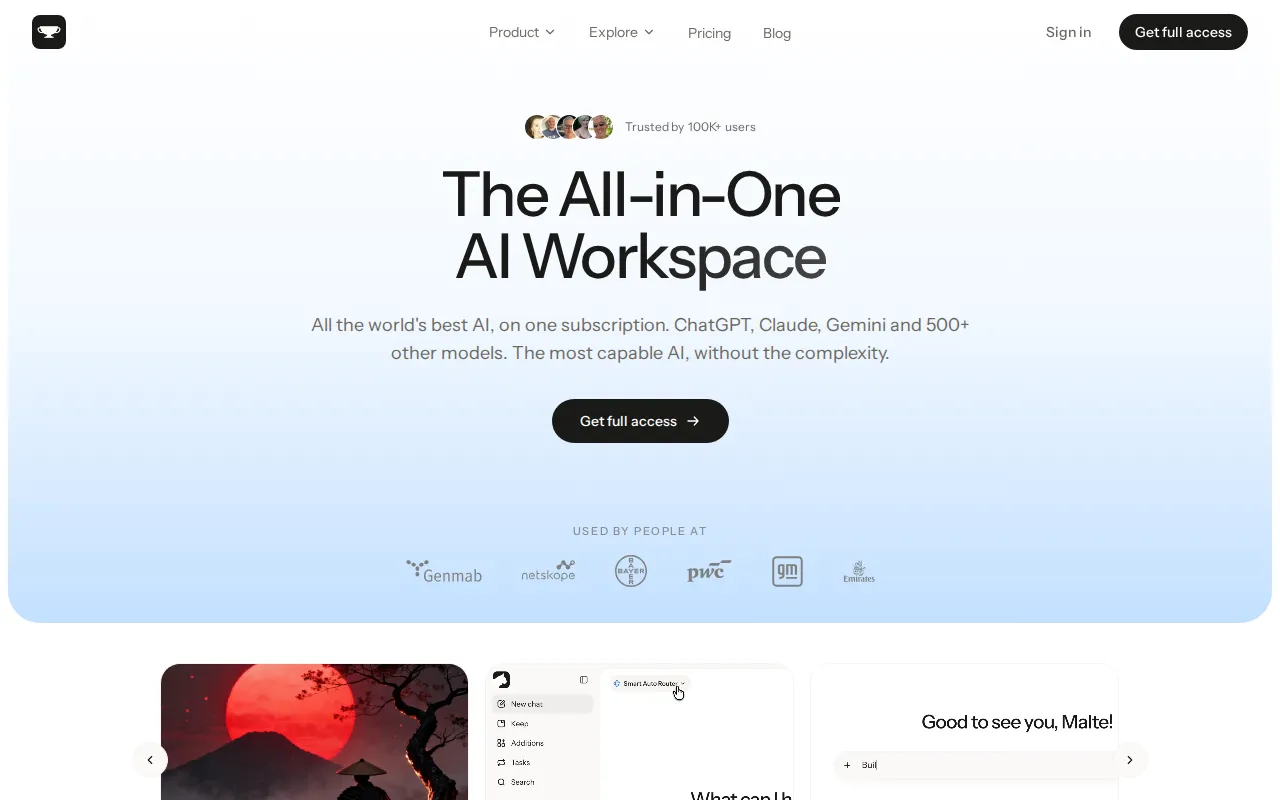
Krater Core Features
Chat with 500+ AI models and switch providers within the same conversation.
Generate, edit, and upscale images alongside video creation from multiple model providers.
Create speech, transcribe audio, generate sound effects, and change voices within the workspace.
Build editable slides, websites, and code artifacts with live previews.
Research the web and ask questions about uploaded PDFs, URLs, and videos.
Connect over 1,400 apps and schedule agent workflows for recurring work.
Retain project context and files through Memory, Projects, and persistent Keep storage.
Access an OpenAI-compatible API, Auto Routers, and usage analytics on higher plans.
Who is Krater for?
Krater suits people whose work spans several AI tasks rather than a single specialized workflow. Freelancers, consultants, and small business owners can use the same workspace for drafting copy, researching a topic, preparing a presentation, and generating supporting images. Its model selection is relevant to users who want to compare different providers without moving their work between separate chat applications. Content creators and marketing professionals are another clear audience. The combination of image editing, video generation, voiceovers, and writing supports campaigns that need several asset formats. A creator can develop an idea, produce visual material, and prepare accompanying text within one environment. Those generating media frequently should consider Ultra or Max because all these activities consume the same monthly credit pool. Researchers, students, and knowledge workers can use document uploads, URL analysis, summaries, and web research to work through source material. Projects, memory, and Keep storage are useful when questions belong to an ongoing topic rather than an isolated conversation. Developers can use code generation and live previews, while the API on Ultra and Max is relevant to people integrating model access into their own software. Teams and agencies have a more specific fit on Max, which includes collaboration, pooled credits, centralized billing, and website publishing. Enterprise addresses organizations needing SSO, provisioning, custom credit arrangements, and a dedicated account manager. Buyers should choose by required capabilities as well as budget: Pro does not include every advanced feature, and the advertised model selection does not remove monthly usage limits.
Krater Use Cases
Draft marketing copy and generate matching images and video for campaign assets.
Summarize uploaded documents and ask follow-up questions about specific source material.
Research current topics online and save findings into persistent workspace storage.
Build presentation slides and editable website prototypes from natural language instructions.
Generate starter code, debug problems, and inspect results through live previews.
Automate recurring work across connected tools such as Gmail, Slack, and Notion.
Produce voiceovers, transcriptions, and sound effects alongside other creative project assets.
Coordinate agency projects through shared workspaces, pooled credits, and centralized team billing.
Krater Pros and Cons
Pros
- Combines model selection, multimedia creation, research, and agent workflows in one subscription.
- Shared credit pool avoids separate tool-specific allowances across supported creation modes.
- Official plan pages clearly disclose monthly credits, storage, context windows, and annual pricing.
- Ultra and Max provide API access alongside the interactive workspace.
Cons
- Chat, media generation, and agent runs compete for the same finite monthly credit allocation.
- Pro lacks API access, Auto Routers, and advanced usage analytics available on higher tiers.
- Team collaboration requires Max or Enterprise rather than the lower individual plans.
FAQ About Krater
Krater Pricing
Paid subscriptions: Pro $20/month, Ultra $49/month, Max from $119/month, or $200/$490/$1,190 annually; Enterprise is custom and Max scales with selected credits.
Check official pricingPro
1,500 monthly credits, 150k context, 25 GB Keep storage, three scheduled tasks, and email support; $200 billed annually.
Ultra
4,000 monthly credits, 400k context, 100 GB storage, 20 scheduled tasks, API access, top-ups, Auto Routers, and priority support; $490 billed annually.
Max
Starts with 10,000 monthly credits, 1M context, 250 GB storage, 50 scheduled tasks, team collaboration, and five published websites; $1,190 annually at the base allocation. Larger credit tiers cost more.
Enterprise
Custom credit volumes, unlimited team seats, SSO/SAML, SCIM, security review, dedicated account management, and negotiated volume pricing.
Krater Alternatives

Cindy
Cindy is an open-source desktop AI agent from XD Inc. that unifies Claude Code, Codex and Pi harnesses with 20+ tools, persistent memory and reusable skills. Use it free with your own API key or existing Coding Plan, or pay for the optional managed model service that works the moment you sign in. No setup project required.
Safeguest
Safeguest is a guest-screening platform for short-term rental hosts. Every booking is verified inside your PMS: government ID and a biometric selfie, a signed guest agreement, and a refundable deposit or the No Deposit Option. An AI-written Arrival Briefing grades the booking Green, Yellow or Red, so you know who is arriving before keys change hands. Prevent is free; Protect is $29 per stay.

Migoo
Migoo turns a single chat window into a small AI department: a general assistant plus named specialists for video ads, design, slides, brochures, research, data analysis, photo editing, writing, websites and job applications. It reads the Google Workspace context you connect, then drafts reports, files expenses, builds decks and produces publishable assets, charging through a monthly points allowance rather than per-seat licences.