
Image Unblur
Fix soft, shaky, compressed, or out-of-focus photos online with Basic and Pro AI restoration modes.
What is Image Unblur?
Image Unblur is an online AI image unblur tool that restores visible detail in soft or blurry photos. Basic focuses on faithful sharpening for faces, text, and documents, while Pro can rebuild more detail in heavily blurred images. It works in desktop and mobile browsers, supports files up to 20 MB, and returns an HD JPG in the original aspect ratio.
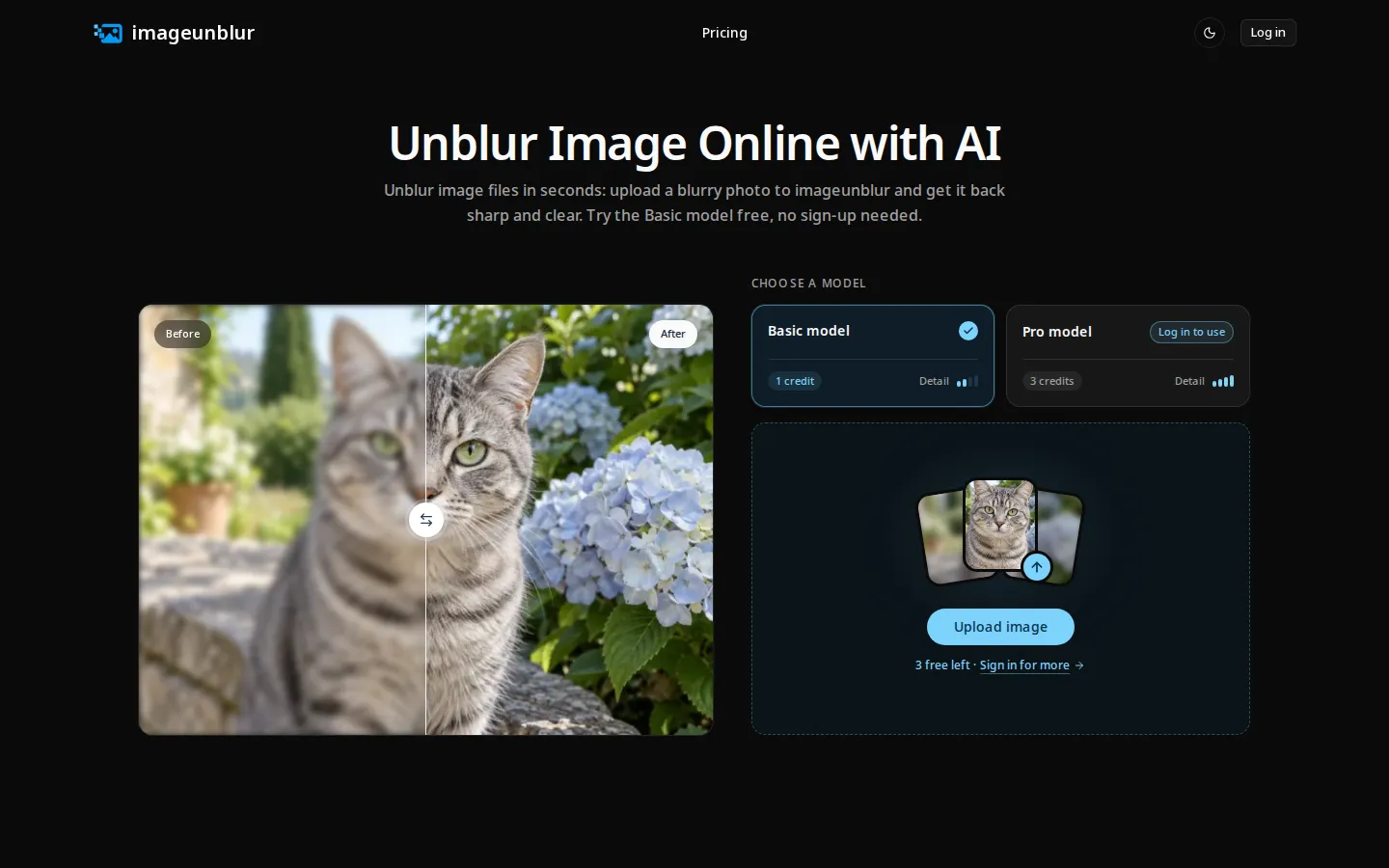
Image Unblur Core Features
Basic and Pro AI restoration modes
JPG, PNG, and WebP support up to 20 MB
HD JPG output with original aspect ratio
Who is Image Unblur for?
Photographers, families restoring old photos, students, content creators, small businesses, and anyone who needs to improve blurry portraits, documents, receipts, or social images.
Image Unblur Use Cases
Repair shaky or out-of-focus portraits
Sharpen document, receipt, and screenshot text
Restore old scans and compressed social images
Image Unblur Pros and Cons
Pros
- Three free Basic trials without sign-up
- Works in mobile and desktop browsers
- Privacy-focused processing and short-lived download links
Cons
- Pro may redraw faces, text, or textures, so results should be checked
FAQ About Image Unblur
Image Unblur Alternatives
EzMaker AI
EzMaker AI is a no-signup online photo editor that bundles the editing jobs people normally open Photoshop for: background removal, object and watermark erasing, 4K upscaling, photo enhancement and AI image generation. Everything runs in the browser, uploads are deleted within 24 hours, and results download without watermarks.
SnapBG
SnapBG.ai is a free online AI background remover for photos. Upload an image, let the AI erase the background in seconds, then refine the cutout with a manual brush, make it transparent, or drop in a new color or one of 100+ templates. Download the result in HD as a transparent PNG, with no Photoshop, Canva, or sign-up required.

PicWish
PicWish is a web-based AI photo editing suite for people who need clean cutouts, sharp product shots and ID photos without learning Photoshop. It removes backgrounds in one click, fixes blurry images, upscales low-resolution photos and generates AI product photography. Free tools cover everyday edits, while Pro adds HD downloads and monthly credits.