SnapBG
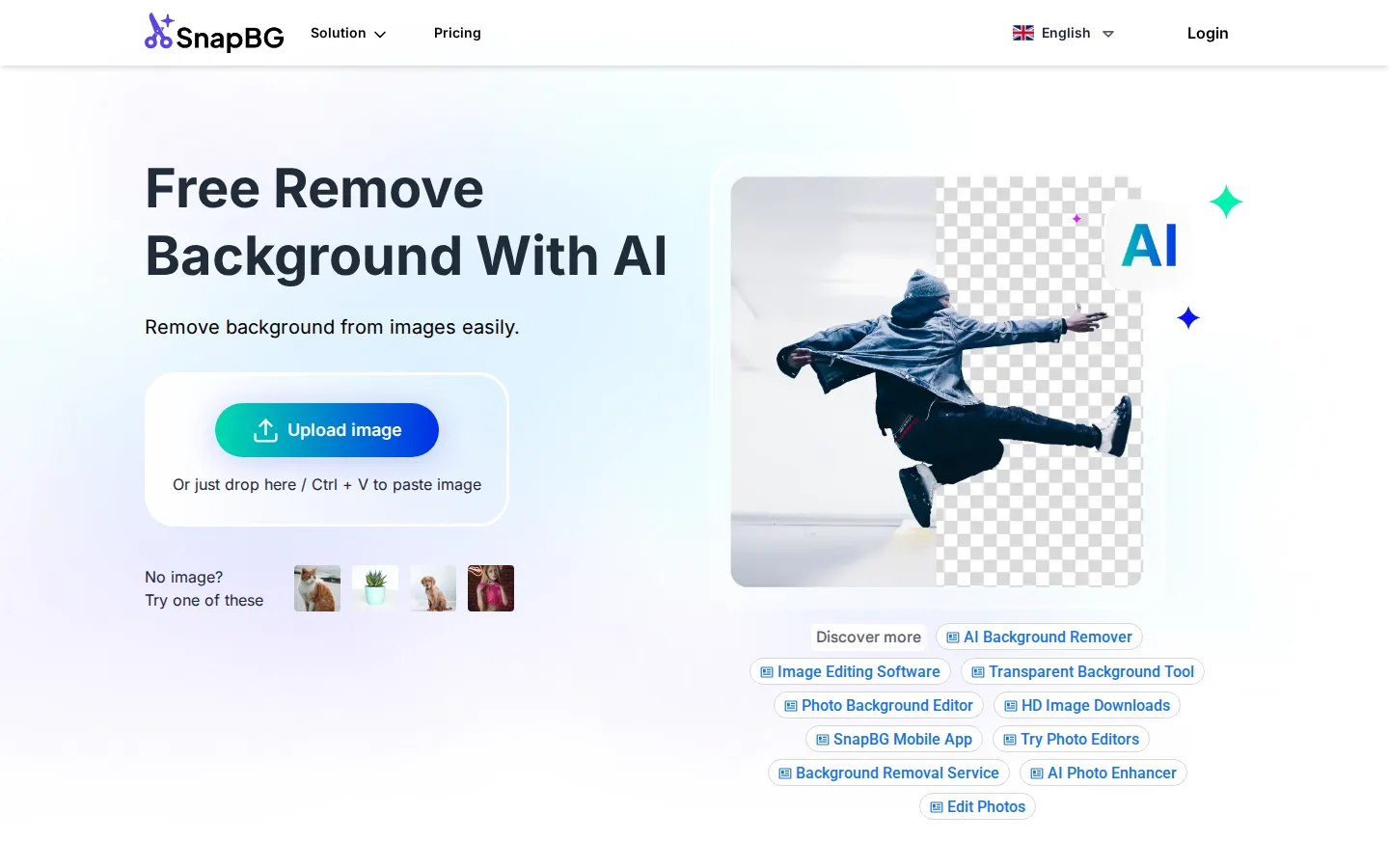
SnapBG.ai is a free online AI background remover for photos. Upload an image, let the AI erase the background in seconds, then refine the cutout with a manual brush, make it transparent, or drop in a new color or one of 100+ templates. Download the result in HD as a transparent PNG, with no Photoshop, Canva, or sign-up required.
What is SnapBG?
SnapBG.ai is a free AI background remover that erases the background from photos and images automatically in a few seconds. It runs entirely in the browser and also through dedicated iOS and Android apps, so users can remove and edit backgrounds on any device without installing desktop software. The workflow is deliberately simple: upload an image, drag and drop it, or paste it with Ctrl+V, and the AI detects the foreground subject and cuts it out. The tool handles complex edges such as hair and fur with its improved algorithms, and it keeps the HD quality of the original picture without distortions or missing parts.
After the automatic removal, SnapBG.ai offers a manual refine step. If the AI output is not over the moon, users open Edit Cutout and paint over any remaining background with a brush, or switch the brush to Restore mode to bring back areas that were erased by mistake. This makes the tool usable even on the most challenging pictures that a fully automatic remover cannot process cleanly. Once the cutout is ready, users can keep the background transparent, fill it with a solid color, or replace it with a new image. A library of more than 100 background templates covers product photos, selfies, and interiors, and users can also upload their own background. The result downloads as a high-resolution PNG that preserves the original quality.
SnapBG.ai supports PNG, JPG, and most common image formats, with no compatibility issues. It is positioned as an alternative to complex and expensive software such as Photoshop, Adobe, and Canva, and it does not even require an account to start. Preview images up to 1280 pixels are free to process, while full images up to 24 megapixels (for example 6000x4000) are charged one credit each through pay-as-you-go packs. The platform is also marketed as a lightweight image editing tool for creating transparent graphics, banners, visual presentations, product catalogs, and social visuals.
SnapBG.ai is operated by Sfund JSC and has been available since 2021. It ships mobile apps for both iPhone and Android, links to a blog with tutorials, and reports a 4.9 out of 5 rating based on 179 ratings. Across the site, its key selling points are speed, a clean cutout with manual control, HD output, and a free starting point that needs no sign-up. It is a focused utility rather than a full design suite, so users should pair it with an editor if they need advanced retouching or layout work.
SnapBG Core Features
Automatic AI background removal
Detects the object, foreground, and borders and erases the background in seconds, even with hair and fur.
Manual cutout refine
A brush paints away leftover background, and Restore mode paints erased areas back for a clean edge.
Transparent or colored background
Keep the cutout transparent, fill it with a solid color, or replace it with a new image.
100+ background templates
Ready-made backgrounds for product shots, selfies, and interiors, plus your own uploads.
HD downloads
Export the edited image as a high-quality transparent PNG that preserves the original resolution up to 24 megapixels.
Works on any device
A browser app plus native iOS and Android apps, with no Photoshop, Adobe, or Canva needed.
Broad format support
Handles PNG, JPG, and most other common image file types without compatibility issues.
No sign-up required
Free previews up to 1280px are processed without creating an account or entering payment details.
Who is SnapBG for?
SnapBG.ai is built for anyone who needs to remove an image background quickly without professional design software. Its primary audience is beginners and casual users who would otherwise reach for Photoshop, Adobe, or Canva but do not want the cost or the learning curve. Because the whole process runs in a browser and the basic previews are free, it also suits students, hobbyists, and small business owners who only edit images occasionally. Online sellers are a natural fit: they can cut out product photos, place them on clean templates, and export HD PNGs for listings and catalogs. Social media managers, content creators, and marketers use it to produce transparent visuals for posts, banners, and presentations, and to swap backgrounds for different campaigns. Photographers and image editors benefit from the manual Edit Cutout brush and Restore mode, which give them control when the automatic result leaves stray edges or removes too much. Designers and agencies who process many images like the pay-as-you-go credit packs, which scale from a few images to thousands without a monthly subscription. Since SnapBG.ai also ships iOS and Android apps, it appeals to mobile-first users and travelers who edit photos on their phones rather than on a desktop. People who need clean headshots, profile pictures, or people, pet, car, and product cutouts with tricky hair and fur edges are also well served. In short, SnapBG.ai targets DIY editors, e-commerce sellers, content creators, marketers, students, and small teams who want fast, accurate background removal and flexible background replacement for free, while keeping an affordable path to full-resolution HD downloads when they need them.
SnapBG Use Cases
Remove the background from product photos for an online store.
Create transparent PNGs of people, pets, animals, and objects.
Replace a photo background with a template or a solid color.
Clean up hair and fur edges with the manual refine brush.
Make clean profile pictures and social media graphics.
Prepare images for banners, presentations, and product catalogs.
Remove and edit backgrounds on the go with the iOS and Android apps.
Cut out logos and graphics without buying or learning Photoshop or Canva.
SnapBG Pros and Cons
Pros
- Free to use with no sign-up: previews up to 1280px are processed at no cost, and the tool needs no account to start.
- The manual Edit Cutout brush and Restore mode let you fix the AI result, which most free background removers do not offer.
- Delivers HD, full-resolution transparent PNGs up to 24 megapixels and handles tricky hair and fur edges reasonably well.
- Available on the web plus native iOS and Android apps, so you can edit on almost any device.
- Includes background color replacement and more than 100 background templates in the same free tool.
Cons
- Full-resolution HD downloads are not free: images above the 1280px preview are charged one credit each through pay-as-you-go packs starting at $5 for 20 credits.
- Every social link in the footer points to remove.bg's accounts rather than its own, so SnapBG.ai has no verified social profiles of its own.
- It is a focused cutout utility, so advanced photo retouching, layer compositing, and design layouts still require a separate editor.
FAQ About SnapBG
SnapBG Pricing
SnapBG.ai is free to use for previews up to 1280px with unlimited free previews and no credit card, while full-resolution images up to 24 megapixels are charged one credit each through one-time pay-as-you-go packs from $5 for 20 credits up to $300 for 3,000 credits.
Check official pricingFree Account
Unlimited free previews up to 1280px with normal quality output, no credit card required and no sign-up needed.
20 credits
Pay-as-you-go credit pack at $0.25 per full image; 1 credit = 1 full image processing up to 24 megapixels.
100 credits
Larger pay-as-you-go pack at $0.20 per full image, with all plans including 24MP support, background color and image change, and edit cutout.
400 credits
High-volume credit pack at $0.16 per full image for editors and sellers processing many photos.
1,000 credits
Bulk credit pack at $0.13 per full image, priced for frequent commercial use.
3,000 credits
Best value pack at $0.10 per full image for teams and agencies with very high processing volume.
SnapBG Alternatives

Img2Go
Img2Go is a free online image editor, converter, and AI toolkit from QaamGo Web GmbH in Germany. It bundles 27 browser-based apps for resizing, compressing, cropping, watermarking, and converting images between JPG, PNG, WebP, HEIC, AVIF, SVG, and PDF, alongside AI tools that upscale photos, remove backgrounds, restore old images, colorize black-and-white shots, and edit photos from a text prompt. No installation required.

Pokecut
Pokecut is an all-in-one AI photo editor and image generator that runs entirely in the browser. It bundles background removal, object erasing, portrait and body retouching, photo enhancement, collage making, and text-to-image generation across multiple AI models. A batch editor processes up to 50 images at once, while ready-made templates and a credit-based free tier keep everyday editing affordable.
EzRemove
EzRemove is a browser-based AI image toolkit built around a one-click background remover. Upload a JPG, PNG or HEIC file, let the model separate subject from backdrop, then export a transparent PNG or drop in a new scene. Batch removal, object and text erasing, upscaling, photo restoration and AI generation sit alongside the core cutout tool.