EzRemove
EzRemove is a browser-based AI image toolkit built around a one-click background remover. Upload a JPG, PNG or HEIC file, let the model separate subject from backdrop, then export a transparent PNG or drop in a new scene. Batch removal, object and text erasing, upscaling, photo restoration and AI generation sit alongside the core cutout tool.
What is EzRemove?
EzRemove is a browser-based AI image editing platform built around a one-click background remover. Upload a JPG, PNG or HEIC photo, let the model find the subject, and download a transparent PNG a few seconds later. There are no layers, masks or pen-tool work, and the company says more than 50 million images have been processed through the service.
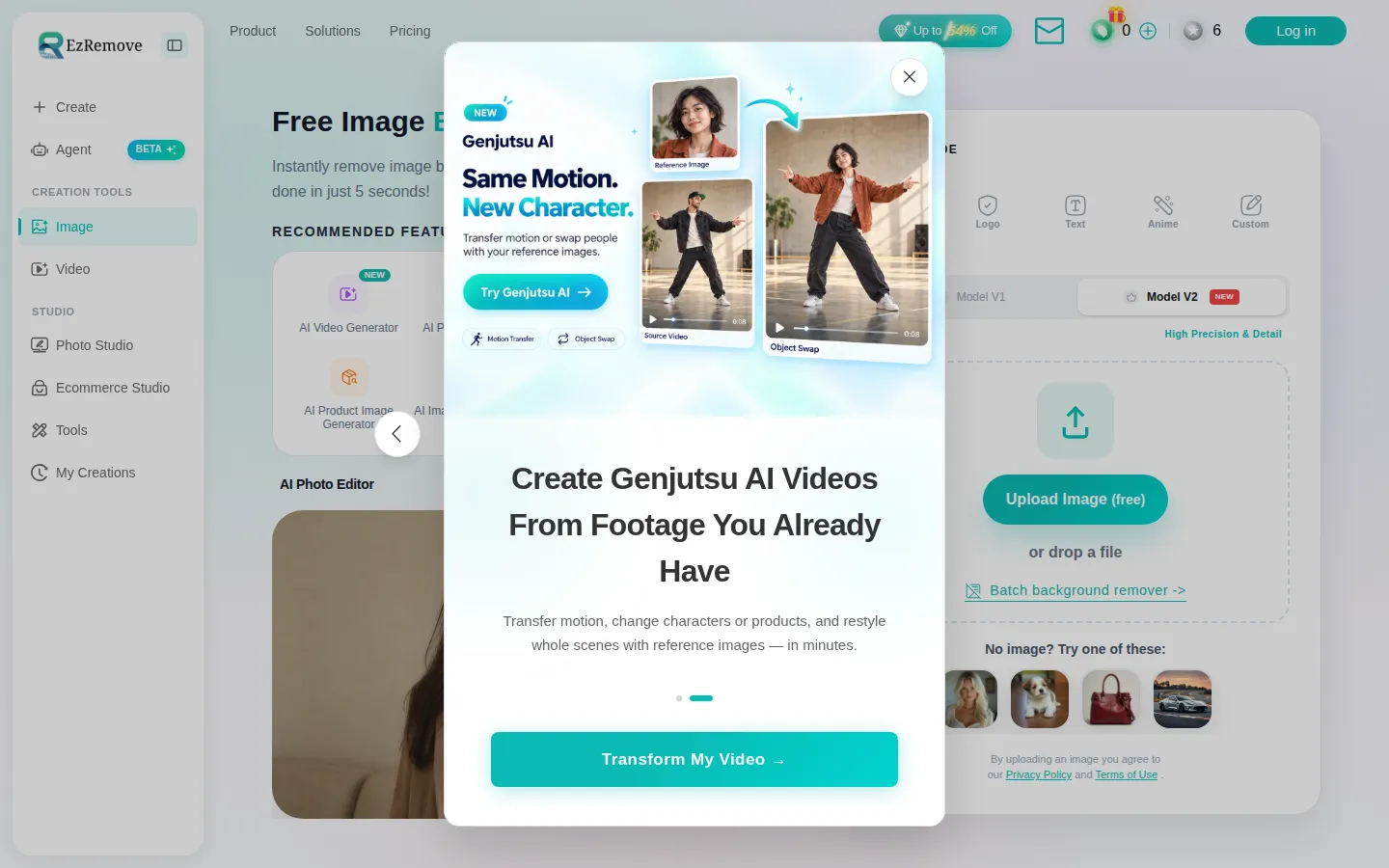
Five modes retune edge detection for different subjects: General for everyday photos, Logo for brand marks, Text for screenshots, Anime for illustrations, and Custom for anything described in plain language, such as erasing a person in the background or a table in the frame. A newer V2 model is offered for higher precision on fine detail such as hair and thin borders.
The cutout is only the starting point. A background changer and AI background generator drop the subject onto white, a brand colour or a generated scene built from a short text prompt. A batch background remover processes a whole folder of product photos at once, and animated GIFs are routed to a separate GIF background remover.
Around the core tool sits a wider toolkit. Magic Eraser, Object Remover, Text Remover, People Remover and Cleanup Pictures handle repairs; Image Upscaler, AI Photo Enhancer, Sharpen, Unblur, HD Photo Converter and Photo Restoration handle quality; AI Photo Editor, AI Image Generator, Image to Image, AI Room Design, Virtual Model and Product Staging cover generative work. A separate video track adds AI video generation, lip sync, talking photos and motion-transfer effects.
Everything runs on one credit balance. The free tier gives 10 credits a day, and background removal at standard resolution costs nothing, while HD downloads, batch runs, premium models and video work consume credits. Paid access takes the form of one-time packs that never expire, monthly subscriptions, or a yearly pass billed once with credits issued each month. The interface is translated into around eighteen languages and accepts card and PayPal payments.
Outputs are alpha-transparent PNGs that drop into product listings, ad creative and design files, or flatten onto a new scene when transparency is not the goal. Free credits reset daily at midnight UTC, one-time credits persist until used, and the refund policy covers first purchases under a small usage threshold.
EzRemove Core Features
One-click AI background removal
upload a photo and get a transparent PNG in seconds, with separate modes for general photos, logos, text screenshots, anime art and custom prompts.
Background changer and AI background generator
keep transparency, set a flat white or brand colour, or describe a new scene in plain text and preview it.
Batch background remover
process multiple images in one run and export a consistent set of cutouts instead of editing files one by one.
Cleanup toolkit
Magic Eraser, Object Remover, Text Remover, People Remover and Cleanup Pictures remove unwanted elements after the cutout.
Enhancement tools
Image Upscaler, AI Photo Enhancer, Sharpen, Unblur, HD Photo Converter and Photo Restoration improve quality on the same credit balance.
Generative editing
AI Photo Editor, AI Image Generator, Image to Image, AI Room Design, Virtual Model and Product Staging cover prompt-driven image work.
Credit-based pricing with three routes
a free daily allowance, one-time packs that never expire, and monthly or yearly passes for heavier use.
Browser-only workflow in around eighteen interface languages, with card and PayPal checkout and no software to install.
Who is EzRemove for?
EzRemove is aimed at people who need a clean cutout quickly and do not want to open a full editor. The simplest case is an individual who needs a profile picture, a resume photo or a social post with a plain background: upload, remove, download, done in under a minute, and the same flow works on a phone. Photographers are a natural fit. After a shoot, background cleanup is often the slow part of delivery, and a tool that keeps hair and thin edges intact across a whole set saves hours. The batch remover lets a photographer process an entire session at once and export consistent transparent PNGs. Marketers and social teams use it to cut products out of messy shots, drop them onto brand colours or generated scenes, and produce ad variants without reshooting. Because the background generator takes text prompts, a campaign can be tested across several backdrops in the time it used to take to build one composite. Ecommerce sellers are probably the heaviest users. Marketplace listings reward clean, consistent imagery, and EzRemove produces white-background or transparent product shots that match across a catalogue, including small items such as jewellery, where edges are hardest to keep natural. Designers, developers and small studios use the tools for asset preparation, meaning icons, logos, screenshots and interface elements, where repeatable output matters more than creative control. Enterprise teams get a shared credit pool and a consistent visual standard across campaigns and internal documents. It is less suited to anyone who needs precise manual masking, layer-based retouching, colour grading or print-ready CMYK output, because it is a fast utility rather than a replacement for Photoshop or Affinity Photo. Teams handling sensitive material should also read the privacy terms before uploading, since files are processed in the cloud.
EzRemove Use Cases
Create clean transparent PNGs for marketplace and ecommerce product listings.
Replace a messy photo backdrop with white, a brand colour or a generated studio scene for ad creative.
Remove strangers, props or clutter from portraits and event photos before delivery.
Batch process an entire shoot so every image in a set shares the same cutout standard.
Produce profile pictures and team headshots on a consistent plain background.
Isolate logos and graphics so they sit correctly on any page colour or dark header.
Prepare screenshots and interface assets by stripping backgrounds and stray text.
Upscale, sharpen or restore older photos in the same session as the background work.
EzRemove Pros and Cons
Pros
- The core background remover is genuinely free at standard resolution, and 10 daily credits let you test the premium tools without paying.
- Mode switching for logos, text and anime handles subject types that generic removers often clip badly.
- One credit balance covers removal, cleanup, upscaling, restoration and generation, so there is no need for several subscriptions.
- Pricing is flexible: one-time packs never expire, monthly plans cancel anytime, and a yearly pass lowers the per-credit rate.
Cons
- No public API or documented developer access, so programmatic or high-volume automated pipelines are not supported.
- Free credits reset daily at midnight UTC and never accumulate, which limits how much you can test in one sitting.
- Yearly passes cannot be cancelled after purchase, and refunds are restricted to a first purchase with no more than 50 credits used within three days.
FAQ About EzRemove
EzRemove Pricing
EzRemove is freemium: a free plan gives 10 credits a day with free standard-resolution background removal, one-time packs run from $7 for 70 credits to $166 for 9,000, monthly plans from $7 to $80, and yearly passes cost $90 or $195 total.
Check official pricingFree
10 credits per day after sign-in, plus free background removal and background changing at standard resolution. Credits work across Magic Eraser, Text Remover, Object Remover, People Remover and the AI Photo Editor; free credits reset daily at 00:00 UTC.
One-Time Credits
Seven packs from 70 credits for $7 up to 9,000 credits for $166, with the rate dropping from $0.10 to about $0.018 per credit. Credits never expire and cover HD downloads, batch runs, removal tools and AI generation.
Monthly Plan
100, 500, 2,000 or 5,000 credits per month, priced at $7, $15 and $80 for the smaller and largest tiers, with a 2,000-credit tier in between. Auto-renews each month, can be cancelled anytime before the next renewal, and unused monthly credits are cleared at the end of the cycle.
Yearly Pass
6,000 credits for $90 total or 15,000 credits for $195 total, issued monthly with an immediate bonus of 1,500 or 3,000 permanent credits. Paid once, does not auto-renew, allows limited monthly rollover, and cannot be cancelled after purchase.
EzRemove Alternatives

Img2Go
Img2Go is a free online image editor, converter, and AI toolkit from QaamGo Web GmbH in Germany. It bundles 27 browser-based apps for resizing, compressing, cropping, watermarking, and converting images between JPG, PNG, WebP, HEIC, AVIF, SVG, and PDF, alongside AI tools that upscale photos, remove backgrounds, restore old images, colorize black-and-white shots, and edit photos from a text prompt. No installation required.

Pokecut
Pokecut is an all-in-one AI photo editor and image generator that runs entirely in the browser. It bundles background removal, object erasing, portrait and body retouching, photo enhancement, collage making, and text-to-image generation across multiple AI models. A batch editor processes up to 50 images at once, while ready-made templates and a credit-based free tier keep everyday editing affordable.
EzCreate
EzCreate is a browser-based AI photo and image editing studio. Upload a photo, describe the change in plain language, and pick from models such as EzCreate 4.0, Nano Banana Pro, SeeDream 5.0 or GPT Image 2 to remove objects, cut out backgrounds, expand scenes, restore old photos and upscale to 4K. It runs entirely in the browser, with free daily credits and no install.