
Folio Labs
Folio Labs is a browser-based AI rendering studio for architects. Upload a viewport screenshot from SketchUp, Rhino, or Revit, pick a preset or write a prompt, and generate a polished architectural image that keeps your massing, camera, and openings intact. Choose 1K, 2K, or 4K output, save render history, and download presentation-ready files for clients.
What is Folio Labs?
Folio Labs is a browser-based AI architectural rendering tool that converts a plain model screenshot into a polished architectural image. The product is built around one idea: most architects already have a massing or viewport view in SketchUp, Rhino, or Revit long before they are ready for a full visualization pipeline, and Folio Labs turns that screenshot into a credible atmospheric render in minutes. You do not upload a 3D model file; you upload an image, so the workflow fits everyday design iteration rather than a heavy production renderer.
The core loop is deliberately simple. You upload a viewport screenshot from SketchUp, Rhino, Revit, or another modelling tool. You then choose a render style, either by picking one of the presets in the built-in library, writing your own style prompt, or uploading a reference image that guides mood, materials, lighting, and colour tone. A single click generates a polished architectural render that aims to keep the original massing, camera, proportions, openings, and site logic readable, so the design still looks like your design rather than an invented building. Results can be downloaded as a preview, or saved to a render history once you sign in.
Folio Labs ships with a preset library of architectural looks, including a monolithic concrete cultural centre, a tectonic timber visitor centre, a light glass art museum, a blue-hour urban commercial podium, a porous brick civic building, and a porous community centre, among others. Each preset carries a reusable style prompt you can copy and adjust for your own project. The editor supports a widescreen layout, style prompts, and optional reference images for mood and material direction.
Output is offered at three resolutions. Members can choose 1K, 2K, or 4K renders, and rendering is metered in credits released monthly. The free workflow is aimed at trying the tool on a real model screenshot, while paid plans add saved render history, higher-resolution output, priority generation, and commercial use. Folio Labs is explicit that it is an early-stage concept renderer rather than a V-Ray, Enscape, or D5 replacement: it is for mood studies, client options, competition directions, and fast iteration, and small visual details may need another pass.
The product is aimed at architects, students, and small studios that want a fast visual direction from an existing model screenshot, covering exterior massing studies, interior atmospheres, facade options, landscape views, and presentation-style architectural images. It is free to try and requires no login for the first temporary render, and it runs entirely in the browser.
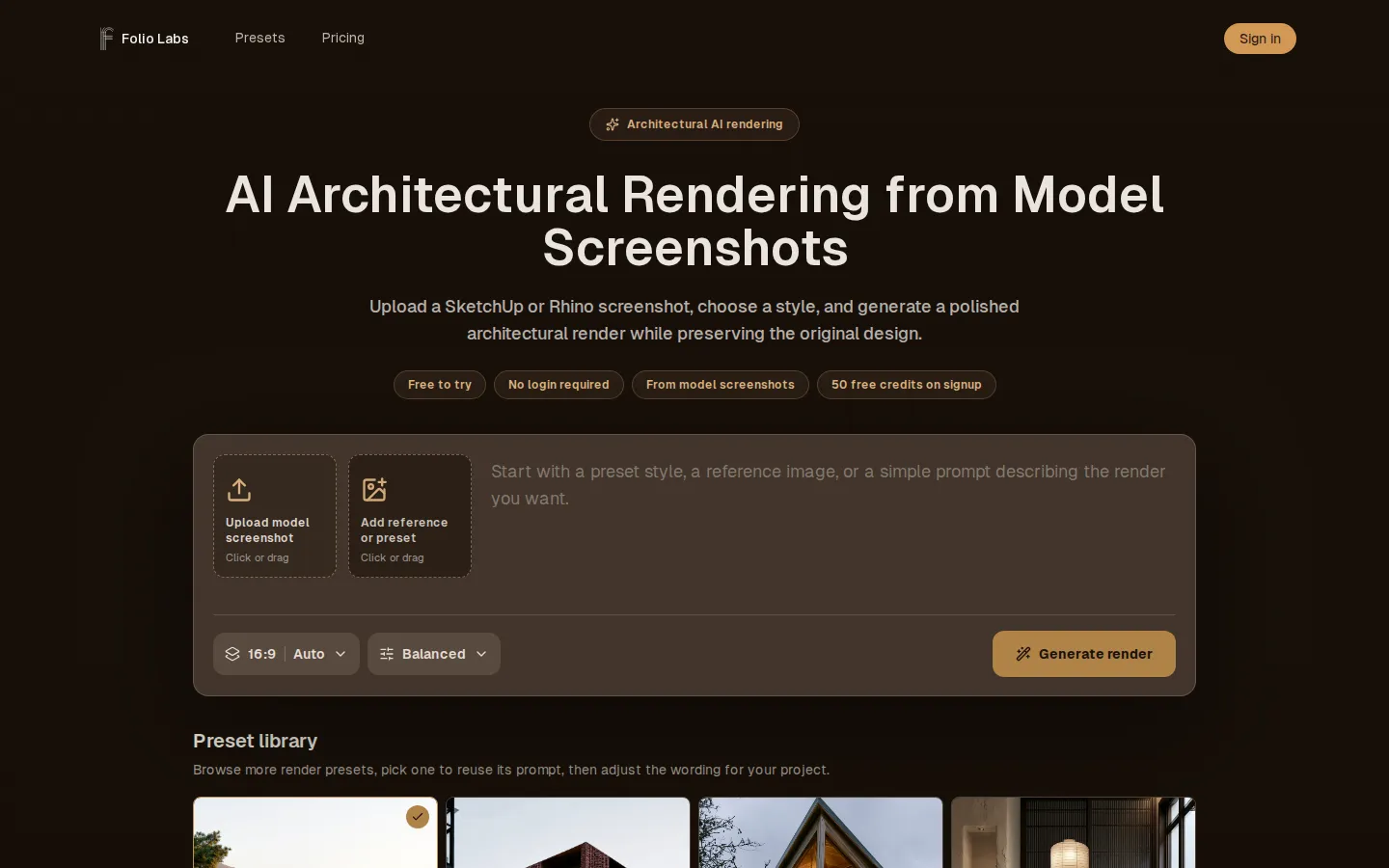
Folio Labs Core Features
Screenshot-based input
Upload a SketchUp, Rhino, or Revit viewport screenshot and render it without needing a native 3D model file.
Preset library
A gallery of architectural looks with reusable style prompts you can copy and adapt to your own project.
Custom style prompts
Write your own prompt to control materials, lighting, mood, and atmosphere for each render.
Reference image styling
Upload a reference image to guide mood, materials, colour tone, and atmosphere while keeping your model form.
Design-preserving output
Aims to keep the original massing, camera, proportions, openings, and site logic readable in the render.
Resolution options
Members can choose 1K, 2K, or 4K output depending on the level of detail they need.
Saved render history
Signed-in users can save and revisit past renders instead of relying on temporary results.
Priority generation
The Pro plan adds priority generation so renders finish ahead of lower tiers during busy periods.
Who is Folio Labs for?
Architects and architectural designers who need a fast visual direction early in a project. Before committing to a full visualization workflow, they already have a SketchUp or Rhino viewport screenshot of the massing, and Folio Labs turns that screenshot into a credible atmosphere they can show a client or a colleague within minutes without rebuilding the model or waiting on a rendering queue. Small studios and sole practitioners who cannot justify a full-time visualization specialist. For them the value is speed and cost: instead of sending a viewport to a rendering artist or blocking a workstation for an overnight V-Ray or Enscape pass, they generate a concept image on the spot, iterate on style, and present several directions side by side. Design students and recent graduates who want presentation-quality images without learning a production renderer. The upload-a-screenshot workflow removes the modelling and material setup that usually stands between a rough massing and an atmospheric render, so students can focus on design intent and storytelling rather than software. Architects preparing competition boards, client options, and early-stage marketing visuals. Folio Labs is designed for the point where the design is still changing and a fully controlled final image would be premature, covering exterior massing studies, interior atmospheres, facade options, landscape views, and presentation-style images. Practitioners who want to reuse a look across a project. The preset library and reference-image workflow let a studio fix a mood, material palette, and lighting language, then apply it consistently to different views and iterations of the same design. Teams and individuals who want a low-commitment way to test AI rendering. The tool is free to try, needs no 3D file and no login for the first temporary render, and paid plans only matter once saved history, higher resolution, priority generation, and commercial use become necessary. It is not aimed at users who need CAD-constrained, fully accurate final imagery, but at those who want fast, readable design directions.
Folio Labs Use Cases
Turn a rough SketchUp massing screenshot into a credible first atmosphere for an early concept study.
Generate several facade options from the same model view to compare materials and lighting directions.
Create interior atmosphere studies from a viewport screenshot without a full interior rendering setup.
Produce competition entry visuals while the design is still changing and a final render would be premature.
Prepare client-ready option images to present design directions side by side in a meeting.
Render landscape and context views that show the building in a believable setting.
Match a studio's established mood and material palette across multiple views using a reference image.
Produce presentation-style architectural images for marketing and portfolio use on higher plans.
Folio Labs Pros and Cons
Pros
- Works from a model screenshot, so no 3D file export or heavy scene setup is needed before you get an image.
- Preset library plus custom prompts and reference images give flexible control over mood, materials, and lighting.
- Explicitly designed to preserve massing, camera, proportions, and openings, keeping the design readable.
- Transparent pricing with a free tier, cheap Starter and Pro plans, and clear credit and resolution rules.
- Saved render history, 1K to 4K output, priority generation, and commercial use on paid plans.
Cons
- It is not a CAD-constrained renderer, so small visual details may need another pass and it cannot guarantee a pixel-accurate match to the model.
- The free tier is limited to one temporary guest render and 50 sign-in credits, so serious use requires a paid subscription.
- Positioned for early-stage concept work only, so it is not a replacement for production renderers like V-Ray, Enscape, or D5.
FAQ About Folio Labs
Folio Labs Pricing
Freemium: a free tier with one temporary guest render and 50 credits after sign-in, plus Starter at $12/month (billed annually at $144) with 1,600 monthly credits and up to 80 standard renders, and Pro at $35/month (billed annually at $420) with 5,000 monthly credits, up to 250 standard renders and priority generation; credits are released monthly.
Check official pricingFree
No subscription required. One temporary guest render, 50 credits after sign-in, temporary results, and preview downloads to explore the workflow on a real project.
Starter
Billed annually at $144 (save $84 vs monthly). 1,600 credits released each month (19,200 per year), up to 80 standard renders per month, 1K/2K/4K output, saved render history, presentation-ready downloads, commercial use, and email support.
Pro
Billed annually at $420 (save $168 vs monthly). 5,000 credits released each month (60,000 per year), up to 250 standard renders per month, priority generation, 1K/2K/4K output, saved render history, presentation-ready downloads, commercial use, and email support.
Folio Labs Alternatives

PicHome
PicHome is a web tool that converts an uploaded 2D floor plan, whether a hand sketch, a CAD drawing, or a designer layout, into a walkable 360 degree virtual tour. It detects rooms, doors, and furniture, renders photoreal panoramas, links rooms through door hotspots, and exports a soundtracked MP4 in 16:9, 9:16, or square formats.

MoodBoard AI
MoodBoard AI creates professional mood boards from a style selection in seconds. Interior designers, decorators, and fashion creatives use its AI to generate boards with matching color palettes, furniture and product ideas, and automated shopping lists. Over 120,000 boards have been generated, with a free plan for trying the workflow.

Rendair AI
Rendair AI is an all-in-one AI rendering workspace built for architects and designers. It converts text prompts, sketches, floor plans, CAD drawings, and 3D models into photorealistic renders, edits any part of an image with natural language, and animates static renders into realistic videos. Over 500,000 architects use tools such as Rendair Chat, text-to-render, sketch-to-render, and upscaling to present concepts faster and win client approvals. Subscription plans start at 9.50 euros per month.