
PicHome
PicHome is a web tool that converts an uploaded 2D floor plan, whether a hand sketch, a CAD drawing, or a designer layout, into a walkable 360 degree virtual tour. It detects rooms, doors, and furniture, renders photoreal panoramas, links rooms through door hotspots, and exports a soundtracked MP4 in 16:9, 9:16, or square formats.
What is PicHome?
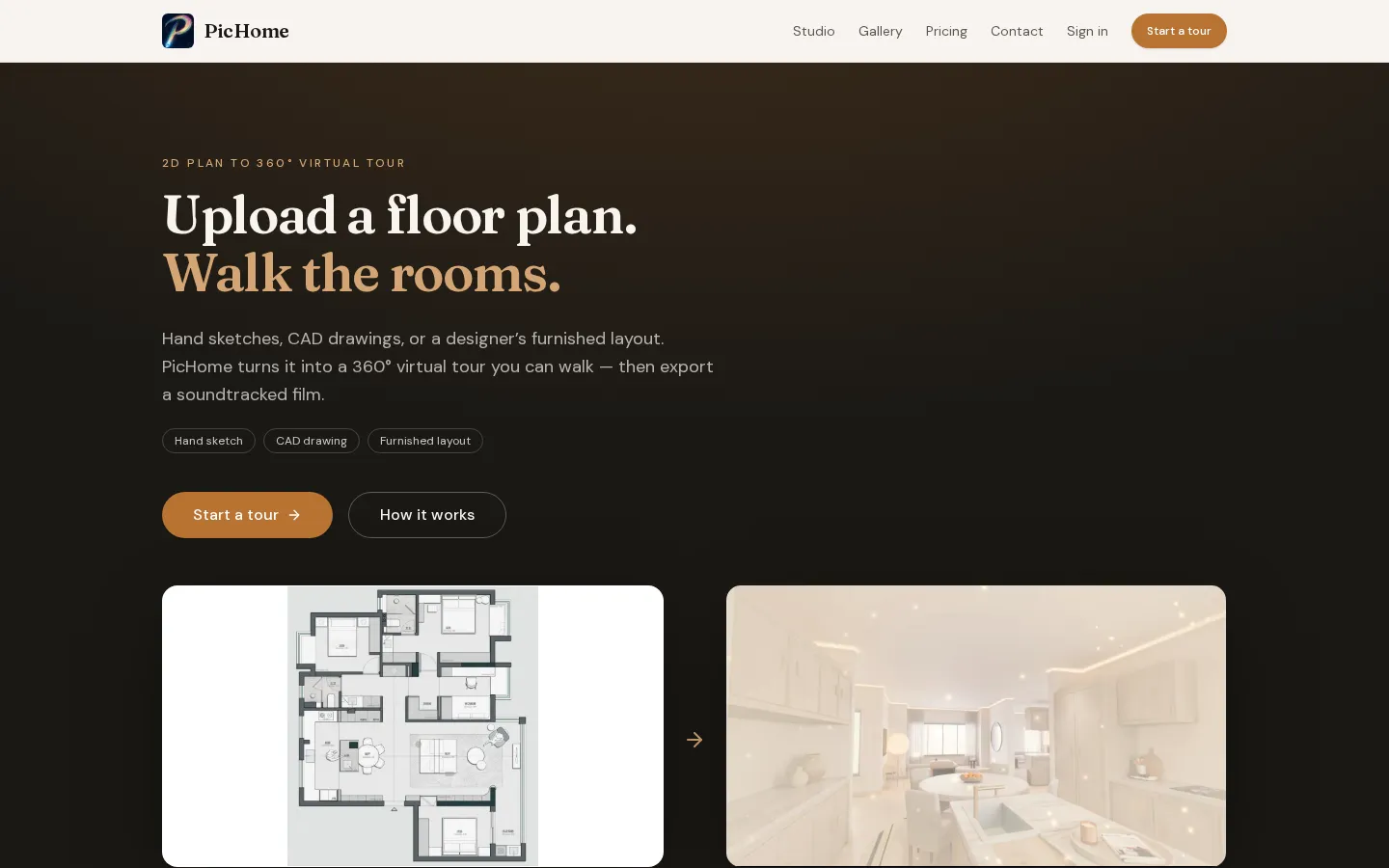
PicHome is a web application that turns a 2D floor plan into a walkable 360 degree virtual tour and a downloadable walkthrough video. You upload a plan, either a hand sketch, a CAD drawing, or a designer furnished layout, as a JPEG, PNG, or WebP image, or you start from the sample plan the site provides. PicHome detects the rooms, doors, windows, and furniture, builds a 3D layout, and opens it in the Studio. There each room becomes an equirectangular panorama you can look around by dragging, and door hotspots let you move from room to room following how the plan actually connects. Grey placeholder rooms are walkable as soon as the plan is detected, while photoreal renders drop in one by one as they finish. Before rendering you can pick an interior style or a reference photo, and walls and large furniture stay where the drawing places them. A paid walkthrough includes up to five rooms, and the signup trial generates two or three rooms. A paid walkthrough costs 100 credits, which works out to about one dollar on the Starter pack, and credits never expire. When every room is rendered you export a 16:9, 9:16, or square MP4 with a chosen soundtrack, encoded in the browser, and video export does not use credits. PicHome also runs a remote MCP server, so MCP clients such as ChatGPT, Codex, Cursor, Claude Code, and Gemini CLI can hand it a floor plan and get back the room list, a downloadable glTF or OBJ model, and a Studio link to render panoramas and a video. Parsing through the API is free of charge and rendering uses the credits on your account, with the first home free. Finished tours can be published as public share pages, and Pro and Team plans make those pages white-label. Outputs are AI visualizations, not measured surveys or construction documents, and the tool handles interiors from floor plans only.
PicHome Core Features
Floor plan to 360 tour
Uploads a hand sketch, CAD drawing, or furnished layout and turns it into a walkable equirectangular panorama per room.
Room and door detection
Reads rooms, walls, doors, windows, and furniture from the drawing so the walk follows how the plan actually connects.
Interior styles
Lets you pick a look before rendering while walls and large furniture stay where the drawing places them.
Door hotspots
Links rooms through detected doors so you move from one space to the next by tapping instead of free-roaming.
Video export
Exports a 16:9, 9:16, or square MP4 with music, encoded in the browser, and video export does not consume credits.
Remote MCP server
Exposes tools like parse_floorplan, get_tour, download_model, and create_share_link to MCP clients such as ChatGPT, Codex, Cursor, Claude Code, and Gemini CLI.
3D model download
Returns a glTF (.glb) or Wavefront OBJ layout model with walls, openings, floor slabs, and furniture footprints for SketchUp, Blender, Rhino, or Revit.
White-label share pages
Pro and Team plans publish public tour pages with your own logo and contact line and no PicHome branding.
Who is PicHome for?
PicHome is built for anyone who needs to show what a flat layout actually feels like without building or photographing it. Homeowners use it to walk their own plan before committing to furniture, renovation, or a purchase, spending a few dollars instead of hiring a studio. Interior designers and stagers use it to present concepts to clients quickly, restyle a home in a chosen look, and export a film they can send or post. Real estate agents and property marketers use it to turn a listing plan into an immersive walkthrough and a shareable video. Pro and Team subscribers get white-label share pages, so tours carry their own logo and contact line rather than PicHome branding, and Team plans add iframe embeds for websites plus higher API rate limits. Developers and tinkerers are served too, because PicHome exposes a remote MCP server that lets AI assistants such as ChatGPT, Codex, Cursor, Claude Code, and Gemini CLI parse a floor plan, download a 3D model, and return a link to render the tour. It is not the right tool for people who need a laser-scanned capture of a built space, a construction document, exterior or people shots, or an editable mesh that they finish in Blender themselves. The Studio is a browser tool, and desktop is recommended for the 360 viewer.
PicHome Use Cases
Preview a renovation before buying furniture
Present design concepts to interior clients
Turn a listing floor plan into a virtual tour
Create a walkthrough video for social media
Embed a 360 property tour on a website
Share a white-label tour under your own brand
Parse floor plans through an AI assistant
Download a base 3D model for further modeling
PicHome Pros and Cons
Pros
- Cheap per-home pricing from about one dollar per walkthrough with credits that never expire.
- Walks rooms as true 360 panoramas with door-to-door navigation rather than a single still.
- Free trial of 60 credits and a sample plan, with no card needed to start.
- Video export is included and does not spend credits, and failed rooms are not charged.
- Remote MCP server and API keys let AI assistants parse plans and fetch tours.
Cons
- Only handles interiors from floor plans, so it cannot generate people, exteriors, or arbitrary video.
- Outputs are AI visualizations, not measured surveys or construction documents, and dimensions come from the drawing you upload.
- It does not produce a laser-scanned capture of a built space or an editable mesh you finish yourself.
FAQ About PicHome
PicHome Pricing
PicHome is free to try with 60 signup credits for one two to three room tour, then charges 100 credits (about one dollar per walkthrough) with pay-once packs from $1.99 and monthly plans at $19 for Pro and $69 for Team.
Check official pricingFree trial
60 credits for new accounts, enough for one 2 to 3 room walkthrough, no card needed.
Single
100 credits, one full walkthrough of your own home, up to 5 rooms, best for trying one plan.
Starter
1,000 credits, about $1.00 per walkthrough, up to 10 walkthroughs at up to 5 rooms each.
Pro
2,000 credits every month, about 20 walkthroughs, white-label share pages, your logo, and a priority rendering queue.
Team
8,000 credits every month, about 80 walkthroughs, everything in Pro, iframe embeds, and higher API rate limits.
PicHome Alternatives

AI Room Design
AI Room Design is a photo-led interior design generator. You upload a photo of a real room, pick one of ten styles or write a custom brief, and it returns redesign previews that keep your actual layout, windows, doors, and perspective intact. Compare each idea against the original before you shop, hire a contractor, or start renovating.

Redocor
AI home design from one room photo: visualize furniture, colors, materials, lighting, and styles while keeping the room layout.

HausDraft
HausDraft turns one photo into a home redesign: rooms, kitchens, exteriors, patios, and pools.