
FlowTunes
FlowTunes is a free, ad-free app that streams endless AI-generated, human-curated instrumental music designed for deep focus. Pick from dozens of genre channels — lo-fi hip-hop, acoustic jazz, classical, cinematic scores, ambient piano — and layer in rain, birds, fire, café chatter, or binaural beats to shape the perfect soundscape. Works instantly in any browser and on iPhone, with no account or sign-up.
What is FlowTunes?
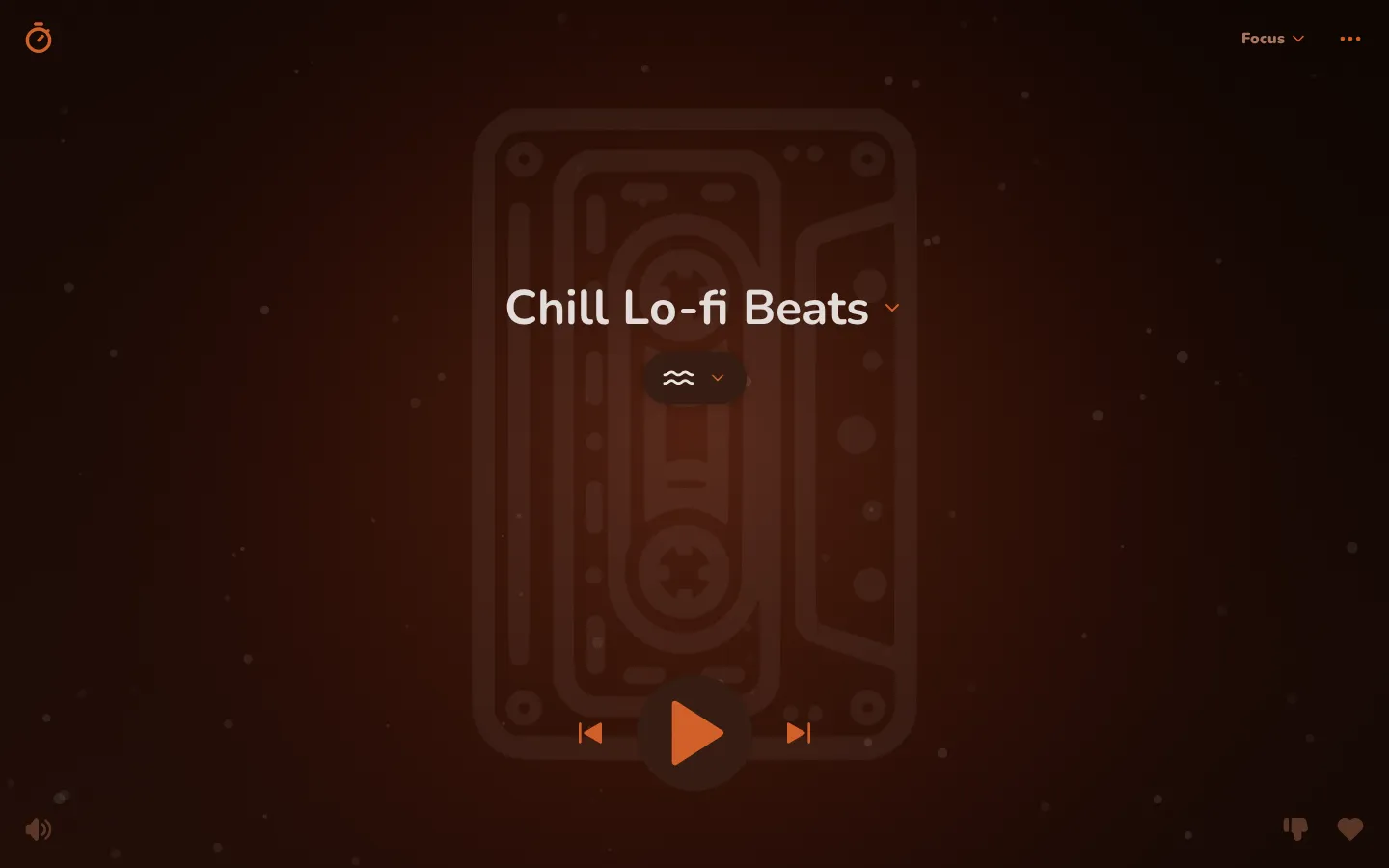
FlowTunes is a free music application built for deep focus that plays non-stop instrumental music generated with AI and then carefully curated by hand. Launched in May 2024 by solo developer Mitch Crowe, it combines two layers into one continuous listening experience: an endlessly flowing music channel and a customizable bed of ambient background sounds blended underneath it. Because the catalog is produced and filtered rather than drawn from a finite library, the stream never repeats — the service already offers more than 500 hours of music, and new tracks are added faster than anyone could listen to them. The app organizes its soundscape into roughly forty genre channels spanning lo-fi hip-hop, soft acoustic jazz, classical symphony, cinematic scores, ambient piano, Japanese koto, Celtic folk, EDM, reggaeton-inspired beats, and sleep-focused ambient, each tuned to a specific mood: from Chill Lo-fi Beats and Jazz Whispers for everyday work to Deep Sea Sleep and Sweet Dreams for winding down at night. A mode switcher groups these channels into Focus, Relax, and Sleep presets so you always start from a sensible collection, and each mode's lineup can be edited. On top of the music, FlowTunes layers dozens of mixable ambient sounds — rain, streams, crashing waves, forest birds, crickets, crackling fire, café chatter, fans, and more — each with independent volume, plus advanced brainwave audio such as binaural beats, white/pink/brown noise, and isochronic tones. You can build precisely the acoustic environment a task calls for, boost the background layer relative to the music, or mute the music entirely through the 'No Music' channel. The catalog itself has an unusual origin story: the developer generated tens of thousands of candidate tracks with AI tools, built custom tooling — including automated waveform and audio analysis — to discard the worst of them, and manually auditioned everything else before a single track reached a channel. He owns the rights to the entire library, which is what makes endless, royalty-free streaming financially viable, and listening data feeds back into quality: when listeners thumb down or flag a track, it is downranked or removed so the whole community hears better music over time. The experience is deliberately minimalist: no playlists to manage, no DJ narration, no login. Pick a channel, press play, and the music flows indefinitely with tasteful fade transitions so nothing jolts you out of a workflow. Favorites let you star channels and heart individual tracks, a thumbs-down control skips and downranks disliked tracks for every listener, and off-genre or low-quality tracks can be flagged to protect the catalog. A built-in focus timer supports Pomodoro-style sessions, a sleep timer fades playback out at night, and the activity view charts your listening and focus time in a simple dashboard. Accessibility is treated as a first-class concern — the app includes full VoiceOver support and was refined with input from a visually impaired listener — and playback pauses and resumes gracefully around phone calls and other audio interruptions.
FlowTunes Core Features
Endless AI-generated, human-curated channels
More than 500 hours of instrumental music across roughly 40 genre channels (lo-fi, jazz, classical, cinematic, ambient, and more), generated with AI and manually filtered so the stream never repeats.
Mixable ambient sound layer
Blend dozens of background sounds — rain, streams, waves, forest birds, crickets, fire, café chatter, fans — beneath any channel, each with its own volume and boost/gain control.
Focus, Relax & Sleep modes
Mode-specific channel presets with editable lineups, so you always land on a sensible starting point for work, downtime, or bedtime.
Focus & sleep timers
A built-in focus timer supports Pomodoro-style sessions, and a sleep timer fades the music out automatically after a set duration.
Favorites, dislikes & quality flags
Star channels, heart favorite tracks (replayable via the Favorites channel), thumb-down tracks to skip and downrank them for other listeners, and flag low-quality or off-genre audio.
Brainwave audio toolbox
Binaural beats across frequencies (Delta, Alpha, Beta and more), white/pink/brown noise distributions, and isochronic tones for focus, relaxation, and sleep — no headphones required for the tones.
Customizable playback
Adjustable fade/crossfade time between tracks, background-sound gain, per-layer volume, and selectable audio quality, with smooth handling of interruptions like phone calls.
Zero-friction access
No account, no ads, no subscription — instant playback in any browser and a polished native iPhone app, plus shareable links that let others hear your exact channel-and-ambience setup.
Who is FlowTunes for?
FlowTunes is built for people who need to hold attention on demanding work in a world full of noise and notifications: students grinding through exam season, remote workers and freelancers battling chatty housemates or café clatter, and developers, writers, designers, and analysts who spend hours in deep-work sprints. Graduate researchers who must read dense material for days at a time, musicians and other creatives who prefer instrumental texture to silence, and parents squeezing in study sessions after the kids are asleep all fit the same profile. People with ADHD or sensory sensitivities often rely on steady, predictable audio to regulate attention, and the optional focus timer gives them gentle structure without a second app. It is a strong fit for anyone who finds vocal, lyric-heavy music distracting yet cannot stand dead silence, and who is tired of looping the same short lo-fi playlist for the hundredth time — FlowTunes replaces playlist management with a single Play button and a stream that never repeats. It is also for the budget-conscious: students, teachers, and early-career professionals who refuse to stack another monthly subscription onto their toolkit get a genuinely free, ad-free alternative to Brain.fm, Endel, and similar paid apps, while the absence of an account wall and instant browser access suit people on locked-down office machines, shared devices, or privacy-minded setups. Beyond desk work, FlowTunes serves rest and restoration: Sleep-mode channels like Sweet Dreams and Deep Sea Sleep, white/pink/brown noise, binaural beats, isochronic tones, and a sleep timer make it a bedtime companion for poor sleepers, meditators can lean on Calm Within and Celestial Flow, and ADHD users or Pomodoro devotees get a focus timer plus activity stats to keep sessions honest. Teams and study groups also get a shareable link feature that lets everyone hear the exact same channel-and-ambience setup, which is handy for synchronized work sessions, group study calls, or classroom writing time. And because the entire app runs from a browser tab with no login, it is equally at home on a school laptop, a library computer, or a personal phone — FlowTunes follows the user instead of demanding a dedicated device. In short, anyone who works, studies, relaxes, or sleeps better against a soft, endless wall of sound is the intended listener.
FlowTunes Use Cases
Stay in flow through deep-work sprints with non-stop lo-fi, jazz, or cinematic channels.
Study for exams with lyric-free music and a built-in Pomodoro focus timer.
Drown out open-office or café noise by layering rain or chatter ambience under a mellow channel.
Wind down at night with Sleep mode, ambient sleep soundscapes, and an automatic sleep timer.
Meditate or practice yoga with Calm Within, Celestial Flow, and soft nature sounds.
Write or code for hours without ever managing a playlist or hearing a repeat.
Mask street noise or tinnitus at bedtime with white, pink, or brown noise.
Share your exact channel-plus-ambience setup with teammates or friends via a custom link.
FlowTunes Pros and Cons
Pros
- Completely free with no ads, no trials, and no premium paywall — an outlier in the paid focus-music category.
- Effectively endless, non-repeating streams across 40+ curated channels spanning a genuinely wide range of genres.
- Deep soundscape control: mix ambient sounds, binaural beats, and colored noise under any music channel.
- No account or sign-up anywhere; instant playback in the browser plus a native iPhone app.
- Thoughtful extras from a responsive solo developer: focus and sleep timers, favorites, dislikes, activity stats, and frequent updates.
Cons
- AI-generated audio is inconsistent: some tracks sound thin or tinny, and occasional abrupt mood or energy shifts between adjacent tracks in a channel can be distracting.
- No official Android or dedicated desktop native app — only the web app (usable on any device via browser) and an iPhone app requiring iOS 16.1 or later.
- By design there is no offline downloading, no user-created ordered playlists, and no deep audio customization beyond volume, gain, crossfade, and quality settings.
FAQ About FlowTunes
FlowTunes Pricing
FlowTunes is entirely free. The developer launched it as a free-forever app with no ads, and the App Store listing confirms there are no in-app purchases. Every channel, ambient sound, brainwave tone, timer, and feature is available to all users — there is no premium tier to unlock.
Check official pricingFree
The complete FlowTunes experience — all ~40 music channels, every ambient sound and brainwave audio option, focus and sleep timers, favorites, dislikes, and activity stats — free forever with no ads, trials, or premium tier.
FlowTunes Alternatives

MusicGPT
MusicGPT is a browser-based AI music studio. Type a prompt or supply lyrics and it generates complete songs, instrumentals, sound effects and speech, with optional vocal or instrumental output. Paid plans add remixing, extension, stem downloads and text to speech, while the free tier supplies monthly credits so anyone can test generation before committing to a subscription.

Moises
Moises is an AI music app for musicians. Upload any song and it separates vocals, drums, bass, guitar, keys and more into clean stems, detects chords, key and BPM, transcribes lyrics, and generates a smart metronome. Slow songs down, change the key, mute your part, then export stems or take the idea into Moises Studio to record, generate parts and collaborate.
EchoJay
EchoJay is an AI mix feedback tool for music producers and mix engineers. It meters your track in real time with EBU R128 loudness, oversampled true peak, stereo width, and eight-band EQ curves, then sends those actual numbers to an AI that gives grounded, actionable advice for your genre, stem, and monitoring setup. It runs as a browser app and as a VST3, AU, or AAX plugin.