
Echo
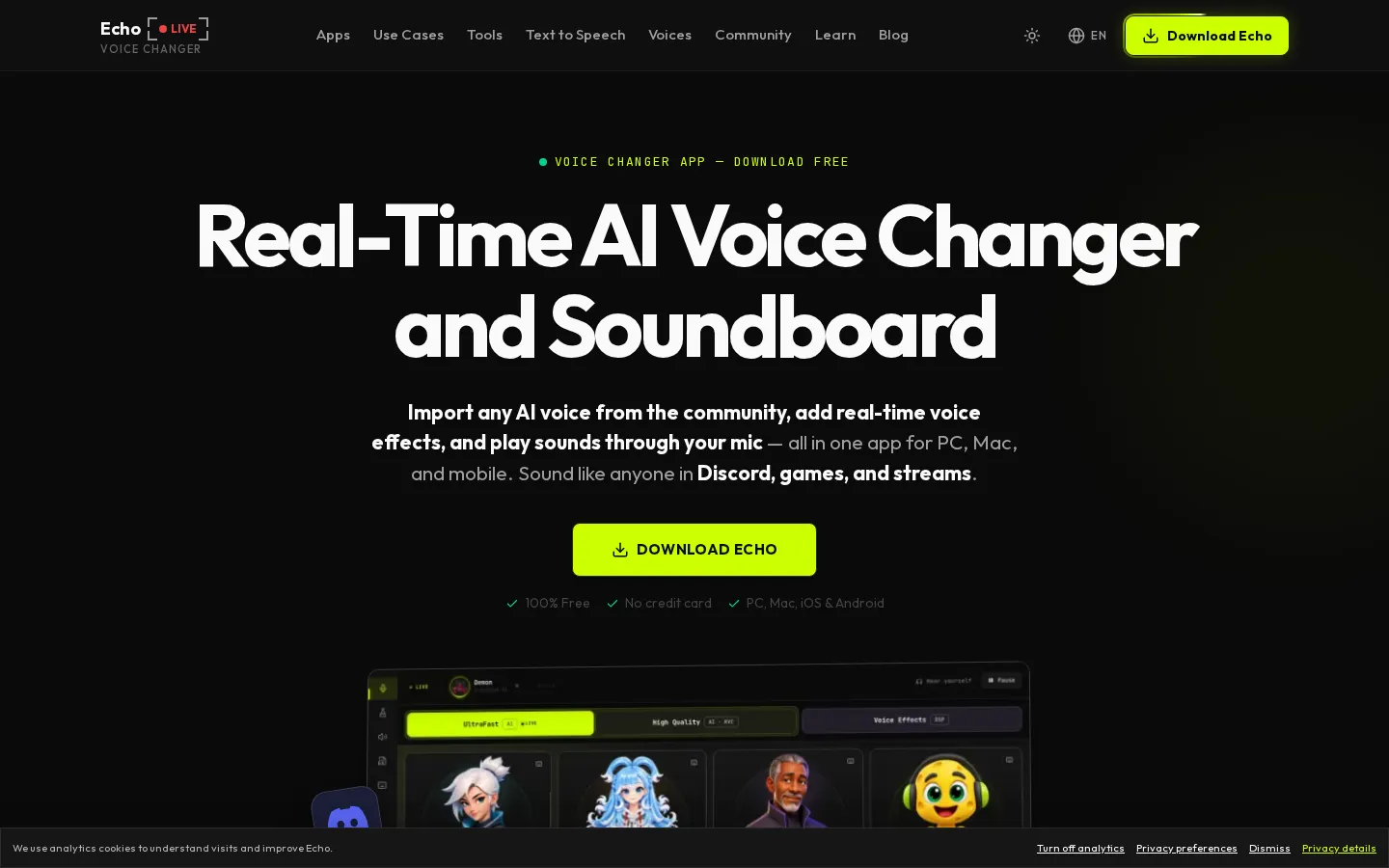
Echo (Echo Live) is a free real-time AI voice changer and soundboard for Windows, Mac, iOS, and Android. Import community voice models, clone a voice from a short sample, stack filters and effects, and play soundboard clips through your mic in Discord, games, OBS, and any voice chat. Audio is processed locally with low latency and noise suppression.
What is Echo?
Echo, also branded Echo Live, is a free real-time AI voice changer and soundboard from Escalera Labs S.L. that runs on Windows, Mac, iOS, and Android. It installs a virtual microphone, so any app that listens to a mic — Discord, Fortnite, Valorant, VRChat, OBS, Zoom, Twitch, Roblox, CS2, Minecraft — hears the transformed voice instead of yours. Setup takes under a minute and requires no credit card.
At the center is real-time AI voice conversion built on community voice models. You import any model you like, or pick from a library of hundreds of thousands of community voices covering anime characters, horror demons, military radio chatter, celebrity parodies, girl voices, and gaming archetypes such as the Gamer Girl and Goth Mommy presets. Switching between a male and a female voice, or between characters, happens live while you talk, with no re-recording and no render step.
Voice cloning is the second pillar. Echo builds a working voice from a short audio sample, so you can reproduce a voice you have the rights to use rather than hunting for a preset that only approximates it. Alongside cloning sits a conventional layer of DSP effects: a mixer of voice filters, pitch and formant sliders, reverb, and compression. The Voice Lab exists for people who would rather design a signature effect from scratch than pick one off a shelf.
A built-in soundboard extends the same audio path. Hotkeys trigger meme sounds and custom audio clips that play through your microphone, which means the people in your call or stream hear them as if they came from your headset. Soundboard clips and voice effects stack, so a single key press can fire a line while your voice is already transformed.
Echo also ships a text-to-speech page and a browser tool set that needs no download at all: vocal remover, stem splitter, voice recorder, pitch detector, noise remover, and audio converter. Built-in noise suppression cleans the input before conversion, and the company advertises ultra-low latency, which matters most in competitive games and live calls where half a second of delay makes conversation awkward.
Privacy is a structural choice rather than a policy promise. Processing runs locally on your device, so audio does not have to travel to a server to be converted. The trade-off is that heavy voice models depend on your own hardware, and mobile builds have far less headroom than a gaming PC with a discrete GPU.
The product is built in the open: a public changelog, a Discord community where users shape the roadmap, and a support channel. Core voice changer features are free forever, with no paywall, no time limit, and no credit card, which makes Echo one of the few real-time voice changers you can test in an actual match before deciding whether it earns a permanent slot in your audio setup. Voice changer and soundboard extensions extend the same engine to browser-based calling.
Echo Core Features
Real-time AI voice conversion
Community voice models transform your speech as you talk, so you can change gender, character, or style mid-sentence without rendering a clip first.
Huge community voice library
Hundreds of thousands of importable voices cover anime characters, horror demons, military radio, celebrity parody, girl voices, and gaming presets like Gamer Girl and Goth Mommy.
Voice cloning from a sample
Build a usable voice model from a short recording instead of relying on a preset, then reuse it across calls, games, and recordings.
Voice Lab and DSP effects
Mix filters, shift pitch and formant, add reverb and compression, and save a signature effect that nobody else is running.
Hotkey soundboard
Bind meme sounds and custom audio to keys and play them through your microphone so teammates and viewers hear them inside the call.
Virtual microphone for any app
Echo registers as an input device, which makes it work with Discord, OBS, Zoom, Valorant, VRChat, and any other app that accepts a mic.
Local processing with noise suppression
Conversion runs on your own machine, keeping audio off remote servers, with built-in noise suppression and low-latency output.
Free browser audio tools
Vocal remover, stem splitter, voice recorder, pitch detector, noise remover, audio converter, and text-to-speech run in the browser with no install.
Who is Echo for?
Echo is aimed at people whose voice is part of the performance. The clearest fit is the competitive and social gamer who wants to sound like a character in Valorant, Fortnite, CS2, Minecraft, or Roblox without paying for a subscription, and who needs the effect to survive a live match rather than a rendered clip. Streamers on Twitch and OBS are the second audience: a voice changer plus hotkey soundboard replaces several separate tools, and local processing keeps audio off a remote server mid-broadcast. Content creators who record voiceovers, skits, and character audio form the third group. Voice cloning from a short sample and the Voice Lab mixer mean one person can voice several characters in a session, and the browser vocal remover, stem splitter, and audio converter handle the cleanup jobs that usually send people to a separate editing suite. Tabletop players get an obvious use: a distinct voice per NPC in Dungeons & Dragons or any roleplay campaign, triggered from a soundboard rather than an impersonation. Prank and social users on Discord round out the casual end, and privacy-minded callers who would rather not broadcast their real voice on a public server have a legitimate reason to keep Echo running. The fit is weaker for professional voice-over studios or teams needing broadcast-grade restoration, multi-user seats, or audited data handling. Mobile users can run Echo, but heavy models are happier on a desktop with a decent CPU or GPU. Anyone unwilling to install a virtual audio driver, or who needs a hosted API for automation, should look elsewhere — Echo is a desktop-first app for live conversation, not a voice-conversion backend.
Echo Use Cases
Sound like a specific character during ranked Valorant or Fortnite matches without paying for a subscription.
Run a themed Discord call where every participant triggers soundboard clips and swapped voices.
Add live character voices to a Twitch stream through OBS with no post-production pass.
Voice several NPCs in a Dungeons & Dragons session using hotkey-triggered presets and soundboard stings.
Record character voiceovers and clone a voice from a short sample for a skit or short film.
Remove vocals or split stems from a track in the browser before editing a video.
Disguise your voice in public voice chats, support calls, or multiplayer lobbies where you would rather stay anonymous.
Build a custom pitch-and-reverb effect in the Voice Lab for a podcast intro or audio branding sting.
Echo Pros and Cons
Pros
- Genuinely free: core voice changing, community voice imports, effects, soundboard, and Voice Lab need no card and carry no time limit.
- The virtual microphone works with any app that accepts an input device, so nothing has to integrate Echo explicitly.
- Local processing keeps voice audio on your machine and avoids the delay of a round trip to a server.
- The community library is unusually large, and cloning from a short sample covers voices the catalogue misses.
- Desktop and mobile builds plus browser tools mean one account covers live chat, recording, and quick audio cleanup.
Cons
- Voice model quality depends on your own hardware, so weaker laptops and phones will struggle with the heaviest voices.
- There is no hosted API or automation path, which rules out programmatic or batch voice conversion.
- Real-time output can still crackle under CPU load, and latency tuning on Windows audio drivers takes trial and error.
FAQ About Echo
Echo Pricing
Echo is free. The Windows, Mac, iOS, and Android download costs nothing, requires no credit card, and carries no time limit, and the site says core voice changer features have no paywall. Community voice imports, effects, the soundboard, the Voice Lab, and the browser audio tools are included at no charge. No paid subscription tier is published; the /pricing route returns a 404, and the free claim is stated on the homepage.
Check official pricingFree
Full desktop and mobile app: real-time AI voice conversion, unlimited community voice imports, voice cloning, effects and Voice Lab, hotkey soundboard, virtual microphone, noise suppression.
Free Browser Tools
In-browser vocal remover, stem splitter, voice recorder, pitch detector, noise remover, audio converter, and text-to-speech, with no download and no payment.
Echo Alternatives

iMobie
iMobie is a consumer software suite for iPhone, iPad and Android owners, covering data recovery, phone-to-phone transfer, passcode and Apple ID unlocking, system repair and storage cleaning. Its multimedia line adds AI-assisted screen recording in FocuSee, real-time voice changing in Vozard and AI video upscaling in AnyEnhancer, sold through monthly, yearly and perpetual licences on its own store.

Voice.ai
Voice.ai is an AI voice platform that combines a real-time voice changer, natural text to speech, instant voice cloning, and human-sounding voice agents in one toolkit. It offers a large library of voices and accents, browser and desktop apps, plus developer APIs and SDKs. Free credits let anyone start generating audio or automating calls before upgrading.

Voicemod
Voicemod is a real-time voice changer and soundboard built for gaming, streaming, and online calls. Its virtual microphone works inside Discord, Fortnite, OBS, Valorant, and hundreds of other apps and games, offering 200+ AI voices, custom Voicelab creations, community sound effects, noise suppression, keybinds, and instant replay capture on Windows, Mac, iOS, and Android.