Dictationer
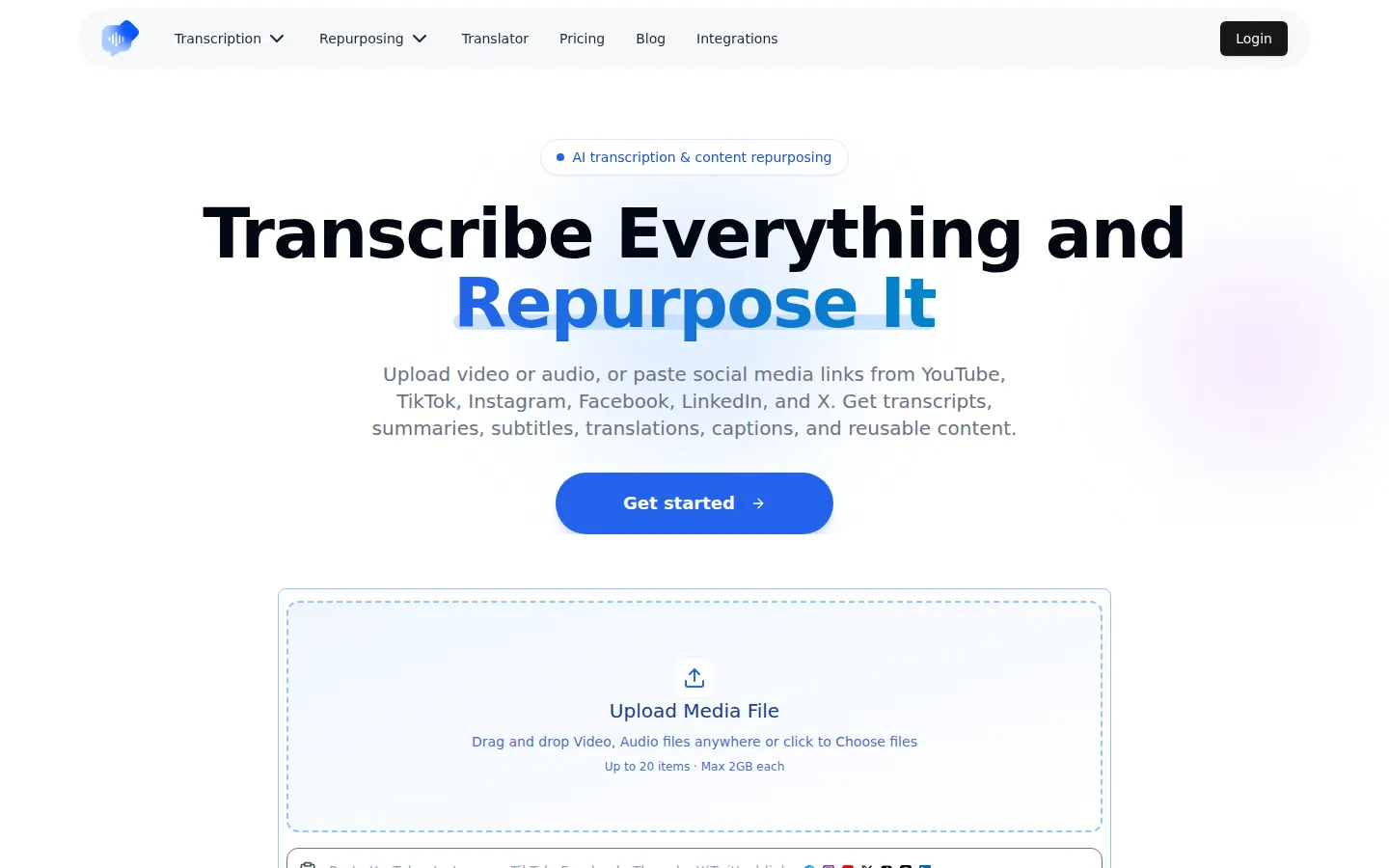
Dictationer is an AI transcription and content repurposing platform trusted by over 210,000 users. Upload video or audio files, paste links from YouTube, TikTok, Instagram, or X, or transcribe live sessions, then turn the results into clean transcripts, summaries, subtitles, translations, diagrams, blog posts, and social posts. Chrome and Edge extensions add one-click transcription while browsing.
What is Dictationer?
Dictationer is an AI-powered transcription and content repurposing platform that converts videos, audio files, and social media links into clean, editable text. Used by more than 210,000 creators, professionals, and teams, the service handles a wide range of sources: users can upload video or audio files up to 2GB each, paste links from YouTube, TikTok, Instagram, Facebook, X, Threads, or LinkedIn, or use real-time transcription for live sessions, classes, and meetings. Once the speech is transcribed, Dictationer generates summaries, subtitles, captions, translations, and even diagrams, and it can repurpose a single recording into blog posts, social media posts, and other publish-ready content. The platform identifies speakers automatically, supports bulk transcription of up to 20 files or links at once, and lets users chat with the AI across their transcripts to ask questions and extract insights without replaying the source material. Chrome and Edge extensions make it easy to transcribe Instagram, TikTok, and YouTube Shorts in one click while browsing, and integrations connect Dictationer to other tools in the workflow, with the number of connections depending on the plan. Pricing follows a freemium model: a free plan includes three weekly transcriptions of up to 30 minutes each, with folders, AI chat, and one integration, while Basic at $6 per month, Unlimited at $9 per month, and Business at $18 per month add longer recordings, unlimited transcription, no watermarks, more credits for professional AI models, and team seats with centralized billing. Students use it to turn lectures into searchable notes, researchers organize interviews and calls, creators repurpose short-form videos into captions and posts, and teams convert meetings into summaries and action items, all in one workflow. The repurposing workflow is what sets Dictationer apart from plain transcription tools: a single podcast episode can become show notes, a blog post, social media posts, subtitles, and a translated summary, all generated from the same transcript. The platform also provides a text translator and an AI video editor, and it offers integrations for connecting transcripts to other tools, while the free-credit introduction page explains how new users can try premium features. For privacy-conscious teams, transcripts can be edited, searched, and exported in the formats they need, and the AI chat feature turns long recordings into answerable knowledge bases without replaying hours of audio.
Dictationer Core Features
Video and audio transcription
Upload files up to 2GB each and get clean, timestamped transcripts with automatic speaker identification.
Link-based transcription
Paste links from YouTube, TikTok, Instagram, Facebook, X, Threads, or LinkedIn to transcribe content without downloading it.
Real-time transcription
Transcribe live sessions, classes, and meetings as they happen, with the ability to chat with the AI afterward.
Content repurposing
Turn one recording into summaries, subtitles, captions, translations, diagrams, blog posts, and social media posts.
AI chat with transcripts
Ask questions across up to 20 transcripts on paid plans and extract insights without replaying recordings.
Bulk processing
Transcribe up to 20 files or links in one batch, with longer recordings supported on paid plans.
Browser extensions
Chrome and Edge extensions transcribe Instagram, TikTok, and YouTube Shorts in one click while browsing.
Integrations
Connect Dictationer to other tools in your workflow, with up to 5 integrations per team member on the Business plan.
Who is Dictationer for?
Dictationer is designed for anyone who works with spoken content. Content creators and YouTubers use it to turn video and podcast recordings into transcripts, captions, and social posts for repurposing. Students and researchers convert lectures, interviews, and research calls into clean, searchable notes they can query with AI chat. Journalists and writers transcribe interviews and press conferences, then export quotes and summaries in multiple formats. Marketers and social media managers paste links from TikTok, Instagram, and YouTube to generate captions, subtitles, and translated versions of their content. Podcasters and producers turn full episodes into show notes, blog posts, and clips. Business teams and meeting organizers use real-time transcription and AI summaries to capture decisions and action items. The platform also supports global creators through multilingual transcription and translation, making it useful for teams working across languages and regions. Podcasters and producers turn full episodes into show notes, blog posts, and clips, while journalists and writers transcribe interviews and press conferences, then export quotes and summaries in multiple formats. Global teams use multilingual transcription and translation to repurpose content across regions, and event organizers capture webinars and talks in real time for immediate distribution. Beginners and first-time users can start with the free plan to test transcription quality before committing to a paid subscription.
Dictationer Use Cases
Turn a YouTube video into a clean transcript with timestamps and speaker labels for repurposing.
Convert a podcast episode into a blog post and social media posts without rewriting from scratch.
Transcribe a lecture and chat with the AI to extract key concepts for study notes.
Paste a TikTok link to generate captions and subtitles for multilingual audiences.
Transcribe a client meeting in real time and share a summary with action items.
Repurpose an interview recording into quotes, highlights, and a publish-ready article.
Generate translated versions of a video transcript to reach international viewers.
Create a diagram or visual summary from an audio recording for quick review.
Dictationer Pros and Cons
Pros
- Broad source support: Files, social media links, and live sessions are all covered in one tool.
- Built-in repurposing: Transcripts flow directly into summaries, captions, blog posts, and social posts.
- Free plan available: Three weekly transcriptions let new users evaluate the platform without paying.
- Large user base: Trusted by over 210,000 creators, professionals, and teams globally.
Cons
- Free plan limits: The free tier allows only three transcriptions per week with 30-minute recordings.
- Recording length caps: Longer recordings require paid plans, with up to 5 hours on the Unlimited plan.
- Professional AI models gated: Advanced models consume credits that only come with paid plans.
FAQ About Dictationer
Dictationer Pricing
Freemium. Free plan: 3 weekly transcriptions up to 30 min. Paid: Basic $6/mo, Unlimited $9/mo, Business $18/mo (annual billing available).
Check official pricingFree
3 weekly transcriptions, up to 30 min each, 3 folders, AI chat with 3 transcripts, 1 integration
Basic
20 transcriptions/month, unlimited export, basic AI models, up to 30 min, 1 integration, no watermarks
Unlimited
Unlimited transcription and translation, up to 5 hours, 500 credits for professional AI models, 2 integrations
Business
Everything in Unlimited, team seats with centralized billing, 1000 credits, 5 integrations per member
Dictationer Alternatives

HiNoter
HiNoter converts audio, video, PDFs, and meeting recordings into transcripts, structured summaries, and action items. It records Zoom, Google Meet, and Microsoft Teams calls, accepts uploaded files or YouTube links, and transcribes over 100 languages. A one-time free credit covers a single note, Personal Pro costs $6.99 a week or $69.99 a year, and Team Pro starts at $119.98 a year for two seats.
ScribeToAny
ScribeToAny turns audio and video into editable text and subtitles. Upload a file or paste a link, and it detects the spoken language, transcribes with timestamps and speaker labels, and exports TXT, SRT, VTT, TSV, CSV, JSON, PDF or DOCX. Transcripts can then be translated into 134+ languages with subtitle timings preserved. The free plan covers 100 minutes a month.
Whisper Web
Whisper Web is a free, browser-based AI transcription tool that converts audio, video, voice notes, and YouTube links into accurate text in 100+ languages. It auto-detects speakers, generates AI summaries with action items, and exports to TXT, DOCX, PDF, SRT, VTT, or JSON. Ideal for meetings, interviews, podcasts, and research, with no install and no signup required.