
Cut.Pro
Cut.Pro is an AI clipping and publishing platform. Paste a video link, upload a file or point it at a live Twitch or Kick channel, and it returns 9:16 clips with face tracking, synced captions and a viral score. A browser editor, a publishing queue for seven networks and a metrics dashboard cover editing, scheduling and measuring in one account.
What is Cut.Pro?
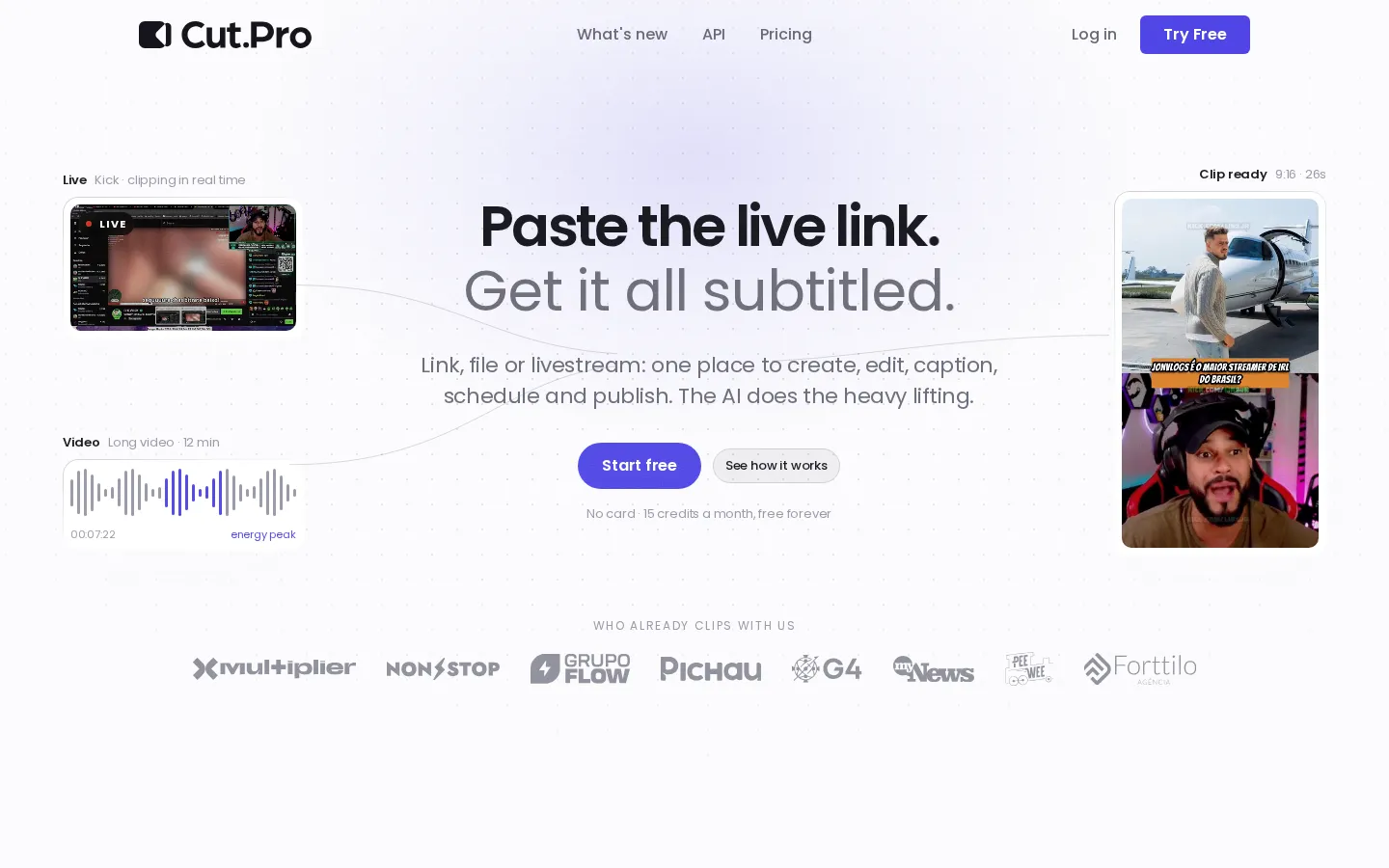
Cut.Pro is a web platform that turns long videos and livestreams into vertical clips, then schedules and publishes them. A user pastes a link from any platform, uploads a file, or points the service at a Twitch or Kick channel, and the AI watches the material for energy peaks, reactions, setup and payoff, returning 9:16 clips with face tracking, captions synced to speech and a viral score from 0 to 100 with a suggested title. The site says clips arrive around two minutes after a link is submitted, and reports more than 2.9 million clips generated for over 87,300 creators, with 51,600 hours of editing saved.
Every clip lands in a browser editor with a multi-track timeline, hard cuts and speed changes, animated captions styled from community or saved templates, music and overlays, 9:16 reframing with face tracking, and export in Full HD, 2K or 4K depending on the plan. Rendering runs on Cut.Pro's servers, so nothing is processed on the user's machine. Short videos can go in the same way as long ones: a Short, an old Reel or a 40-second take can be captioned, translated and reframed without being clipped at all, and videos up to nine hours long are accepted on the top plan.
Publishing is handled by a queue covering TikTok, Instagram, Facebook, X, LinkedIn, Bluesky and Pinterest, with several accounts per network from the Plus plan up. Scheduling uses a time recommended from the account's own posting history, and auto-post can carry a clip from a new video straight to a scheduled post without manual approval. After publication, views and engagement are read back from each network's API and shown per clip, per account and per network, with a heatmap by day and hour that informs the next upload.
Two features sit outside the ordinary clipping workflow. Live clips let a user point at a Twitch or Kick channel and receive clips in ten-minute batches while the stream is still on air, on the Plus and Pro plans. Clipping championships let a brand open a competition, set a prize in cash or credits and release material; participants clip inside Cut.Pro and publish to their own accounts, the ranking comes from network APIs rather than self-reported numbers, and the payout goes out through the platform.
Cut.Pro also exposes a public API and an MCP server, so clipping, results and publishing can be triggered from outside the dashboard. iPhone and Android apps allow approving and posting from a phone, and each client can have its own workspace with separate accounts, templates, team and clipping strategy. Invoicing is available and support runs in Portuguese, English and Spanish. The billing model is simple: one credit equals one minute of analysed video, regardless of how many clips come out of it.
Cut.Pro Core Features
AI moment detection
The model scans the whole video for energy peaks, reactions and setup and payoff, and returns clips with a viral score from 0 to 100 and a suggested title.
Captions and translation
Transcription runs across 40 or more languages with more than 99% word accuracy, and captions animate to the rhythm of speech using community or saved templates.
Browser editor
A multi-track timeline with hard cuts, speed changes, music, overlays, 9:16 face tracking and animated captions, with rendering done on Cut.Pro's servers.
Live clipping
Point at a Twitch or Kick channel and receive clips in 10-minute batches while the stream is still on air, available on Plus and Pro.
Publishing queue
One queue covers TikTok, Instagram, Facebook, X, LinkedIn, Bluesky and Pinterest, with several accounts per network and posting times from channel history.
Metrics from source
Views and engagement per clip, account and network are read from each platform's API, with a heatmap by day and hour.
Public API and MCP server
Clipping, results and publishing can be triggered from your own automation without using the dashboard.
Mobile apps and championships
iOS and Android apps for approving and posting from a phone, plus branded competitions where a community clips for a prize.
Who is Cut.Pro for?
Cut.Pro is aimed at people who publish short video regularly and want the repetitive part removed. Its solutions pages name streamers, YouTubers, podcasters, agencies, churches, social media teams, marketing teams and media companies, and the pricing tiers map to how much material they push: the $9.90 Starter plan for one account posting a few times a week, the $19.90 Plus plan for daily posters with several accounts and live clipping, and the $29.90 Pro plan for large channels, agencies and teams that need 4K exports, fifteen accounts per network and API access. Streamers are a specific fit because live clipping targets Twitch and Kick channels directly, including channels they do not own as long as they hold the rights, and because clips arrive while the stream is still on air. Podcasters and interview shows fit the core clipping flow, since one long recording becomes a set of captioned vertical clips without an editor touching a timeline. Social media managers and agencies fit through workspaces: each client gets its own accounts, templates, team and clipping strategy under a single billing account, with metrics separated per workspace. Creators who want to stop paying separately for a transcription tool, a subtitle editor, an animation tool and a video editor are the audience the site addresses most directly, and several of its testimonials come from editors and producers who consolidated those tools. Brands that want reach without hiring editors are served by championships, where a community clips released material and competes for a prize paid out by the platform. It is a poor fit for anyone working with very long material on the entry plan, since Starter accepts videos up to three hours while six and nine hour limits sit above it, and for creators who want to publish manually everywhere, because the value comes from the platform handling distribution as well as clipping. Teams that need more minutes than a plan includes have to buy credit packs or move to the annual Business contract.
Cut.Pro Use Cases
Turn a long podcast or interview into vertical clips without editing by hand.
Clip a live Twitch or Kick stream while it is still on air.
Repurpose old YouTube videos into Shorts, Reels and TikToks.
Schedule and auto-post clips across seven networks from one queue.
Caption and translate videos in more than 40 languages.
Run a branded clipping championship and pay prizes based on views.
Manage several client channels from separate workspaces in one account.
Read which clips and posting times actually earned views.
Cut.Pro Pros and Cons
Pros
- A free tier of 15 credits a month with no card, and paid plans starting at $9.90 a month.
- One subscription covers clipping, editing, captions, scheduling, publishing and metrics rather than several separate tools.
- Credits are charged by analysed video minutes rather than by clip count, so a 40-minute video costs 40 credits however many clips it yields.
- A public API and MCP server plus iOS and Android apps let clips be triggered and approved outside the dashboard.
- Live clipping for Twitch and Kick channels delivers ten-minute batches while the stream is still running.
Cons
- Live clips and multi-account publishing start at the $19.90 Plus plan, while the entry plan is limited to one account per network.
- Publishing reaches seven networks, but YouTube is listed as coming soon and Twitch and Kick work only as video sources, not publishing destinations.
- Scaling past a plan's monthly minutes requires buying credit packs or moving to the annual Business contract, which is quoted on request.
FAQ About Cut.Pro
Cut.Pro Pricing
Cut.Pro is freemium. A free tier gives 15 credits a month with no card, where one credit equals one minute of analysed video. Paid plans are Starter at $9.90 a month for 100 credits, Plus at $19.90 for 1,000 credits and Pro at $29.90 for 2,500 credits, with annual billing shown as 30% cheaper. Credit packs can be bought if a month runs long, and agencies can request a Business contract from 5,000 credits a month.
Check official pricingFree
15 credits a month, free forever, no card required. Enough to clip a short video or part of a longer one.
Starter
100 credits a month (about 110 clips), one account per social network, three posts a day per network, videos up to 3 hours, Full HD export, clips saved 30 days, credits valid 90 days. Annual billing is 30% cheaper.
Plus
1,000 credits a month (about 1,100 clips), five accounts per network, nine posts a day, videos up to 6 hours, live clips, 20-minute editor videos, 2K export, priority queue, recommended posting times, credits valid 120 days and one workspace.
Pro
2,500 credits a month (about 2,750 clips), 15 accounts per network, 15 posts a day, videos up to 9 hours, live clips, 60-minute editor videos, 4K export, API access, custom AI processors, three workspaces, ten team members and priority support.
Business
From 5,000 credits a month with corporate billing, SSO, multi-seat permissions, branded championships, a contractual SLA and a dedicated account manager. Quoted on request with setup in 24 hours.
Credit packs
Optional extra credits can be bought if a subscription's monthly allowance runs out, priced by pack size; the site says one credit equals one minute of analysed video.
Cut.Pro Alternatives

DeepSwap
DeepSwap is an online AI face swap studio for video, GIF and photo. Upload a clip, pick a source face, and its private model renders a realistic swap in seconds, handling up to six faces, tricky angles and 1080p output, plus enhancement, background removal, cartoon filters and text-to-video generation, with a credit-based API for bulk work.

Motion
Motion is a video agent from Mosaic that turns a written brief, raw footage or a reference clip into an edited video. It plans the story, generates or cuts shots, adds music and sound, then lets you refine the result in chat, on the preview or in a timeline before exporting to Premiere Pro, After Effects or DaVinci Resolve.

Vidmoat
Vidmoat is a browser-based video editor with an AI agent built into the timeline. You drop in raw footage, describe the edit you want, and the agent cuts dead air, writes word-synced captions, grades color and adds music, showing each step on an editable timeline. Every change stays reversible, and the same projects open on desktop, phone and Telegram.