
Coconote
Coconote is an AI-powered note-taking app for students and professionals who want to stop taking notes by hand. It records or accepts uploaded lectures, meetings, videos, PDFs, and links, then instantly produces structured notes, transcripts, quizzes, flashcards, study games, and AI-narrated podcasts. Available across iPhone, iPad, Mac, Android, and web with support for 100+ languages, Coconote positions itself as an honor-code-friendly study companion that helps users learn faster without doing the work for them.
What is Coconote?
Coconote is an AI-powered note-taking application that automatically converts audio, video, documents, links, and websites into organized notes, transcripts, and study materials. It is marketed as the top-rated AI note taker and is available on iPhone, iPad, Apple Watch, Mac, Android, and the web, with syncing across all devices. The core workflow is simple: users record a lecture, meeting, or podcast directly in the app, or upload existing audio, video, PDFs, documents, and links; Coconote's AI then produces clean, structured notes and full transcripts within seconds. Beyond transcription, Coconote generates a suite of AI-created study tools including quizzes, practice exams, flashcards, short study games, and AI podcasts narrated by Coco, the app's AI host, which turn passive notes into active learning material. The built-in AI chat lets users ask questions about their notes, clarify confusing concepts, and get explanations grounded in the captured content. Transcription and translation are supported in more than 100 languages, making the tool usable by international students and global teams. Coconote explicitly markets itself as an honor-code-friendly assistant: it helps students capture key details and learn, rather than completing assignments for them, and it advises users to confirm that professors permit audio recording in class. Trusted by students and professionals at institutions including Duke and the University of Michigan, Coconote combines a free download-and-use tier with an Unlimited Pass upgrade that unlocks unlimited notes, priority support, and additional features. For desktop users there is a dedicated Mac app, and mobile users can scan a QR code to install the iOS or Android app. The product positions itself at the intersection of AI transcription, note organization, and spaced-repetition study tools, aiming to compress the time between hearing information and actually learning it. The onboarding is designed for zero-friction use: students can open the app and record a lecture immediately, and professionals can drop in a meeting recording after the fact. Coconote also supports a review-first workflow where users read the auto-generated notes, test themselves with the generated quizzes, and ask the AI chat to re-explain confusing passages before exams. The company continues to ship new study formats, such as AI-hosted podcasts and short study games, which keep the product relevant across different learning styles. Because the app captures both audio and video sources and syncs across devices, it functions equally well as a lecture companion, a meeting recorder, and a personal knowledge base, all driven by the same underlying transcription and summarization engine.
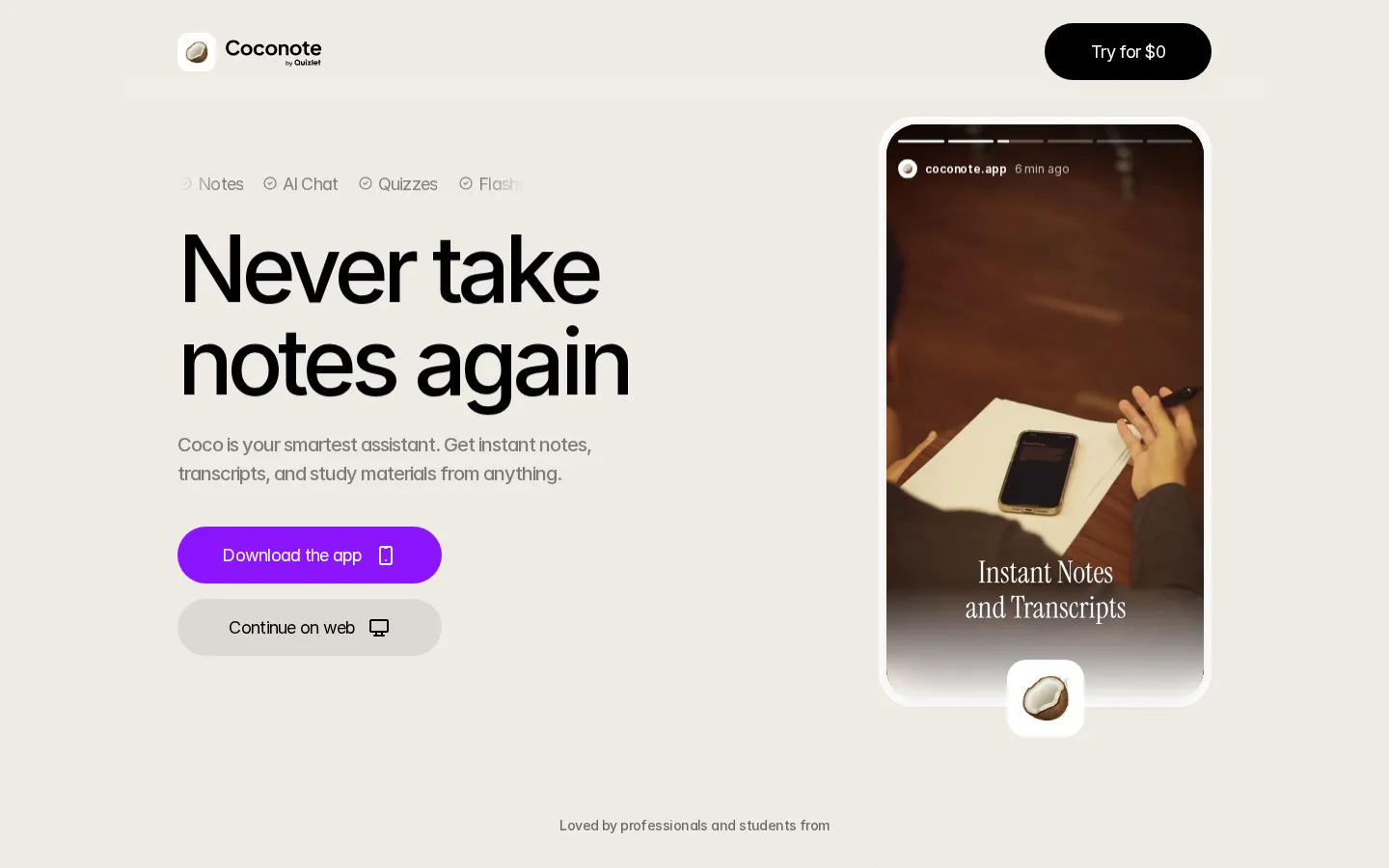
Coconote Core Features
Record or upload anything
Capture lectures, meetings, podcasts, videos, PDFs, documents, and web links as note sources.
Instant organized notes
AI converts any input into clean, structured notes and full transcripts within seconds.
AI chat with your notes
Ask questions about captured content and get grounded answers from your own notes.
Quizzes and flashcards
Automatically generate practice exams, flashcards, and study games from any note set.
AI podcasts
Turn notes into narrated audio podcasts hosted by Coco, the app's AI host, for on-the-go review.
100+ language support
Transcribe and translate audio across more than 100 languages for global learners.
Cross-device sync
Notes stay in sync across iPhone, iPad, Apple Watch, Mac, Android, and the web.
Honor-code-friendly design
Helps students capture and learn key details without completing work for them.
Who is Coconote for?
Coconote is built primarily for students at universities, colleges, and high schools who attend lectures, workshops, and study sessions and want organized notes without manual typing. It is especially popular among students with ADHD or auditory processing difficulties, who report that automated notes and transcripts help them study more effectively. Graduate students and researchers use it to capture conference talks, seminars, and paper discussions while staying focused on listening. Professionals such as consultants, product managers, and team leads use Coconote for meetings, client calls, and webinars, turning hours of audio into searchable notes and action items. Lifelong learners who listen to podcasts, audiobooks, and online courses rely on the app to build flashcards, quizzes, and study games that reinforce retention. Non-native English speakers and multilingual users benefit from transcription and translation support across more than 100 languages. Study groups can share notes and generated materials, while busy parents returning to education use the app to keep up with course content around work schedules. In short, Coconote serves anyone who consumes spoken or video content and wants structured, searchable study materials generated automatically from it. International exchange students frequently pair the 100+ language transcription with translation features to follow lectures delivered in a second language. Career changers taking online certification courses use Coconote to convert video lessons into flashcards and practice exams they can review during commutes. The app also appeals to note-shy professionals who prefer recorded references over handwritten meeting minutes, and to parents supporting homeschooled children who want structured study materials generated from educational videos. Across all these groups, the common thread is a desire to offload note-taking to AI while keeping control of the learning process.
Coconote Use Cases
Record university lectures and automatically generate organized notes and flashcards for exam review.
Capture client meetings and webinars to produce searchable transcripts and action items for your team.
Turn podcast episodes and audiobooks into summaries, quizzes, and study games for language learning.
Upload research papers and PDFs to extract structured notes and clarify difficult concepts via AI chat.
Generate practice exams from course material to prepare for midterms and finals more effectively.
Create AI-narrated audio reviews of conference talks for listening during commutes or workouts.
Share generated notes and flashcards with study groups to keep everyone aligned on the same material.
Coconote Pros and Cons
Pros
- One tool covers transcription, notes, quizzes, flashcards, and audio review, replacing several separate apps.
- Strong accessibility benefits for students with ADHD or auditory processing challenges.
- Free tier lets anyone start without payment, with unlimited notes available via the Unlimited Pass upgrade.
- Multi-platform support with syncing across iOS, Android, Mac, and web keeps capture and review flexible.
Cons
- Unlimited Pass pricing is only disclosed in-app, so the exact cost of upgrading is not public on the website.
- Accuracy of transcription and summaries depends on audio quality and speaker clarity in noisy environments.
- Recording lectures may require permission from instructors depending on institutional policies.
FAQ About Coconote
Coconote Pricing
Freemium: free to download and use with core features; Unlimited Pass in-app upgrade for unlimited notes, priority support, and added features (price shown in-app).
Check official pricingFree
Free download and use; core note-taking, transcripts, and study materials.
Unlimited Pass
Unlimited notes, priority support, and added features; price displayed in the app.
Coconote Alternatives
Owll
Owll is an AI notetaker that records audio, transcribes conversations in more than 99 languages, and generates summaries adapted to meetings, lectures, and sales calls. It supports meeting bots, audio uploads, translation, flashcards, and synchronized access across web and mobile devices. A three-day trial is available; paid subscription amounts require confirmation in the app or checkout.

ScholarSail
ScholarSail is a study workspace. It brings the tools involved in learning something, writing about it and getting the work done into one account
Whisper Web
Whisper Web is a free, browser-based AI transcription tool that converts audio, video, voice notes, and YouTube links into accurate text in 100+ languages. It auto-detects speakers, generates AI summaries with action items, and exports to TXT, DOCX, PDF, SRT, VTT, or JSON. Ideal for meetings, interviews, podcasts, and research, with no install and no signup required.