
Clideo
Clideo is a comprehensive online video editor with over 40 tools for video editing, subtitles, compression, conversion, screen recording, and more. It serves 5 million monthly users with both free and Pro subscription plans.
What is Clideo?
Clideo is an all-in-one online video editing platform that provides over 40 tools for editing, compressing, converting, and enhancing video content directly in the browser. The platform serves 5 million monthly users who have collectively created 378 million videos. Clideo includes a full video editor with timeline, subtitle generator, video compressor, screen recorder, meme maker, and format converters. It also offers specialized tools like an auto subtitle generator supporting 100+ languages, video translator, text-to-speech, and audio editing features. With free and Pro subscription tiers, Clideo aims to simplify video creation for content creators, marketers, and everyday users who need professional-grade tools without installing desktop software.
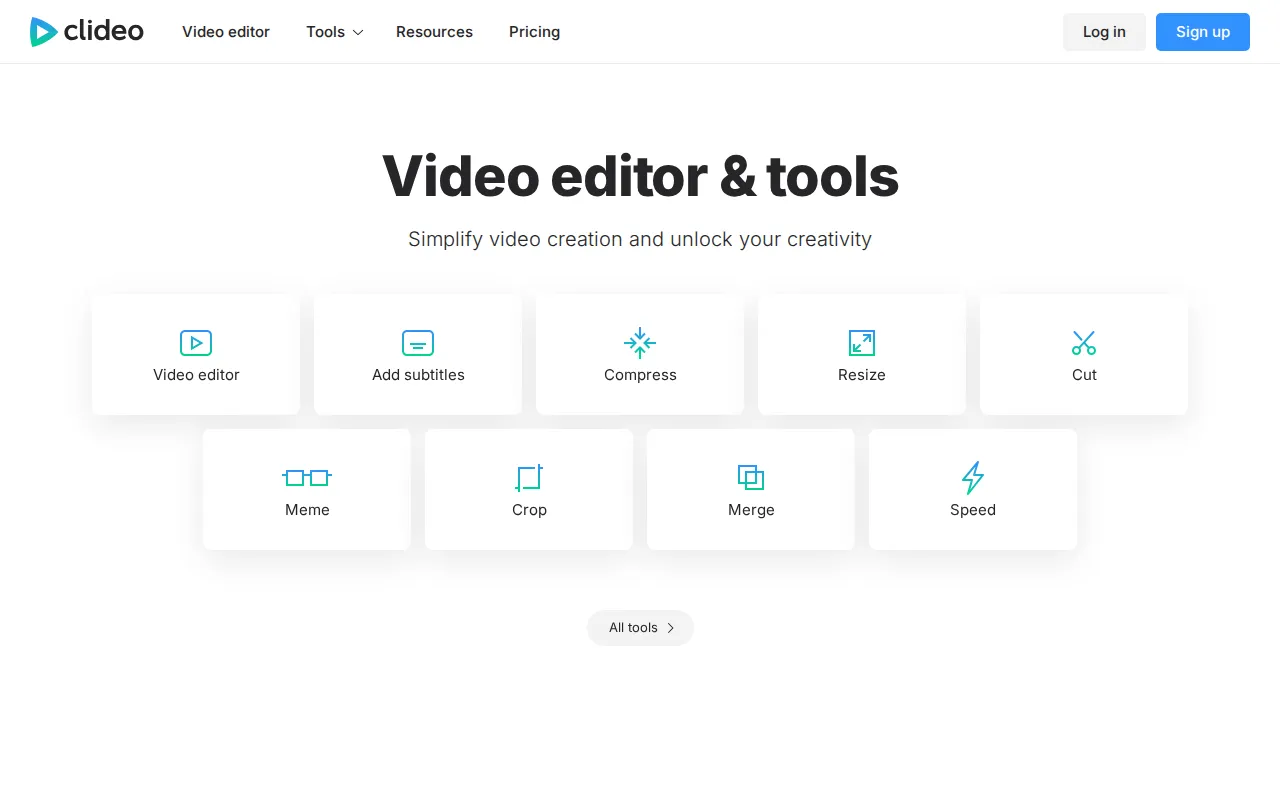
Clideo Core Features
Full video editor
Edit videos with trimming, cutting, merging, cropping, rotating, and speed adjustment tools in an intuitive browser interface
Auto subtitle generator
Automatically generate subtitles from video audio with support for 100+ languages and customizable styles
Video compressor
Reduce video file size while maintaining quality, with options for basic compression (free) or high-quality compression (Pro)
Screen recorder
Record your screen, camera, or presentations directly from the browser without installing additional software
Format converter
Convert between video, audio, and image formats including MP4, AVI, MOV, GIF, MP3, and more
Meme maker
Create custom memes by adding text and stickers to video clips or images with built-in meme templates
Video translator
Translate video audio and subtitles into multiple languages for reaching international audiences
Text-to-speech
Convert written text into natural-sounding speech audio files for voiceovers and narration
Who is Clideo for?
Clideo is designed for social media content creators who need quick video editing tools like trimming, resizing, and adding subtitles without complex software. Digital marketers creating video ads and promotional content will find the compression, conversion, and screen recording tools useful. Teachers and educators recording lectures or creating presentation recordings benefit from the screen and camera recorder. Small business owners who need to edit product videos, add captions, or create memes for social media can use Clideo without design skills. Podcasters and audio editors will appreciate the audio cutter, merger, and text-to-speech tools.
Clideo Use Cases
Compress a large 4K video file to a smaller size for faster email sharing or social media upload without losing quality
Add auto-generated subtitles to a YouTube video in multiple languages to reach a broader international audience
Cut and trim a long webinar recording into short promotional clips for posting on TikTok and Instagram Reels
Resize a landscape video to portrait format for Stories and Reels with automatic aspect ratio adjustment
Convert a batch of MOV files from a professional camera to MP4 for easier playback on mobile devices
Record a screen tutorial with camera overlay for creating software walkthroughs and online course content
Merge several short video clips into a single seamless video with the merge tool for montage creation
Create a meme from a trending video clip by adding custom text and stickers for social media engagement
Clideo Pros and Cons
Pros
- Over 40 tools in one platform covering virtually every common video editing need without switching between apps
- Works entirely in the browser with no software installation, making it accessible from any device with internet
- Free tier with 10 monthly credits is genuinely useful for occasional editing needs like compression or conversion
- Serves 5 million monthly users with 378 million videos created, demonstrating strong platform reliability
Cons
- Free version adds watermarks and limits exports to 720p resolution, which may not suit professional work
- Credit-based system (10/mo free, 500/mo Pro) can be limiting for users who edit videos frequently
- As a browser-based tool, performance depends on internet speed and browser capabilities unlike native desktop editors
FAQ About Clideo
Clideo Pricing
Free plan available with 10 credits/month (watermarked, 720p). Pro plan at $9/month ($108/year) with 500 credits, no watermark, and 4K export.
Check official pricingFree
Free tier with 10 monthly credits for occasional video editing
- 10 credits per month
- Export with watermark
- Basic compression
- Export video up to 720p
- 14 days storage period
- Up to 500 MB file upload size
- Auto-subtitles up to 10 min/mo
- Translation up to 10 min/mo
Pro
Pro plan with 500 credits per month, no watermark, and 4K export
- 500 credits per month
- No watermark
- High-quality compression
- 4K video quality
- Unlimited storage period
- Unlimited upload file size
- Auto-subtitles up to 500 min/mo
- Translation up to 500 min/mo
Clideo Alternatives

Luno Studio
Luno Studio is an AI video and image generation platform that unifies 26+ frontier models from ByteDance, Kuaishou, Google, OpenAI, and xAI in a single browser canvas. Users generate videos and images from text, edit with AI prompts, clone voices, and rotoscope in the built-in editor with multi-track timelines and 4K export. Free credits are granted on signup with paid plans from $9 per month.

Magic Hour
Magic Hour is an all-in-one AI video and image platform trusted by over 3.6 million creators. It packs 100+ free tools into one subscription, including face swap, lip sync, talking photos, text-to-video, image-to-video, AI image editing, upscaling, and templates. Free daily credits require no sign-up wall, credits roll over and refund on errors, and a REST API with SDKs supports production workflows for developers and agencies.

MagicLight
MagicLight is an AI video generator for long-form content, creating complete videos up to 50 minutes long from ideas, scripts, or stories. It offers story templates for kids stories, faith messages, lessons, and explainers, plus AI-powered characters that stay consistent across scenes, seamless transitions, text-to-video, image-to-video, AI avatars, voice cloning, and lip sync. Free to try without a credit card, with credit-based plans from $12 per month.