
CleanYourTV.AI
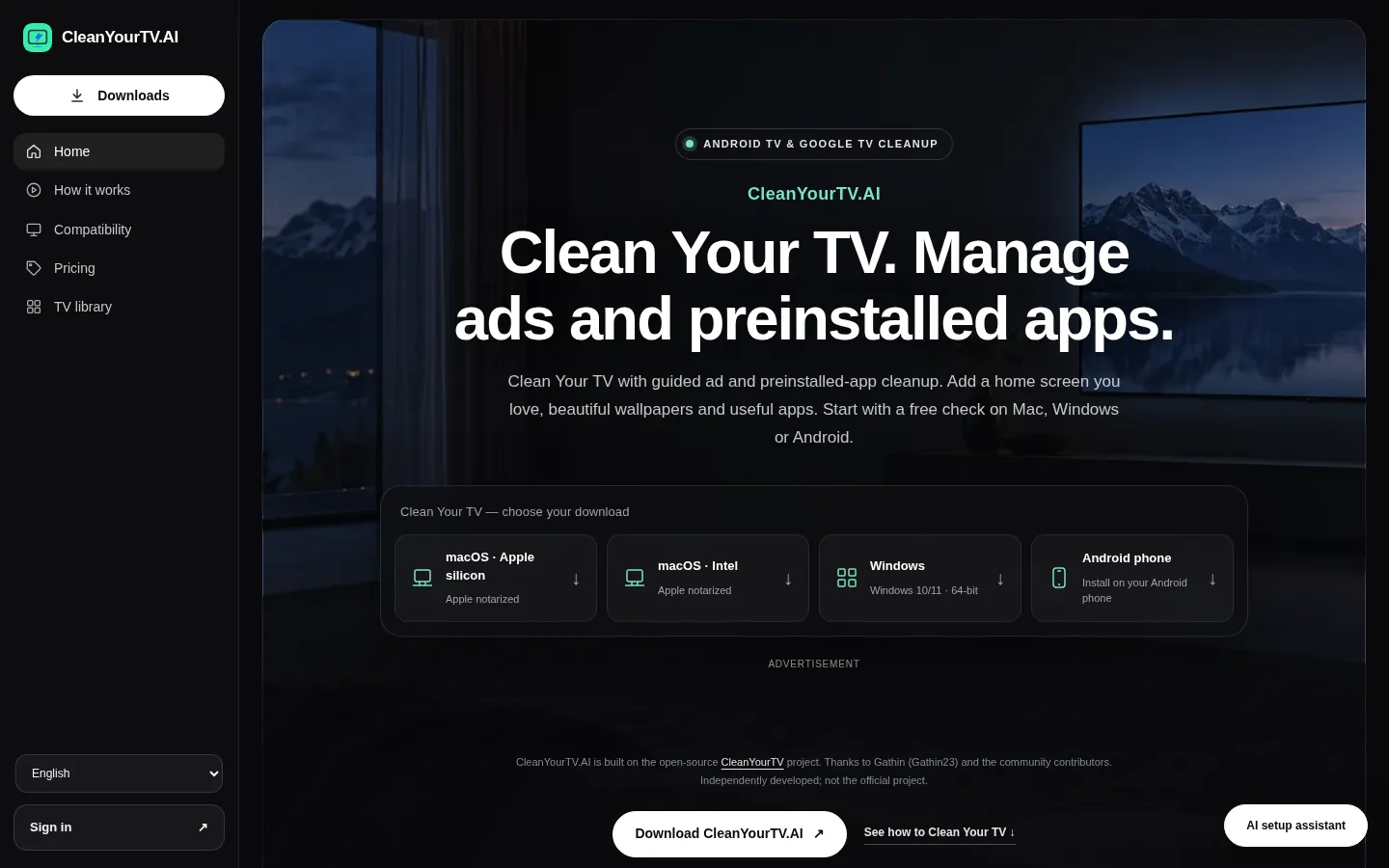
CleanYourTV.AI connects a Mac, Windows PC or Android phone to an Android TV or Google TV set over the home network and disables recognised advertising and preinstalled components after you review them. It also swaps the stock home screen for app-wall, spotlight or dock layouts with wallpapers, live clocks and a curated app library, keeping local restore records so changes can be undone for free.
What is CleanYourTV.AI?
CleanYourTV.AI is a guided cleanup and customisation tool for Android TV and Google TV sets, shipped as separate apps for Apple silicon Macs, Intel Macs, Windows PCs and Android phones. You install the companion, put it on the same home network as the television, enable ADB debugging on the TV by following the on-screen guide, and approve the connection prompt that appears on the TV. The app then reads the set's model, firmware, installed apps, home screen and screensaver, and lists what it recognises. Nothing is changed until you review that list and confirm.
The cleanup itself is deliberately narrow. Only advertising, recommendation, screensaver and preinstalled components the app recognises are offered for disabling; startup ads, home-screen promoted rows and idle-screen ads are the usual targets, and what is available varies by model, firmware and region. Essential services, streaming apps, HDMI inputs, voice control and casting are protected, so switching off a promoted row does not break playback. It does not remove ads inside YouTube or other streaming videos, does not unlock paid content and does not promise faster performance. Before any change the companion writes a local record, so the last action can be undone or the recorded starting state restored, and recovery stays free after a Plus subscription ends.
The second half of the product is customisation. Home-screen themes replace the stock presentation with an app wall, spotlight rows or a compact dock built from real installed apps and driven by the normal remote, paired with wallpapers, a live clock and an optional clock screensaver. A TV library adds small games, puzzles, timers, photo galleries and adaptations of licensed open-source projects, all previewable before you pay. Themes are executable layouts rather than mockups, and setting one as the default home is a separate step that reverts if you do not confirm within the countdown.
Support is part of the pitch. An AI setup assistant answers typed questions or reads a photo of the TV screen, subject to daily limits, and escalates to a human ticket when it cannot help. The website and companions ship in 30 interface languages, and one account covers all three app platforms. Compatibility is the main boundary: Android TV and Google TV are primary, some Fire TV operations work but default-home changes are restricted on many models, and Samsung Tizen, LG webOS and Roku OS are not supported. The service is independent of the MIT-licensed original project and of cleanyour.tv, and says so in its footer.
CleanYourTV.AI Core Features
Guided companions
Mac, Windows and Android apps handle connection, inspection and reviewed changes in one interface instead of a coding-assistant setup.
Ad component control
Recognised startup, home-screen and idle-screen advertising and recommendation components can be disabled on supported models.
Preinstall cleanup
Supported preinstalled apps and background extras can be switched off while essential and unreviewed components stay protected.
Home-screen layouts
App wall, spotlight rows or compact dock arrangements built from real installed apps and navigated with the normal remote.
Wallpapers, themes and clock
Space, landscape and painterly backgrounds plus coordinated themes with a live clock and optional clock screensaver.
TV library
Curated games, puzzles, timers, photo galleries and licensed open-source adaptations, previewable free and installed with Plus.
Privacy controls
Review and disable supported ACR and analytics components that may collect viewing data, where model and firmware allow it.
AI assistant and recovery
Text or TV-photo troubleshooting, human ticket escalation, and local restore records with free undo after cancelling.
Who is CleanYourTV.AI for?
CleanYourTV.AI is aimed at people who own an Android TV or Google TV set and are tired of the sponsored rows, recommended-content banners and preinstalled apps that manufacturers keep on the home screen. Owners of Sony, TCL, Hisense, Philips, Sharp, Xiaomi, Redmi and NVIDIA Shield sets are the core audience, because those are the models the product names as primary support, and the appeal is strongest for anyone who wants the television to show their own apps first. Privacy-minded viewers are a second group. The companion inspects advertising, ACR and analytics components and lets you switch off the recognised ones, which matters to households that dislike automatic content recognition logging what gets watched. Parents and shared-family setups use the home-screen layouts to leave a simple grid of the apps people actually open, with promos and unfamiliar preloads out of the way. A third audience is the technically curious but not technical: people who found the original CleanYourTV project on GitHub, liked the idea, and did not want to set up a coding assistant and a repository checkout. The Mac, Windows and Android companions turn that into a guided flow with model detection, readable app descriptions, an AI setup assistant that accepts a photo of the TV screen, and a human support ticket when it fails. The AI answers carry daily limits and the support history is kept on record, so help stays bounded and reviewable rather than open-ended. Small AV installers, second-hand TV sellers and hobbyists who configure sets for other people also fit, since one account covers all three app platforms and local restore records travel with the device that made the change. Fire TV owners should lower expectations: some operations work, but changing the default home screen is restricted on many models. Samsung Tizen, LG webOS and Roku owners are out of scope entirely.
CleanYourTV.AI Use Cases
Strip promoted rows and preinstalled bloat from a Xiaomi, Hisense or TCL Google TV home screen.
Replace the stock launcher with an app-wall layout built from the apps your household opens.
Disable supported ACR and analytics components before the television reports viewing habits upstream.
Apply a landscape wallpaper and clock screensaver to a bedroom TV without reordering apps.
Walk a non-technical family member through enabling ADB debugging with the guide and AI assistant.
Set up a second-hand Android TV for resale with recorded restore points left intact.
Undo a theme experiment and return the TV to the starting state from local recovery records.
Add small games, timers and photo galleries to a guest-room TV from the curated library.
CleanYourTV.AI Pros and Cons
Pros
- The free tier is usable rather than a teaser: connection, model detection, inspection, supported privacy controls, daily AI help and Recovery cost nothing.
- It replaces the original project's coding-assistant and repository setup with notarised Mac apps, a signed Windows installer and an Android companion.
- Changes are reviewed before they are applied, protected components stay untouched, and local restore records make the last action and the starting state recoverable.
- A $59.99 one-time lifetime option removes the subscription question entirely, and one account covers Mac, Windows and Android.
- The interface and companions ship in 30 languages, which is unusual for a TV utility aimed at a global Android TV install base.
Cons
- Samsung Tizen, LG webOS and Roku OS are not supported at all, and Fire TV support is partial with default home-screen changes restricted on many models.
- The ad and preinstalled-app cleanup that gives the product its name is preview-only on the free tier; applying it, themes and app installs needs Plus.
- Setup requires enabling ADB debugging and staying on the same network, which fails on guest networks and VPNs, and ads inside streaming apps are never removed.
FAQ About CleanYourTV.AI
CleanYourTV.AI Pricing
CleanYourTV.AI is freemium. The free tier covers connecting, model detection, inspection, supported privacy controls, daily AI setup help and Recovery, but ad and preinstalled-app cleanup, home-screen themes, wallpapers and library app installs are preview-only until you buy Plus. Plus is $4.99 per month, $39.99 per year (33% off, saving $19.89) or $59.99 once for lifetime access; all three unlock the same features, and there is no separate per-TV or per-device charge.
Check official pricingFree
Connection over the home network, model detection, inspection of apps and advertising components, supported privacy controls, AI setup assistant with daily limits and free Recovery; cleanup, themes, wallpapers and app installs are preview only.
Plus Monthly
All Plus features: apply supported ad and preinstalled-app cleanup, home-screen themes, wallpapers, clock screensaver and compatible library app installs. Renews monthly until cancelled.
Plus Yearly
The same Plus features billed once a year, 33% cheaper than monthly billing and $19.89 cheaper over twelve months. Renews yearly until cancelled.
Plus Lifetime
A single payment for lifetime Plus access on the account, with no renewal and no recurring charge, covering the Mac, Windows and Android companions.
CleanYourTV.AI Alternatives

Synthesise AI
Synthesise AI turns your expertise into a sellable digital product. It calculates a Unique Value Zone from audience demand and your own skills, then generates a fully populated product charter and framework you can package into a course, playbook or paid digital program. One plan costs $2,999 one-time, with unlimited credits and a personalised dashboard.

warmwind
warmwind gives you AI workers that each control a separate cloud desktop, logging into portals, clicking through apps and moving data the way a person would. You teach a task once, set a schedule, and the worker repeats it unattended, even while you are offline. German hosting, credit-based pricing and a free plan to start.

siift
siift is an AI decision platform for founders and business teams that need a clearer direction. It maps your business on an intelligent canvas, turns assumptions into evidence-scored research, and prioritizes what to do next. A shared context system keeps strategy, actions and results aligned across teammates and outside AI assistants, so progress compounds instead of scattering.