
Choppity
Choppity is a browser-based AI video editor that repurposes podcasts, webinars and other long-form videos into more than 30 short clips for TikTok, Instagram Reels and YouTube Shorts. It finds the best moments from a transcript, crops landscape footage to vertical, adds animated captions, tracks speakers automatically and lets creators post or schedule straight to their social channels.
What is Choppity?
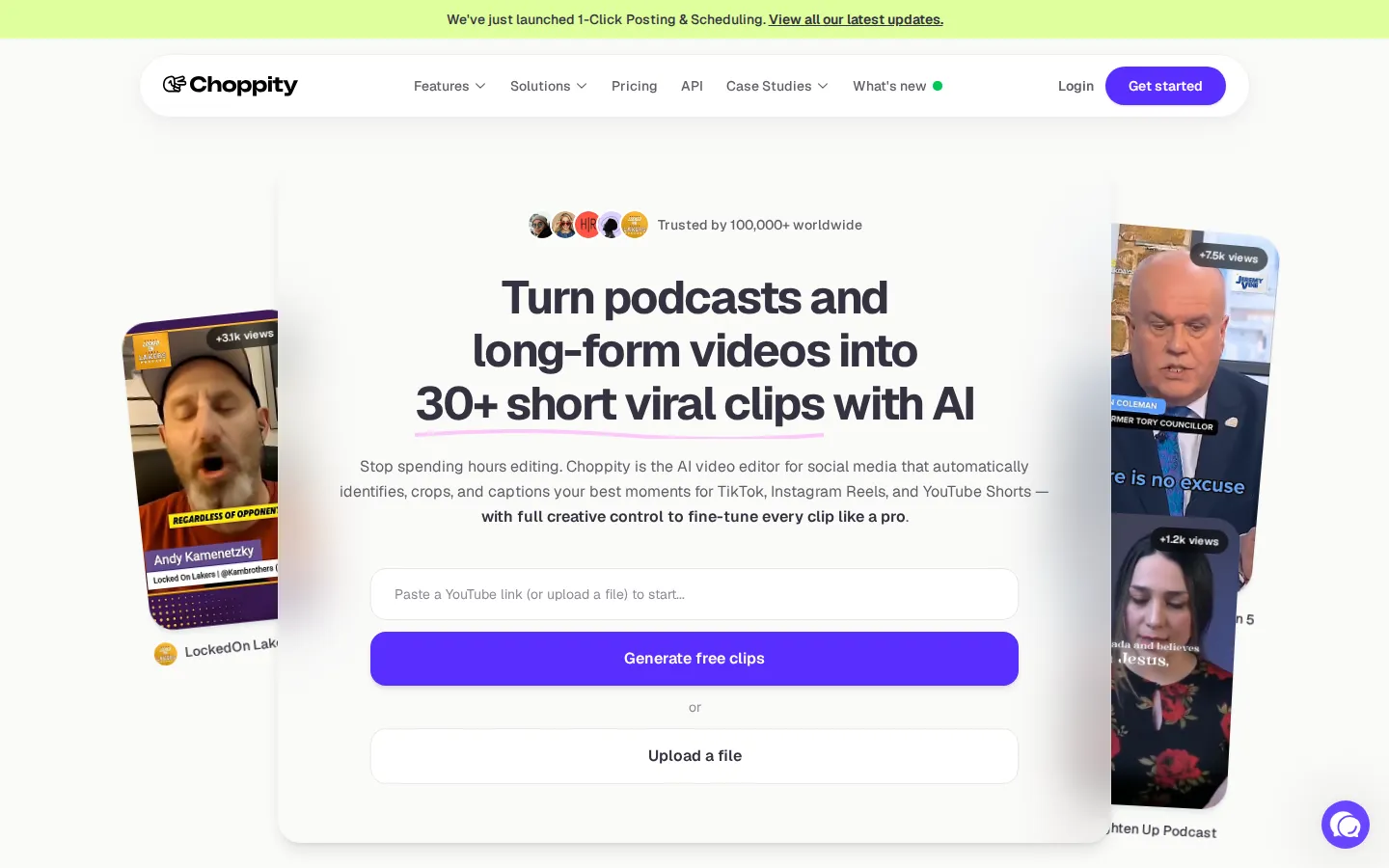
Choppity is an AI video editor for social media, positioned on its homepage as a tool that turns podcasts and long-form videos into 30 or more short viral clips. The pitch is explicit: stop spending hours editing, and let the platform automatically identify, crop and caption your best moments for TikTok, Instagram Reels and YouTube Shorts, while still leaving full creative control for fine-tuning.
The core workflow runs in four steps. You paste any YouTube link or upload an MP4 or MOV file, and the AI video clipper ingests hour-long content in minutes. You then set custom fonts, logos and colours once, and the AI applies that brand template to every clip automatically. Choppity analyses the transcripts, finds the best moments, clips them and styles them, while a built-in editor lets you adjust any detail. Finally, you post or schedule straight to your social channels.
Key capabilities advertised on the site include: - Short clips generator: turns long videos or podcasts into short clips with zero manual editing. - Find specific moments: AI detection of key moments, quotes and highlights inside a podcast or video. - Automated captions: 97%+ accurate subtitles generated in seconds, with animated styles inspired by top creators. - Automated framing: crops landscape video into vertical formats while keeping the subject centred, removing manual keyframing. - Automated tracking: detects who is speaking and switches focus, which suits multi-speaker podcasts and Zoom interviews. - Auto-censor profanity: automatically removes swearing so content stays monetisable and brand-safe. - 1-click posting and scheduling: publishes or schedules clips directly to social channels. - Transcript editing: edit the video by editing its text.
The site also lists dedicated tools including a free video caption generator, AI clip generator, YouTube clip generator, YouTube to Shorts converter, podcast clip generator, sermon clip generator and animated subtitle maker, plus a social media scheduler.
Choppity is a web product with no desktop installer or mobile app: sign-up happens at app.choppity.com. Scale claims include being trusted by 100,000+ users worldwide and by teams at Sonatype and MPS Society, with named case studies from a church, a sports podcast and a daytime television show. The pricing page documents five tiers from Free through Enterprise, and a versioned /v1 API with a 5GB upload limit is available for automating clipping and posting workflows.
Choppity Core Features
AI Video Clipper
Analyses your transcript and turns long videos or podcasts into 30+ short clips without manual editing.
Automated Captions
Generates 97%+ accurate subtitles in seconds with customisable animations in the style of top creators.
Automated Framing and Tracking
Crops landscape footage to vertical, keeps the subject centred and switches focus to whoever is speaking.
Auto-Censor Profanity
Detects and removes swearing automatically so clips stay monetisable and brand-safe.
1-Click Posting and Scheduling
Publishes or schedules clips directly to TikTok, Instagram Reels, YouTube Shorts and other channels.
Brand Templates
Save custom fonts, logos and colours once so the AI applies your branding to every clip automatically.
Transcript Editing
Edit the video by editing the text transcript, removing filler words and mistakes instantly.
Choppity API
A versioned /v1 API with 5GB uploads for automating clipping and social posting on Creator plans and above.
Who is Choppity for?
Choppity is built for anyone who publishes long-form video and needs short clips from it without hiring an editor. The primary audience is podcasters, YouTubers and content creators who record hour-long episodes and then need dozens of vertical clips for TikTok, Instagram Reels and YouTube Shorts. They typically care about volume and consistency more than frame-by-frame control, and Choppity's promise, 30 or more clips from a single upload, maps directly onto that need. Social media managers and marketing teams are the second group. They run always-on calendars and need a steady supply of captioned, branded clips across several accounts. The Starter, Creator and Team plans are structured around exactly this: scheduling posts, managing multiple social accounts, saved brand assets and, on the Team plan, five brand templates, shared workspaces, user roles and team usage reporting. Agencies and production studios use Choppity to handle client video at scale. The Enterprise tier is aimed at them, offering bespoke usage, whitelabel support, sub-teams and workspaces, contract and MSA options, and unlimited social accounts. Sales teams, e-commerce marketers, course creators and coaches use the same workflow to turn webinars, product videos and training lessons into promotional clips. Choppity also has an unusually broad set of niche solutions, listing churches, real estate agencies and non-profit teams among its audiences, which fits the sermon clip generator and automated captioning tools. Solo creators with budgets of zero to twenty dollars a month can start on the free tier or Starter plan, while engineering-minded teams can automate the same pipeline through the Choppity API on Creator plans and above.
Choppity Use Cases
Repurpose a weekly podcast into dozens of short clips for social media
Turn church sermons into shareable vertical clips with automatic captions
Cut long webinars and Zoom interviews into highlight reels
Produce YouTube Shorts and TikTok clips without video editing software
Generate branded real-estate or product clips at volume for agencies
Fill a social media calendar by scheduling clips for the coming weeks
Create course-creator and coaching clips from long training lessons
Automate clipping at scale inside your own product through the Choppity API
Choppity Pros and Cons
Pros
- Free plan with 1 hour of AI video analysis and no credit card required, so you can test the clip quality first
- Core capabilities such as captions, framing, tracking and profanity censoring are available from the free tier upwards
- Built-in one-click posting and scheduling removes the need for a separate social publishing tool
- Pricing scales sensibly from solo creators to growing teams, with 30% off when billed yearly
- Strong social proof, including 100,000+ creators plus named case studies and brand customers such as Sonatype
Cons
- Usage is metered by hours of AI video analysis per month, so heavy uploaders must upgrade or buy extra Creator packs
- Cloud storage and project retention are capped on lower plans, with only 3 days of project storage on Free and 30 days on Starter
- It is a web-only product with no native mobile app, so editing and publishing are tied to a desktop browser
FAQ About Choppity
Choppity Pricing
Choppity is free to start with no credit card required, and paid plans cost $20 (Starter), $32 (Creator) and $48 (Team) per month, dropping to $14, $22.40 and $33.60 per month when billed yearly with 30% off, plus custom Enterprise pricing.
Check official pricingFree
1 seat, 1 hour of AI video analysis, 2GB cloud storage, 3-day project storage and chat support, with the advanced video editor, AI video clipper, captions generator and transcription generator included. No credit card required.
Starter
1 seat, 3 hours of AI video analysis, 40GB cloud storage, 30-day project storage, 1080p HD exports, social post scheduling and 1 managed social account; $14 per month when billed yearly.
Creator
1 seat, 5 hours of AI video analysis, 100GB cloud storage, forever project storage, 3 social accounts, custom fonts, 1 brand template, saved brand assets and API access; $22.40 per month when billed yearly.
Team
Unlimited seats, 5 hours of AI video analysis, 200GB cloud storage, forever project storage, 10 social accounts, 5 brand templates, shared workspace, extra seats, user roles, team billing and usage reporting; $33.60 per month when billed yearly.
Enterprise
Custom plan for bespoke usage, security, procurement or whitelabel needs, with custom AI clipping, unlimited social accounts, unlimited brand templates, sub-teams and workspaces, advanced user roles and contract/MSA support.
Choppity Alternatives

DeepSwap
DeepSwap is an online AI face swap studio for video, GIF and photo. Upload a clip, pick a source face, and its private model renders a realistic swap in seconds, handling up to six faces, tricky angles and 1080p output, plus enhancement, background removal, cartoon filters and text-to-video generation, with a credit-based API for bulk work.

Motion
Motion is a video agent from Mosaic that turns a written brief, raw footage or a reference clip into an edited video. It plans the story, generates or cuts shots, adds music and sound, then lets you refine the result in chat, on the preview or in a timeline before exporting to Premiere Pro, After Effects or DaVinci Resolve.

Vidmoat
Vidmoat is a browser-based video editor with an AI agent built into the timeline. You drop in raw footage, describe the edit you want, and the agent cuts dead air, writes word-synced captions, grades color and adds music, showing each step on an editable timeline. Every change stays reversible, and the same projects open on desktop, phone and Telegram.