
ChatCut
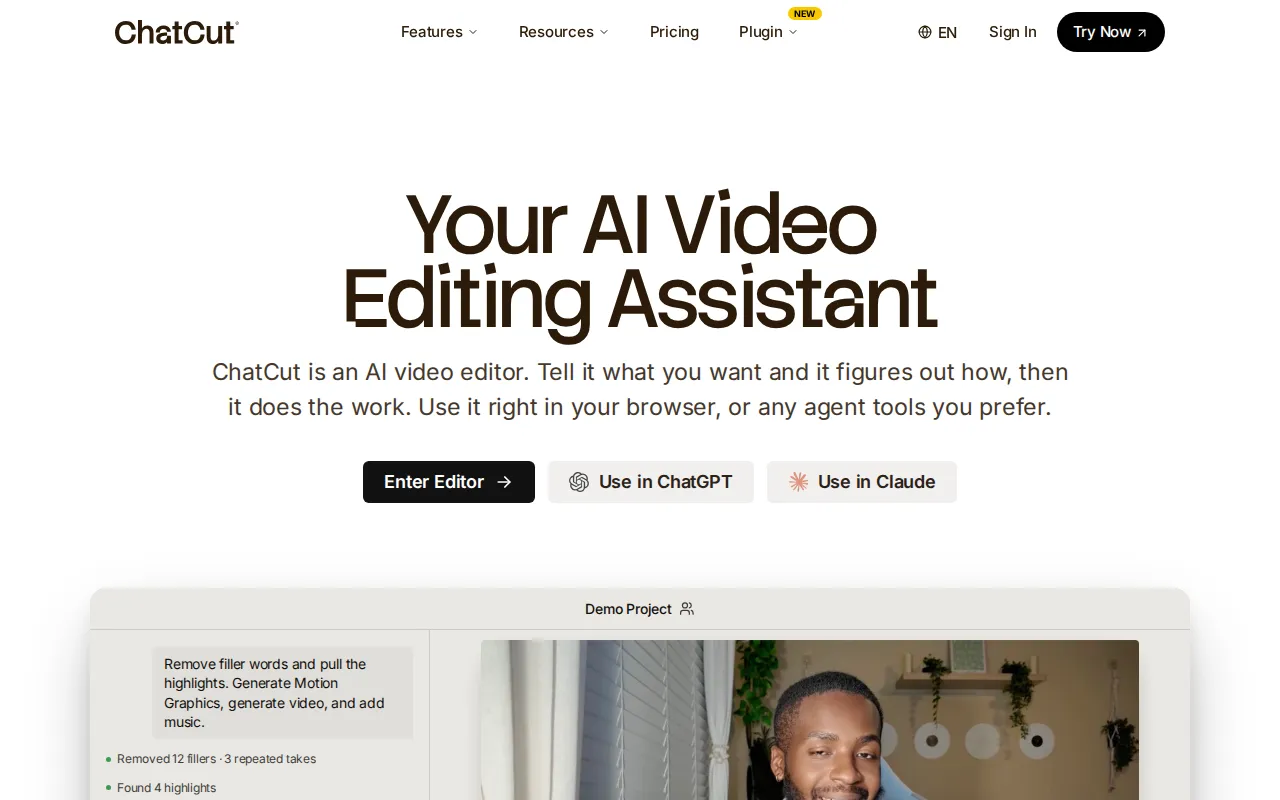
ChatCut is an AI video editing assistant that understands natural language prompts to edit footage, generate motion graphics, add captions in 100+ languages, and clean up talking-head content through text-based editing.
What is ChatCut?
ChatCut is an AI-powered video editing assistant that lets users edit videos by describing what they want in plain English. Instead of manually scrubbing timelines and adjusting keyframes, users type prompts like clean up filler words or add a chapter card, and ChatCut executes the edit automatically. It features text-based editing where changing a word in the transcript updates the timeline, AI motion graphics generated from sentences, and auto captions in 100+ languages. The platform also integrates with ChatGPT and Claude as an agent tool, making it accessible not just through its browser editor but also as an AI plugin for conversational workflows.
ChatCut Core Features
Text-based video editing
Edit your video by modifying the transcript — change a word, cut a sentence, or remove filler words, and the timeline updates automatically
AI motion graphics generator
Describe animations in plain English like chapter card or bar chart growth and ChatCut builds them directly onto your timeline without keyframing
Auto AI captions
Generate accurate captions from the transcript in 100+ languages with 20+ customizable styles including TikTok Pop and Noir Glass
Prompt-based editing
Tell ChatCut what you want in natural language and it figures out how to execute the edit, from cutting dead air to adding transitions
AI image generation
Generate images and visuals right inside the editor for thumbnails, backgrounds, and video assets without switching tools
Filler word removal
Automatically detect and clean up um, uh, you know, and other filler words from talking-head footage through transcript analysis
Multi-platform integration
Use ChatCut directly in the browser or as an agent through ChatGPT and Claude for conversational video editing workflows
AI music generator
Generate background music tracks tailored to your video content directly within the editing timeline
Who is ChatCut for?
ChatCut is designed for YouTube creators and video podcasters who need to quickly clean up talking-head footage, remove filler words, and add professional motion graphics. Social media managers producing short-form content for TikTok, Instagram Reels, and YouTube Shorts will benefit from the prompt-based editing speed. Video editors looking to accelerate their workflow with AI-assisted rough cuts and transcript-based editing will find it useful. Content agencies handling multiple client videos can leverage the AI caption and motion graphics features for consistent branding. Educators creating instructional videos will appreciate the auto-transcript editing for quickly polishing lecture recordings.
ChatCut Use Cases
Clean up a 30-minute podcast recording by removing all filler words and awkward pauses through a single text prompt
Generate animated chapter cards and data overlay graphics for a YouTube video by describing each element in plain English
Add auto-captions in Japanese and Korean to an English tutorial video for expanding reach to Asian markets
Create a vertical short from a horizontal talking-head video by cropping and repositioning with a single text command
Edit a product demo video by typing remove the first 10 seconds and add a countdown intro animation between each section
Generate AI motion graphics like bar chart animations and timeline infographics for a data-driven explainer video
Remove background noise and add auto-generated captions to a remote interview recording in one editing pass
Batch process multiple client videos with consistent caption styling and motion graphics using saved template presets
ChatCut Pros and Cons
Pros
- Text-based editing is genuinely innovative — editing video by modifying a transcript is faster than traditional timeline scrubbing for talking-head content
- AI motion graphics generation from text prompts eliminates the need for After Effects skills and keyframe animation knowledge
- Multi-platform integration with ChatGPT and Claude makes it accessible as an AI agent tool for conversational editing workflows
- 100+ language caption support with 20+ professional styles positions it well for international content creators
Cons
- Credit-based pricing ($25/month for 100 credits) can be expensive for users who edit multiple long videos daily
- As a relatively new tool, the feature set is still evolving and may lack advanced editing capabilities found in desktop NLE software
- Requires uploading footage to cloud servers which may not be suitable for sensitive or confidential video content
FAQ About ChatCut
ChatCut Pricing
Free plan available. Pro plan starts at $25/month (100 credits), with options up to 10,000 credits/month. Annual billing saves 50%.
Check official pricingFree
Free tier with no credit card required for trying basic AI video editing
- Limited credits
- Basic editing features
Pro
Pro plan starting at $25/month with scalable credit options from 100 to 10,000 credits per month
- 100 credits per month
- Up to 10,000 credits options available
- Full AI video editing features
- AI motion graphics
- AI captions in 100+ languages
- Text-based editing
ChatCut Alternatives

Luno Studio
Luno Studio is an AI video and image generation platform that unifies 26+ frontier models from ByteDance, Kuaishou, Google, OpenAI, and xAI in a single browser canvas. Users generate videos and images from text, edit with AI prompts, clone voices, and rotoscope in the built-in editor with multi-track timelines and 4K export. Free credits are granted on signup with paid plans from $9 per month.

Magic Hour
Magic Hour is an all-in-one AI video and image platform trusted by over 3.6 million creators. It packs 100+ free tools into one subscription, including face swap, lip sync, talking photos, text-to-video, image-to-video, AI image editing, upscaling, and templates. Free daily credits require no sign-up wall, credits roll over and refund on errors, and a REST API with SDKs supports production workflows for developers and agencies.

MagicLight
MagicLight is an AI video generator for long-form content, creating complete videos up to 50 minutes long from ideas, scripts, or stories. It offers story templates for kids stories, faith messages, lessons, and explainers, plus AI-powered characters that stay consistent across scenes, seamless transitions, text-to-video, image-to-video, AI avatars, voice cloning, and lip sync. Free to try without a credit card, with credit-based plans from $12 per month.