
AutoPod
AutoPod is an automatic editing plugin suite built by editors for editors. Running inside Adobe Premiere Pro, its Multi-Camera Editor assembles podcast sequences from up to 10 cameras and microphones, the Jump Cut Editor trims silence into engaging clips, and the Social Clip Creator renders 1920x1080, 1080x1350, and 1080x1920 exports with auto-reframe, watermarks, and end pages in one click.
What is AutoPod?
AutoPod is a pack of automatic editing plugins for Adobe Premiere Pro, described by its makers as designed by editors for editors to automate the repetitive processes you do not want to do. The product centers on three tools. First, the Multi-Camera Editor automatically edits multi-camera sequences, working with up to 10 cameras and 10 microphones in any common camera configuration — solo shots, two shots, three shots, four shots, and wide shots — and its decisions are based on thousands of hours of podcast footage, taking into account who is speaking, the camera layout, and conventional editing patterns. Users report that running the program yields essentially a finished edit. It is customizable for different editing methods including standard cutting, true multi-cam, or enable and disable, and editors can tune how frequently wide shots appear and save any preset they use consistently. Second, the Social Clip Creator automatically generates clips at 1920x1080, 1080x1350, and 1080x1920 for social platforms. Starting from an in-and-out point, it creates a new sequence, resizes the sequence settings and footage automatically for the selected aspect ratio, and optionally adds auto-reframe, watermarks, and end pages; all clips are stored in a folder and can be batch exported with a single click. Third, the Jump Cut Editor automatically creates jump cuts based on silence, which is commonly used for social clips where rapid pacing keeps audiences engaged; the editor sets a decibel cutoff appropriate to the microphone and the plugin generates the cuts. AutoPod runs inside Adobe Premiere Pro 2023 or newer, and the company also offers a downloader so customers who purchased a license can use the plugins with DaVinci Resolve. Each license is tied to the single computer where it is first activated, though users can switch machines through the site. AutoPod specifically needs multiple cameras and multiple unique audio tracks to make its editing decisions — it will not work with a single audio source or a single speaker — and it is not available for Final Cut Pro, Avid, or other NLEs. Distribution is handled through Lemon Squeezy with monthly and annual billing, a 30-day free trial on monthly billing, and one month free per year on annual billing, with an enterprise option of buying multiple keys under one email rather than a dedicated enterprise plan.
AutoPod Core Features
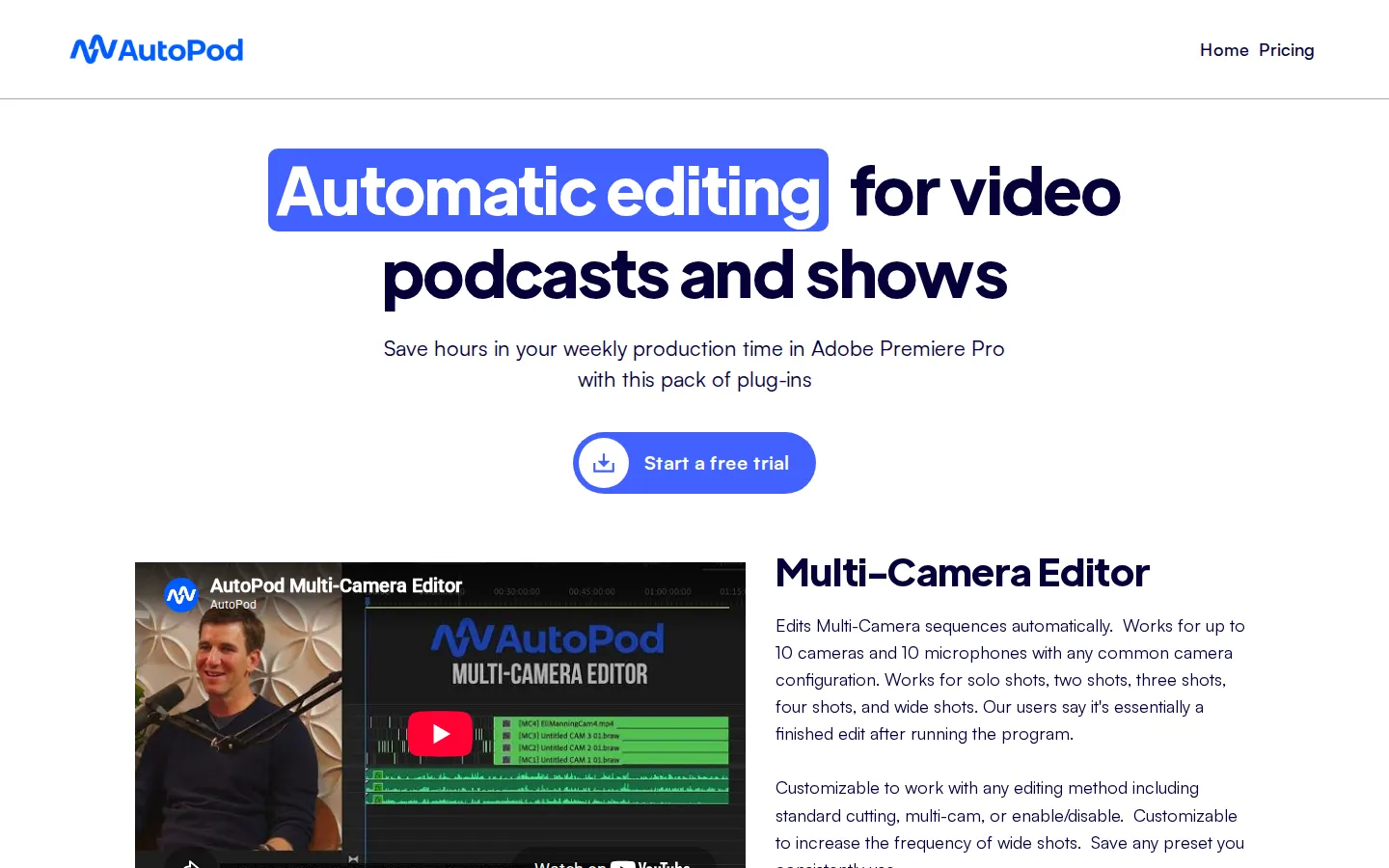
Multi-Camera Editor
Automatically edits multi-camera sequences based on who is speaking, supporting up to 10 cameras and 10 microphones in solo, two-shot, three-shot, four-shot, and wide-shot layouts.
Learning from Real Podcasts
The editing logic is trained on thousands of hours of podcast footage and follows conventional editing conventions, with users reporting an essentially finished edit after running it.
Customizable Editing Styles
Works with standard cutting, multi-cam, or enable/disable methods, lets you increase wide-shot frequency, and saves presets you use consistently.
Social Clip Creator
Generates 1920x1080, 1080x1350, and 1080x1920 clips from in-and-out points, automatically resizing sequence settings and footage for the chosen aspect ratio.
Auto-Reframe, Watermarks, and End Pages
Social clips can automatically include reframing, watermark overlays, and end pages, and all clips batch export from one folder with a single click.
Jump Cut Editor
Creates silence-based jump cuts from a user-set decibel cutoff, ideal for keeping social clips fast and engaging.
Preset-Driven Consistency
Save your preferred editing setup once and apply the same look and pacing across every episode or show.
License Portability Options
A Switch Computers flow lets users move their single-machine license when they change editing workstations.
Who is AutoPod for?
AutoPod is built for video editors and producers who run recurring multi-camera productions, and its clearest audience is podcast editors. Editors who cut weekly shows with multiple hosts and several cameras can run the Multi-Camera Editor and get what users describe as essentially a finished edit, freeing hours per episode for color, sound, and creative work. Solo video podcast producers who edit their own episodes — often without formal editing training — use the plugins to keep a consistent weekly output without learning complex multicam workflows. Social media managers and clip editors benefit most from the Social Clip Creator, because it automatically produces vertical and square clips for TikTok, Instagram Reels, YouTube Shorts, and X from any in-and-out point, resizing sequences and adding auto-reframe, watermarks, and end pages automatically. YouTube creators running panel shows, interview series, or live-show replays use the Jump Cut Editor to remove dead air and create fast-paced clips that hold viewer attention. Post-production houses and agency editors juggling multiple client podcasts value the preset system, which lets them save their preferred editing style once and replay it across every episode they deliver. Streamers and gaming channels that record multi-person commentary with separate audio tracks can apply the same speaker-based editing logic to their VODs. Because a license is tied to one computer, the tool also suits freelancers and small teams who standardize on a single editing workstation. The company explicitly positions AutoPod for editors of all levels rather than for automated content factories, and the FAQ notes it requires Adobe Premiere Pro 2023 or newer, with a DaVinci Resolve downloader available for Resolve users; Final Cut Pro and Avid are not supported, so editors locked into those NLEs are not the intended audience.
AutoPod Use Cases
Auto-edit a weekly multi-camera podcast in Premiere Pro, cutting between hosts automatically by who is speaking.
Turn a long-form panel or interview into vertical and square clips for TikTok, Instagram Reels, and YouTube Shorts with the Social Clip Creator.
Remove silence and dead air from monologues or interviews with the Jump Cut Editor for faster-paced content.
Deliver consistent episodes across a client roster by saving and reusing your preferred multicam editing presets.
Batch-produce social clips from hours of footage, exporting all platform-sized versions from one folder in a single click.
Edit solo-to-quad camera YouTube shows with up to 10 cameras and microphones without manual multicam switching.
Run the plugins on DaVinci Resolve after purchasing a license, using the dedicated Resolve downloader.
Standardize a small editing team on one workstation license while maintaining the same automated edit style for every show.
AutoPod Pros and Cons
Pros
- Real time savings on recurring shows: users describe the multi-camera result as essentially a finished edit, saving hours per episode.
- No cloud dependence — editing happens locally inside Premiere Pro, which keeps footage private and works offline.
- Genuinely editor-focused design with customizable methods, wide-shot frequency, and saveable presets for consistent output.
- 30-day free trial on monthly billing and one month free per year on annual billing reduce the risk of buying blind.
- Social pipeline is turnkey: aspect-resized clips with auto-reframe, watermarks, and end pages batch-export in one click.
Cons
- Requires a multi-camera, multi-track setup to work: it refuses to edit single-audio-source or single-speaker recordings by design.
- Per-license, per-computer pricing with no native enterprise plan or Final Cut Pro/Avid support limits who can adopt it.
- Editing logic is tuned for conversation-style podcasts, so scripted or heavily stylized productions may still need manual passes.
FAQ About AutoPod
AutoPod Pricing
AutoPod is sold as a per-license subscription at $29 per month, and monthly billing starts with a 30-day free trial. Annual billing is available and includes one month free per year. Each license covers a single computer — the machine where the key is first activated — and users can switch computers through the Switch Computers page. There is no dedicated enterprise plan, but teams can purchase multiple keys under the same email address. Checkout and billing are handled through Lemon Squeezy, with the monthly trial checkout and the annual option both linked from the pricing page. A free tier is not offered; the only no-cost path is the 30-day trial window.
Check official pricingIndividual
Includes Multi-Camera Editor, Social Clip Creator, and Jump Cut Editor. Monthly billing starts with a 30-day free trial.
Individual (Annual)
Same per-license plan billed yearly, with one month free per year included.
AutoPod Alternatives

DeepSwap
DeepSwap is an online AI face swap studio for video, GIF and photo. Upload a clip, pick a source face, and its private model renders a realistic swap in seconds, handling up to six faces, tricky angles and 1080p output, plus enhancement, background removal, cartoon filters and text-to-video generation, with a credit-based API for bulk work.

Motion
Motion is a video agent from Mosaic that turns a written brief, raw footage or a reference clip into an edited video. It plans the story, generates or cuts shots, adds music and sound, then lets you refine the result in chat, on the preview or in a timeline before exporting to Premiere Pro, After Effects or DaVinci Resolve.

Vidmoat
Vidmoat is a browser-based video editor with an AI agent built into the timeline. You drop in raw footage, describe the edit you want, and the agent cuts dead air, writes word-synced captions, grades color and adds music, showing each step on an editable timeline. Every change stays reversible, and the same projects open on desktop, phone and Telegram.