Artflow
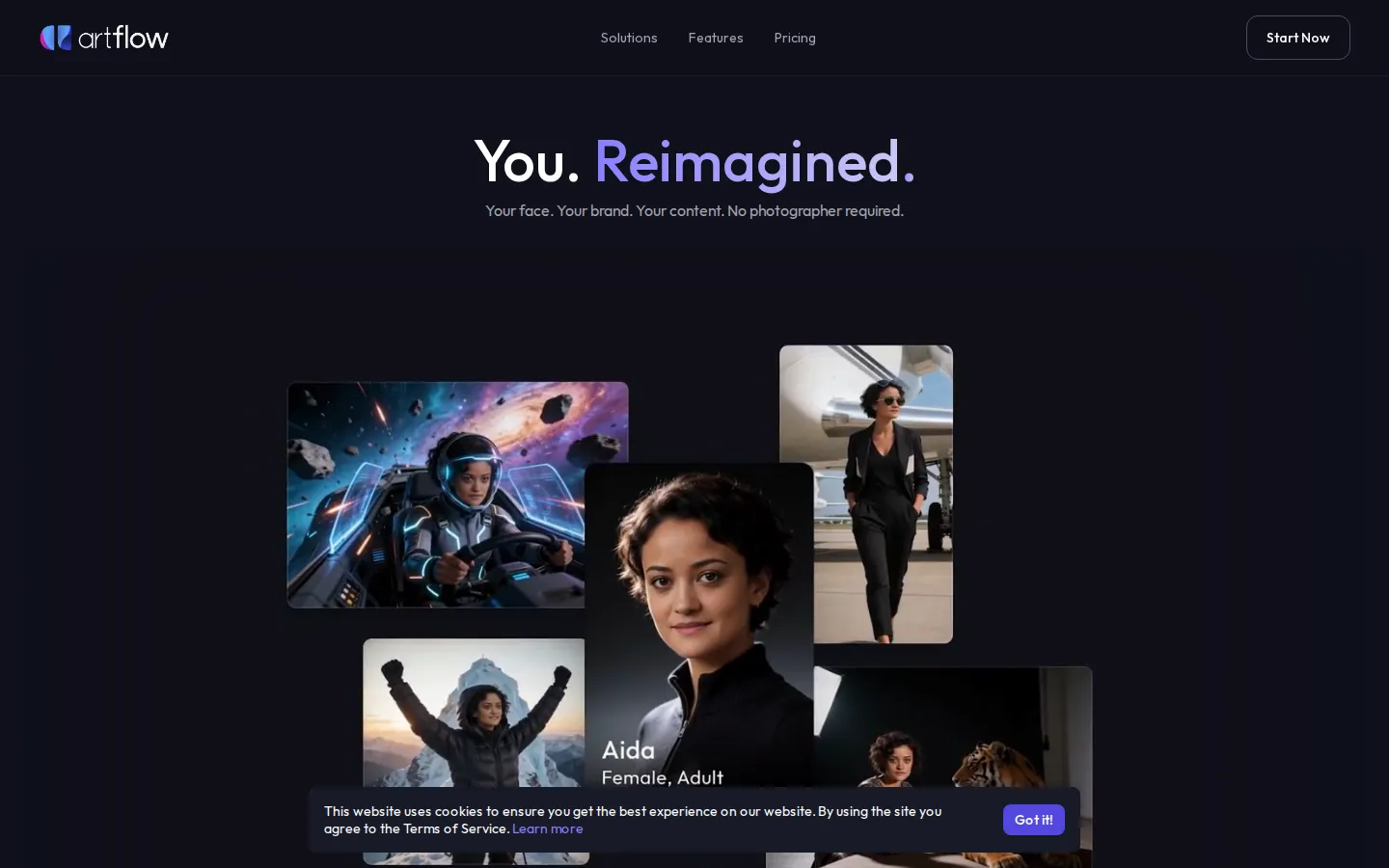
Artflow is an AI actor and image studio built around your own face. Upload a few photos and Artflow trains a personal Actor, a reusable identity that keeps your look consistent across every generated image and video. You can then star in hundreds of templates, create headshots and LinkedIn banners, produce short video content, and export print-ready designs up to 64 megapixels, no photographer required.
What is Artflow?
Artflow, made by Artflow AI Pte. Ltd., is an AI actor and image studio that starts from your own face rather than generating a stranger. Its pitch is simple: your face, your brand, your content, with no photographer required. The product centers on Actors, which are personal AI identities. You upload ten to twenty clear photos of yourself, and Artflow learns your features so every image and video it generates looks consistently like you. Training takes ten to thirty minutes, and your first Actor is included with every plan, including the free tier. Additional Actors can be trained using credits or bought in 1, 2, and 10-packs at per-actor prices that drop as your plan rises. Once trained, your Actor can be placed into hundreds of scenes and templates spanning professional, lifestyle, travel, fantasy, activity, romantic, and celebration categories. The Actor Studio generates magazine-quality portraits, headshots, LinkedIn banners, and website imagery, keeping the same eyes, expressions, and presence in any setting, outfit, or lighting. The Image Studio and design tools turn that identity into posters, product mockups, and social banners, with background removal, inpainting, and upscaling up to 64 megapixels, sharp enough for print. Artflow also creates short-form video content and video ads, and supports Dual Actors so two identities can appear in one scene, with multi-actor support noted as coming soon. Paid plans add premium templates, bulk download, no-watermark image output, and commercial licensing that ranges from attribution to full rights. Everything runs on a monthly credit system shared across image, design, and video generation, and higher tiers offer discounts on extra credits. The comparison table also lists PNG download, no-watermark video, and concurrent generation limits that scale from one on the free tier to sixteen on Ultra, alongside features marked coming soon such as Alter Ego Actor, Share Actor, and Upscale Video. Behind the product is Artflow AI Pte. Ltd., a company that says it is backed by top-notch venture capital and is building a next-generation platform for visual storytelling. Free-plan output is licensed for non-commercial use with stricter moderation, while higher tiers unlock attribution and finally full commercial rights, so the plan you choose directly shapes what you are allowed to publish. The platform is browser-based, needs no software install, and includes an affiliate program for creators who want to earn from referrals. Real users quoted on the site describe recording client walkthroughs in fifteen minutes, replacing stock photos with one consistent voice across a website and emails, and growing LinkedIn engagement without a design team. Artflow says it introduced the world's first text-to-portrait service in 2021 and is used by hundreds of thousands of creators from over 180 countries.
Artflow Core Features
AI Actors
Upload 10-20 photos and Artflow trains a personal identity that stays consistent across every image, design, and video you generate.
Actor Studio Portraits
Generate magazine-quality headshots, LinkedIn banners, and website portraits with your real face in any setting, outfit, or lighting.
Image Templates
Hundreds of one-tap scenes across professional, lifestyle, travel, fantasy, activities, romantic, and celebration categories.
Image Studio & Design
Create posters, product mockups, and social banners with your face, then export print-ready artwork up to 64 megapixels.
AI Video Generation
Produce short-form reels, stories, posts, and video ads with your Actor keeping a consistent identity across every format.
Edit & Refine
Remove backgrounds, inpaint details, and upscale images, with bulk download and no-watermark output on paid plans.
Props & Sets
Combine real products, real places, and your branding in one scene, staging lifestyle or UGC-style visuals without a shoot.
Dual Actors
Place two trained identities in a single scene, each still recognizable, with broader multi-actor support noted as coming soon.
Who is Artflow for?
Artflow is built for anyone who needs to appear in their own visual content but has neither the time nor the budget for a photographer, studio, or design team. Solopreneurs and small-business owners are a core audience: they need consistent, professional portraits for a website, LinkedIn profile, pitch deck, and marketing materials, and Artflow keeps the same face across all of them. Business coaches, therapists, consultants, and other service professionals use it to build trust before a first call, replacing stock photos with images that actually look like them. Content creators on YouTube, Instagram, and TikTok use the Actor to keep one recognizable identity across every format, so their audience recognizes them before the content. Social media managers and marketing teams produce a week of posts, reels, and stories in one sitting, then resize the same identity for each platform. Brand designers and freelancers use it to keep a personal brand consistent across the different industries they work in. E-commerce sellers and product marketers stage themselves with real products and sets to create lifestyle and UGC-style visuals without a shoot. Startups and SaaS teams generate founder-led video ads and social banners on a startup budget. Podcasters, sales directors, and executives use it for headshots, thumbnails, and promotional graphics. Real estate agents, fitness coaches, and local service businesses use portrait sets and short promotional video for listings, offers, and profiles. Individuals building a personal brand from scratch also benefit, because they get professional-looking imagery long before they can justify paying for a shoot. Agencies serving multiple clients benefit from reusable actors, bulk download, and commercial licensing on higher tiers. Hobbyists enjoy fantasy portraits, seasonal photo sets, holiday cards, and editorial-style images that would otherwise need a stylist. Freelance designers and creative professionals often compare the subscription against the cost of a single studio session, because steady, repeatable output matters more than one perfect shoot. It is a weaker fit for people who never want their own likeness in content, for teams that need a full image-generation API at scale, or for anyone who wants a general-purpose design canvas rather than a person-first studio. Free-plan users are also limited to non-commercial licensing and stricter moderation, so commercial projects should plan for a paid tier. Overall, Artflow suits individuals and small teams who want to be the face of their brand and publish that face everywhere, quickly and consistently.
Artflow Use Cases
Create professional headshots: Generate magazine-quality profile photos and LinkedIn banners that look like you, with no studio or photographer.
Build a consistent personal brand: Keep one recognizable face across your website, emails, materials, and social profiles instead of mismatched stock photos.
Produce a week of social content: Generate reels, stories, and posts in one sitting and resize the same identity for every platform and format.
Make founder-led video ads: Turn a trained Actor into short marketing and UGC-style videos without booking a crew, model, or studio space.
Design print-ready marketing: Add your logo and colors, then export posters, mockups, and banners at up to 64 megapixels for print.
Explore creative portraits: Make fantasy portraits, seasonal photo sets, holiday cards, and editorial looks starring yourself in minutes.
Stage products with yourself: Place real products and branded sets around your Actor to create lifestyle visuals for e-commerce and campaigns.
Reuse actors across clients: Manage multiple trained identities with bulk download and commercial licensing on higher-tier plans for agency work.
Artflow Pros and Cons
Pros
- Identity stays genuinely consistent: Artflow starts from your uploaded photos rather than a text description, so every image and video carries your real face and expressions.
- Real free tier with no credit card: Start creating for free with 25 monthly credits and a first Actor included on every plan, including the free one.
- Broad output in one place: Portraits, social designs, print-ready posters up to 64 megapixels, and short video all run on one shared credit pool.
- Commercial licensing is clearly tiered: higher plans grant full commercial use and remove attribution requirements and watermarks.
- Transparent published pricing: Four paid tiers from $7.50 to $99 per month, with annual billing saving about 20 percent.
Cons
- Free and Basic tiers are non-commercial or attribution-only, so business use effectively starts on the higher plans.
- Credit allocations are modest: 150 credits a month on Basic limits how many images and videos you can realistically generate.
- Some advertised features are still coming soon, including multi-Actor support, Alter Ego Actor, Share Actor, and Upscale Video.
FAQ About Artflow
Artflow Pricing
Freemium. Artflow offers a free tier with 25 credits per month and no credit card required, plus a first Actor included on every plan. Paid tiers are Basic at $7.50 per month (150 credits), Creator at $15 (500 credits), Pro at $35 (1,500 credits), and Ultra at $99 (5,000 credits). Annual billing saves about 20 percent, and all plans share one credit pool across images, designs, and video.
Check official pricingFree
25 credits per month, non-commercial license, strict moderation, 1 concurrent generation, and a first Actor included. No credit card required.
Basic
150 credits per month, premium templates, video model access, and no-watermark images. $6.25/month billed annually at $75.
Creator
500 credits per month, plus remove background, upscale, and bulk download. Attribution license. $12.50/month billed annually at $150.
Pro
1,500 credits per month, full commercial license, 15 percent off extra credits, and unlimited Spark generation. $29.17/month billed annually at $350.
Ultra
5,000 credits per month, full commercial license, 25 percent off extra credits, and 16 concurrent generations. $82.50/month billed annually at $990.
Artflow Alternatives
Vidnoz AI
Vidnoz AI is a browser-based studio that turns text into talking-avatar videos. Pick an avatar and template, type a script, choose a voice from 2,000+, then export a lip-synced clip. It also bundles voice cloning, lip-synced translation in 135+ languages, Veo and Kling text-to-video models, an image generator, and a free plan with 30 daily credits.
X-Pilot
X-Pilot turns source material into editable course and training videos. Upload a PDF, PPT, DOC, URL or finished script, or just type a topic, and X-Pilot plans an outline and scenes with narration. Review and edit any element by typing, then export a 1080p MP4 or SCORM package - one long lesson or a chapter series.
Pollo AI
Pollo AI bundles dozens of third-party generative models behind a single workspace: video generation with Pollo 2.5 and Seedance 2.5, image generation with Pollo Image 2.0 and Nano Banana, plus avatar, audio and editing tools. Credits are shared across models, paid plans remove watermarks, and an MCP/API path exists for automation.