APPLORE
APPLORE is a browsable archive of 18,700+ real app icons from the App Store and Google Play, organized by category, color, style, letter and release date, with every past redesign kept on record. It pairs that research library with an AI icon generator, AI app naming, PNG to SVG redraw, logo animation, on-device previews and export packs, so teams can go from competitive reference to shippable icon assets in one workspace.
What is APPLORE?
APPLORE is a web-based app icon library and AI icon studio that brings competitive icon research and icon production into a single place. The library holds more than 18,700 icons from the App Store and Google Play and is refreshed daily, so new releases and icons that changed design appear in the collection. Every icon is classified by main color, visual style, store category, first letter and release date, and each app page keeps the full history of its icon versions, which makes it possible to see how an app's artwork evolved across a rebrand rather than only its current state. Browsing can be done through those filters or with a plain-language AI search, so a query such as a purple gradient medical app returns matching real icon examples. From a chosen direction, the AI app icon generator turns a text description, reference icon or style into a finished icon in seconds, and a device preview places the result on an iPhone or Android home screen and a store listing. Export tools convert one image into the sizes iOS, macOS, Android and the web require and deliver them as a zip, while a PNG to SVG tool redraws raster artwork as a cleaner vector and a logo animation tool produces Lottie or SVG motion for launch screens. APPLORE also includes AI app naming with checks for existing apps, a store screenshot browser with hand-picked examples, and an app graveyard that records apps removed from the stores. Alongside the tools it publishes long-form guides and data studies on icon colors, lettermarks, 3D icons and Android adaptive icon layers, all drawn from the same dataset. Access is a freemium model: the library is partly browsable and AI features run on credits, with monthly Pro and Max plans or a one-time Founder membership unlocking the complete library and unlimited downloads.
APPLORE Core Features
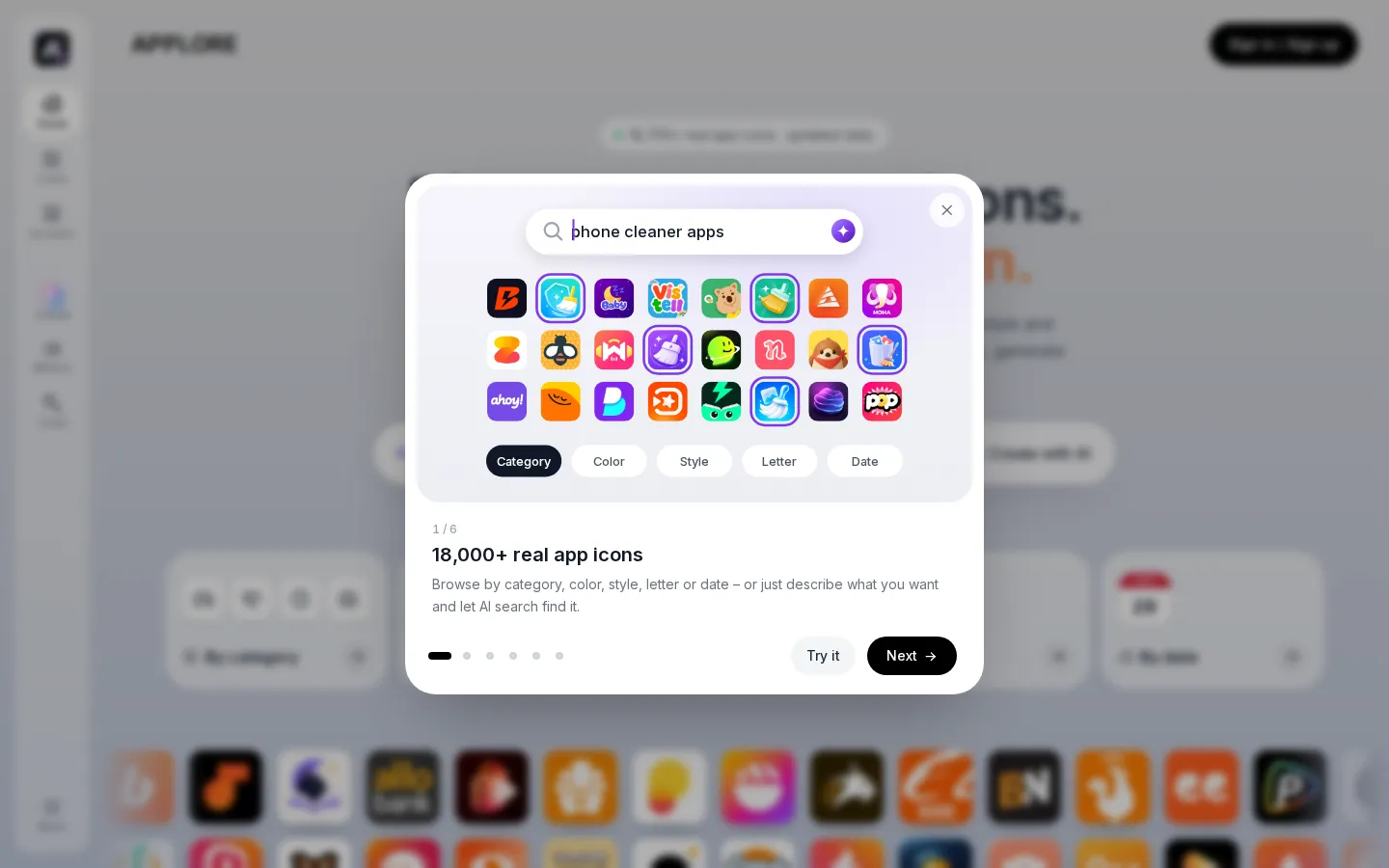
Icon library of 18,700+ real apps
Every icon comes from a live App Store or Google Play listing and is refreshed daily, so the reference set reflects what is shipping now rather than an outdated collection.
Five-way filtering plus AI search
Icons are sorted by category, main color, visual style, single letter and release date, and a plain-language search finds matches without knowing the filter names.
Icon version history
Each app page stores every past version of its icon with dates, which turns a rebrand or a seasonal refresh into a readable timeline.
AI app icon generator
A text description, reference icon or style produces a finished icon in seconds across several models, and failed generations return the credits automatically.
Device and store preview
The icon is shown on an iPhone or Android home screen and inside a store listing, so contrast and legibility are judged in context before export.
Export packs for every platform
One image becomes iOS, macOS, Android and web sizes in a zip, with separate background and foreground layers for adaptive icons.
SVG and motion tools
PNG to SVG redraws raster artwork with fewer anchor points, and the logo animation tool outputs Lottie or SVG animation for launch screens and websites.
AI app naming and screenshot research
Naming suggests options and checks for existing apps, while the screenshot browser and app graveyard show how competitors present and retire apps.
Who is APPLORE for?
APPLORE suits anyone who has to decide what an app icon should look like before committing to a direction, and then has to produce the files. Indie iOS and Android developers use it to see what apps in their category already look like, so a new icon does not accidentally repeat a competitor's color or symbol, and to export the exact icon sizes each store expects. UI and product designers use the color, style and letter filters to build a moodboard in minutes, then remix a reference into an original AI icon and check it on a phone home screen before handoff. Brand and graphic designers who are asked to add an app icon to an existing identity use the lettermark section and the library's color data to make a choice that stays consistent with the rest of the brand. Startup founders and product managers without a designer on the team use the AI generator, AI naming and export packs to ship a credible first icon instead of a placeholder. Mobile marketing and growth teams study featured screenshots and icon history to understand how competitors reposition an app over time. Students and design educators use the dated archives and the published data studies as real-world case material for icon design lessons.
APPLORE Use Cases
Research how apps in your category design their icons before starting a redesign.
Build a color and style moodboard for a new app in minutes.
Generate a first app icon when you have no designer on the team.
Check an icon on a phone home screen before committing to it.
Export every iOS, Android, macOS and web icon size in one zip.
Redraw a raster logo as a clean SVG for the app and website.
Animate a logo for a launch screen or product website.
Find a name for a new app and check it is not already taken.
APPLORE Pros and Cons
Pros
- The icon library is real store data with version history, not a stock gallery, so the research reflects shipping apps.
- Research and production sit in the same product, from filtered browsing through generation to size exports.
- Free tier is usable: the library, AI search, device previews and small daily exports work before paying.
- Pricing is transparent, with credits priced per action and failed generations refunded automatically.
- Data-driven guides on icon colors, lettermarks and adaptive icons come from the same dataset the library exposes.
Cons
- Icons in the library are for reference only, so they cannot be reused in your own product without permission.
- AI generation is credit-metered, and heavy icon exploration can consume a monthly allowance quickly.
- The free plan limits browsing to the first 300 icons per list and caps downloads and AI searches per day.
FAQ About APPLORE
APPLORE Pricing
APPLORE is freemium: the free plan includes 25 signup credits, limited library browsing and small daily downloads, Pro costs $9.99 per month (500 credits), Max costs $29.99 per month (2,000 credits), and a one-time $49 Founder membership gives lifetime access with 800 credits.
Check official pricingFree
25 credits on signup, browsing of the first 300 icons in each list, 5 PNG downloads and 5 AI searches a day, device previews and quick export packs.
Pro
500 credits a month, the full icon library with past versions, unlimited downloads and AI search, all store screenshots, the full app graveyard, every AI model and SVG export. Launch price, normally $19.99.
Max
2,000 credits a month, up to 8 icons and 6 logo animations per batch, a priority queue, and everything in Pro. Launch price, normally $59.99.
Founder
Lifetime access to the full library and every non-AI tool including future ones, unlimited saves, 800 AI credits, and optional credit packs. Limited to the first 300 members.
APPLORE Alternatives

Hyper3D
Hyper3D is Deemos Tech's AI 3D generation platform, built around the Rodin model. Give it a text prompt, a product photo, a sketch or a multi-view set and it returns a textured, quad-topology 3D asset in under a minute. Bounding-box, voxel and point-cloud controls steer the result, and exports drop straight into Blender, Unity or Unreal.
Osmo
Osmo is an AI-native video editor that turns briefs, Figma files and footage into editable, on-brand motion graphics for product launches. Its cloud agent and CLI write real animation code you can refine keyframe by keyframe, then export to MP4, WebM or 4K ProRes with transparent backgrounds. A free tier includes monthly credits; paid plans start at $19 per month.

Create a Meme
Create a Meme is a browser studio for AI memes and short video. Describe an idea in chat, choose models like GPT Image, Grok, Ideogram or Nano Banana, save recurring characters, then animate the result or build a music video, news show or mock trailer. Ten free credits start you off with no card required.