Free AI Image Generator: 7 Best Tools to Try in 2026

WithAI.Top Editorial Team
You need one image for a presentation, ad concept, blog header, or social post. You do not need another subscription before you know whether the tool can follow your prompt. That is why “free AI image generator” remains such a useful—and confusing—search.
Some tools are free at a standard speed. Others provide daily tokens or limited model access. A free output may be public, watermarked, lower resolution, or governed by different commercial-use terms. The word free tells you the price of the first experiment, not whether the tool fits the finished job.
This guide compares the published capabilities and plan structures available as of August 2026. It focuses on what each option is best for, what to check before generating, and how to get a useful result without wasting your free allowance.
Quick answer: which free AI image generator should you use?
There is no single best choice for every image. Start with the job you need to complete, then choose the tool whose surrounding workflow matches it.
| Your goal | Best place to start | Why it fits | Free-plan detail to check |
|---|---|---|---|
| Make a general image quickly | Bing Image Creator | Simple prompt-to-image flow and a free standard-speed path | Microsoft account, speed limits, watermark |
| Turn an image into a finished post or slide | Canva AI Image Generator | Generation sits inside a template-based design editor | AI usage limits and export options |
| Create or edit assets in an Adobe workflow | Adobe Firefly | Text-to-image, Generative Fill, and Creative Cloud integration | Daily generations and model availability |
| Develop concept art or game assets | Leonardo AI | More model, preset, reference, and quality controls | Daily tokens and public output rules |
| Put readable words in a poster | Ideogram | Strong focus on typography and graphic compositions | Slow queue, privacy, and download limits |
| Refine an image through conversation | ChatGPT Images | Natural-language iteration and follow-up edits | Daily generation limits |
| Create vectors, icons, or brand graphics | Recraft | Design-oriented formats and editable asset workflows | Free export and licensing rules |
If you want to compare more than these seven options, browse the curated AI image generator directory and filter candidates by pricing model, use case, and core capability.
What “free” actually means
A useful free plan usually falls into one of four patterns:
- Free at a slower speed. You receive a faster daily allowance, then move to a standard queue. This is good for occasional use but less predictable for deadlines.
- Daily or monthly credits. Each generation or edit consumes tokens. Different models, resolutions, or output counts may cost different amounts.
- Limited features. Basic generation is free, while private outputs, higher resolution, advanced models, editing, or batch production require payment.
- A trial rather than a continuing plan. You receive a one-time credit balance and must upgrade when it is gone.
These differences matter more than the headline price. A student making one illustration may prefer a slow but continuing free queue. A marketer may care more about editing and templates than raw generation count. A designer handling client material should prioritize private generations, clear commercial terms, and reliable exports.
Before entering a prompt, check six details:
- Does the tool require an account?
- Does the free allowance reset, or is it a one-time trial?
- Are free creations public by default?
- Does the downloaded image include a visible watermark or provenance label?
- What resolution and file formats can you export?
- Do the current terms permit your intended personal or commercial use?
A tool can still be valuable when one of these answers is restrictive. The important thing is knowing the constraint before you build a workflow around it.
1. Bing Image Creator: best for quick general images
Bing Image Creator is the easiest first stop when you want to type a description and receive an image without learning a professional design interface. Microsoft provides access through a personal Microsoft account, with faster creations replenishing over time and a standard-speed option when the fast allowance is exhausted.
It suits broad prompts such as editorial illustrations, realistic scenes, fantasy art, wallpapers, simple product concepts, and presentation visuals. Model choices and image editing make it more flexible than a single-purpose prompt box, but the interface remains approachable for a first-time user.
The main trade-offs are account access, variable generation speed, and output labeling. Microsoft applies AI provenance measures, and its current output rules should be checked when a visible mark would affect your final design. It is a strong choice for ideation, personal projects, classroom visuals, and drafts that will be refined elsewhere.
Read the Bing Image Creator overview when you want a concise summary of its models, workflow, strengths, and current access model.
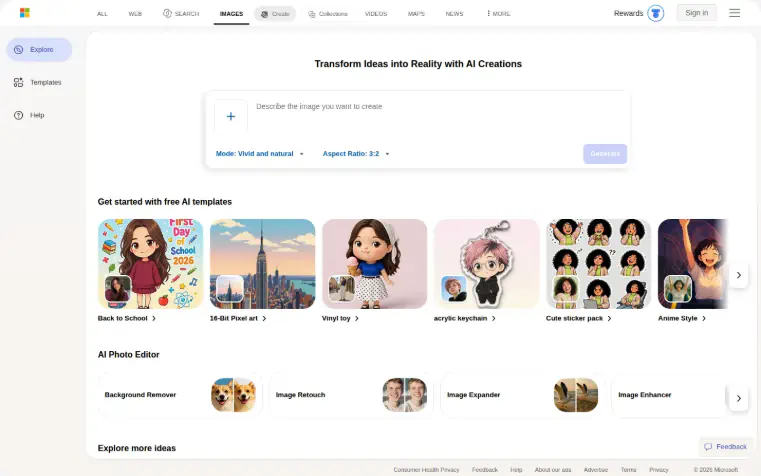
Bing Image Creator combines prompt-based generation with templates and lightweight AI editing tools.
Choose it if: you want the shortest path from a prompt to a useful general-purpose image.
Skip it if: you need private client work, a tightly controlled brand system, or advanced production settings.
2. Canva AI Image Generator: best for finished social and marketing designs
Canva is not only an image generator. Its advantage is what happens after the image appears. You can place the result into a presentation, Instagram post, ad, flyer, thumbnail, or other template and continue editing in the same workspace.
That makes Canva practical for users who measure success by the finished asset rather than the raw image. A generated illustration still needs a headline, brand colors, spacing, and versions for different channels. Canva shortens that second half of the process.
The free account provides a way to start, but AI feature limits can vary by tool and plan. Advanced prompt controls are also lighter than those in specialist image platforms. If precise model selection, seed control, or a complex reference workflow matters more than templates, a dedicated generator may fit better.
Use the Canva AI Image Generator guide to see where prompt-based creation fits into Canva’s broader editor and which users benefit most.
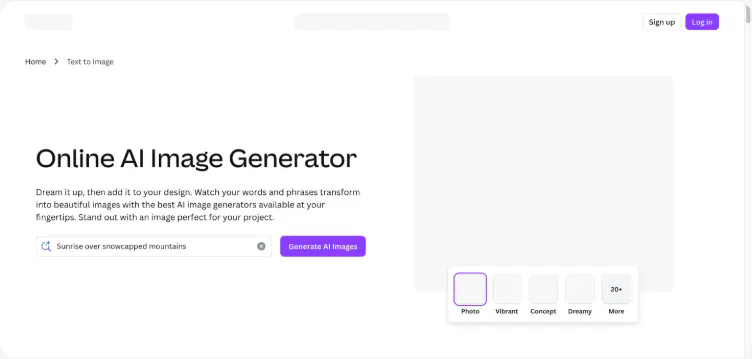
Canva places image generation inside a beginner-friendly design and template workflow.
Choose it if: your final deliverable is a post, presentation, ad, thumbnail, worksheet, or printable design.
Skip it if: you want deep model controls or you only need high-volume raw image generation.
3. Adobe Firefly: best for Adobe-centered creative work
Adobe Firefly combines image creation with generative editing. In addition to text-to-image, its workflow includes tasks such as adding or replacing elements, extending a canvas beyond the original frame, and moving results into Adobe applications.
This makes Firefly especially relevant to designers and marketing teams already using Photoshop, Illustrator, or Adobe Express. Instead of treating generation as a separate step, they can create a draft, adjust the composition, repair an area, and continue through an established production workflow.
Firefly offers a free entry point with limited generations across selected features. The allowance and included models can change, so check the current plan before promising a delivery volume. For commercial work, review the plan terms, third-party model conditions, trademarks, and reference materials.
The Adobe Firefly profile explains its core generation and editing features, likely users, and the trade-offs of staying within the Adobe ecosystem.
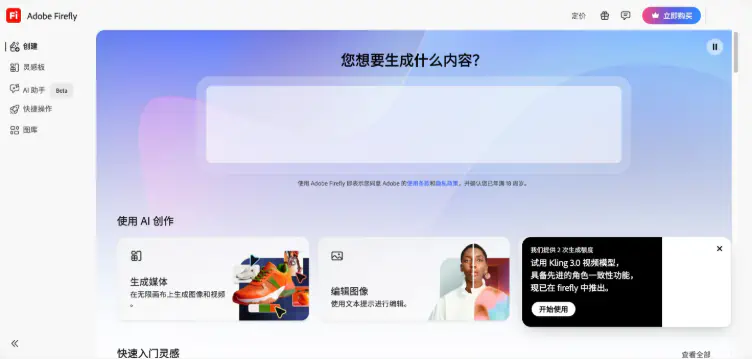
Adobe Firefly brings generation, editing, and Creative Cloud-oriented workflows into one interface.
Choose it if: your generated image will continue into Photoshop, Express, Illustrator, or a team design process.
Skip it if: you want the largest possible free volume and do not use Adobe’s other creative tools.
4. Leonardo AI: best for concept art and creative control
Leonardo AI is a better fit when the prompt is only one part of the workflow. Its platform is designed around model choices, presets, reference images, quality settings, canvases, asset organization, and repeated iteration. Typical uses include game assets, character concepts, environments, product visuals, and campaign artwork.
The free plan uses a daily token allowance, so generation cost depends on the settings and features selected. That encourages a more deliberate process: establish the composition at a lower cost, refine the prompt, and reserve expensive settings for the version worth finishing.
Free-tier privacy and rights also need attention. Public generations may be visible to other users, and the rights attached to free creations can differ from those attached to private paid generations. Avoid uploading confidential client references until you have confirmed the current privacy controls and terms.
The Leonardo AI overview is a useful starting point for comparing its creative controls with simpler prompt-first generators.
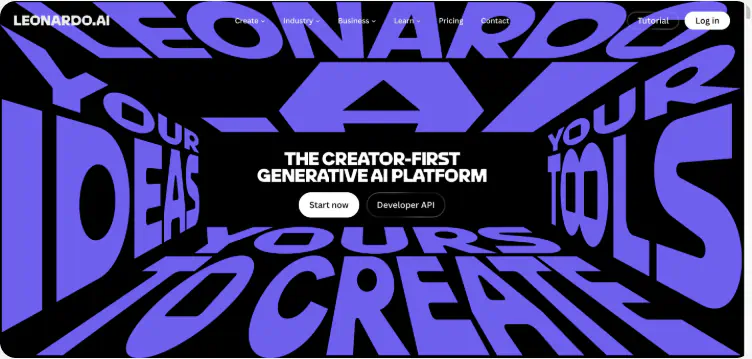
Leonardo AI positions its workspace around generative art, iteration, and production-oriented creative tools.
Choose it if: you want to build a visual direction through models, references, presets, and iterations.
Skip it if: you need a one-click tool with almost no settings.
5. Ideogram: best for posters and text inside images
AI image generators often understand that a sign should contain words but still misspell those words or distort the letterforms. Ideogram is built around graphic compositions where typography matters, making it a sensible candidate for posters, title cards, logos, packaging concepts, and social graphics.
Treat its output as a creative draft, not automatically as final typesetting. Always zoom in and proofread every word. Check letter spacing, punctuation, repeated characters, and brand names. For a client asset, recreating important text in a regular design editor provides more control and accessibility.
Free access may involve a slower queue, public generations, or limited controls. Those constraints are acceptable for testing a concept but may be unsuitable for unreleased campaigns. Ideogram is most valuable when you need to answer one question quickly: can this visual idea and headline work together?
Choose it if: the image needs prominent, legible text as part of the composition.
Skip it if: your priority is private generation or pixel-perfect final typography.
6. ChatGPT Images: best for conversational refinement
ChatGPT’s main advantage is iteration through ordinary language. You can begin with a loose idea, review the result, and ask for changes such as a wider composition, warmer lighting, fewer objects, a different camera angle, or more empty space for a headline.
This conversational loop helps users who know what feels wrong but do not know the technical vocabulary for fixing it. It also works well for combining planning and generation: outline a visual brief, identify missing details, create the image, and refine it in one thread.
Free users can generate a limited number of images, and availability may vary with demand and account limits. Use the free access for high-value iterations rather than repeatedly rerunning an unchanged prompt. If you need dozens of independent assets, a queue-based or token-rich specialist platform may be more efficient.
Choose it if: you prefer giving feedback in sentences instead of adjusting many controls.
Skip it if: you need predictable batch volume or detailed production settings.
7. Recraft: best for vectors, icons, and brand assets
Many AI image tools optimize for pictures. Recraft is more design-oriented, with workflows for illustrations, icons, vectors, mockups, and brand graphics. That distinction matters when the image must fit a visual system instead of standing alone.
A vector asset is easier to recolor, resize, and adapt across web, print, packaging, and interfaces. Recraft is therefore worth considering for logo exploration, icon families, illustrations, and campaign components.
The free plan is useful for exploration, but review current export, privacy, licensing, and format restrictions before starting production work. If the free tier does not include the file type you need, a “free” generation can still create paid rework later.
Choose it if: editability, visual consistency, and design formats matter more than photorealism.
Skip it if: you mainly want cinematic scenes or conversational photo editing.
How to write a prompt that does not waste free credits
A free allowance feels small when every prompt is a guess. The solution is not to make the prompt longer. It is to make each part of the prompt do a clear job.
Use this structure:
Subject + action + environment + composition + lighting + visual style + constraints + output purpose
For example:
A matte black insulated bottle standing on a pale stone pedestal, soft desert landscape in the background, centered product composition with generous empty space above, warm sunrise side lighting, premium outdoor advertising photography, realistic materials, no extra objects, 4:5 vertical image for an Instagram campaign.
This prompt is useful because it answers the model’s main visual decisions:
- Subject: matte black insulated bottle
- Scene: stone pedestal and desert background
- Composition: centered with empty headline space
- Lighting: warm sunrise from the side
- Style: premium outdoor product photography
- Constraints: realistic material, no extra objects
- Destination: vertical social campaign
The destination belongs in the prompt because layout is not an afterthought. A YouTube thumbnail needs a clear focal point and room for text. A product card needs an uncluttered background. A presentation illustration may need a wide composition with visual weight on one side.
Refine one variable at a time
When a result is close, do not rewrite the entire prompt. Change one variable: camera height, lighting, color palette, background complexity, subject position, or style. This makes it easier to learn what caused the improvement and preserves the parts that already work.
For image-to-image workflows, separate preservation from transformation:
Keep the bottle shape, label placement, camera angle, and pedestal unchanged. Replace the desert with a misty alpine sunrise, shift the palette to cool blue and silver, and preserve the empty space above the product.
That instruction gives the model a stable set and a change set. Without the distinction, the model may redesign the product while changing the background.
Generate the cheapest draft first
If a tool charges more tokens for high resolution, multiple outputs, premium models, or advanced upscaling, start with a low-cost draft. Validate the subject, composition, and color direction before paying for polish. Upscaling a weak composition only produces a sharper weak composition.
How to compare outputs fairly
Do not choose a tool based on one attractive gallery image. Compare candidates with the same practical brief and evaluate the result against the job.
Use a small scorecard:
| Criterion | What to inspect |
|---|---|
| Prompt adherence | Are the required subjects, actions, counts, and relationships present? |
| Composition | Is the focal point clear, and is there usable space for the final layout? |
| Detail quality | Check hands, eyes, reflections, repeated patterns, edges, and small objects |
| Text accuracy | Proofread every visible word, number, and symbol |
| Editability | Can you revise part of the image without rebuilding everything? |
| Export quality | Is the resolution and file format appropriate for the destination? |
| Workflow cost | How many attempts, credits, and manual edits did the result require? |
| Usage fit | Do privacy, watermark, and licensing terms match the project? |
Run two or three prompts, not twenty. Use one simple composition, one difficult relationship between subjects, and one prompt specific to your real work. A generator that wins an art prompt may lose on product consistency or typography.
Free AI image generator limitations to expect
Free does not always mean no sign-up
Many established platforms require an account to manage quotas, moderation, storage, and generation history. “No sign-up” tools remove friction, but they may provide less clarity about privacy, ownership, or long-term availability. Do not upload private faces, unreleased products, or confidential documents simply because a tool opens instantly.
A free plan may make your generations public
Community galleries help people learn from prompts, but public output is a serious constraint for client work, product launches, and original characters. Check the privacy setting before generating—not after the image appears in a feed.
Watermark-free is not the same as provenance-free
A visible logo is only one kind of disclosure. Platforms may attach metadata or content credentials that identify an image as AI-generated. That can support transparency and does not necessarily prevent normal use, but you should understand the platform’s policy and your publication obligations.
Commercial use is not a single checkbox
The tool’s terms, your plan, the selected model, uploaded references, trademarks, likenesses, and local law can all affect a commercial project. A platform may permit commercial use of its output while you still lack permission to imitate a protected character, copy a logo, or use someone’s face.
More resolution does not fix a bad image
High pixel dimensions help with display and print, but they do not correct an extra finger, a broken reflection, or an inaccurate product. Review the image at 100% zoom, fix structural problems, then upscale the approved version.
A practical selection framework
Choose a free AI image generator in this order:
- Define the deliverable. Is it a raw image, a finished design, an editable vector, or a client-ready campaign asset?
- Set the non-negotiables. Decide whether you need privacy, no visible watermark, commercial permissions, specific dimensions, or a particular format.
- Match the surrounding workflow. Canva fits template production, Firefly fits Adobe editing, Leonardo fits controlled iteration, and ChatGPT fits conversational revision.
- Test with a real prompt. A generic fantasy landscape tells you little about performance on your product, audience, or layout.
- Estimate the full cost. Include failed attempts, editing time, upscaling, exports, and the cost of moving to a paid plan.
- Save the winning recipe. Keep the prompt, aspect ratio, model, reference images, and settings that produced the useful result.
The best free tool is the one that lets you validate a repeatable workflow. Once the free tier proves the fit, you can decide whether speed, privacy, volume, and advanced controls justify paying.
Frequently asked questions
What is the best free AI image generator?
Bing Image Creator is a strong general starting point, Canva is better when the image must become a finished design, Adobe Firefly fits Adobe users, and Leonardo AI offers more creative control. The best choice depends on the output, privacy needs, and editing workflow rather than image quality alone.
Is there a completely free AI image generator?
Yes, some tools provide continuing free generation, often with an account, slower queue, daily allowance, watermark, or public outputs. Always distinguish a recurring free plan from a one-time trial and verify the current limits before relying on it.
Can I use a free AI image generator without signing up?
Some smaller tools allow generation without an account, but many established platforms require sign-in. No-sign-up access is convenient for low-risk experiments; it is not automatically better for privacy, ownership, or commercial work.
Can I use free AI-generated images commercially?
Sometimes, but the answer depends on the platform, plan, model, prompt, and reference material. Read the current terms and confirm that you have rights to any uploaded images, logos, people, or protected characters used in the project.
Do free AI image generators add watermarks?
Policies differ. Some add a visible mark, some reserve watermark-free exports for paid plans, and others attach AI provenance metadata or content credentials. Check the downloaded file rather than judging only the on-screen preview.
How can I make AI-generated images look more realistic?
Describe the lighting direction, material texture, camera position, lens feel, depth of field, and environment. Keep the composition clear, remove conflicting style words, and refine one variable at a time instead of replacing the entire prompt.
Which free AI image generator is best for text and logos?
Ideogram is a common starting point for text-heavy posters and logo concepts, while Recraft is useful for vector and brand-oriented assets. Proofread all generated text and rebuild critical typography in a design editor before publishing.
Are my free AI images private?
Not necessarily. Some free plans make generations public or use them under broader platform licenses. Review privacy settings and terms before uploading client assets, private photos, unreleased products, or other confidential material.
Start with one real brief
Pick the image you actually need this week. Write the deliverable, dimensions, privacy requirement, and one clear prompt. Then compare two tools that fit the workflow instead of opening every generator in the market.
If the first result is close, refine a single variable. If the workflow is wrong—too public, too slow, too hard to edit—switch tools before spending the rest of your free allowance. That simple discipline turns free generation from random experimentation into a useful creative process.
Stay at the cutting edge.
Join thousands of AI practitioners receiving our weekly digest on tools and trends.
Share this story
Continue Exploring
More insights from our research team.