
TokkingHeads
TokkingHeads by Rosebud AI brings portraits to life: upload a single photo and AI instantly animates the face to talk, sing, blink, and move. Available as an iOS app and a web app, it includes faceplay, meme and GIF creation, AI video generation, and chat with AI characters. Free to use, with an optional premium subscription for priority processing and watermark-free exports.
What is TokkingHeads?
TokkingHeads is an AI photo-animation tool from Rosebud AI that turns a single still image into a living, talking avatar. The core promise appears on the landing page: 'Bring portraits to life with AI magic. Instantly.' and 'Puppet any avatar from just an image.' You import a photo or picture of any character, and the AI animates the face so it can talk, sing, blink, and move - a class of effect known as 'talking head' animation, which is where the product gets its name. The product ships in two forms: a web app at app.tokkingheads.com and an iOS app, 'TokkingHeads AI Magic Avatars,' listed on the App Store under Photo & Video with a 4.7-star rating from more than 26,000 ratings. The iOS version is designed for iPhone. On both platforms the workflow is the same: choose an image, bring it to life with the AI video generator, and share the result. Beyond basic animation, TokkingHeads includes several capabilities. Magic Motion turns your camera into a puppeteering tool, giving you precise, real-time control over the avatar's facial expressions. The AI video generator can make portraits speak, effectively creating videos from text. Built-in faceplay, meme, and prank features make it easy to create funny content. You can export eye-catching GIFs and share them directly to Giphy, or share AI-generated videos and images with friends and family. The app also integrates Rosebud AI Characters Chat, letting you chat with diverse, realistic AI personalities, with new characters and AI games added weekly. TokkingHeads is free to download and use; an optional premium subscription adds priority processing and watermark-free AI videos and images. It is positioned as a consumer creative tool within Rosebud AI's broader ecosystem of game creation and AI characters, with community support via Discord, Reddit, and YouTube. The tool works directly in the browser, so users can upload a portrait and see it animated almost immediately without installing software.
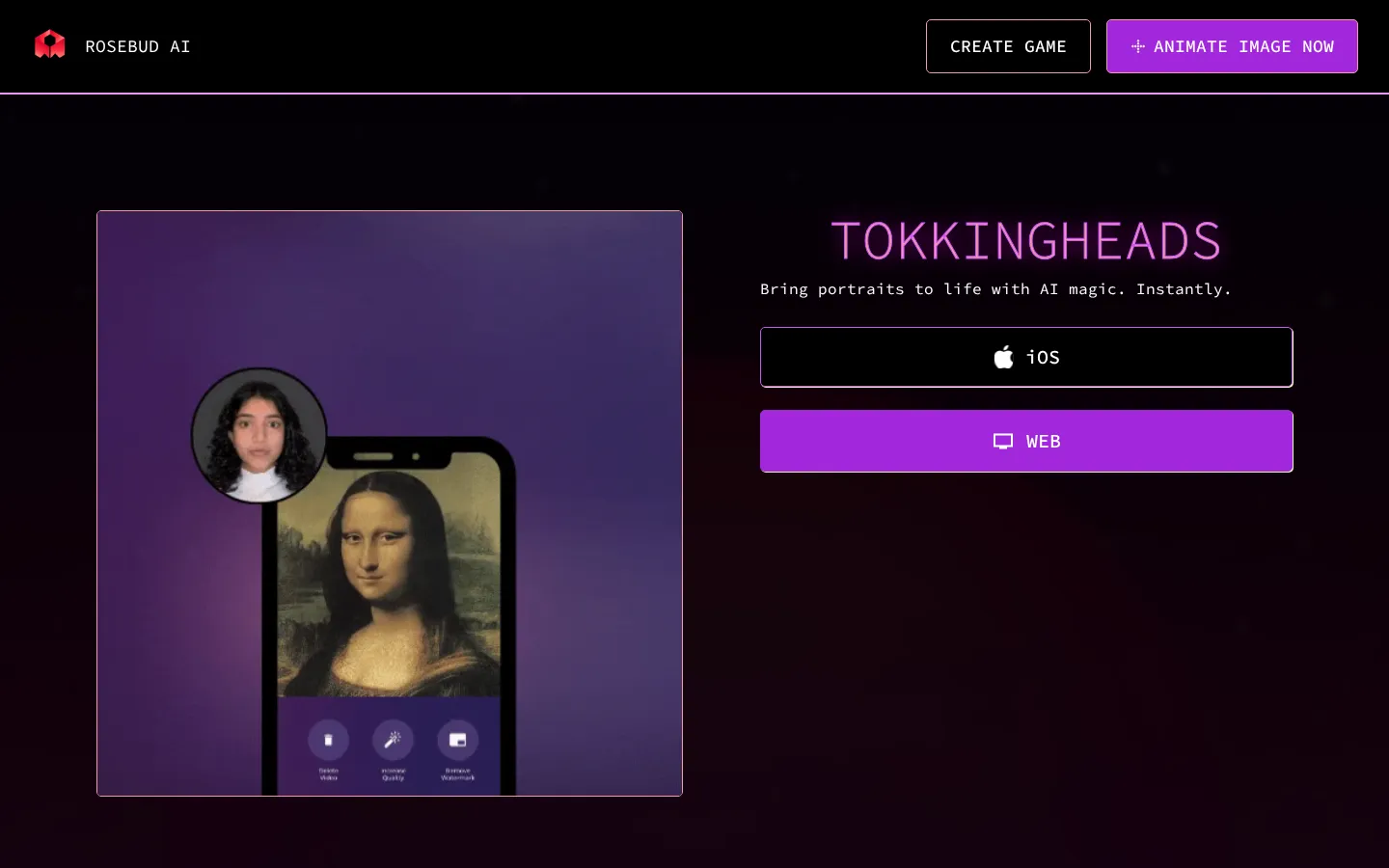
TokkingHeads Core Features
Animate a single portrait photo into a talking, singing, moving avatar in seconds
Access the same TokkingHeads experience from the web app or the iOS app
Magic Motion puppeteering uses your camera to control facial expressions in real time
AI video generator brings text to life, making portraits speak and interact
Create faceplay content, memes, and pranks from any image
Chat with diverse, realistic AI characters via Rosebud AI Characters Chat
Export eye-catching animated GIFs and share them directly to Giphy
Premium subscription adds priority processing and watermark-free AI videos and images
Who is TokkingHeads for?
TokkingHeads is aimed at everyday creators who want instant, playful results rather than professional animation software. The brand's own community language - 'faceplay enthusiasts, AI creators, and meme makers' - points to the core audience: people who love turning photos into shareable content. Casual users can upload a portrait of themselves, a friend, or any character and watch it talk, sing, and move within seconds, with no editing timeline or keyframe knowledge needed. It is especially popular for reviving old family photos and nostalgic images, making them feel alive again. Social media users and meme makers get built-in GIF export with direct sharing to Giphy, plus AI-generated videos designed to catch attention. The 'prank friends' use case is baked into the product, making it a staple for group chats and birthdays. Streamers and video creators can use Magic Motion to puppeteer a character's facial expressions live through their camera. Since the platform now bundles Rosebud AI Characters Chat, it also serves people who enjoy chatting with AI companions or playing character-driven games. Families and kids use it as a fun toy, and educators exploring generative AI can demonstrate animation in seconds. Because it is free to start on web or iPhone, there is no financial barrier to experimentation, though users who want clean, watermark-free exports or faster processing are steered toward the premium subscription.
TokkingHeads Use Cases
Bring old family and nostalgic photos to life as talking portraits
Create memes and GIFs for social media from any still image
Prank friends with animated versions of their photos
Produce AI-generated videos of characters and avatars for content
Puppeteer a character's facial expressions live via camera for streams
Chat with AI companions and characters across Rosebud AI games
Animate game characters, avatars, or artwork for creative projects
TokkingHeads Pros and Cons
Pros
- Free to start, with an optional premium subscription for power users
- Animates from a single photo, with no video footage or complex setup required
- Available on both web and iOS, with real-time camera puppeteering via Magic Motion
- Combines animation, AI video generation, GIF export, and AI character chat in one app
Cons
- No pricing page on the website; premium plan costs are only disclosed in-app
- iOS app is designed for iPhone only, with no Android app listed
- Watermark-free exports and priority processing require the paid premium subscription
FAQ About TokkingHeads
TokkingHeads Pricing
The website has no dedicated pricing page; TokkingHeads is free to download and use, with in-app purchases and an optional premium subscription that adds priority processing and watermark-free AI videos and images, according to the official App Store listing.
Check official pricingFree
Free access to core photo animation, faceplay, meme and GIF creation, AI video generation, and AI character chat on web and iPhone; premium perks such as watermark-free exports are not included.
Premium
Premium subscription offering priority processing and watermark-free AI videos and images; exact pricing is disclosed in-app as no public pricing page exists.
TokkingHeads Alternatives

Alexya
Alexya is a web-based AI influencer studio that keeps one character's face consistent across generated photos and short vertical videos. It bundles three text-to-image modes, the Cinematic, Seedance 2.0/2.5, Omni and Nova video models, a Replace tool for swapping people in existing clips, plus a REST API and MCP connector. Plans start at $9 per month.

Clout AI
Clout AI is a browser studio that builds a reusable AI character and produces the photos, motion clips, faceless stories and scene-by-scene films around it. Character creation, 100+ image and video models, product ad templates, a motion library and Autopilot publishing share one workspace, so content stays recognisably the same persona across TikTok, Reels and Shorts.

Bananai
Bananai is a free-to-start AI image editor and video generator that puts the Nano Banana model family at the centre of one browser workspace. Type a prompt or upload a photo to remove backgrounds, restyle, upscale and generate 4K images, then animate stills or create clips with Seedance, Wan, Veo and other models. Paid credits start at $5.39 a month billed yearly.