
Thumbs.ai
Thumbs.ai is an AI thumbnail studio for YouTube creators. Describe a video and it renders a finished cover, recreate a competitor's thumbnail as a fresh variation, swap in your face with a chosen expression, or clone the visual DNA of any channel. Twenty-plus design effects, a two-million template library and a CTR rater sit alongside it.
What is Thumbs.ai?
Thumbs.ai is an AI YouTube thumbnail generator built for creators who would rather publish than open a design tool. The site pitches it as a way to stop guessing at click-through rate: instead of starting from a blank canvas, you start from what is already working on YouTube, then let the model rebuild that formula around your own video. The company claims more than two million thumbnails generated for over a hundred thousand creators, and the whole workflow is deliberately narrow, covering thumbnail ideation, composition and testing rather than general graphic design.
There are two ways in. Text to Thumbnail takes a prompt or working title and returns a composed 16:9 cover with a subject, background and headline treatment. Recreate Thumbnail does the inverse: paste a YouTube link or upload an image and the tool produces new variations that keep the layout logic of the original. A separate Clone Channel Style feature reads the latest nine covers from any channel and extracts that creator's visual signature, which is the closest thing here to a brand kit without building one by hand.
Face and expression work is the second pillar. The AI Face Expression Generator swaps a portrait into a scene, and Expression Lab lets you dial shock, joy or suspense with a slider instead of reshooting yourself. On top of that sit more than twenty stacked treatments such as Glow Halo, 3D Pop-Out and Neon Glitch, a browseable library organised into collections like MrBeast, Netflix Style, Anime Style and Dhar Mann, plus a CTR Rater that scores a cover before upload and a batch mode that generates ten or more variants for split testing.
Pricing is credit based. The free tier hands over ten trial credits, roughly five watermarked generations, with five more after your first run. Starter is $8 a month for 100 credits at two credits per thumbnail, Ultimate is $34 and adds commercial use rights plus priority queueing, and Professional is $64 for 1,000 credits. Annual billing knocks up to 35% off, and pay-as-you-go credit packs never expire at roughly $0.23 a thumbnail.
The limits are worth naming. Free output carries a watermark, credits make the effective cost per usable image higher than the sticker price, and commercial rights start only at the $34 tier. Style cloning also invites the question of how much of another creator's look you should reuse, and the product has no public API and no documented team or seat management. It is a fast specialist tool, not a replacement for a designer on complex artwork.
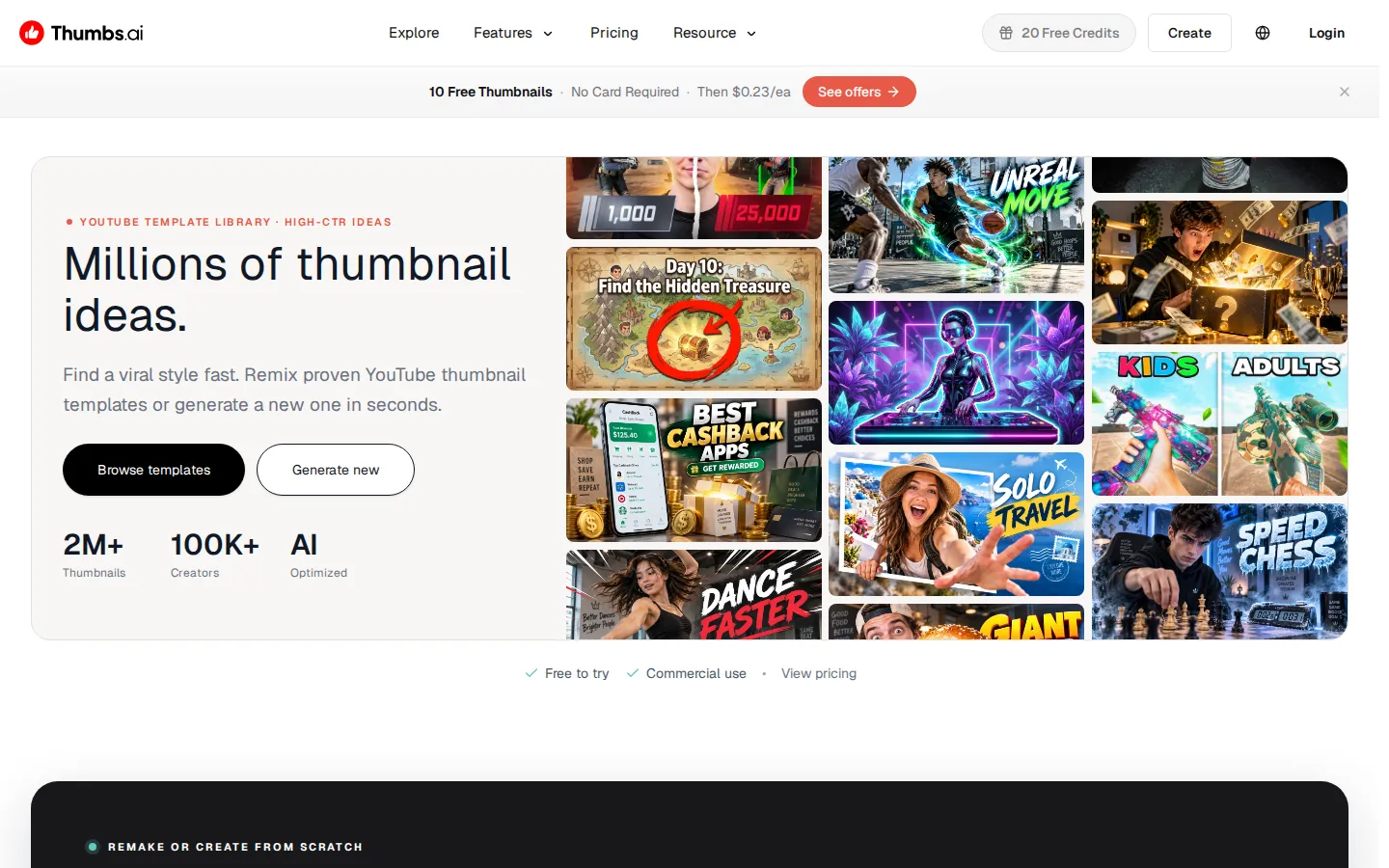
Thumbs.ai Core Features
Text to thumbnail
Type a working title or a short concept and the generator returns a composed 16:9 cover with subject, background and headline text already placed.
Recreate from a link
Paste a YouTube URL or upload an existing image to get new variations that preserve the layout logic that already earned clicks.
Channel style cloning
The tool reads the latest nine covers from any channel and rebuilds that visual formula for your own upload.
AI face and expression
Swap a portrait into a high-stakes scene and set shock, joy or suspense with a slider instead of reshooting yourself.
Pro design effects
More than twenty treatments, including Glow Halo, 3D Pop-Out and Neon Glitch, can be layered on a single image for contrast.
CTR rater
Score a cover before publishing so you can compare candidates and ship the version most likely to win the impression.
Batch A/B variants
Generate ten or more versions of one concept in a single run, which gives a split test real options rather than two guesses.
Template and collection library
Two million thumbnails organised into creator-style collections such as MrBeast, Netflix Style, Anime Style and Dhar Mann, all remixable.
Who is Thumbs.ai for?
Thumbs.ai is aimed at people who publish video on a schedule and treat the cover as a growth lever rather than an art project. The tool assumes you already know roughly what your video is about, have a title or a reference thumbnail in mind, and want a usable 16:9 image in minutes rather than an editable layered file. It suits solo operators and small teams without a designer on retainer far better than studios with an established in-house visual identity. Roles it typically serves: - Solo YouTubers in gaming, challenge, reaction, commentary and lifestyle niches who upload weekly and cannot afford a designer per video. - New channels still experimenting with a look, where cloning a proven style is a faster starting point than inventing one. - Video editors and channel managers who already cut the video and are handed thumbnail duty as an afterthought. - Small agencies and thumbnail freelancers producing covers for several client channels, where batch variants and fast turnaround matter more than pixel-level control. - Podcasters and interview shows that need a consistent cover template with a guest face dropped in each week. - Marketers running YouTube ads or organic channel tests who want many creative variants cheaply for a split test. - Course creators and educators who need a legible, title-led cover for lecture and tutorial uploads. Volume is the other dividing line. A channel publishing once a month can justify a designer or a slow afternoon in Figma, while a channel publishing twice a week cannot, and that is the gap this tool targets. Anyone producing covers for several channels at once, or testing several directions per upload, gets more from batch mode and the template collections than someone who needs a single polished image a quarter. It is a weaker fit for brands with a strict design system, for illustrators who need vector output or layered source files, and for teams that need role-based access, approval flows and an API to plug thumbnails into an existing publishing pipeline. Anyone whose covers depend on custom photography, licensed typography or hand-painted art will still finish the job in Photoshop or Figma.
Thumbs.ai Use Cases
Generate a scroll-stopping cover for a gaming upload in under a minute without opening Photoshop.
Rebuild a competitor's best-performing thumbnail layout for your own take on the same topic.
Clone your channel's existing look so every new video stays visually consistent across a series.
Put your face into a dramatic scene when you forgot to shoot a usable frame on camera.
Test five thumbnail directions on a small audience before committing to one for launch day.
Produce covers for an entire week of uploads in one batch session instead of one at a time.
Refresh the cover on an older video to lift impressions without re-editing the footage.
Localise a proven thumbnail into a new niche by swapping the subject and the headline wording.
Thumbs.ai Pros and Cons
Pros
- Extremely fast path from idea to finished 16:9 cover, with no design skill or layered file knowledge required.
- Style cloning and the recreate mode are grounded in real high-performing thumbnails rather than generic AI art, which makes the output more usable.
- Transparent entry pricing: a free watermark tier, an $8 starter plan and pay-as-you-go credits that never expire at roughly $0.23 a thumbnail.
- Testing features such as the CTR rater and ten-variant batch mode are built in, so iteration happens inside the same tool.
Cons
- The free tier watermarks every output and its ten credits run out after about five generations, so evaluating quality properly costs money.
- Credits are deducted per generation, which makes the real cost per usable thumbnail higher than the headline monthly price suggests.
- Style cloning sits close to copying other creators' work, and there is no public API, seat management or approval workflow for teams.
FAQ About Thumbs.ai
Thumbs.ai Pricing
Thumbs.ai is freemium with a credit system. The free tier gives ten trial credits, about five watermarked generations, with no card required. Starter is $8 a month ($96 a year) for 100 credits, roughly 50 thumbnails at two credits each, no watermark and credit rollover. Ultimate is $34 a month ($412 a year) for 500 credits and adds commercial use rights with priority queueing. Professional is $64 a month ($773 a year) for 1,000 credits and early access to new features. Annual billing saves up to 35%, and pay-as-you-go credit packs never expire at about $0.23 per thumbnail.
Check official pricingFree
Ten trial credits, roughly five generations, split as five on signup and five after your first create. Includes text to thumbnail, recreate, face generation, style cloning, templates and the downloader. Output is watermarked.
Starter
100 monthly credits, about 50 thumbnails at two credits per generation, billed $96 a year if paid annually. High-quality output with no watermark, plus unused credit rollover into the next billing cycle.
Ultimate
500 monthly credits, about 250 thumbnails, or $412 a year annually. Everything in Starter plus YouTube and commercial use rights, priority queue and access to the advanced quality model. Marked as most popular.
Professional
1,000 monthly credits, about 500 thumbnails, or $773 a year annually. Everything in Ultimate plus priority access to new features, aimed at agencies and channels publishing several videos a week.
Pay as you go
Credit packs bought without a subscription, advertised at about $0.23 per thumbnail. Credits never expire and unlock the same premium tools as the subscription tiers, which suits creators who publish in bursts.
Thumbs.ai Alternatives

Meowa
Meowa is a browser-based AI game art studio built for indie game developers. It generates pixel and HD characters, sprite packs, props, tilesets, top-down and isometric maps, game UI, background music and sound effects, and even helps plan game mechanics, all inside one credit-based workspace where you keep commercial ownership of everything you make, with 200 free credits to start.

ZenCreator
ZenCreator bundles image generation, video creation, face swapping, lip sync, upscaling and an uncensored NSFW mode into a single browser workspace run by Dimeris Ltd. Credits never expire, work across every tool, and can be bought by card or crypto. Developers can drive the same 14 tools through a REST API or an MCP server inside Claude, ChatGPT and Cursor.

SiRay
SiRay.AI is an AI infrastructure platform from RUNEX AI that puts 300+ generative models behind one API. Claude, GPT, Gemini, Grok, DeepSeek, Qwen, Flux, Wan, Seedance, Kling and Midjourney are all callable with one key, billed per token, image or video second, with no subscription. It also carries uncensored model variants and claims roughly 30% average savings through intelligent routing.