
Sunra
Sunra is an AI creative suite that aggregates frontier generative models (Sora 2, Kling 3.0, Veo 3.1, Seedance and GPT Image) in one web workspace. It pairs a prompt-driven agent with a canvas for comparing takes, sequencing scenes and editing results, then exports watermark-free video and images in every aspect ratio. Free daily credits, no card required.
What is Sunra?
Sunra is a web-based AI creative suite built on a simple premise: no single generative model wins every shot, so the workspace puts the leading ones in one place and lets you choose per job. From one prompt box you can run Sora 2 for physically grounded motion and world simulation, Kling 3.0 for multi-shot storytelling and lip sync, Veo 3.1 for precise camera control and native audio, Seedance 2.0 and 2.5 for fast cinematic clips, and Alibaba's HappyHorse. On the image side it carries GPT Image 2.5, Nano Banana 2, Seedream and Grok Imagine, alongside music and 3D generation through partners such as Suno, ElevenLabs and Tripo.
The product is more than a model router. Sunra's agent takes a brief in plain language, plans the work and generates the assets; a canvas then holds everything so you can run the same prompt across several models, compare takes side by side, branch variations and assemble sequences without downloading and re-uploading files. Projects add a timeline for cutting scenes together, a design surface for turning stills into layouts and decks, and a 3D view. Motion control maps a character photo onto a reference clip so the pose and timing follow the source, and in-place editing changes colors, props or weather in existing footage while preserving its original motion. A library of more than 1,000 skills encodes repeatable formats, such as product films, music videos, short drama episodes and ad variants, that the agent can apply again with tomorrow's subject. Brand guidebooks keep colors, type and tone consistent across a batch.
Pricing runs on credits rather than per-model subscriptions. Every account starts with free daily credits and no card, and paid plans add a monthly allowance: Basic at 1,200 credits, Pro at 3,500 and Creator at 17,000, with annual billing roughly half the monthly rate. Credit costs per generation are quoted on the generate button before anything runs, and each model has a published rate: image generation can cost a single credit, while video is priced per second. Paid users can top up from $10 to $10,000 at $1 per 100 credits, and top-up credits roll over. Commercial use is permitted, exports are watermark-free on every tier including the free one, and concurrent generations scale from 10 to 20 by plan.
Sunra also ships an MCP server, a CLI and an API, so the same models can be driven from Claude, ChatGPT, Cursor, Codex or a custom application. The company behind it is Second Enlightenment Global Private Limited, registered in Singapore, and the site lists production teams at Netflix, Google, HBO, A24, TikTok and the Cannes and London Design Festivals among its users. It is an aggregator rather than a model maker: quality depends on the underlying models, and the value lies in comparison, workflow and pricing that tracks each maker's API rates.
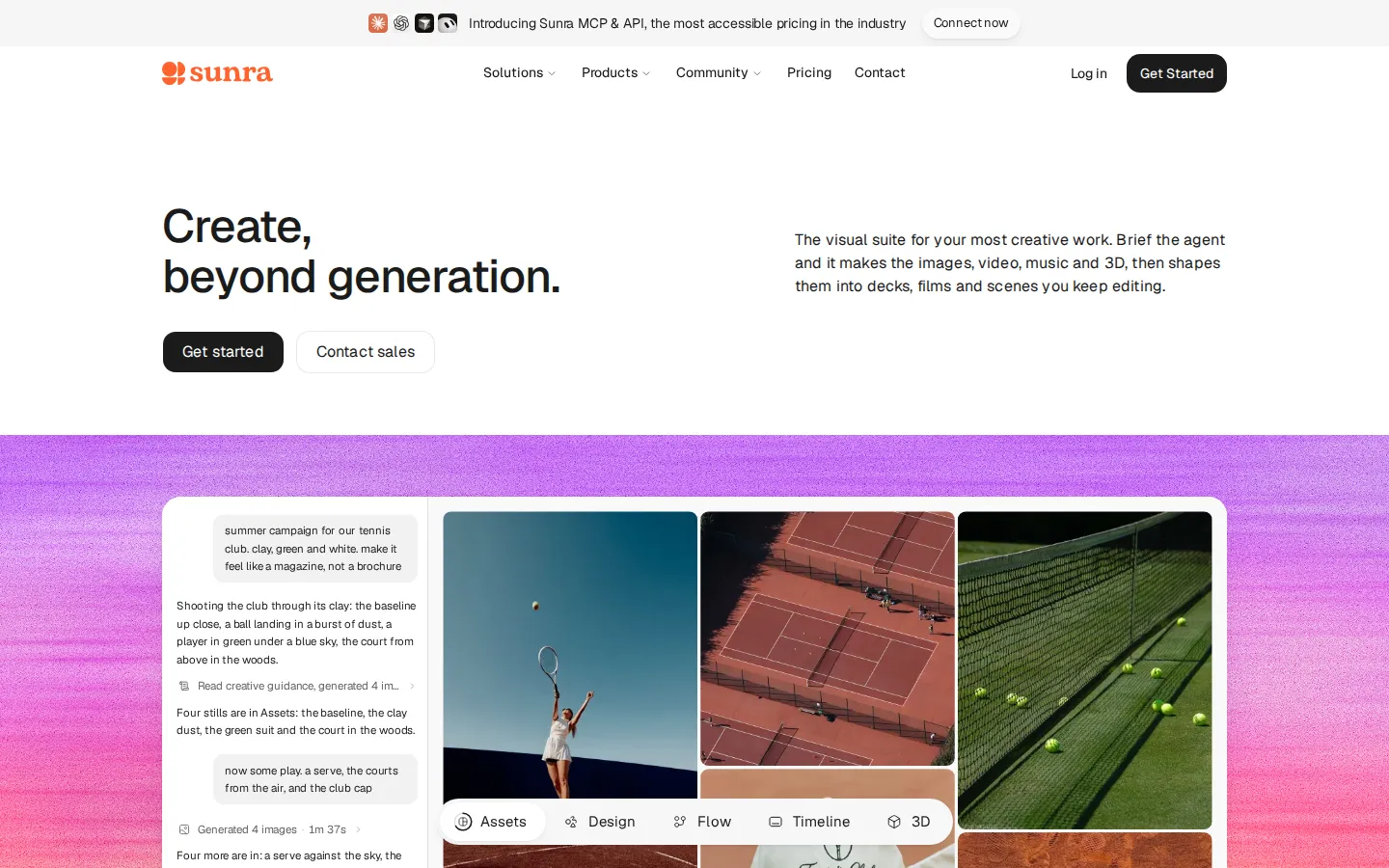
Sunra Core Features
Multi-model access
Run Sora 2, Kling 3.0, Veo 3.1, Seedance 2.5 and HappyHorse for video, plus GPT Image 2.5, Nano Banana 2 and Seedream for stills, switching models in one click.
Brief-driven agent
Describe the deliverable in plain language and the agent plans the work, writes prompts and produces images, video, music or 3D before assembling them.
Comparison canvas
Fire one prompt at several models, pin favorites, branch variations and build sequences on a single board instead of juggling tabs and re-uploads.
Timeline and design surfaces
Cut generated scenes into a film, turn stills into layouts and decks, and review a project in 3D, all inside the same workspace.
Skills library
More than 1,000 saved creative recipes cover launch films, product demos, music videos, short drama episodes and social formats that rerun with new subjects.
Brand guidebooks
Store colors, type and tone once so every batch and every collaborator generates on-brand assets rather than one-off looks.
Native audio and lip sync
Kling 3.0, Sora 2 and Veo 3.1 generate synchronized dialogue and ambience alongside the picture, removing a separate audio pass.
MCP, CLI and API
Drive the same models from Claude, ChatGPT, Cursor, Codex or your own application, with shared credits and itemized usage history.
Who is Sunra for?
Sunra is aimed at people who already know that model choice changes the result and who are tired of paying for three or four separate subscriptions. That includes social and performance marketers producing vertical ad variants weekly, agency creatives who need to pitch a look before a shoot, and in-house brand teams that want one account covering video, stills and simple layouts. It also fits documentary and commercial teams doing pre-visualization, e-commerce teams generating product shots and lifestyle scenes at volume, and music artists building visualizers from a track. Solo creators benefit from the free daily credits: you can test a brief on Sora 2, Kling and Veo without a card, then commit to a plan only once a format works. Small studios get the comparison canvas, which replaces the download, rename and re-upload loop that comes with running several tools. Larger organizations are served by the Enterprise tier, with custom credits, security review and priority support, though the plans are individual-seat rather than team-administered. It is less suitable if you need a single model tuned to one narrow style and nothing else, or if you want a full non-linear editor with color grading, compositing and multicam. Sunra is a generation and assembly workspace, not a finishing suite, and its output quality tracks whichever third-party model you pick. Anyone who needs raw model access inside their own product should look at the separate Sunra API rather than the Creative plans. Teams already standardized on one model can still use Sunra as a comparison bench for pitches and storyboards without moving production off their main tool. Educators and course teams fit too, since explainer visuals and animated diagrams are cheap to iterate when you pay credits per render. Freelancers billing clients can absorb the cost on a single Pro plan instead of reselling access, which the terms forbid.
Sunra Use Cases
Produce vertical TikTok, Reels and Shorts ads at volume with native audio and per-audience hooks.
Turn product photography into cinematic reveal clips for e-commerce listings and launch pages.
Pre-visualize storyboard frames as moving footage before committing budget to a shoot.
Build a music video or visualizer by planning scenes against the structure of a track.
Draft a short drama season with a fixed cast, world and tone enforced across episodes.
Generate on-brand campaign stills and layouts from a guidebook without a photoshoot retainer.
Animate a still or map a character onto reference motion for dance and action shots.
Edit existing footage in place by describing changes such as new colors, props or weather.
Sunra Pros and Cons
Pros
- Frontier video and image models sit behind one login and one credit balance, which removes three or four separate subscriptions.
- Free daily credits with no credit card let you validate a format on real models before paying anything.
- Watermark-free exports on every tier, including the free plan, and commercial use on paid plans.
- The comparison canvas makes model selection empirical: same prompt, side-by-side takes, one project file.
- Annual pricing lands near half the monthly rate, and per-generation credit costs are quoted before you run.
Cons
- Plan credits refresh monthly and do not roll over, so unused allowance is lost at each cycle.
- Downgrades require contacting support, and refunds exclude Stripe's processing fee and any used credits.
- It is an aggregator: output quality and model availability depend entirely on third-party providers, which can change without notice.
FAQ About Sunra
Sunra Pricing
Sunra is freemium. Every account gets free daily credits with no credit card, and the free plan cannot buy top-ups. Paid tiers bill monthly or annually: Basic $9/mo annually ($12 monthly) for 1,200 credits, Pro $17/mo annually ($29 monthly) for 3,500 credits, Creator $63/mo annually ($125 monthly) for 17,000 credits, and Enterprise by quote. Plan credits refresh every 30 days without rollover; top-ups run $10-$10,000 at $1 per 100 credits and do roll over.
Check official pricingFree
Daily free credits with access to all models, watermark-free exports and no credit card required. Top-ups are not available on this tier.
Basic
1,200 credits per month, up to 10 concurrent generations, the full skills library, brand guidebooks and commercial use. $12 per month if billed monthly.
Pro
3,500 credits per month and up to 15 concurrent generations, plus everything in Basic. $29 per month if billed monthly.
Creator
17,000 credits per month, up to 20 concurrent generations and early access to advanced features. $125 per month if billed monthly.
Enterprise
Custom credits and pricing, security and compliance review, custom integrations and priority support, tailored to team workflows.
Sunra Alternatives

Alexya
Alexya is a web-based AI influencer studio that keeps one character's face consistent across generated photos and short vertical videos. It bundles three text-to-image modes, the Cinematic, Seedance 2.0/2.5, Omni and Nova video models, a Replace tool for swapping people in existing clips, plus a REST API and MCP connector. Plans start at $9 per month.

Clout AI
Clout AI is a browser studio that builds a reusable AI character and produces the photos, motion clips, faceless stories and scene-by-scene films around it. Character creation, 100+ image and video models, product ad templates, a motion library and Autopilot publishing share one workspace, so content stays recognisably the same persona across TikTok, Reels and Shorts.

Bananai
Bananai is a free-to-start AI image editor and video generator that puts the Nano Banana model family at the centre of one browser workspace. Type a prompt or upload a photo to remove backgrounds, restyle, upscale and generate 4K images, then animate stills or create clips with Seedance, Wan, Veo and other models. Paid credits start at $5.39 a month billed yearly.