
Retypit
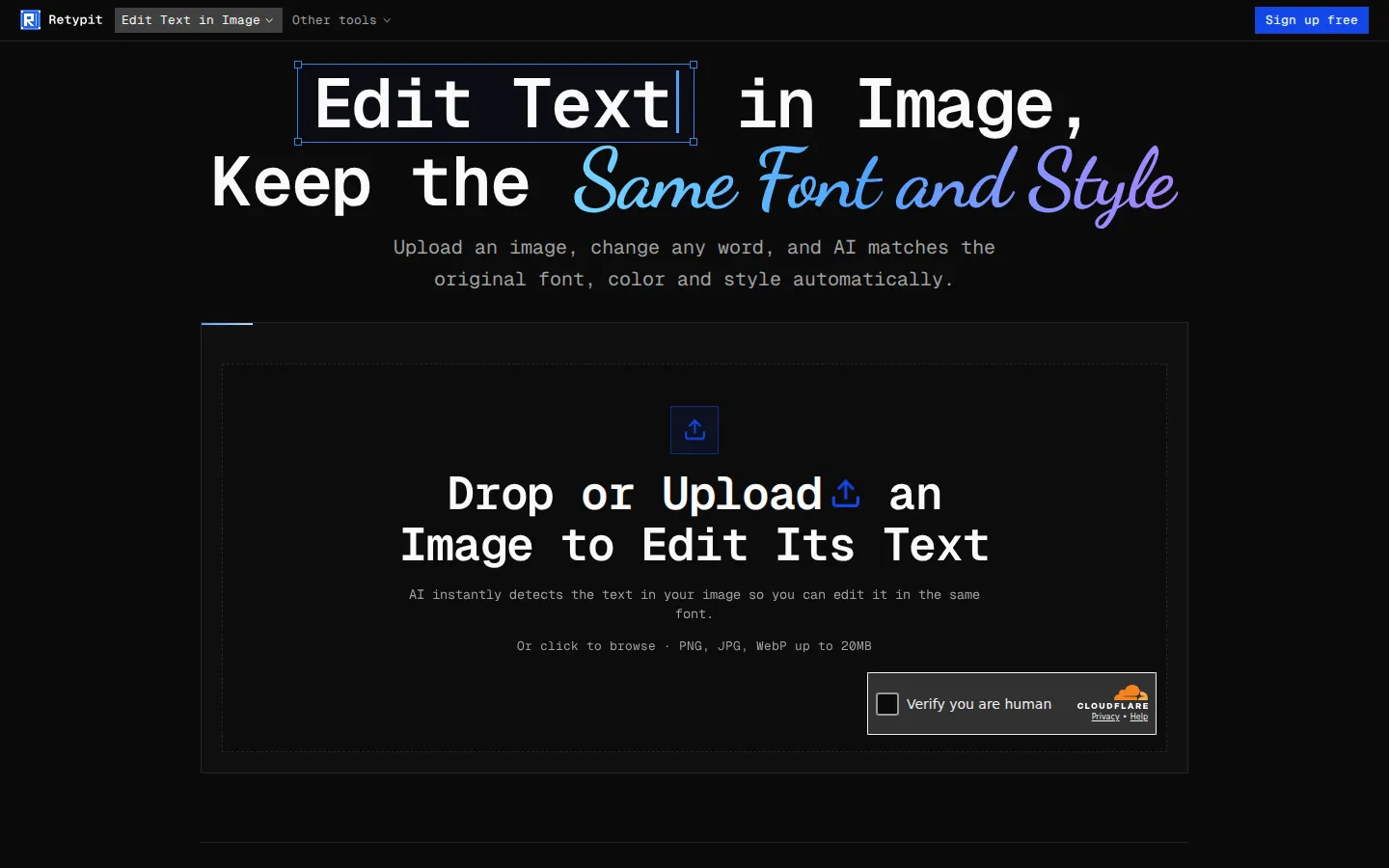
Retypit is a browser-based image text editor. Upload a PNG, JPG, or WebP up to 20MB, let the AI detect every line of text, click the words you want to change, and retype. The result keeps the original font, color, and texture while faces, backgrounds, and layout stay untouched, so you skip Photoshop layers and font matching entirely.
What is Retypit?
Retypit is a web app built around one job: editing text that is already baked into an image. You drop in a JPG, PNG, or WebP file of up to 20MB and the service analyzes the picture, detects each line of text, and numbers it directly on the canvas. You select the lines you want by number, type the replacement wording, and press the edit action. Retypit then rebuilds the new words to match the lettering, color, and texture of the original, so a changed headline on a vintage poster still carries the same condensed display face, shadow, and worn print look rather than landing in a default sans-serif.
The product was designed for flat files, which is its main practical advantage. You do not need a PSD, layers, or a source design, and you never have to identify the font or manually clone out old lettering. Instead of regenerating an entire image from a prompt, Retypit scopes the change to the text lines you selected and aims to leave faces, backgrounds, props, and layout untouched, which avoids the smeared edges and shifted details that come with whole-image regeneration.
Beyond the text editor, the same upload, detect, and history flow powers a Text Remover for erasing captions and UI labels, an AI Image Editor that accepts numbered point annotations with short notes, and a People Remover that deletes marked people and fills the background. Each run costs one credit, with no per-run point cap on the point-edit tools. Accounts are created with Google one-click sign-in or an email verification code, history items open in a before-and-after slider, and uploads pass an NSFW and official-document check, so IDs, passports, certificates, and bank statements are blocked without being charged.
Its positioning is deliberately comparative. Against Photoshop, Retypit replaces a select, mask or heal, recreate-font, retype sequence with upload, select, retype, download, and it does not need layers or a PSD the way a layered workflow usually does. Against other image text editors, the claim is fidelity on stylised type: in the company's own October 2026 test on a vintage poster, a competing tool swapped the headline into a generic sans-serif, left a grey smudge where the old letters had been, and ran the new word off the edge, while Retypit regenerated it in the same condensed display style with the original shadow and worn texture.
What it is not matters just as much. Retypit is not a full Photoshop replacement, not a font-identification service, and not a batch or API platform. Point-and-note edits to any part of a photo live in the separate AI Image Editor, and people removal lives in the People Remover. The main editor is scoped to text that should keep its original font, and the company states that while it aims to change only the selected lines, minor changes elsewhere can still occur.
Retypit Core Features
Automatic text-line detection that numbers every line on the uploaded image
Font, color, and texture matching so new words blend into the original lettering
Selective editing that leaves faces, backgrounds, props, and layout untouched
Works on flat JPG, PNG, and WebP files up to 20MB with no PSD or layers needed
Support for stylized lettering, ornate script, shadows, and worn print textures
Text Remover for erasing captions, labels, and UI text while completing the background
Companion AI Image Editor with numbered point annotations and short notes per point
People Remover with remove and keep modes, plus edit history with before-and-after slider
Who is Retypit for?
Retypit is for anyone who has a finished image and only needs the words inside it changed. That covers social media managers who reuse the same event poster every season and just need a new date, venue, or headliner, and small business owners updating prices on a photographed restaurant menu without booking a reshoot. Ecommerce sellers use it to swap a flavour name on a product pack shot, or to correct label wording for a listing, and community organizers fix a typo on a printed flyer they no longer have source files for. Coffee shops and local retailers rename a storefront sign in a photo while keeping the same gold serif and wood finish. It also suits people outside design entirely. Founders and marketers edit a brand name or button label on an app screenshot for a demo, pitch deck, or case study, and people generating images with AI tools use it to repair misspelled text in a scene they already liked rather than rolling the dice on a fresh generation. Meme and short-form video creators retype captions and overlays for the next post while keeping the original styling, and freelance marketers producing ad variants get localised or re-worded creative out of one approved image. Teams that handle client assets often fit too: an agency account manager can correct a date on a client's event banner in minutes instead of opening a design ticket and waiting for a layered file to surface. Anyone documenting software can fix a stale menu label in a help-centre screenshot without reinstalling the build. Hobbyists restoring a vintage poster or an old family photo use it to replace a damaged word in matching lettering. The common thread is that these users do not have layered source files, do not know which font was used, and do not want a full design suite. If you are building a composite from scratch, masking, retouching skin, colour grading, or doing print-ready prepress work, Retypit is not the right tool, and it will not help with programmatic or bulk batch processing because there is no API. It is deliberately narrow: it changes existing text in a flat image, in the original style, and leaves the rest of the picture as it was.
Retypit Use Cases
Update the event name, date, or venue on a printed poster or flyer while keeping its layout
Fix a wrong word, button label, or caption on a phone or desktop screenshot without rebuilding the UI
Change prices on a photographed restaurant menu without a layered PSD or a redesign
Swap label text on jars and packaging shots so the product still looks real in the photo
Correct misspelled words in AI-generated images without regenerating the whole scene
Retype captions and overlays on memes and social graphics for the next post
Rename a storefront sign or shopfront lettering while keeping the same gold serif and materials
Erase text, captions, or UI labels from an image and reconstruct the background behind them
Retypit Pros and Cons
Pros
- Solves the specific, tedious problem of matching an unknown font by hand in Photoshop
- No source file or layers required — a finished screenshot or photo is enough
- Selective, text-scoped edits keep the rest of the image intact instead of regenerating everything
- Credit packs are one-time purchases with no subscription, and credits never expire
- Handles stylized and decorative lettering that generic image text editors flatten into sans-serif
Cons
- No free unlimited tier — you get a single welcome credit, then buy packs from $5.99
- Edits are not pixel-guaranteed; minor changes elsewhere in the image can still occur
- No API and no subscription or team plan, so automated or high-volume batch workflows are unsupported
FAQ About Retypit
Retypit Pricing
Retypit is free to sign up for and grants one welcome credit, then sells one-time credit packs rather than subscriptions: Starter $5.99 for 10 credits, Creator $9.99 for 20 credits, and Pro $19.99 for 50 credits (about $0.40 each). One credit covers a single run of any tool, credits never expire, and there is no auto-renew.
Check official pricingFree
Sign up free with Google or email and receive one welcome credit, which covers a single run of any tool.
Starter
10 credits, roughly $0.60 per credit. One credit per run across text edit, text remove, image editor, and people remover.
Creator
20 credits, roughly $0.50 per credit. One-time purchase with no auto-renew; credits never expire.
Pro
50 credits, roughly $0.40 per credit. The best per-credit rate for steady editing work; paid by PayPal or Stripe.
Retypit Alternatives

DeepSwap
DeepSwap is an online AI face swap studio for video, GIF and photo. Upload a clip, pick a source face, and its private model renders a realistic swap in seconds, handling up to six faces, tricky angles and 1080p output, plus enhancement, background removal, cartoon filters and text-to-video generation, with a credit-based API for bulk work.
Bananai
Bananai is a free-to-start AI image editor and video generator that puts the Nano Banana model family at the centre of one browser workspace. Type a prompt or upload a photo to remove backgrounds, restyle, upscale and generate 4K images, then animate stills or create clips with Seedance, Wan, Veo and other models. Paid credits start at $5.39 a month billed yearly.
CarePhoto
CarePhoto is a browser-based AI photo studio built around a chat window instead of editing panels. You upload reference photos, describe the change, and it runs on third-party models including Seedance 2.5, Seedream 5.0 Pro, FLUX 3, Nano Banana Pro and GPT Image. Plans start at $7.99 per month, with 20 free credits on signup.