
QuickMagic
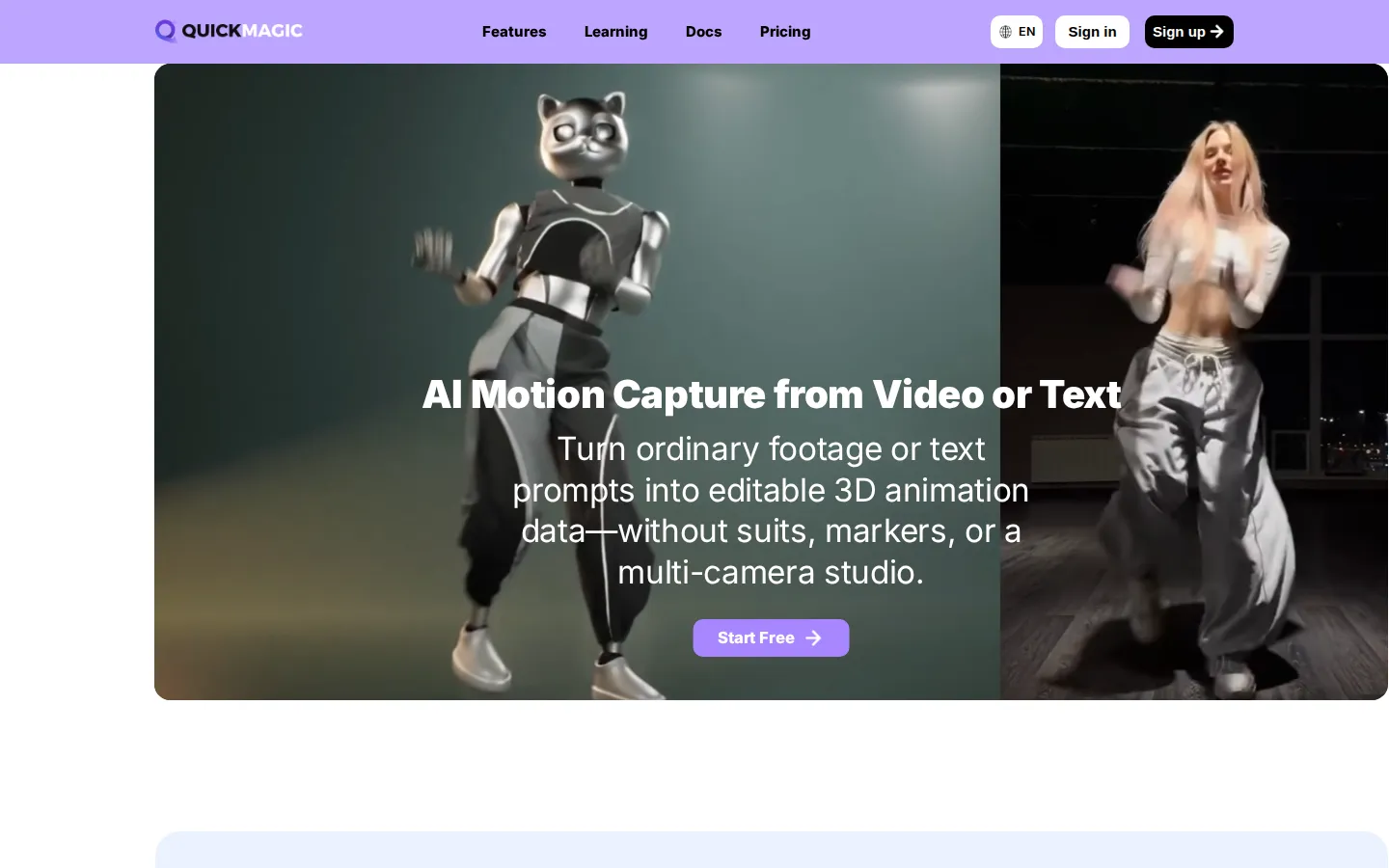
QuickMagic is an AI motion capture platform that estimates full-body, hand, and facial movement from a single video, or generates motion from text prompts, and exports it as editable 3D animation data. It supports FBX, BVH, and pipeline-specific formats for Blender, Unreal Engine, Unity, Maya, MMD, and humanoid robots. Free plan with paid plans from $14.9/month.
What is QuickMagic?
QuickMagic is a markerless AI motion capture platform that converts a single video, or a text prompt, into editable 3D animation data without suits, reflective markers, sensors, or multi-camera studios. Using computer vision and machine learning, QuickMagic estimates full-body, hand, and facial movement frame by frame from footage recorded with a phone, webcam, or camera, then converts it into motion data that artists can preview, export, and refine in their animation pipelines. The platform also generates human motion references for humanoid robots, supporting simulation, imitation-learning experiments, behavior prototyping, and presets for Unitree G1, H1, and H1_2 robot models. Export formats include FBX, BVH, BIP, C4D, VMD, Mixamo, UE MetaHuman, Character Creator and iClone, Roblox, OnlyFace, and UniRobot, covering Blender, Unreal Engine, Unity, Maya, 3ds Max, MotionBuilder, Cascadeur, MikuMikuDance, and other tools, with availability varying by plan. QuickMagic supports single- and multi-subject capture, static or moving-camera footage, pose and frame-rate controls, motion cleanup, and text-to-motion for storyboards, previs, game prototypes, MMD, VTuber, and digital-human content. The platform offers a free plan for trying AI motion capture, with 15-day asset storage for free users and ongoing account storage for paid plans, then paid tiers named Basic, Pro, Max, and Studio at 14.9, 49.9, 179.9, and 499.9 dollars per month respectively, with discounted annual-equivalent rates shown on the pricing page. Processing time varies with video length, resolution, and queue priority, and commercial-use rights depend on the plan and the rights held over source footage, with details in the user agreement. The platform is web-based and requires no software installation, and its processing pipeline supports both Motion Studio for video capture and Video Studio for generation tasks, each with its own length and upload limits per plan. QuickMagic publishes an export formats compatibility table, a robot motion data page, and detailed FAQ documentation covering credits, billing, retention, and commercial use. The community showcases creator workflows through YouTube videos and social channels, including endorsements from tools like Cascadeur that use QuickMagic for video mocap before cleanup. Credits are the platform currency for processing, refreshing each billing cycle, and users can combine monthly credits with VCoins where available, with priority defaults managed automatically per plan.
QuickMagic Core Features
Markerless mocap
Estimate body, hand, and facial motion from a single video.
Text-to-motion
Generate editable 3D motion drafts from plain-language prompts.
Robot motion data
Create human-motion references for humanoid robots with Unitree presets.
Broad export support
FBX, BVH, BIP, C4D, VMD, Mixamo, and pipeline-specific formats.
Multi-subject capture
Support single and multi-subject workflows from one footage.
Moving camera support
Capture from static or moving-camera footage with tracking modes.
Motion controls
Pose, frame-rate, and motion-cleanup controls for refining output.
Free plan
Try AI motion capture with 15-day asset storage before upgrading.
Who is QuickMagic for?
QuickMagic is for 3D animators who need motion data for characters without booking a mocap studio. Indie game developers use it to capture movement for Unreal Engine, Unity, and Blender characters. VTuber and MMD creators generate motion for virtual performers and music videos. Robotics researchers generate human motion references for humanoid robots and imitation-learning experiments. YouTube creators produce animation content using single-camera footage of themselves. Game modders and UEFN creators capture motion for Fortnite projects. Character animators working in Cascadeur, iClone, and MotionBuilder use QuickMagic as a motion input stage, and studios use Max and Studio plans for higher video length limits, faster processing, and commercial use at scale. Independent game developers on small budgets use QuickMagic instead of hiring motion capture services. VR and XR developers capture human movement for immersive experiences. Robotics labs and universities generate human motion references for humanoid robot research and simulation experiments. Animation students use the free plan to learn mocap workflows and export formats. Fitness and sports content creators translate real movements into animated content. Filmmakers doing previs use text-to-motion to block out action sequences quickly. Technical artists use the Max and Studio plans for longer captures and higher-volume production. Character riggers and retargeting specialists use QuickMagic output as a clean input stage before cleanup in Cascadeur or MotionBuilder.
QuickMagic Use Cases
Capture real movement from phone footage for game character animations.
Generate human motion references for humanoid robot simulation and training.
Create MMD and VTuber motion from video or text prompts.
Prototype character performance with text-to-motion drafts.
Produce UEFN and Fortnite animation using single-camera capture.
Feed motion data into Cascadeur or iClone for cleanup and retargeting.
Build storyboards and previs animations from natural-language actions.
Animate digital humans in Unreal Engine with MetaHuman exports.
QuickMagic Pros and Cons
Pros
- No suits, markers, or studio required, just a phone or webcam.
- Text-to-motion adds a fast ideation path alongside video capture.
- Wide export format support across major 3D tools and engines.
- Robot motion reference workflows are a rare, forward-looking feature.
Cons
- Output quality depends on footage clarity, lighting, and motion blur.
- Free plan limits video length, export formats, and asset retention to 15 days.
- Higher tiers are costly for solo creators, with Studio at nearly $500/month.
FAQ About QuickMagic
QuickMagic Pricing
Freemium. Free plan with limited video length and 15-day asset storage; Basic $14.9/month, Pro $49.9/month, Max $179.9/month, Studio $499.9/month (discounted annual rates).
Check official pricingFree
30s max video, 50MB upload, basic models, 15-day asset storage
Basic
60s max video, 100MB upload, basic motion and video studio
Pro
90s max video, 200MB upload, higher processing priority
Max
120s max video, 300MB upload, advanced workflows
Studio
120s max video, 400MB upload, high-volume web creation and teams
QuickMagic Alternatives
Paper Animation
Paper Animation is a browser tool that turns a typed keyword or one uploaded image into a short paper-style animation: folded cut-outs, highlighted newspaper clippings, magazine letters and fake press coverage. Clips export as 720x1280 MP4 or GIF, with a green-screen mode, and the free plan allows unlimited watermarked exports. It runs in the browser, so there is nothing to install.

SpriteFuse
Create and refine 2D sprite animations from text or a character reference. Export transparent sprite sheets, PNG frames, GIF and animation metadata.

GoCrazyAI
GoCrazyAI – All-in-One AI Video Generator, AI Image Generator & Creative Studio