Paper Animation
Paper Animation is a browser tool that turns a typed keyword or one uploaded image into a short paper-style animation: folded cut-outs, highlighted newspaper clippings, magazine letters and fake press coverage. Clips export as 720x1280 MP4 or GIF, with a green-screen mode, and the free plan allows unlimited watermarked exports. It runs in the browser, so there is nothing to install.
What is Paper Animation?
Paper Animation is a browser-based generator that turns a word or a single photo into a short paper-styled animation clip - animated newspaper clippings, ransom-note magazine letters, mock press coverage or a paper fold-out reveal - sized for TikTok, Reels and Shorts. Nothing is installed: you sign in with Google, type your keyword or upload an image, click the object you want, and the site renders a vertical clip you can export as MP4 or GIF within about thirty seconds.
The output spans five entry points that the site markets as four styles. Newspaper Highlight drops your word into realistic clippings, cycling through more than ten frames per generation drawn from fifteen typefaces, eight paper textures and justified column layouts, so repeated runs do not look identical. Tweets frames the word in clean social-post cards, Press Coverage mimics publication layouts for launches and announcements, Magazine Letters builds cut-out collage lettering, and Paper Fold takes an uploaded photo, removes the background with one click and folds the subject out with torn edges and a white border. Size, distortion, texture and animation direction are adjustable in every mode, and all of them render at 720x1280 vertical.
Export carries much of the practical value. MP4 is the default, GIF is there for embedding and quick sharing, and a green-screen mode renders on chroma green so the animation can be composited over your own footage in CapCut, Premiere or Resolve. You can set the frame rate and add sound effects, and paid exports arrive without a watermark and without a render queue. Because the work happens in the browser, the tool runs on a phone, a Chromebook or an old laptop, which is unusual for anything animation-adjacent.
Pricing is deliberately thin. The free plan allows unlimited generation and unlimited watermarked exports forever with no card required, but every project a free account saves is published in the public Community gallery and cannot be deleted by the user. Creator is $9 a month for watermark-free exports, private projects and project management; Founder's Lifetime is a one-time $59 in numbered slots capped at 1,000, and includes every future style. Neither paid plan is refundable. There is no API, no team workspace and no landscape export, so the product reads as a fast hook factory rather than an editing suite. Its marketing leans on directory badges and a blog of TikTok hook advice while the site's own counters disagree with each other, which is what you would expect from a young product run by a very small team.
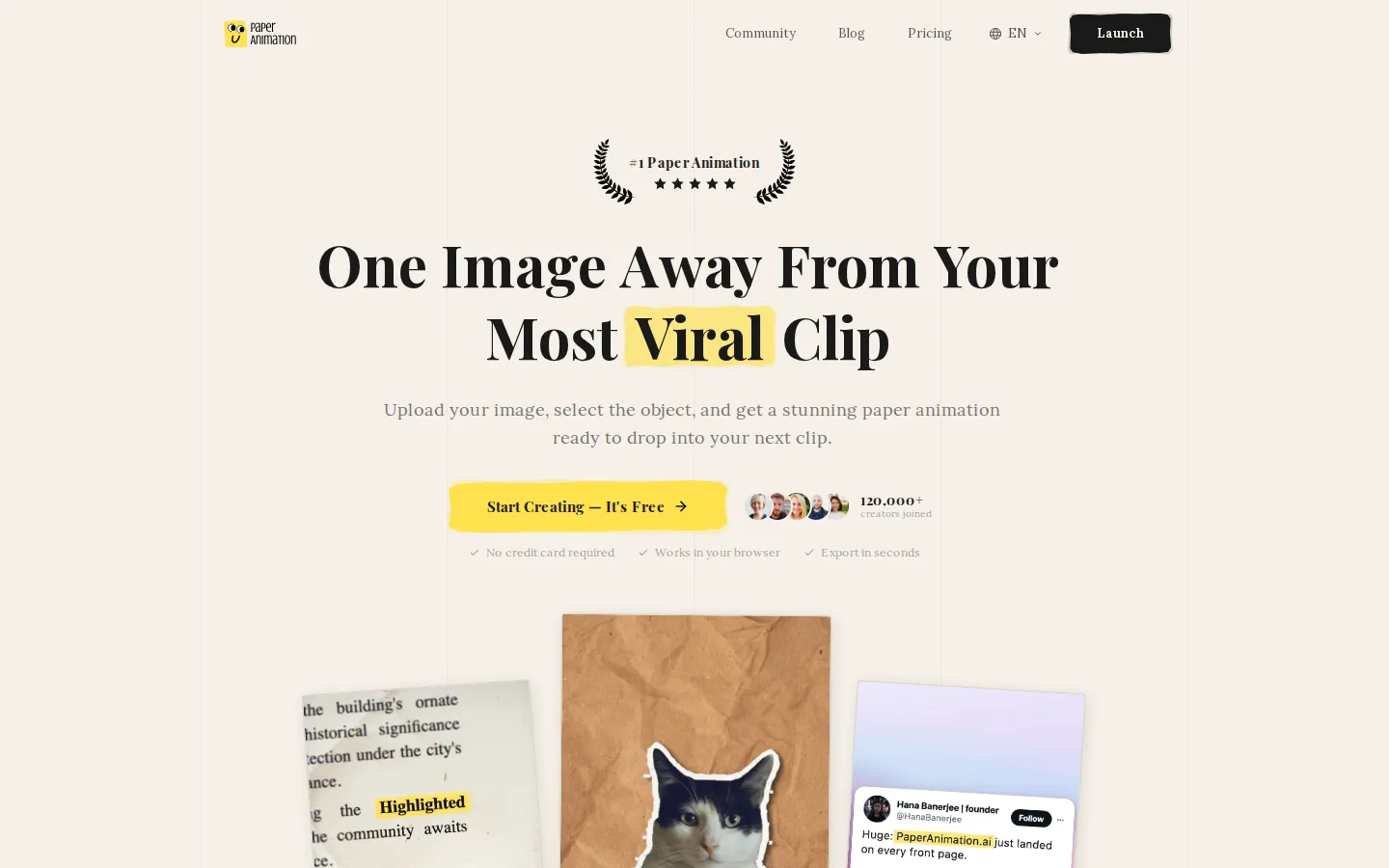
Paper Animation Core Features
Newspaper Highlight
A typed keyword animates across more than ten clipping frames built from fifteen typefaces, eight paper textures and justified columns.
Paper Fold
Upload a photo, click the subject, and AI removes the background before folding out a cut-out with torn edges and a white border.
Magazine Letters
Ransom-note collage lettering generated from your text with authentic paper grain rather than a uniform font.
Tweets and Press Coverage
Keyword cards styled as social posts or publication clippings, aimed at launches, hype and social proof.
Green-screen export
Renders on chroma green so clips drop straight into CapCut, Premiere, Resolve or any compositor.
Clean MP4 and GIF output
One-click 720x1280 vertical export at your chosen frame rate, no watermark on paid plans and no render queue.
Studio controls
Size, distortion, paper texture and animation direction are adjustable per project, with sound effects in the export step.
Browser-only operation
Runs on Mac, Windows, Chromebook, iPhone, Android and iPad with no install, plugin or GPU requirement.
Who is Paper Animation for?
Paper Animation is aimed at people who publish short vertical video often enough that the hook, not the edit, is the bottleneck. TikTok creators are the core audience: the newspaper highlight and paper-rip looks are already native to that feed, and a single keyword can become a scroll-stopping opener without opening an editor. YouTube editors use it for chapter bumpers, B-roll overlays and intro sequences, while Instagram and Reels creators use the same exports as story stickers, carousel openers and transition frames. Social and brand marketers form the second group. Launch teasers, campaign slogans and sale keywords can be dressed as press coverage or a tweet card in under a minute, which is far cheaper than commissioning a motion designer for a two-second sting. Podcast and clip producers use it to animate an episode title or guest name over an audiogram, and freelance editors and small agencies like the pricing model because a $9 unlimited plan covers every client account without counting exports. Educators, students and course creators round it out: vocabulary, key terms and thesis statements become animated highlights that survive a phone screen in a presentation or a class clip. A quieter audience is the solo operator testing a channel, for whom unlimited watermarked exports remove the usual credit anxiety before a single dollar is spent, and the green-screen mode matters most to anyone already editing, because the clip arrives as a layer rather than a finished video. Brand teams with in-house designers will find the controls shallow, since the paper stock, layout and typography are the tool's choices rather than yours and no house style can be imported. It is a poor fit for anyone who needs landscape or 4K output, frame-accurate compositing, team seats, an API, or animation beyond the paper aesthetic.
Paper Animation Use Cases
Open a TikTok video with an animated newspaper headline instead of a plain text hook.
Turn a product name into a mock press-coverage clip for a launch teaser.
Cut a subject out of a product photo and fold it into a transition beat.
Build ransom-note title cards for a YouTube intro or chapter bumper.
Layer a green-screen paper animation over a podcast audiogram segment.
Create Instagram carousel openers and story stickers from one keyword.
Animate key vocabulary or a thesis statement for a classroom clip.
Mock up a magazine-style collage of a campaign slogan for client review.
Paper Animation Pros and Cons
Pros
- The free plan is genuinely unlimited: as many watermarked MP4 and GIF exports as you want, forever, with no card and no credit counting.
- The paid tiers are simple and cheap - $9 a month for unlimited clean exports, or $59 once for lifetime access with future styles included.
- Green-screen export, MP4 and GIF output and a browser-only editor cover the full workflow, so a clip is ready in roughly thirty seconds.
- Ten or more distinct clipping frames per generation keep repeated keywords from looking like the same template twice.
Cons
- Every project saved on the free plan is published in the public Community gallery, and free accounts cannot delete saved projects themselves.
- All sales are final: neither the monthly Creator plan nor Founder's Lifetime is refundable, so the only trial is the watermarked free tier.
- Google is the only sign-in, output is fixed at 720x1280 vertical, and there is no API, team workspace or batch processing yet.
FAQ About Paper Animation
Paper Animation Pricing
Paper Animation is freemium. The free plan gives unlimited watermarked MP4 and GIF exports forever with no card required, but saved projects are published publicly. Creator costs $9 a month for unlimited watermark-free exports, private projects and priority support. Founder's Lifetime is a one-time $59 for the first 1,000 numbered slots and includes all future styles; the price rises to $79 and then $99 as slots fill. All sales are final.
Check official pricingFree
Unlimited generation and unlimited watermarked MP4 and GIF exports, all animation styles, browser editor, no credit card. Saved projects appear in the public Community gallery and cannot be deleted by free accounts.
Creator
Unlimited watermark-free exports, projects kept private and out of the Community gallery, all styles, unlimited saved projects, delete and manage projects, priority support, early access to new styles. Cancel in one click.
Founder's Lifetime
One payment for permanent access, limited to 1,000 numbered founder slots that step up to $79 and $99 as they sell. Everything in Creator plus a lifetime founder badge, every future style free, price locked, two-week early access and 24-hour support.
Paper Animation Alternatives

SpriteFuse
Create and refine 2D sprite animations from text or a character reference. Export transparent sprite sheets, PNG frames, GIF and animation metadata.

GoCrazyAI
GoCrazyAI – All-in-One AI Video Generator, AI Image Generator & Creative Studio

Viggle
Viggle is a Spatial GenAI platform for character motion and animation. Turn a phone clip into production-ready motion with PINOC, swap any character into trending videos with Meme Maker, remix playable games, and integrate the same intelligence through Viggle's API. A free tier offers five videos a day, with paid plans from $7.99/month.